
This document describes how to tag items for quality check during receiving and then process them through the quality review station, where you can release items for put away, move them to a damaged bin, or dispose of them based on the quality check outcome.
This is a gated feature, please reach out to your implementation lead or sales liaison to know more about this.
Step 1: Tag Item Condition During Receiving
During the receiving process, tag each product with the appropriate condition so it can be routed correctly later in the workflow.
You can mark the condition of the product or tag it under specific categories such as Quarantine, Hold, Inspection, or Repair.
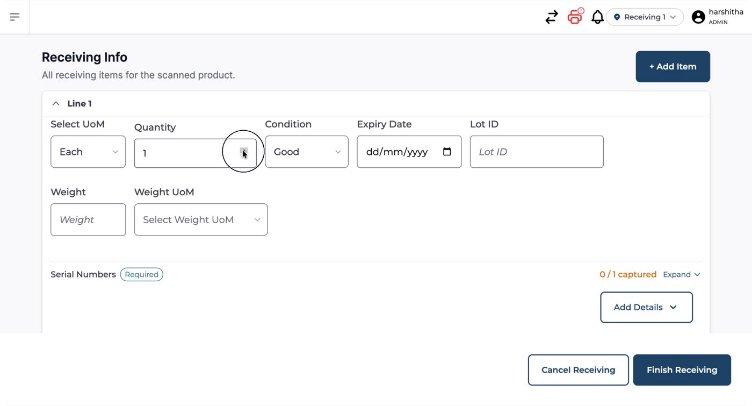
For example, specify the quantity to be tagged for repair and provide the relevant serial numbers for those items.
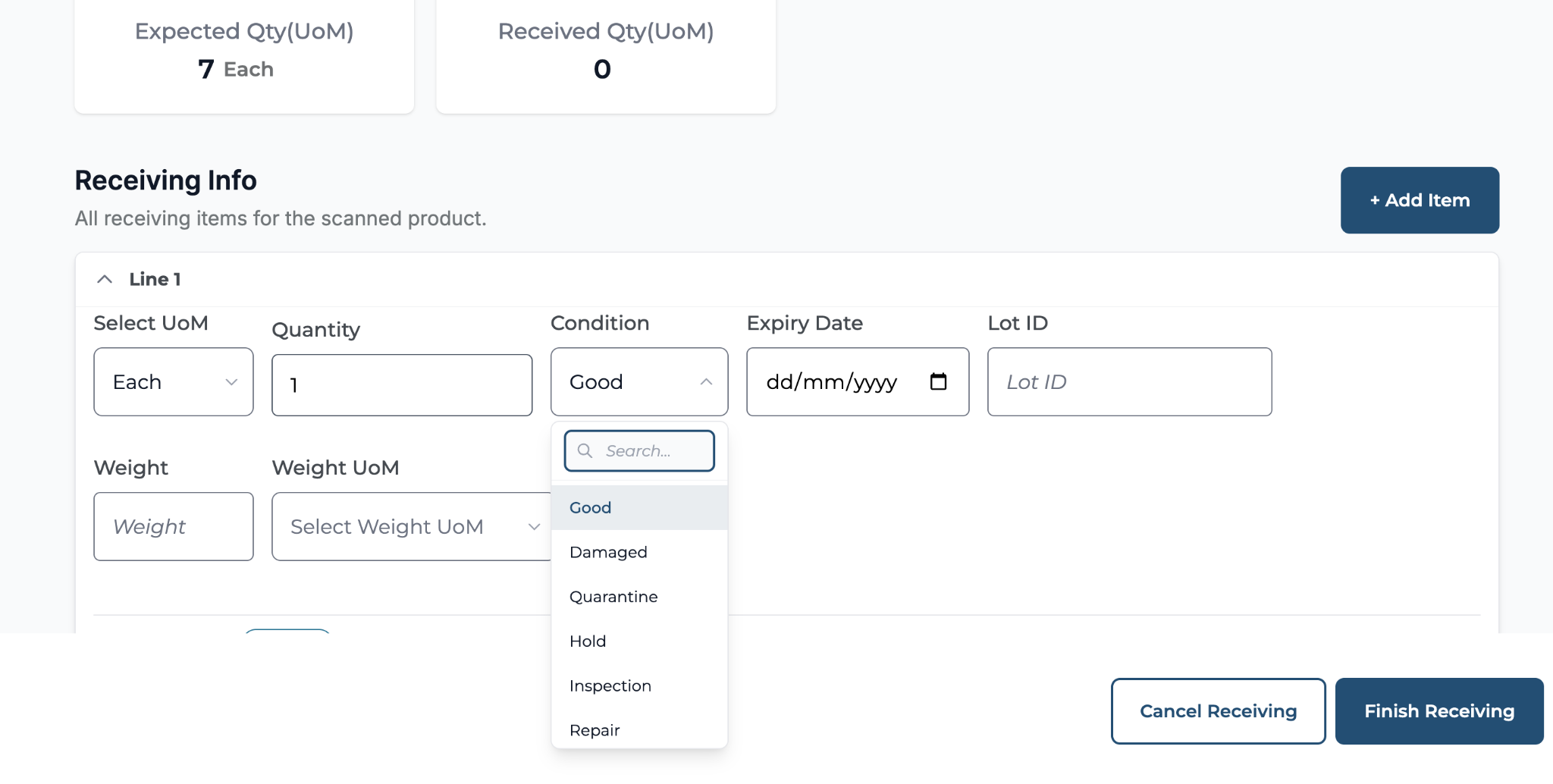
Once all tagging and serial information is entered, complete the receiving process for the consignment.
Step 2: Access the Quality Checking (Review) Station
After receiving is complete, open the dedicated quality checking station, where all items tagged as Hold, Inspection, Quarantine, or Repair are listed for review.
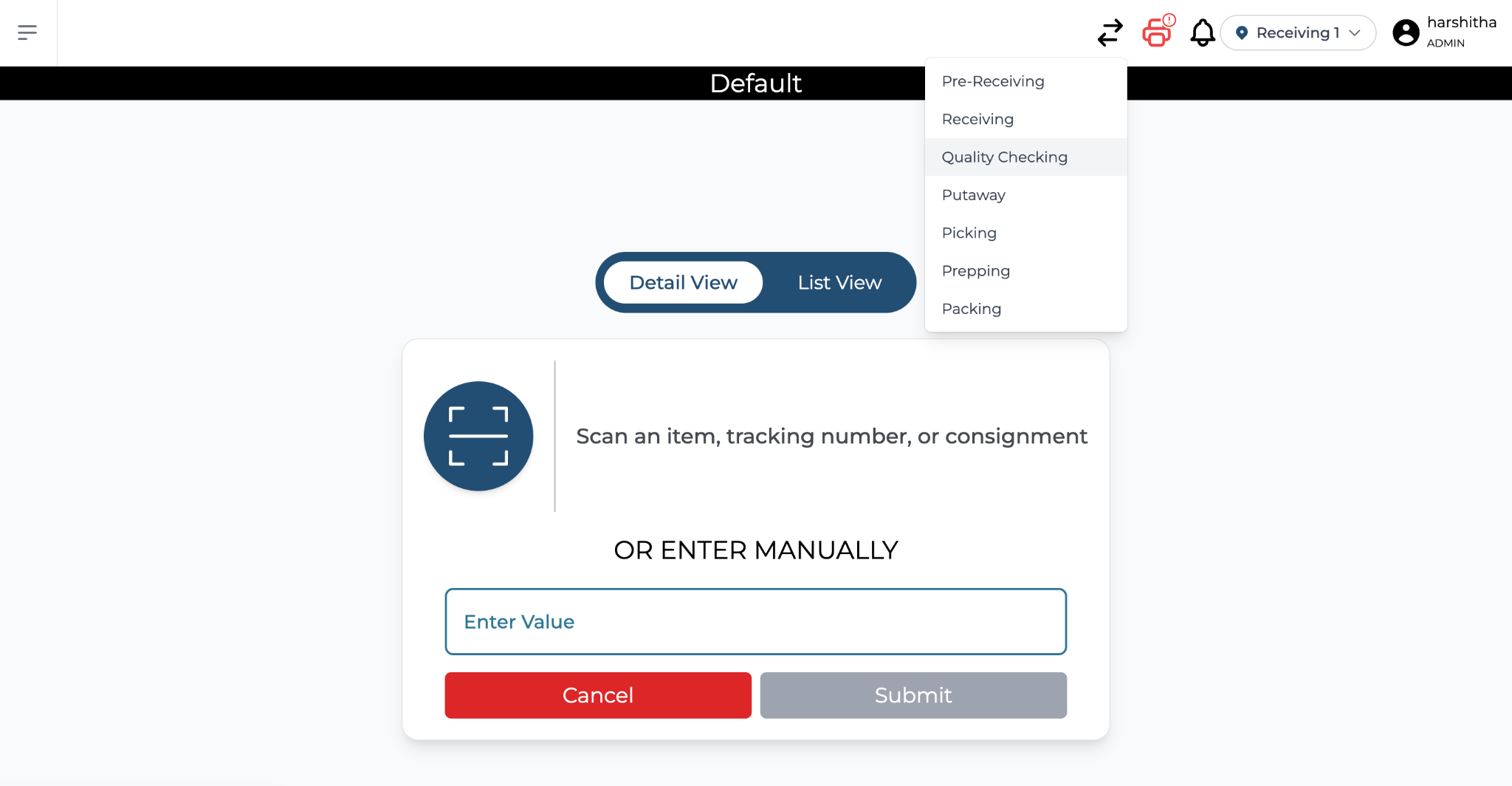
From this station, view consignments that have products tagged under these special conditions and select the consignment you wish to review.
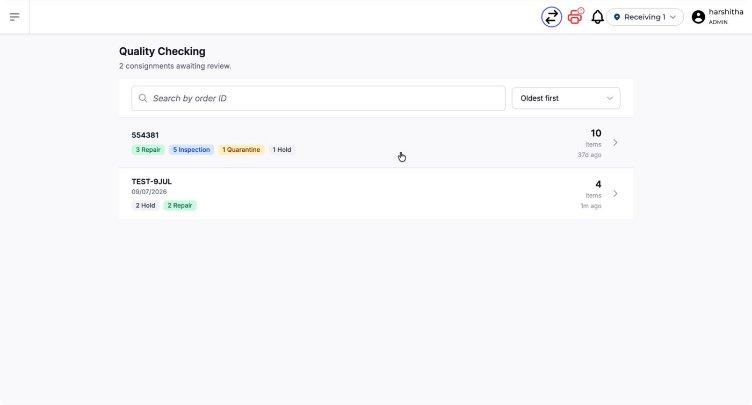
Step 3: Review Items Tagged for Repair or Other Conditions
Within the selected consignment, you will see a list of items tagged for Repair, Quarantine, and other categories. Click on the Repair category (or any other relevant category) to view the items that require action.
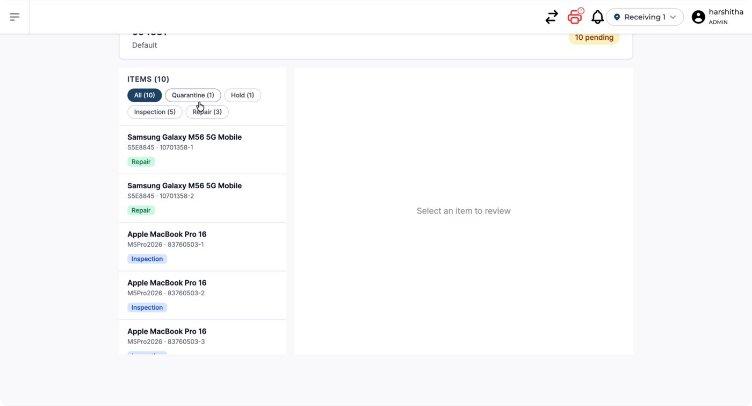
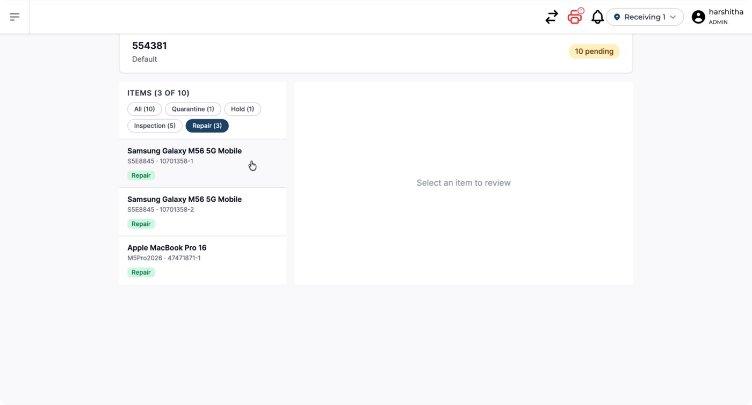
After examining or repairing the item, decide on the appropriate next action based on the quality check outcome.
Step 4: Choose the Next Action for Each Item
For each item under review, select one of the available disposition options:
-
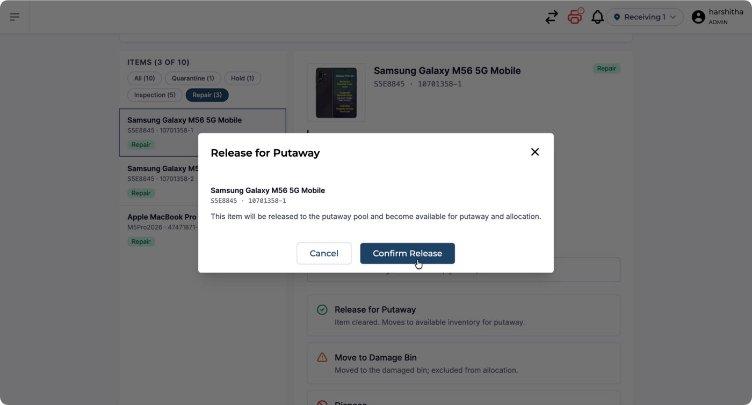
Release for put away to continue the normal put away workflow for items that pass quality checks.
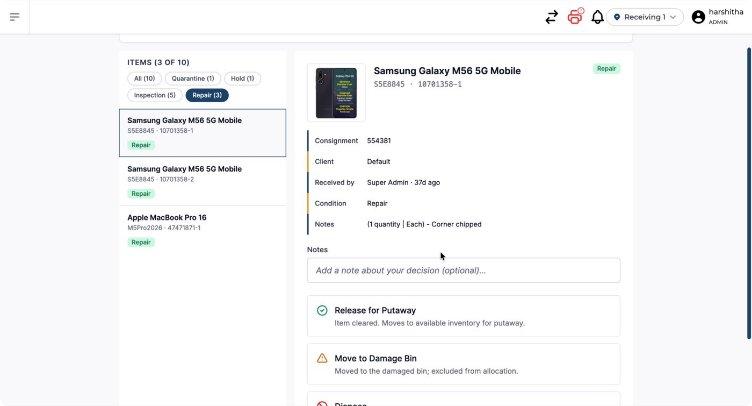
Confirm the release action when prompted.
-
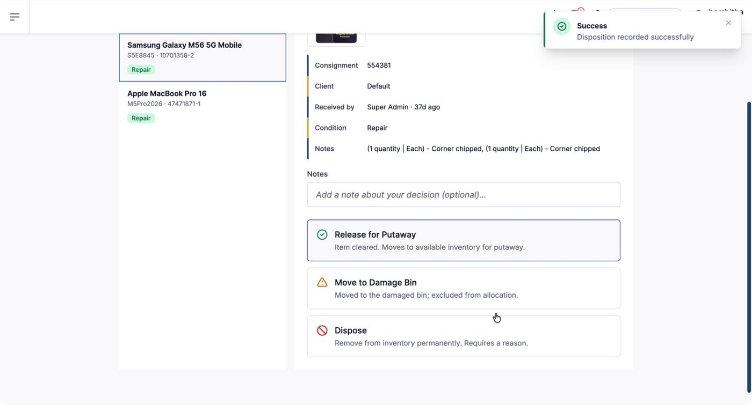
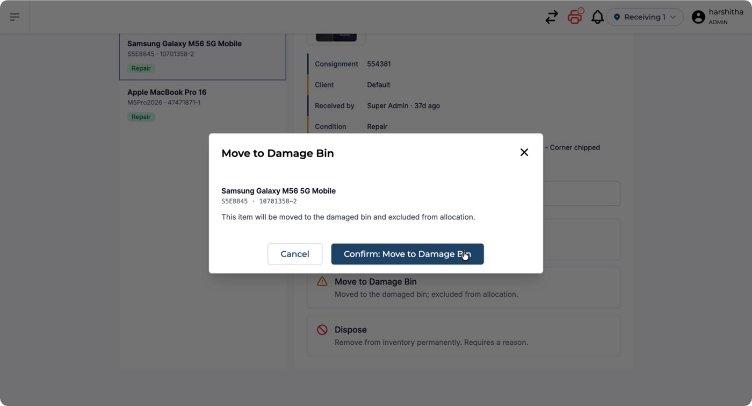
Move to damaged bin for items that are not suitable for normal stock but must be retained in a damaged inventory location. This action moves inventory to the virtual damaged location in the system.
-
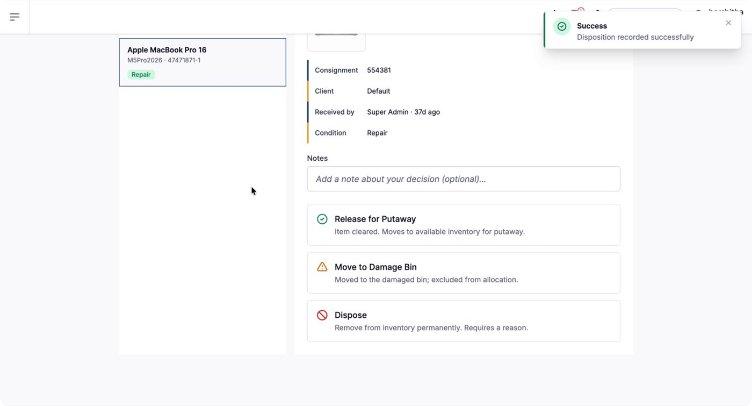
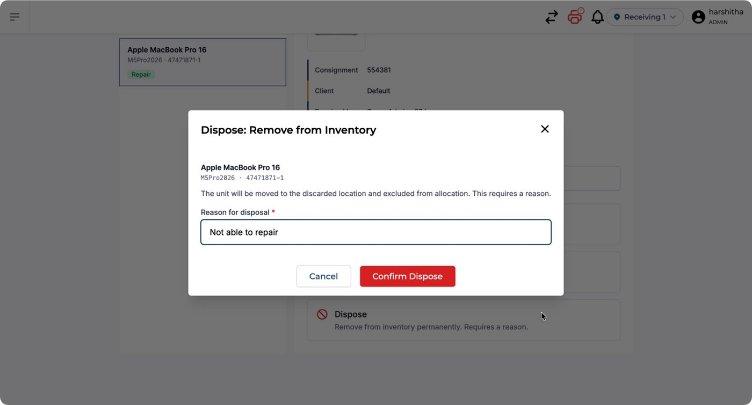
Dispose for items that cannot be repaired or reused and must be removed from inventory. This action moves inventory to the virtual discard location in the system.
You can apply the same set of actions (release for put away, move to damaged bin, or dispose) to any stock item in the quality checking station, ensuring each item is routed to the correct next step based on its condition.