
Overview:
Hopstack supports multiple picking strategies that help optimize order fulfillment. Each method suits different operational needs depending on order volume, SKU overlap, and warehouse workflows.
1. Pick by Order
Definition:
Items are picked order by order, meaning each order is completed before moving to the next. This strategy ensures clarity and reduces sorting needs.
Process:
-
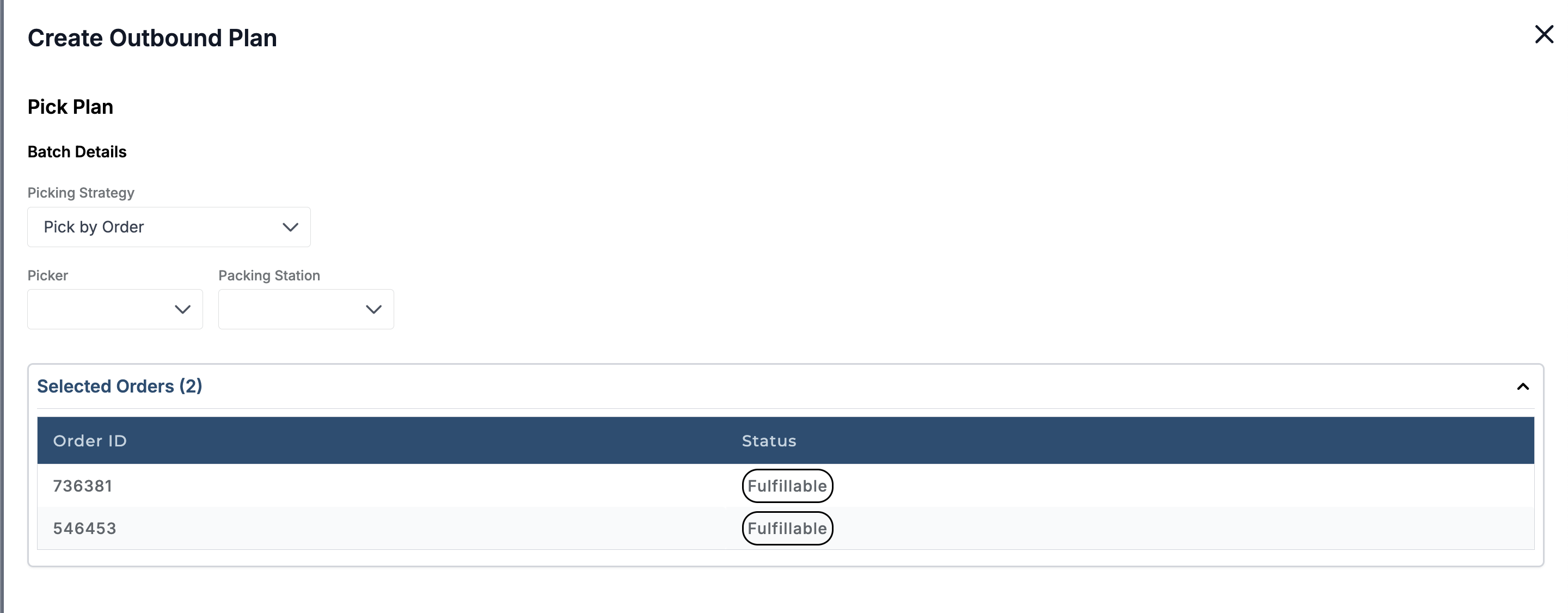
Select the orders to be fulfilled and click Create Outbound Plan.
-
In the Pick Plan, select Picking Strategy → Pick by Order.
-
Click Next, move to the Pack Plan, add details, and complete the Outbound Plan as usual.
-
Begin the Picking Workflow:
-
Select the warehouse (if required) and scan the tote.
-
Items will be assigned order-wise (Order 1, then Order 2, etc.).
-
Complete picking for the first order, drop it off, and then continue with the next.
-
-
Track order status anytime in the Operations screen.
Best for:
-
Small to medium volumes.
-
Simple fulfillment processes with minimal SKU overlap.
2. Pick then Sort by Order
Definition:
All items for multiple orders are picked in a single run. Afterward, items are sorted into their respective orders.
Process:
-
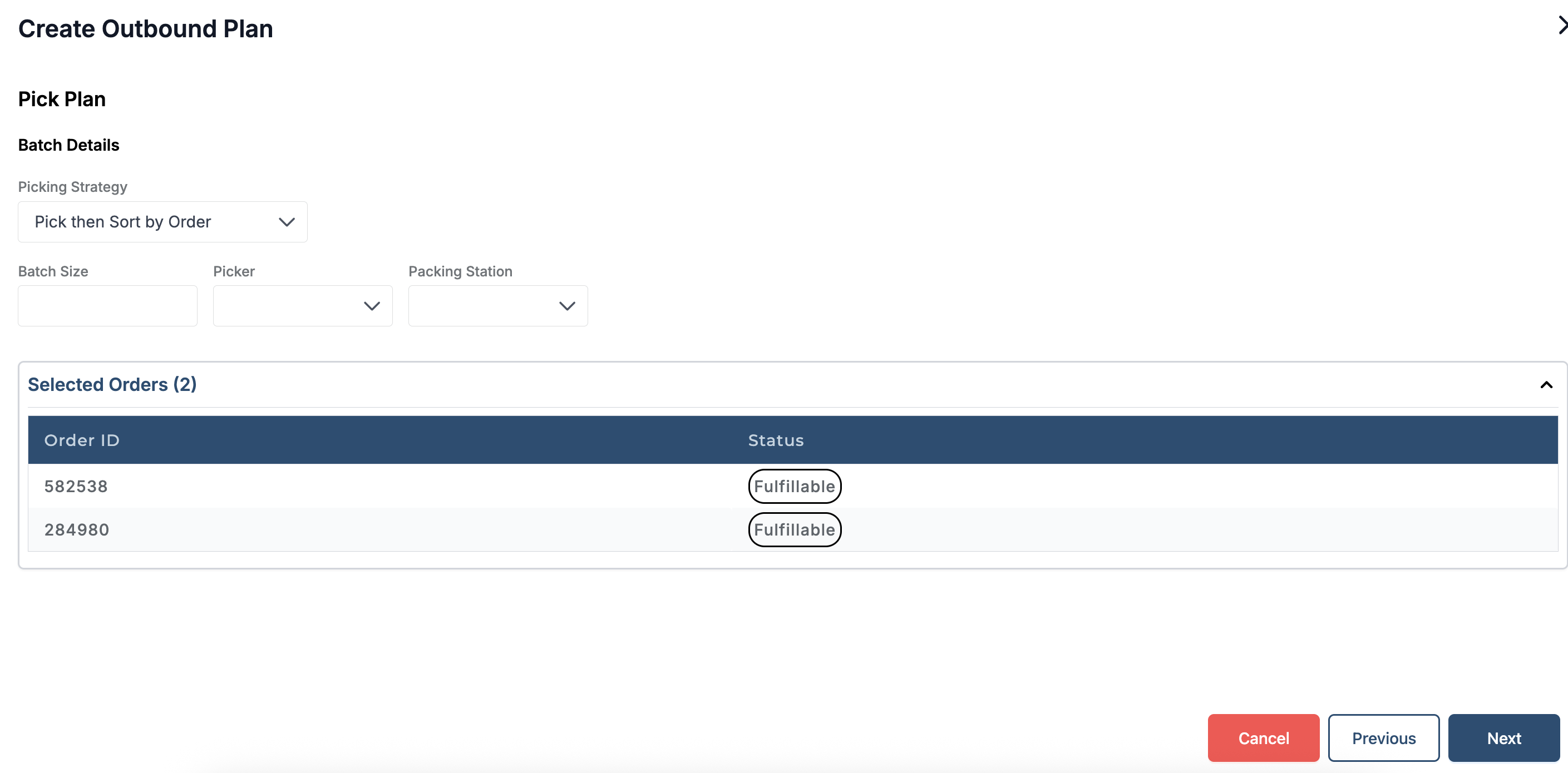
Create and confirm an Outbound Plan select Picking Strategy → Pick then Sort by Order.
-
System creates batches based on SKUs. For example, if two orders share two SKUs, two batches will be generated—one for each SKU.
-
Begin the Picking Workflow:
-
Select the warehouse (if needed) and scan the tote.
-
You’ll be assigned SKU quantities to pick (SKU 1, then SKU 2, and so on).
-
Pick and confirm items.
-
-
After picking, check progress in Operations if needed.
-
Move to Packing:
-
Scan the tote.
-
Select the order to pack.
-
Follow the standard packing process.
-
Best for:
-
High-volume operations.
-
Warehouses where SKUs are repeated across orders.
-
Reduces walking time by consolidating picks.
3. Pick then Sort by Products
Definition:
All items across multiple orders are picked in a single run and then sorted by product type first, before creating orders. This ensures better control when product grouping is prioritized.
Process:
-
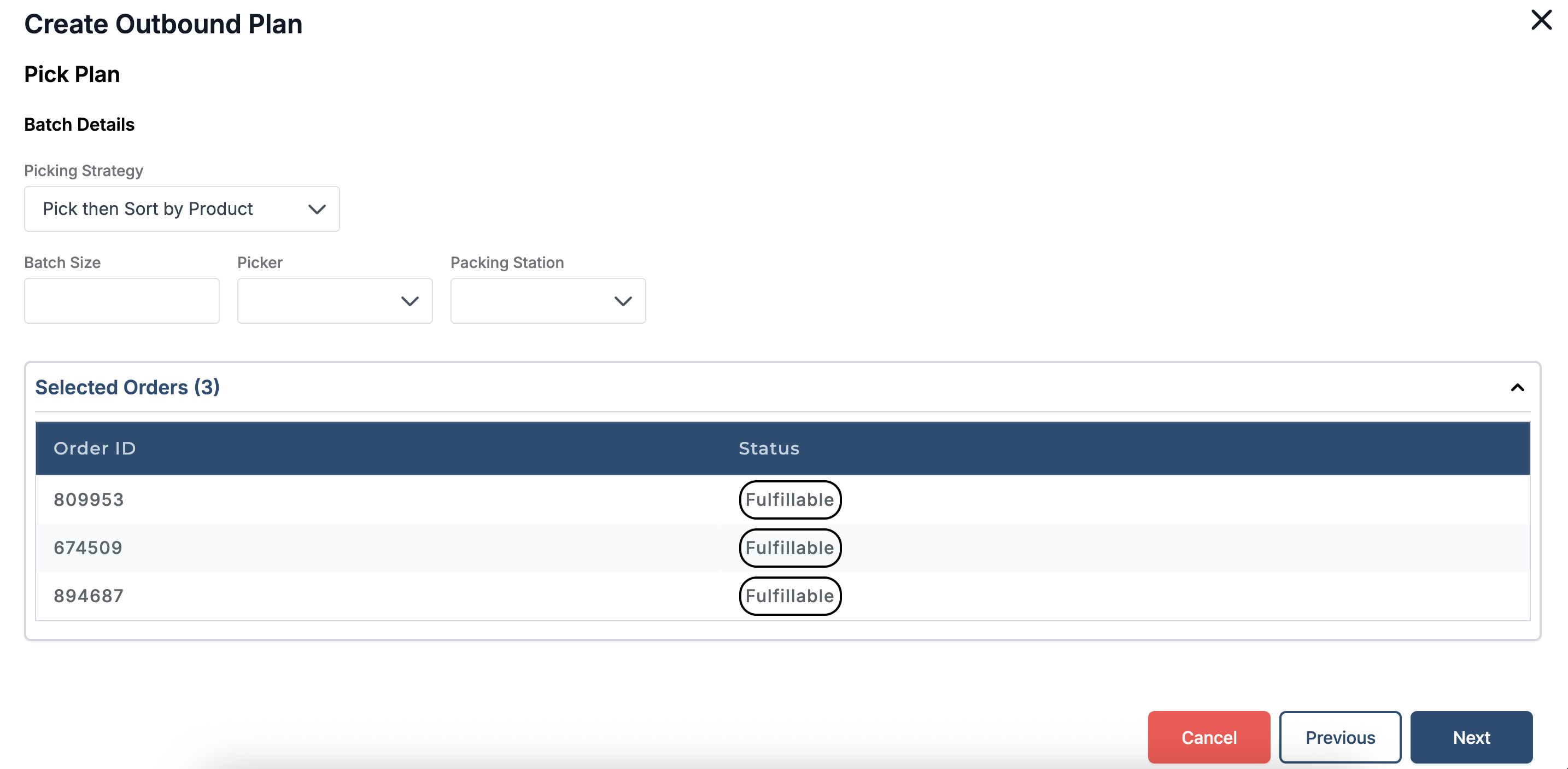
Create and confirm an Outbound Plan select Picking Strategy → Pick then Sort by Products.
-
Click Next, move to the Pack Plan, add details, and complete the Outbound Plan as usual.
-
Begin the Picking Workflow and scan the tote.
-
Pick items SKUs with assign quantities and confirm picking.
-
After this, packer will be assigned job to pack the orders.
-
Continue with the Packing Workflow as usual.
-
This workflow eliminates the process of sorting the order.
Best for:
Large operations needing a separate sorting step for accuracy.
Businesses prioritizing SKU-level consolidation before order assignment.
3. Pick + Sort
Pick + Sort: Items for multiple orders are picked and sorted simultaneously. This method is efficient for larger operations with high order volumes as it reduces the need for separate sorting after picking.
Process:
-
Select the orders to be fulfilled and click on Create Outbound Plan.
-
Go to Pick Plan and Select Picking Strategy : Pick + Sort
-
Click on Next and move to Pack Plan, add the details and go to Next and complete Outbound Plan as usual.
-
Once the Outbound Plan is completed, picker will be assigned picking job to add the Products in required totes.
-
Here, 1 batch will be created for the orders and Picking will be assigned per order.
-
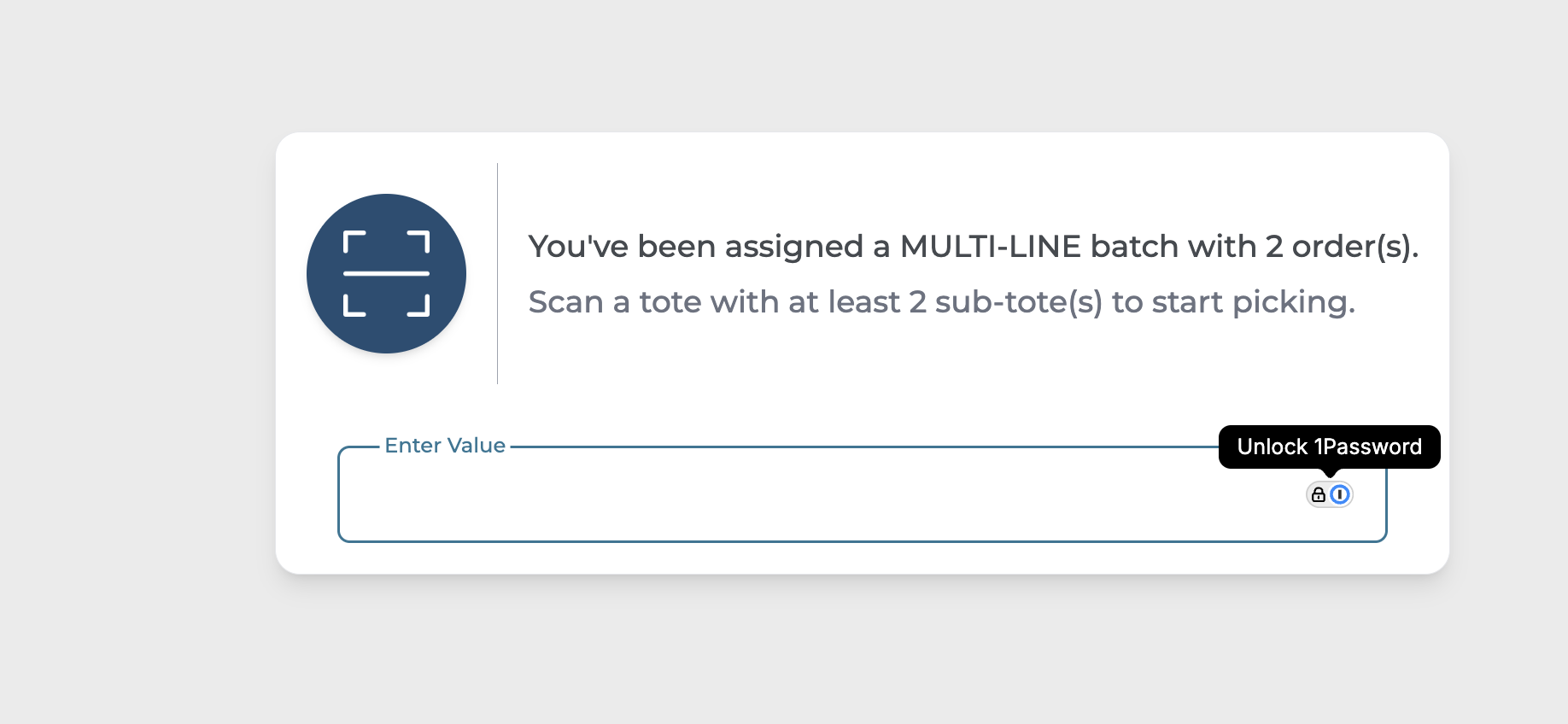
System will ask to Pick and Scan the Tote as per the Order requirement, if it a batch with multiple orders system would ask you to pick tote with sub-totes.
-
Scan the tote and start with Picking.