
The enhanced Receiving List View makes it easier to track receiving progress and manage consignments with improved received vs. expected information, additional columns, sorting, filtering, and configurable table views.
View Expected vs. Received Quantity
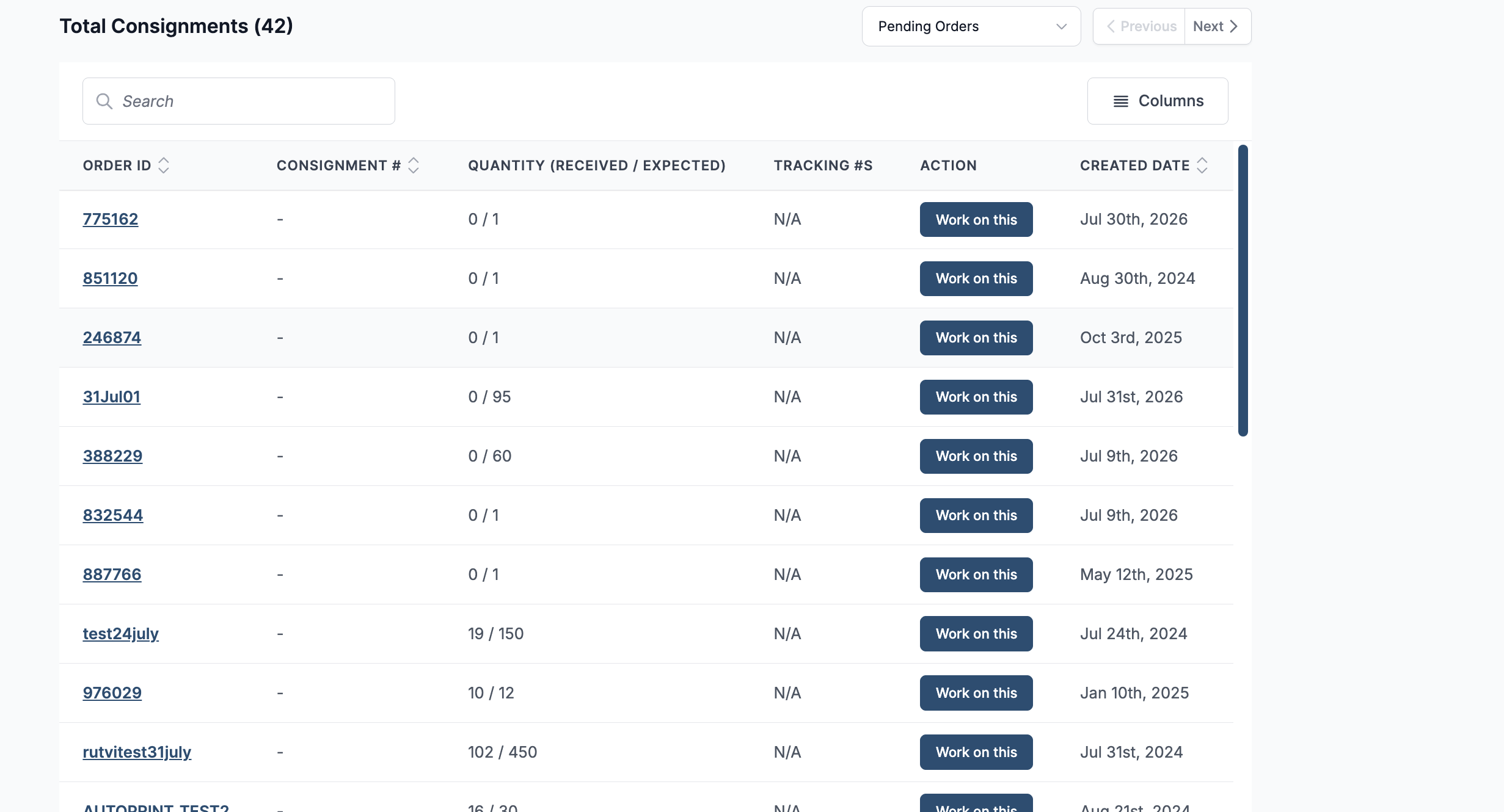
The Quantity (Received / Expected) column provides an at-a-glance comparison of how much inventory has been received against the quantity expected for each consignment.
For example, 25 / 100 indicates that 25 units have been received out of the 100 units expected.
This makes it easier to monitor receiving progress and identify consignments that are yet to be fully received.
View More Consignment Information
The List View supports additional columns, allowing you to view more consignment information directly from the table.
Available columns include:
-
Order ID
-
Consignment #
-
Quantity (Received / Expected)
-
# Lots
-
Weight (Received / Expected)
-
Supplier
-
Carrier
-
Tracking #s
-
Action
-
Created Date
Configure the Table
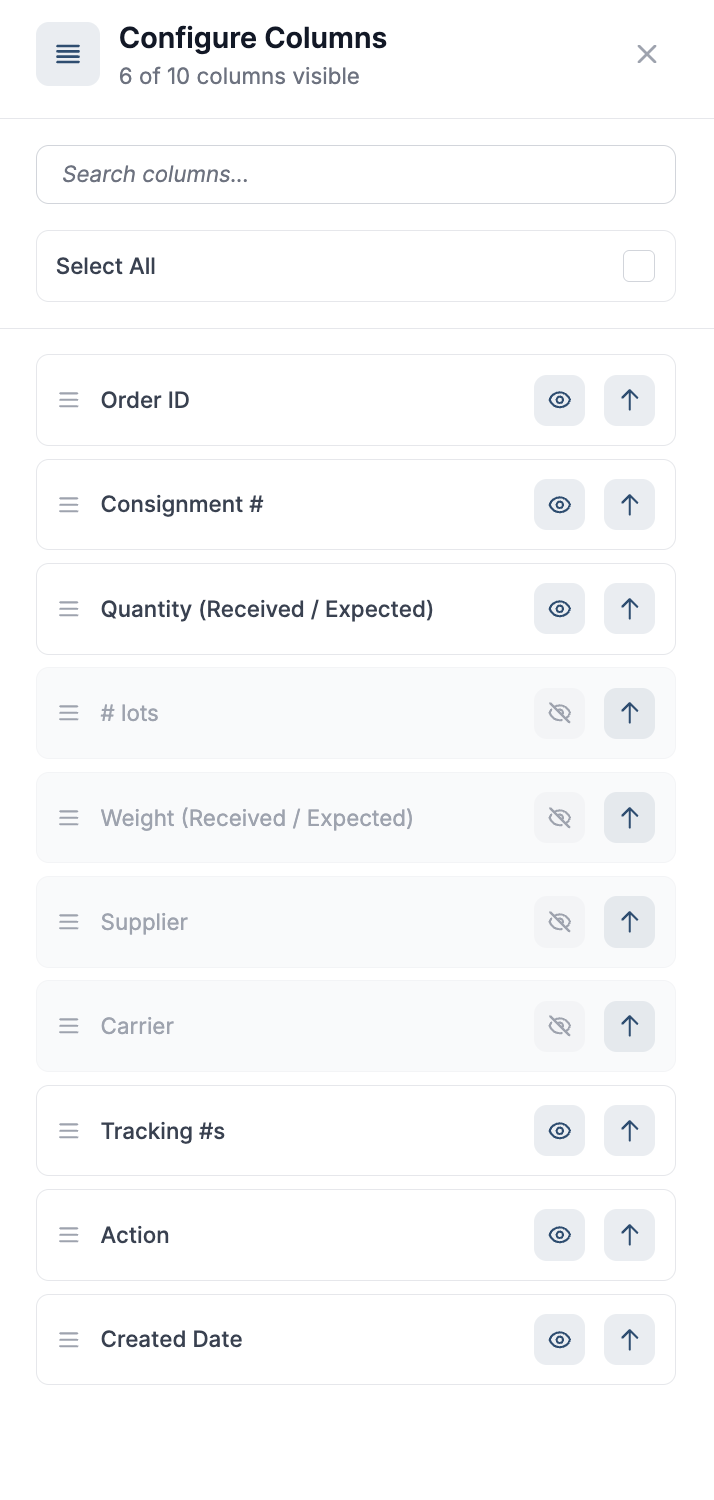
Click Columns to customize the information displayed in the Receiving List View.
From the Configure Columns panel, you can:
-
Show or hide individual columns.
-
Select all available columns.
-
Search for a specific column.
-
Rearrange columns to control the order in which they appear in the table.
This allows each user to configure the receiving table based on the information most relevant to their workflow.
Sort Consignments
Consignments can be sorted using Order ID or Created Date.
Click the sort control next to the respective column heading to switch the sorting order. This can help you quickly locate a specific order or prioritise consignments based on when they were created.
Filter by Status
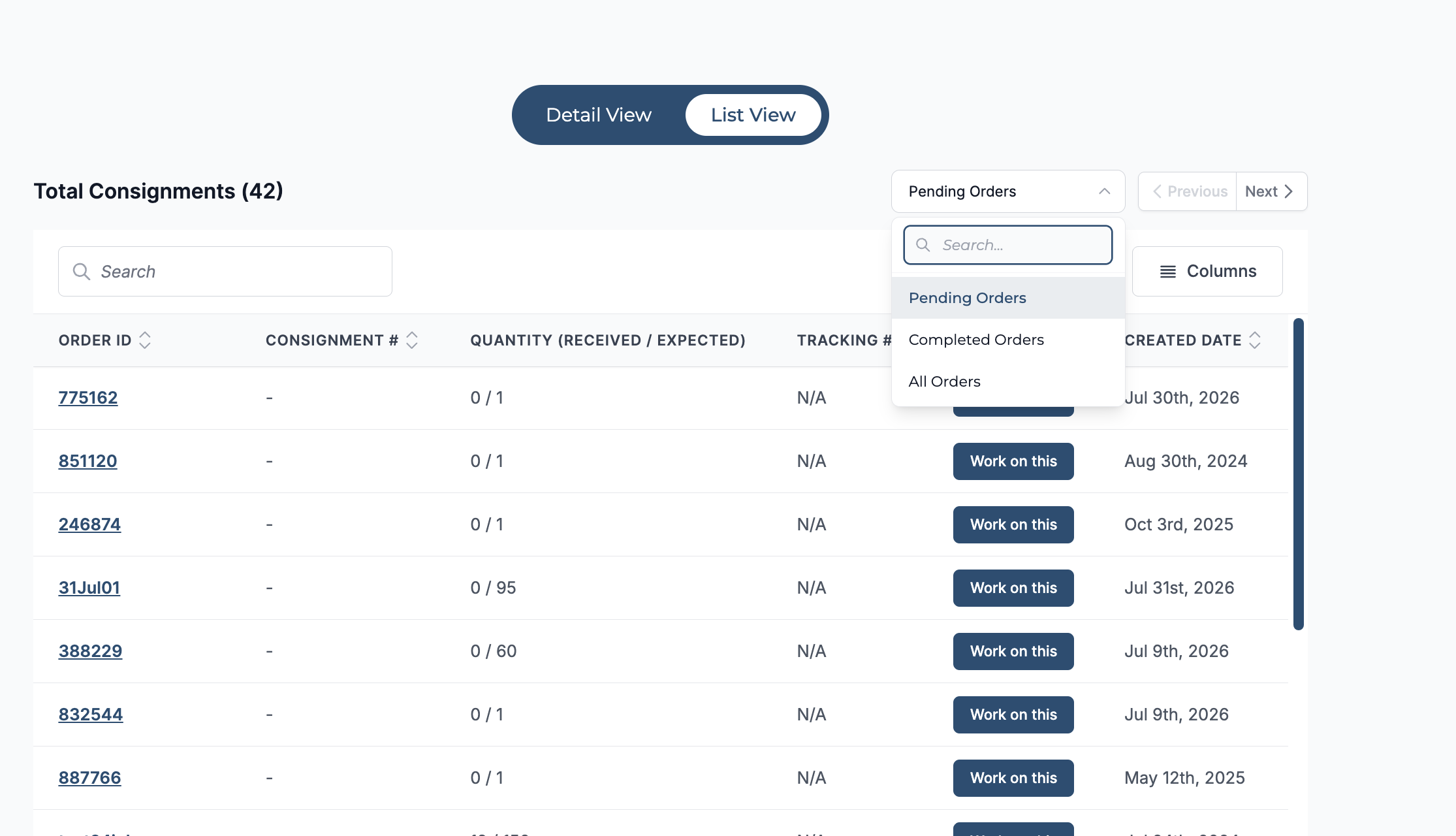
Use the status dropdown to control which consignments are displayed.
Choose from:
-
Pending Orders – View consignments that still require receiving activity.
-
Completed Orders – View consignments for which receiving has been completed.
-
All Orders – View both pending and completed consignments.
You can also use the Search field to quickly locate a specific consignment or order within the list.
Initiate Receiving
For a pending consignment, click Work on this to open the consignment and continue the receiving process.