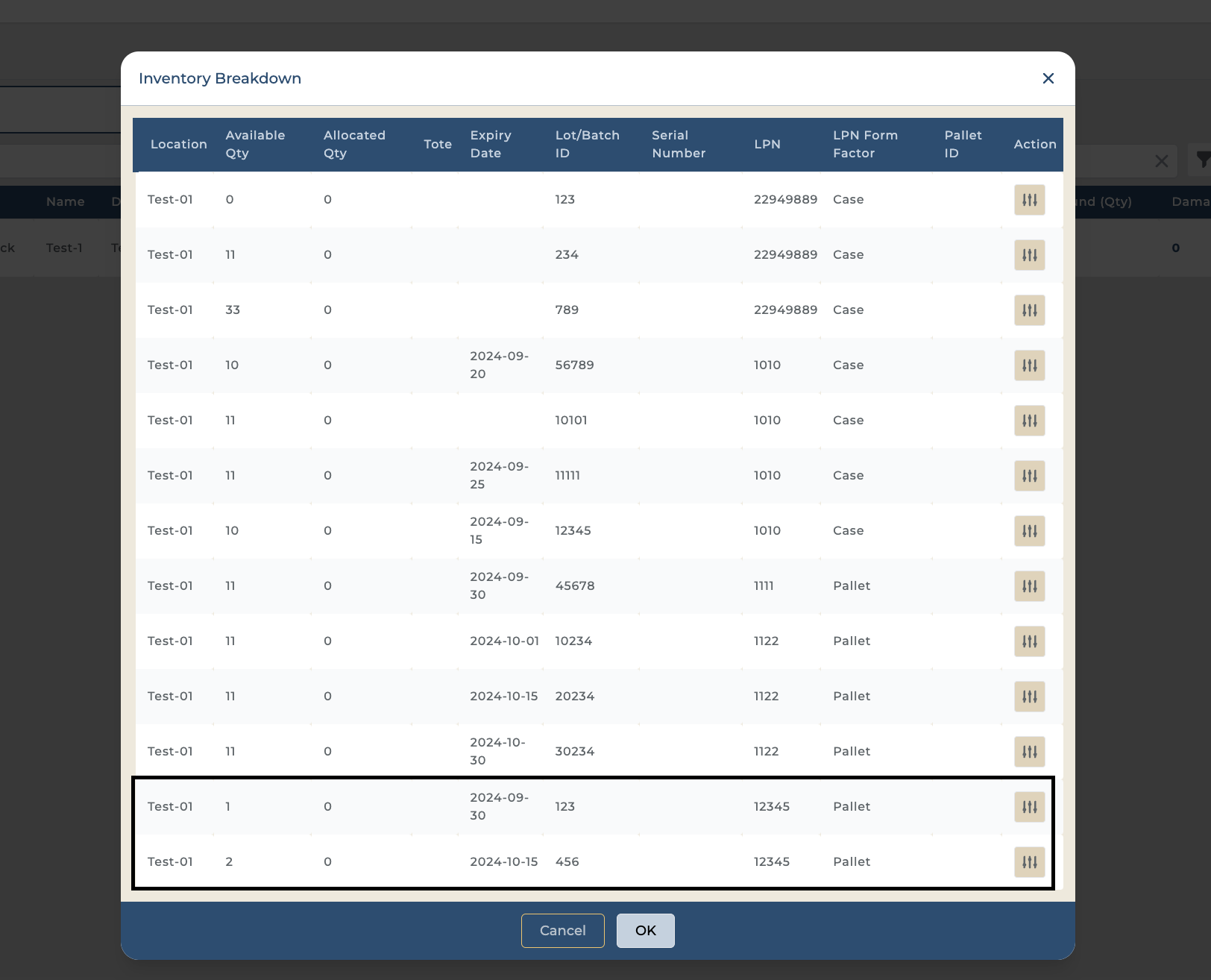
Overview: Our system simplifies the process of receiving pallets that contain items from multiple lot IDs. This document provides a clear overview of how to handle such pallets and manage them using License Plate Numbers (LPNs).
Receiving with Multiple Lot IDs:
When you receive a pallet that includes items from different lot IDs, you can associate each of these lot IDs with a single LPN. This approach helps streamline inventory tracking and ensures each lot’s details are accurately recorded.
Recording Multiple Lot IDs:
-
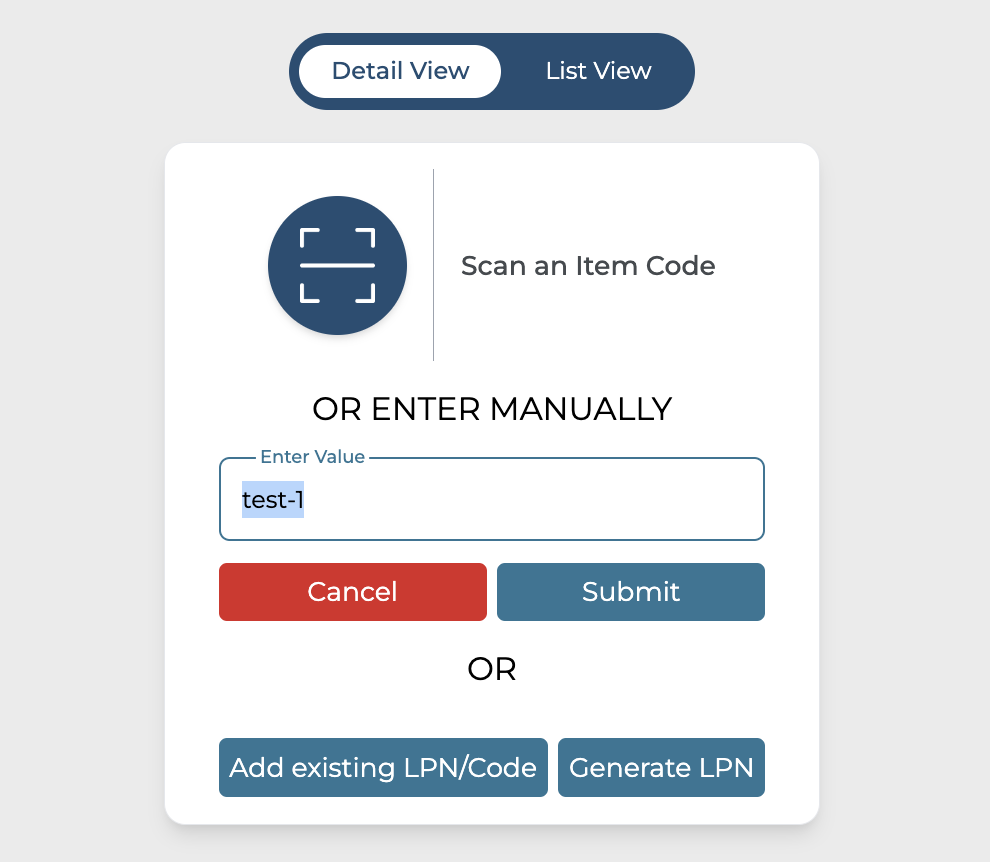
Scan the product, You can use List view as well.
-
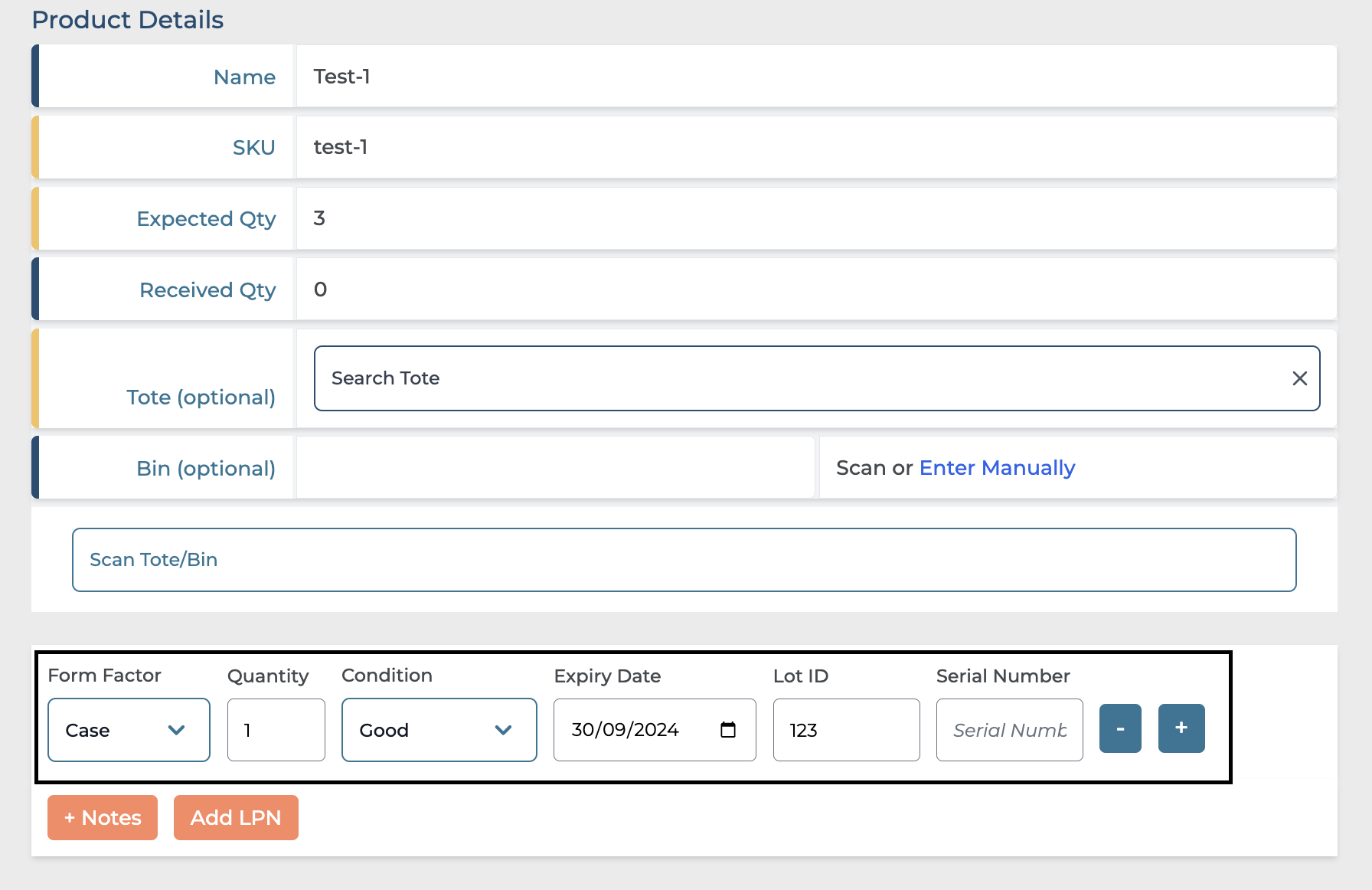
Update the Form Factor, quantity, expiry date, and lot ID.
-
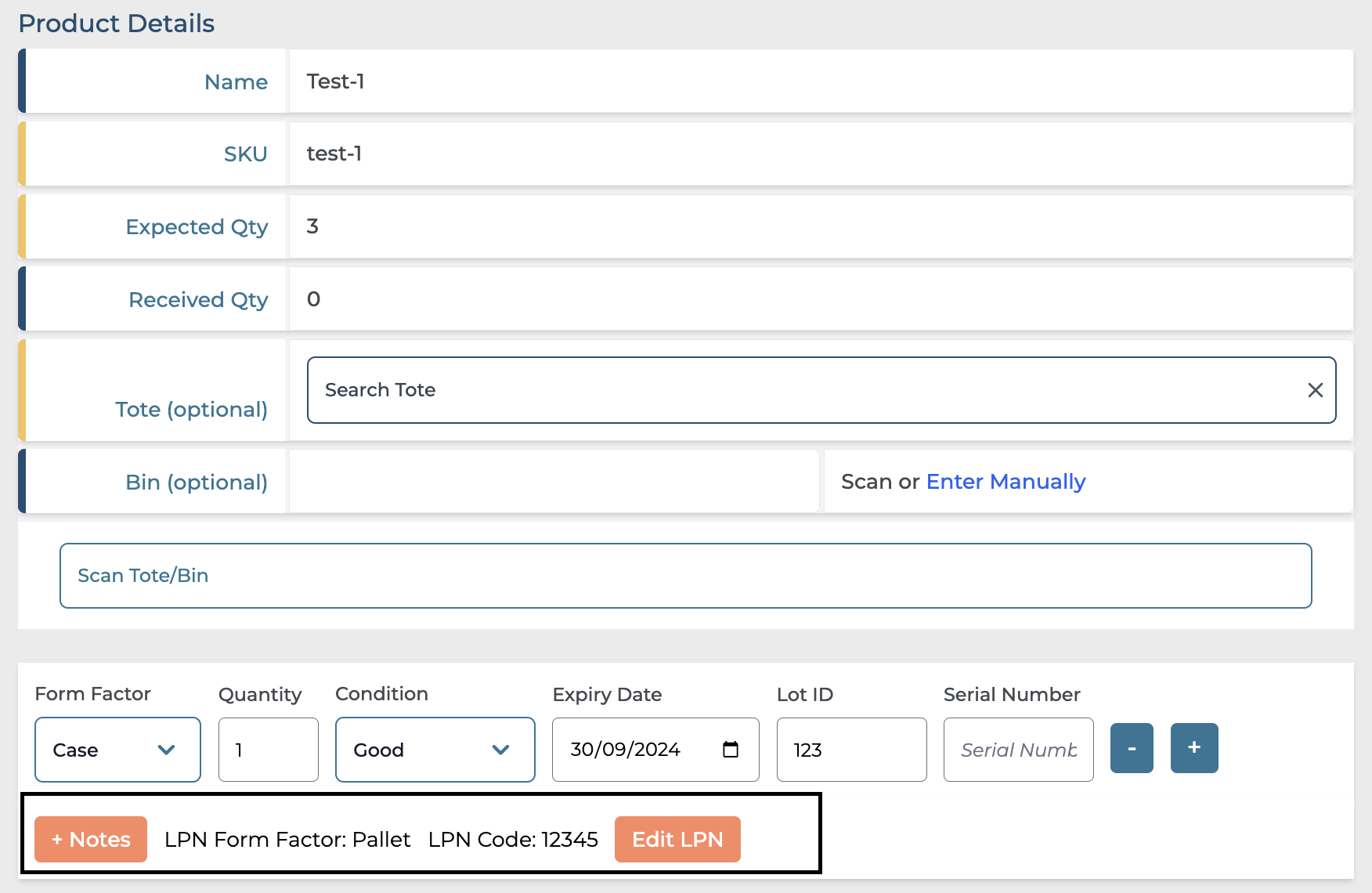
Click 'Add LPN', set the form factor as a pallet, and enter the LPN ID.
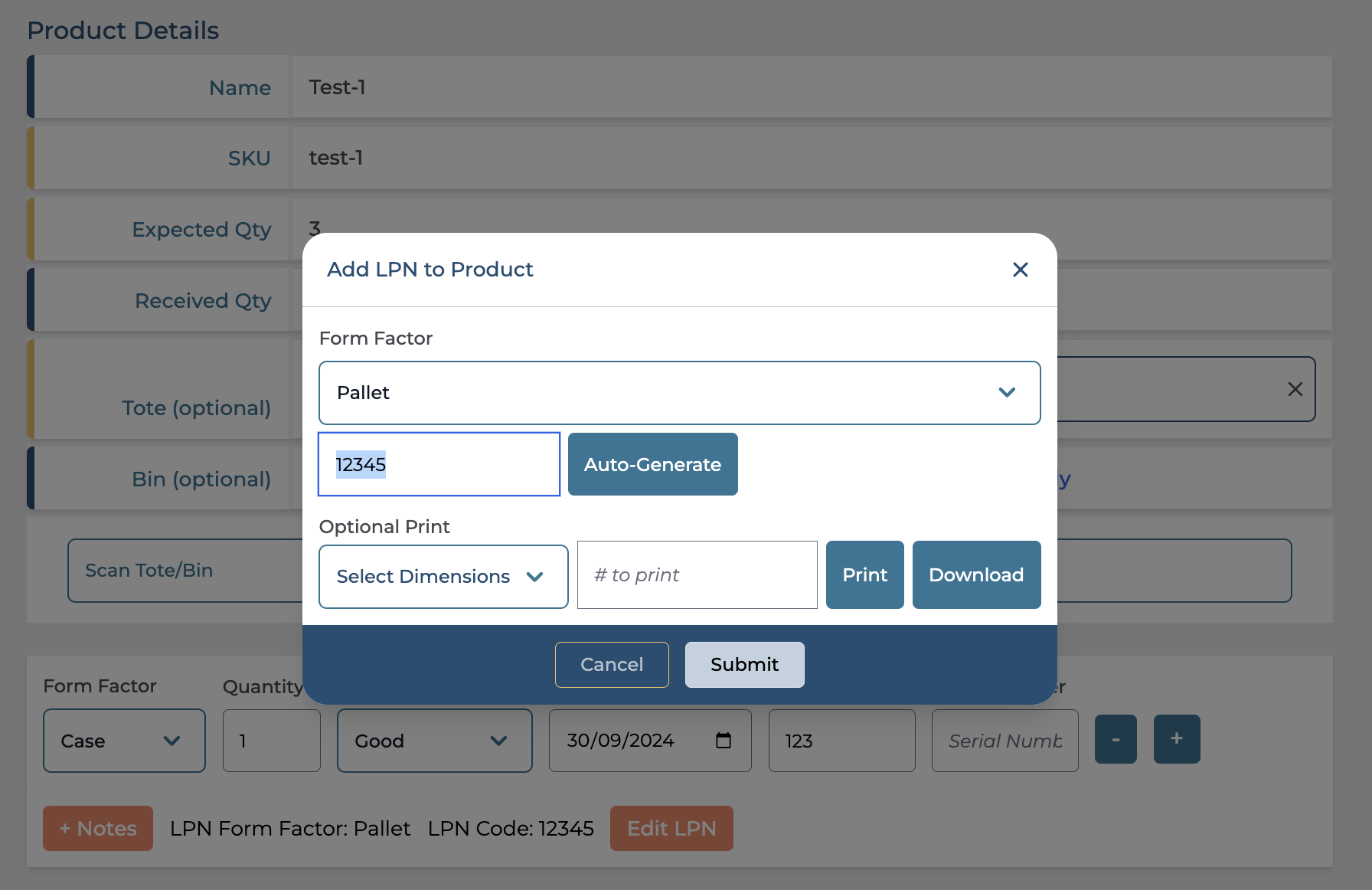
The LPN added would be visible as shown below.
-
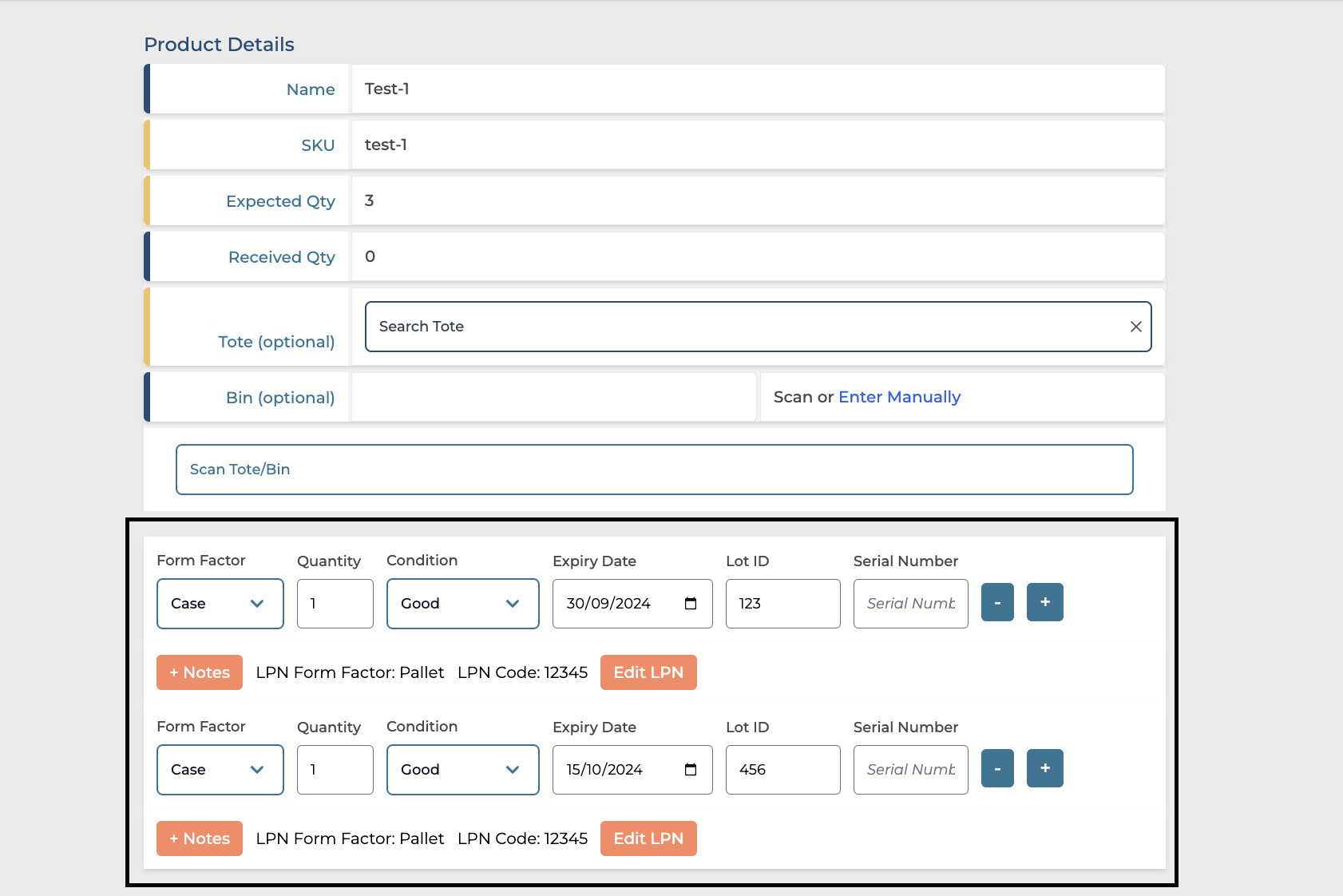
To add another lot ID with a different expiry, click the ' + ' icon at the end of the product line. (Ensure the Pallet LPN is the same).
-
Once the details are updated please go ahead and confirm.
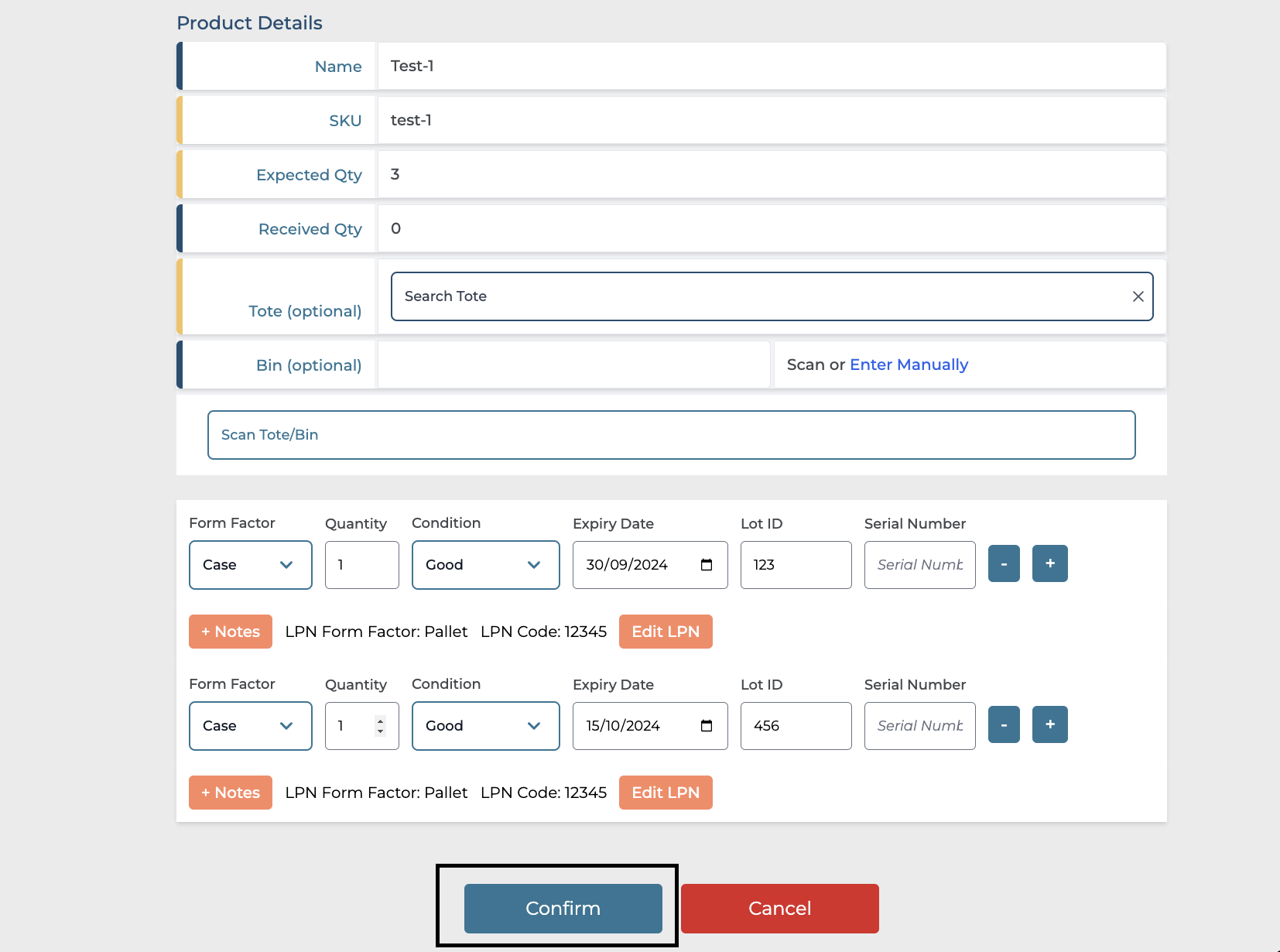
Once confirmed, please proceed to putaway accordingly.
By following the above steps, System will receive sku test-1 as Pallet with LPN code: 12345 containing, 1 x case with Lot ID 123 Exp: 09/30/2024 and 1 x case with Lot ID 456 Exp: 10/15/2024
This is how it will look like on Stock Ledger screen.