
How to Add TikTok Shop Integration
Introduction
Connect your TikTok Shop account to Hopstack to sync products and orders and manage fulfillment. When you create a shipping label for a TikTok order in Hopstack, the tracking number is sent back to TikTok to keep the order updated.
You can now connect your TikTok Shop independently.
How to Set Up the Integration
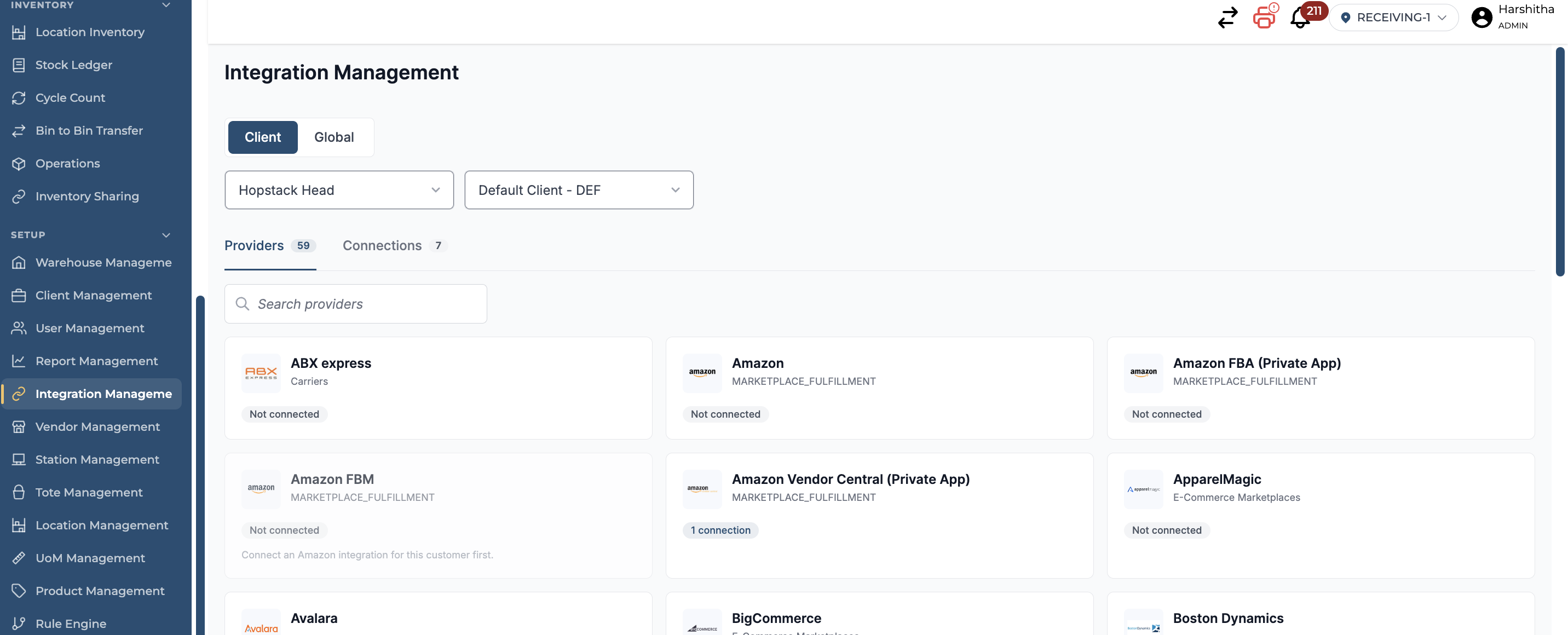
Step 1 | Open Integration Management
From the Hopstack navigation menu, go to Set Up > Integration Management.
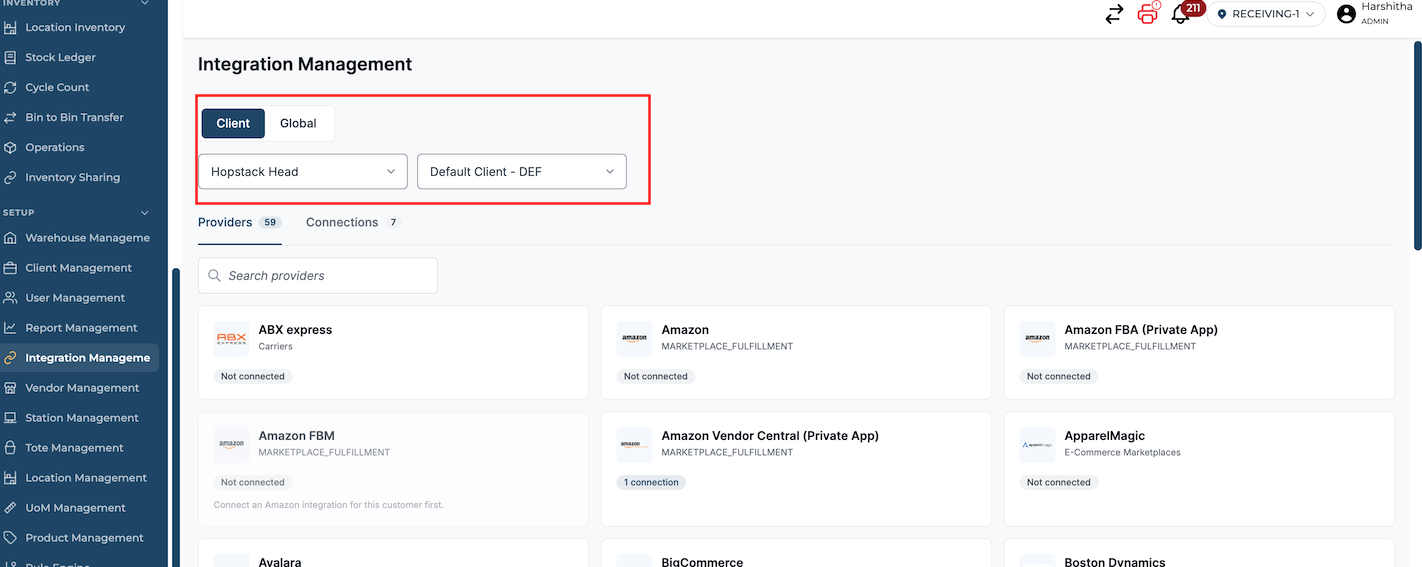
Step 2 | Select the integration scope
If your account uses multiple warehouses, select the applicable warehouse. For a client-specific connection, select the relevant client from the dropdown.
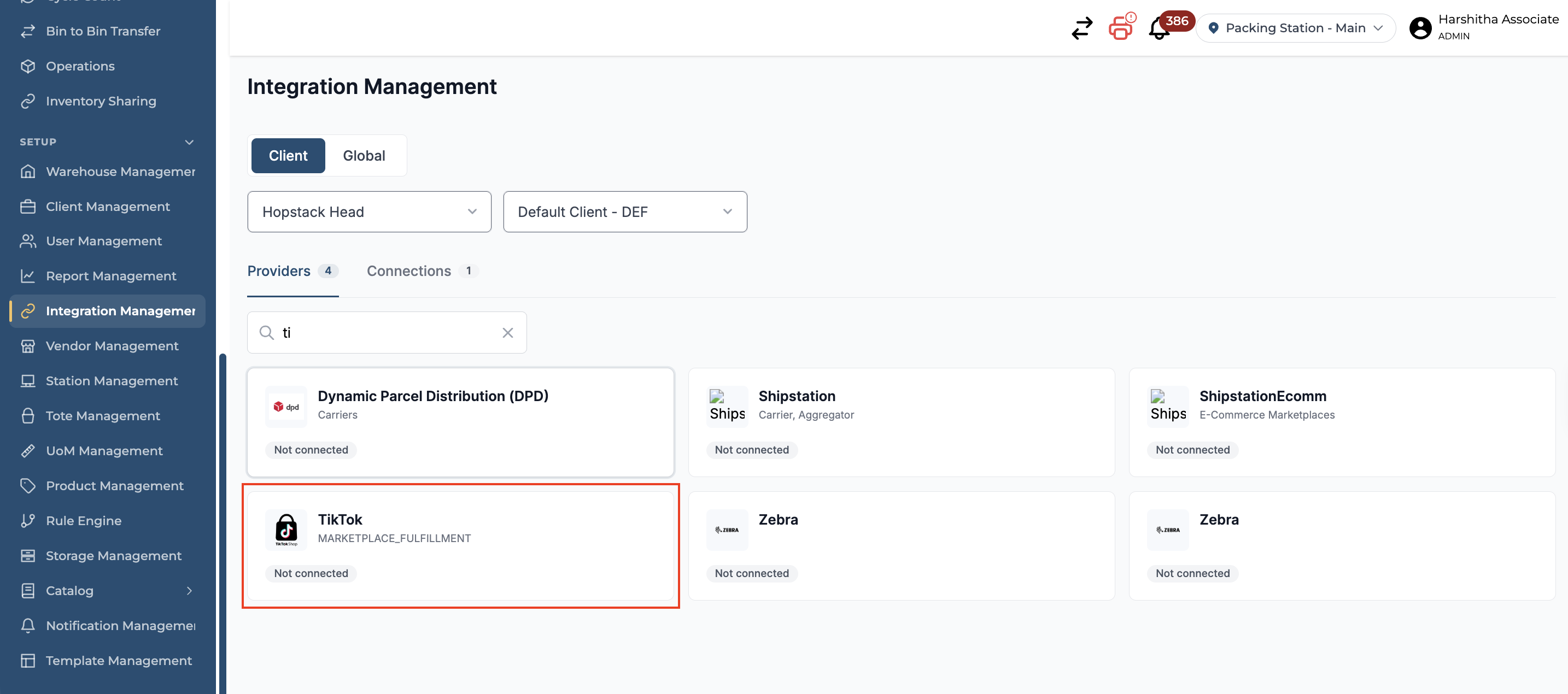
Step 3 | Search for TikTok
Use the search field to find TikTok, then click the TikTok integration tile.
Step 4 | Connect your TikTok Shop account
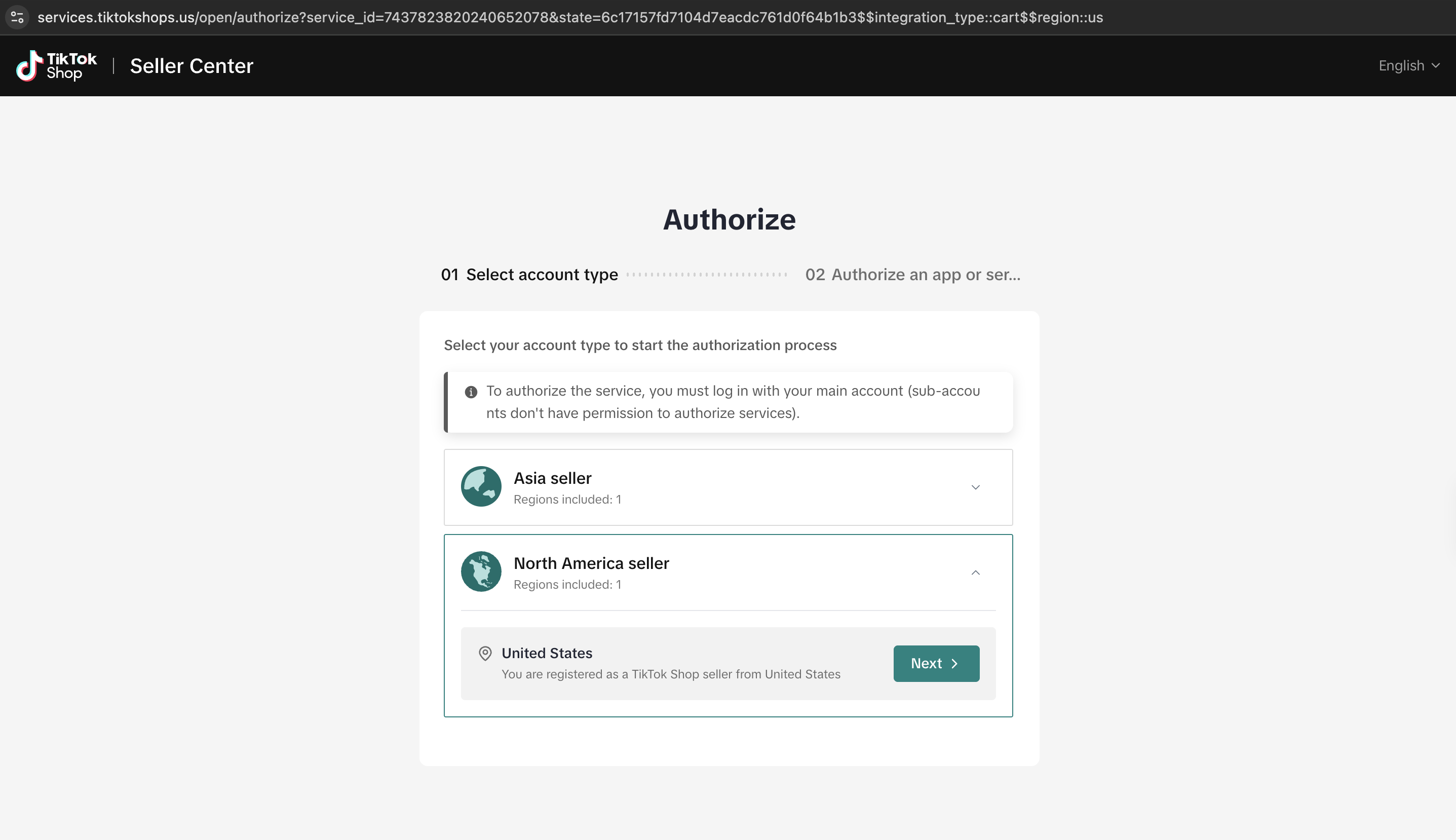
Open the TikTok connection flow and follow the on-screen instructions to authorize access to your TikTok Shop account.
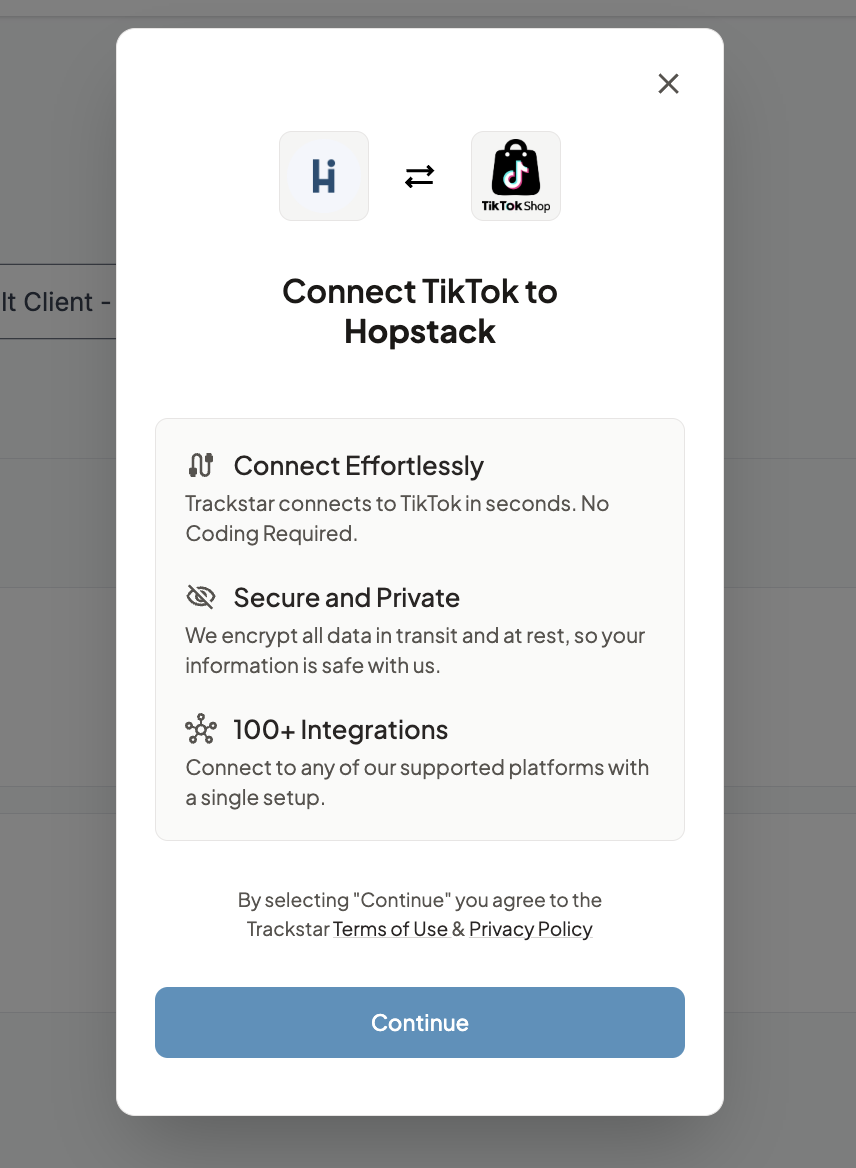
Click Continue, select a region, and click Connect TikTok.
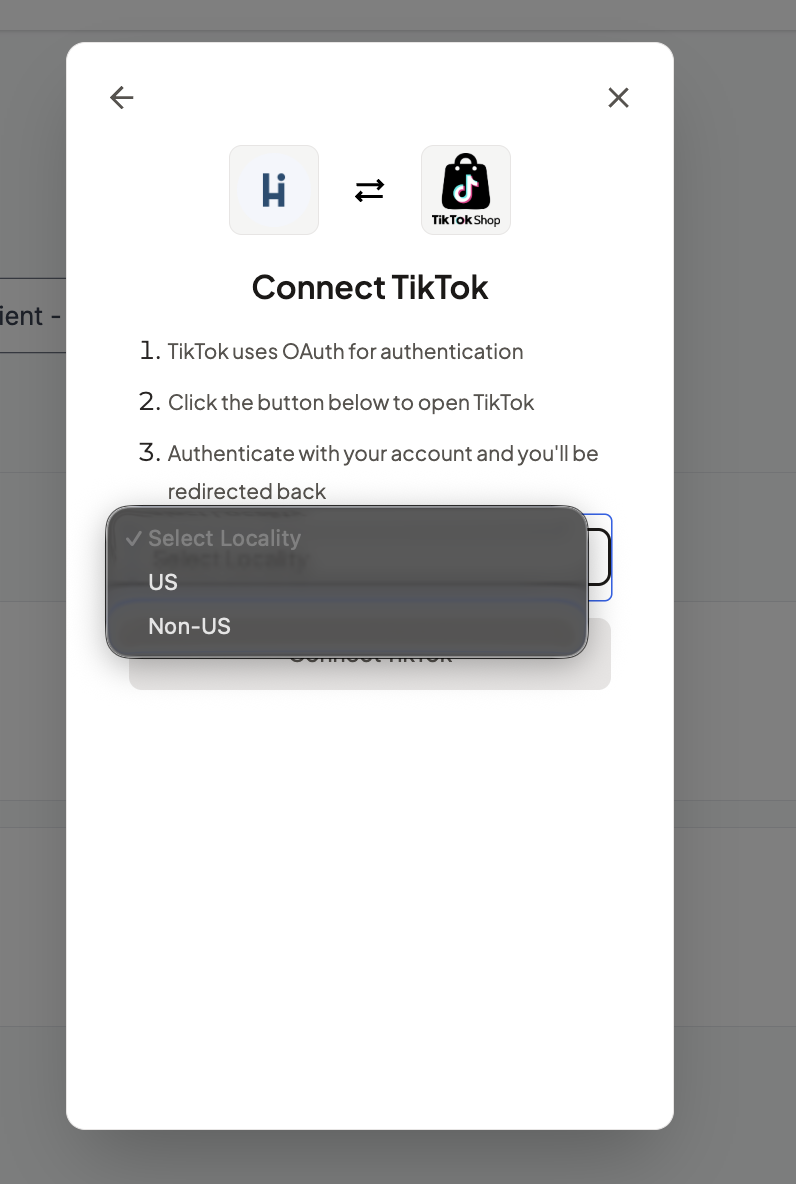
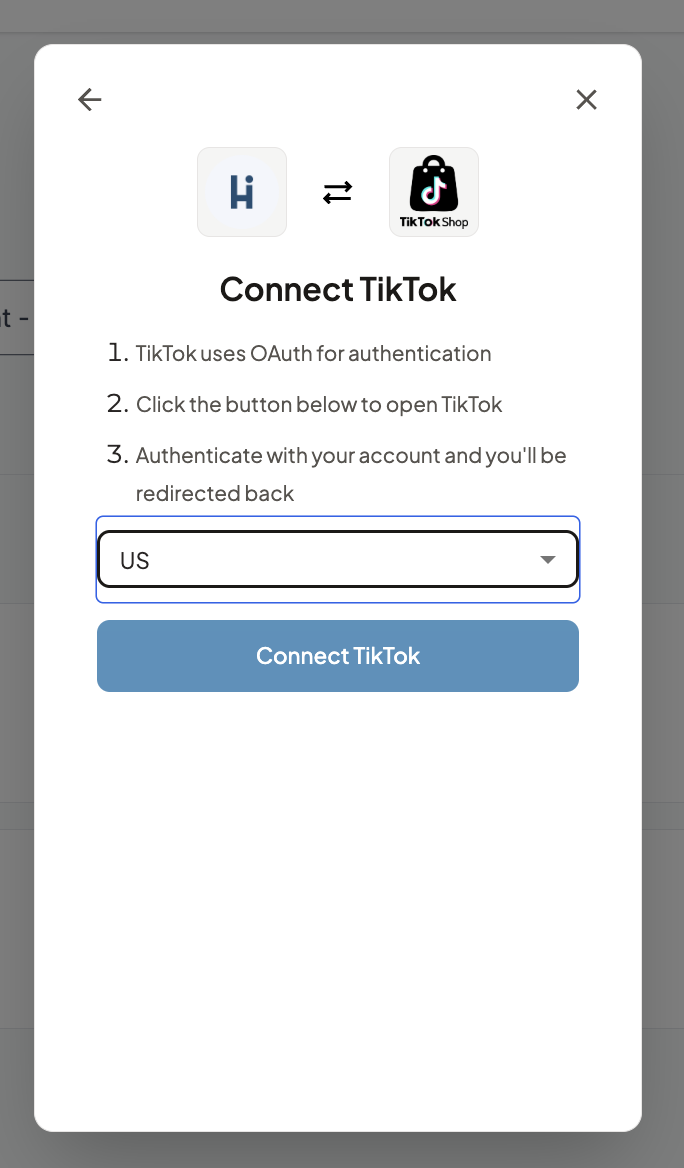
Complete the authorization process to connect your shop to Hopstack.
Step 5 | Verify the connection
Go to Connections and confirm that your connected account appears as TikTok.