
Serial History provides complete traceability for a serialized unit, helping you quickly review its movement and transaction history across warehouse operations.
Accessing Serial History
-
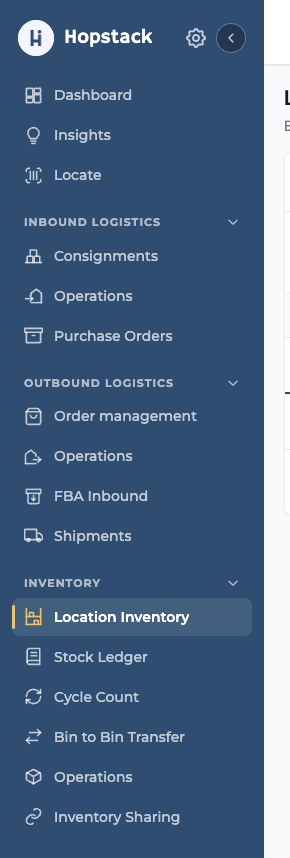
Navigate to Inventory > Location Inventory.
-
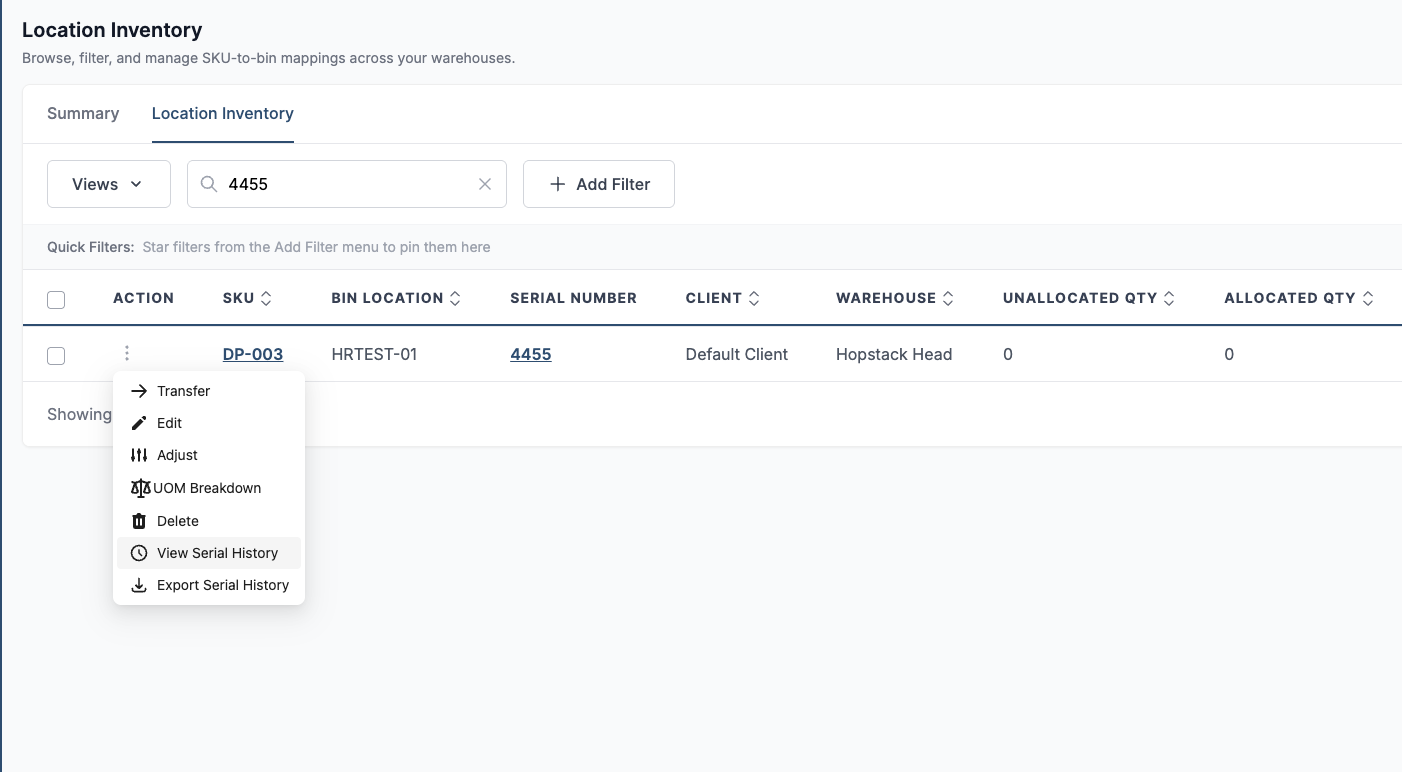
Locate an inventory record containing a serial number by searching the SKU or Serial Number.
-
Open Serial History using any of the following options:
-
Click the on Serial Number in the table.
-
Open the row’s More Actions (⋮) menu and select View Serial History.
-
-
To download the history directly, select Export Serial History from the row’s More Actions menu.
Transaction Timeline
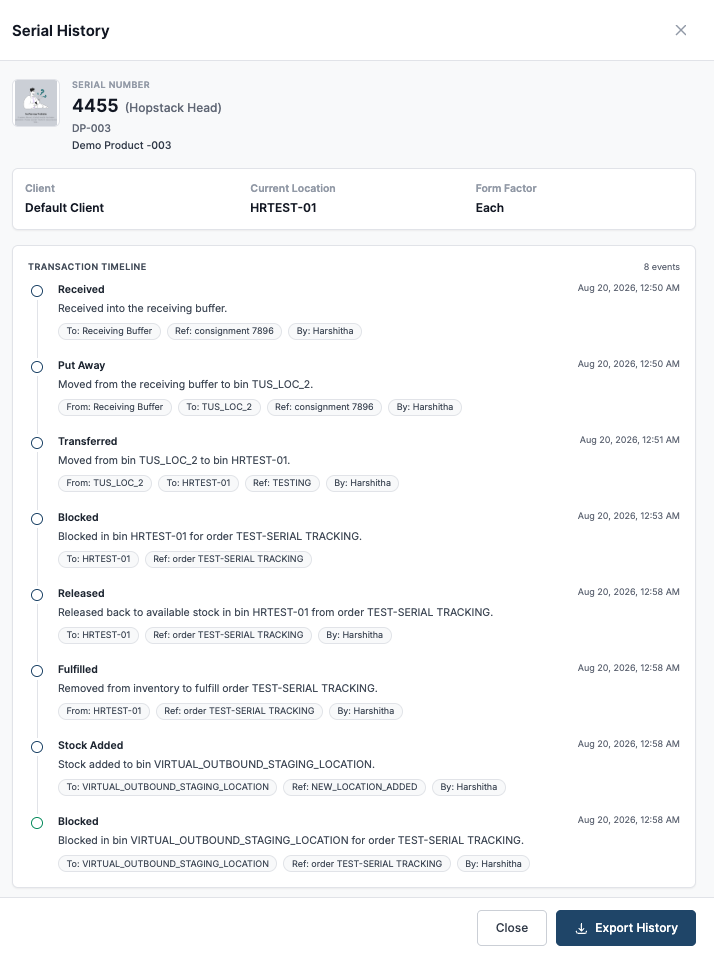
The Serial History panel displays key information about the serialized unit, th user can review the unit’s recorded movement through receipt, putaway, transfers, allocation blocks/releases, adjustments and fulfillment.
The transaction timeline shows the unit’s journey through warehouse operations, including:
-
Receipt into the receiving buffer
-
Putaway and movement between locations
-
Inventory blocks for orders or transfers
-
Release of blocked inventory for Order fulfilment
-
Stock transfers and adjustments
Each event includes the transaction date and time, associated locations, order or transfer reference, and the user who performed the action.
Exporting Serial History
Click Export History at the bottom of the panel to download the complete transaction history as a CSV file.
Note: Packing and shipping activities are represented as a single Fulfilled event.