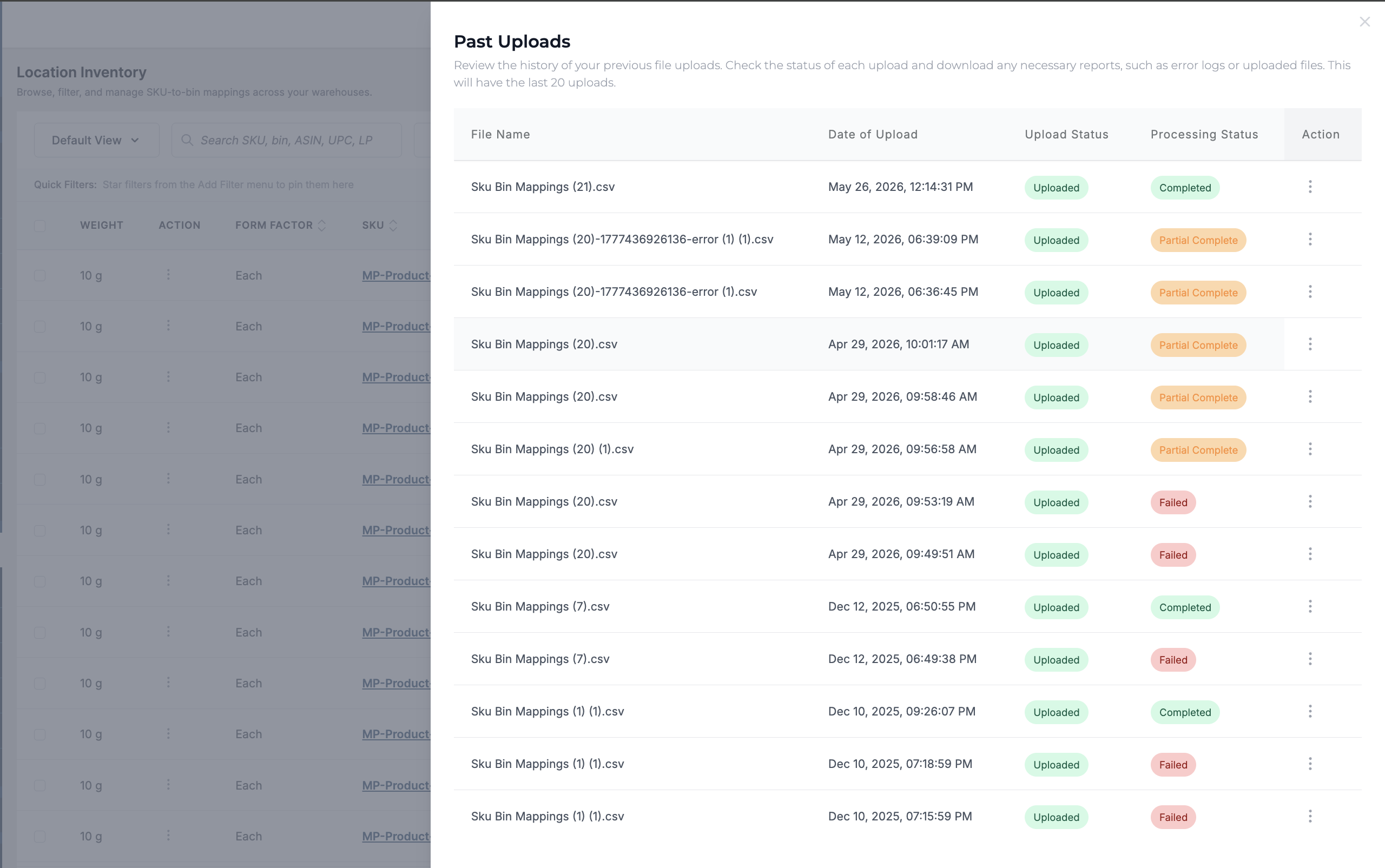
SKU-BIN Mapping can be created in two ways
-
Adding Manually
-
Bulk Upload
To add SKU-BIN mapping manually, follow the steps below.
-
Go to Hopstack Dashboard > Inventory>Location Inventory
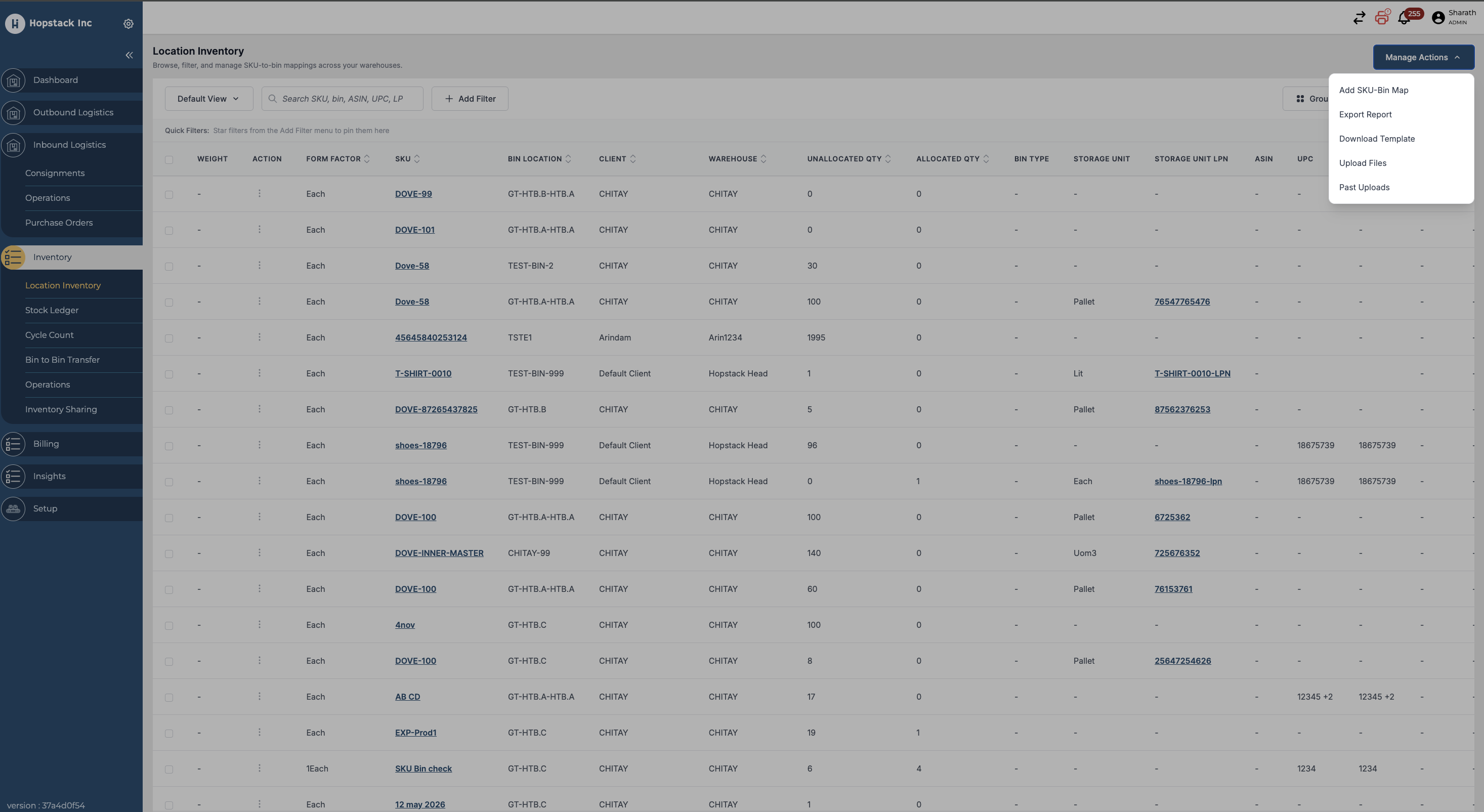
-
Click on 'add SKU-Bin Map',
-
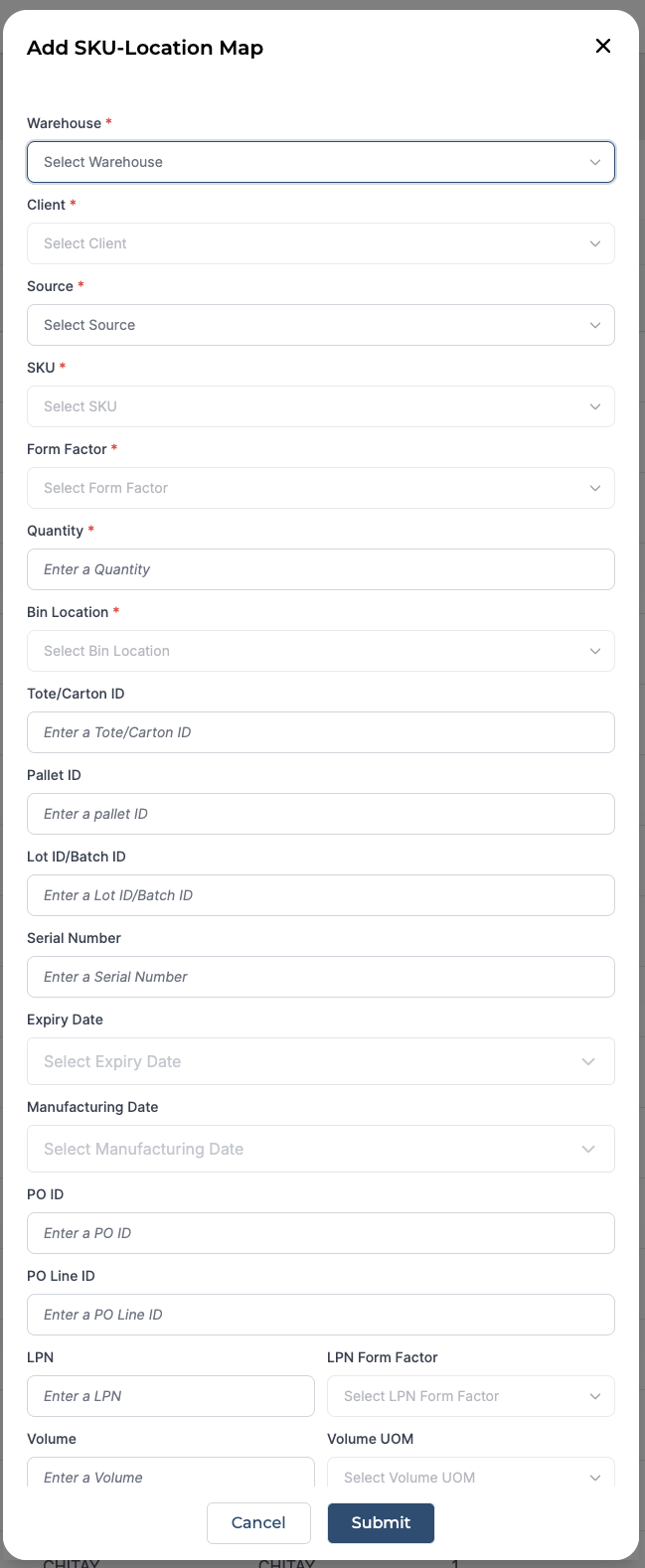
Select Warehouse, Client, If any marketplace/seller, Specific SKU, Quantities on hand, Bin Location
Note : SKU and Bin location have to be present in the Product management and Location management screens.
-
Click 'Submit'
To bulk upload, follow the steps below
-
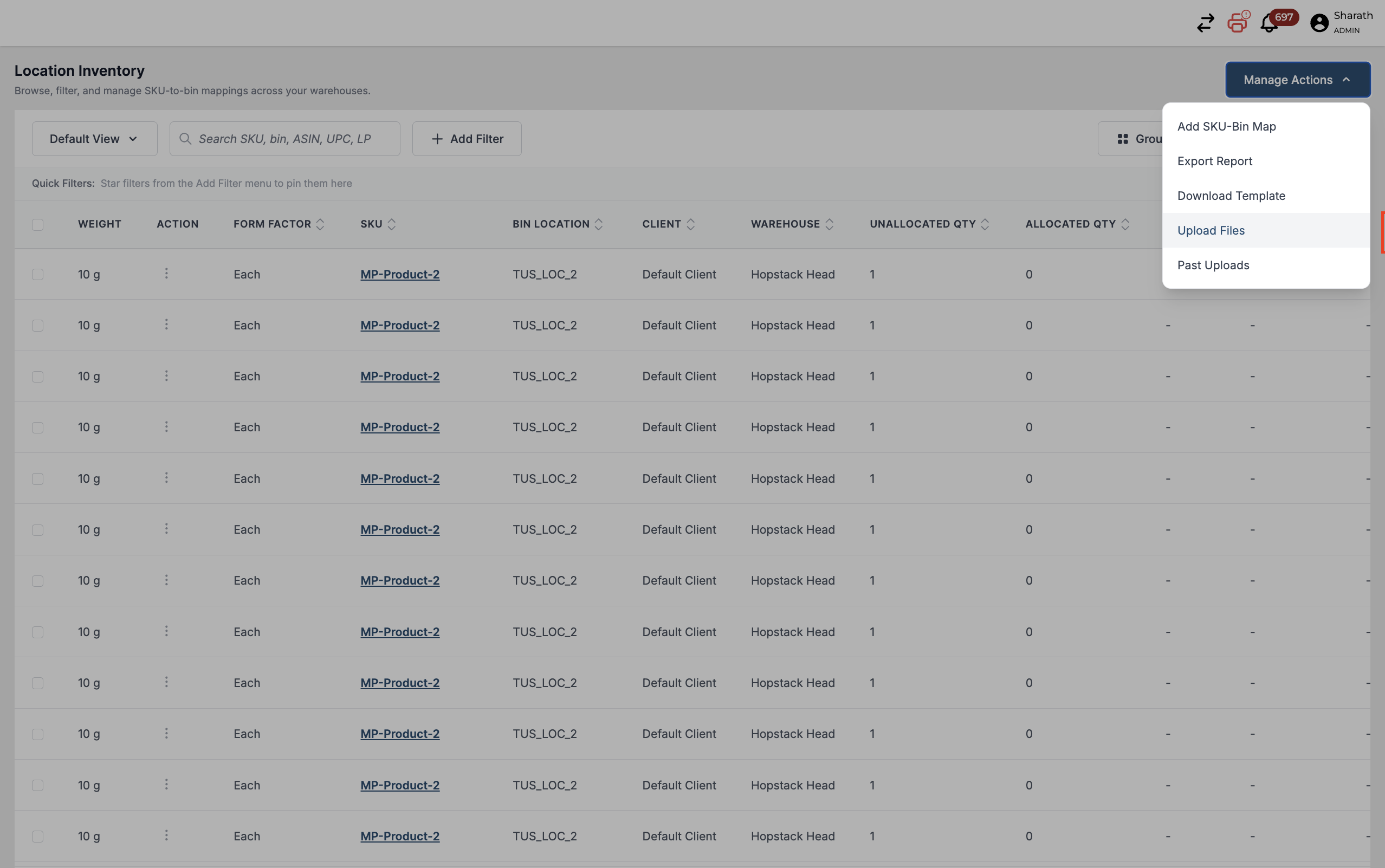
click on “Manage Actions”> Download Template
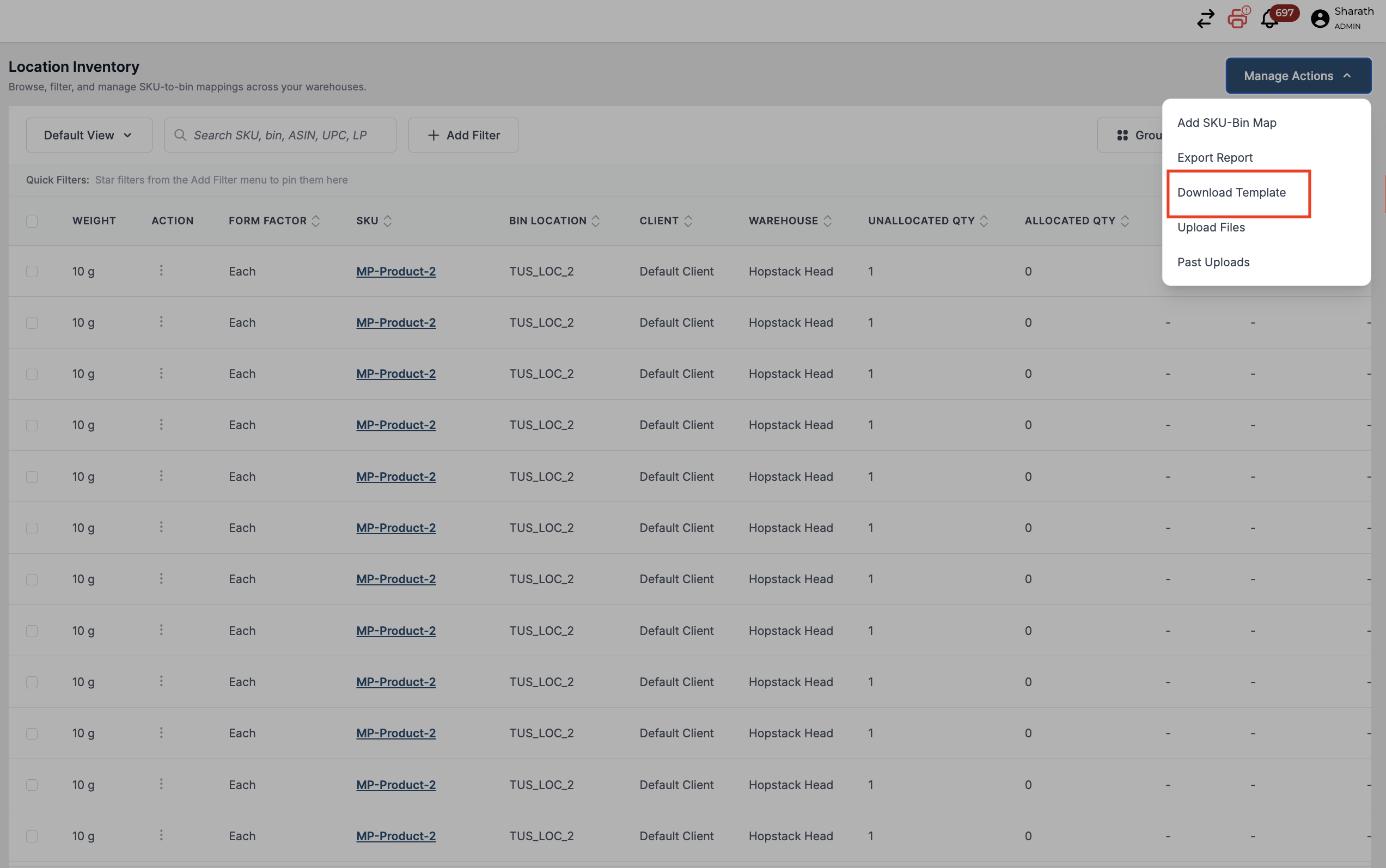
-
Fill in the details

-
Click on the " Upload Files " after updating the sheet
-
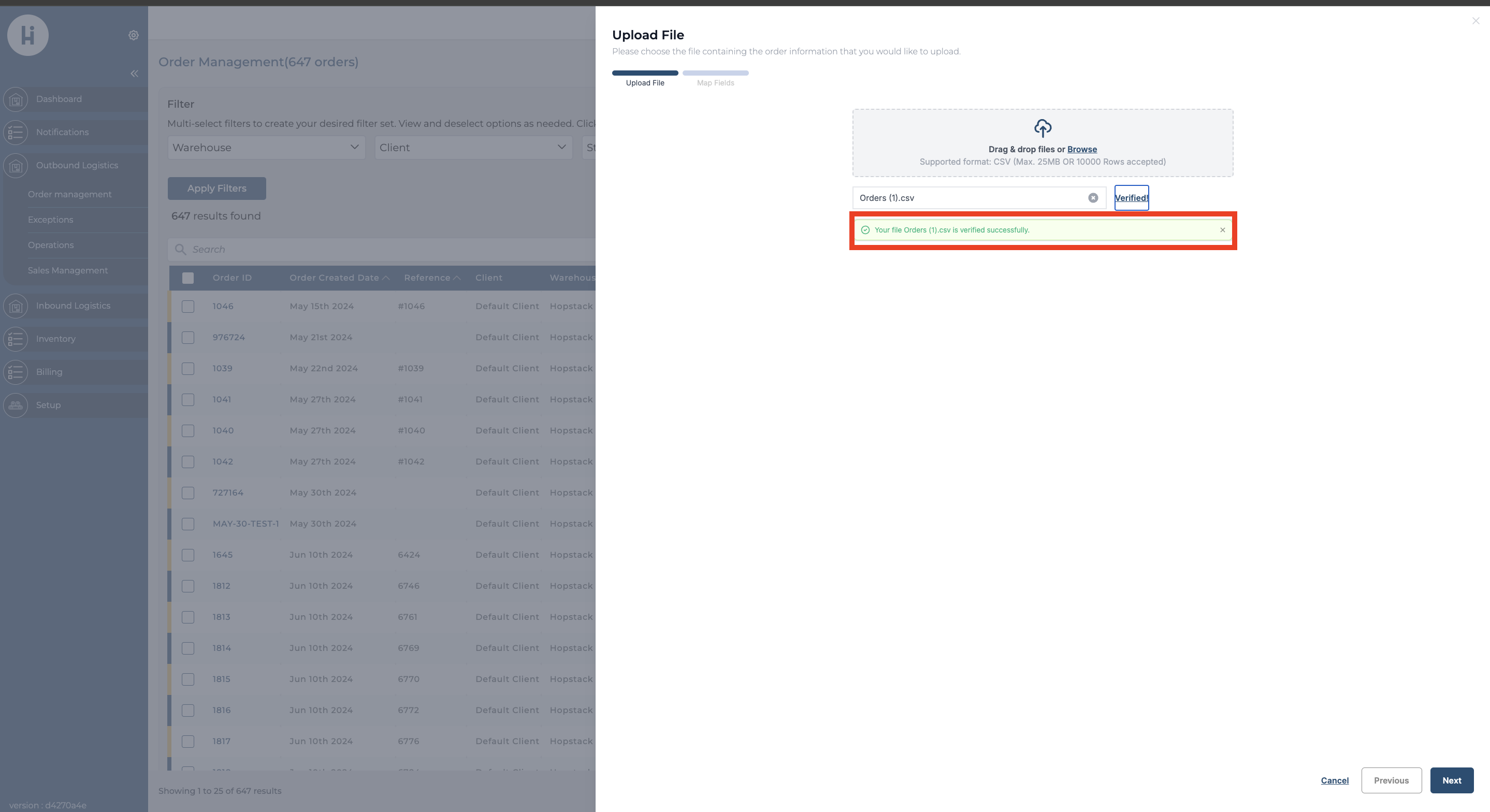
A notification for verification appears, and if successful, click on Next.
-
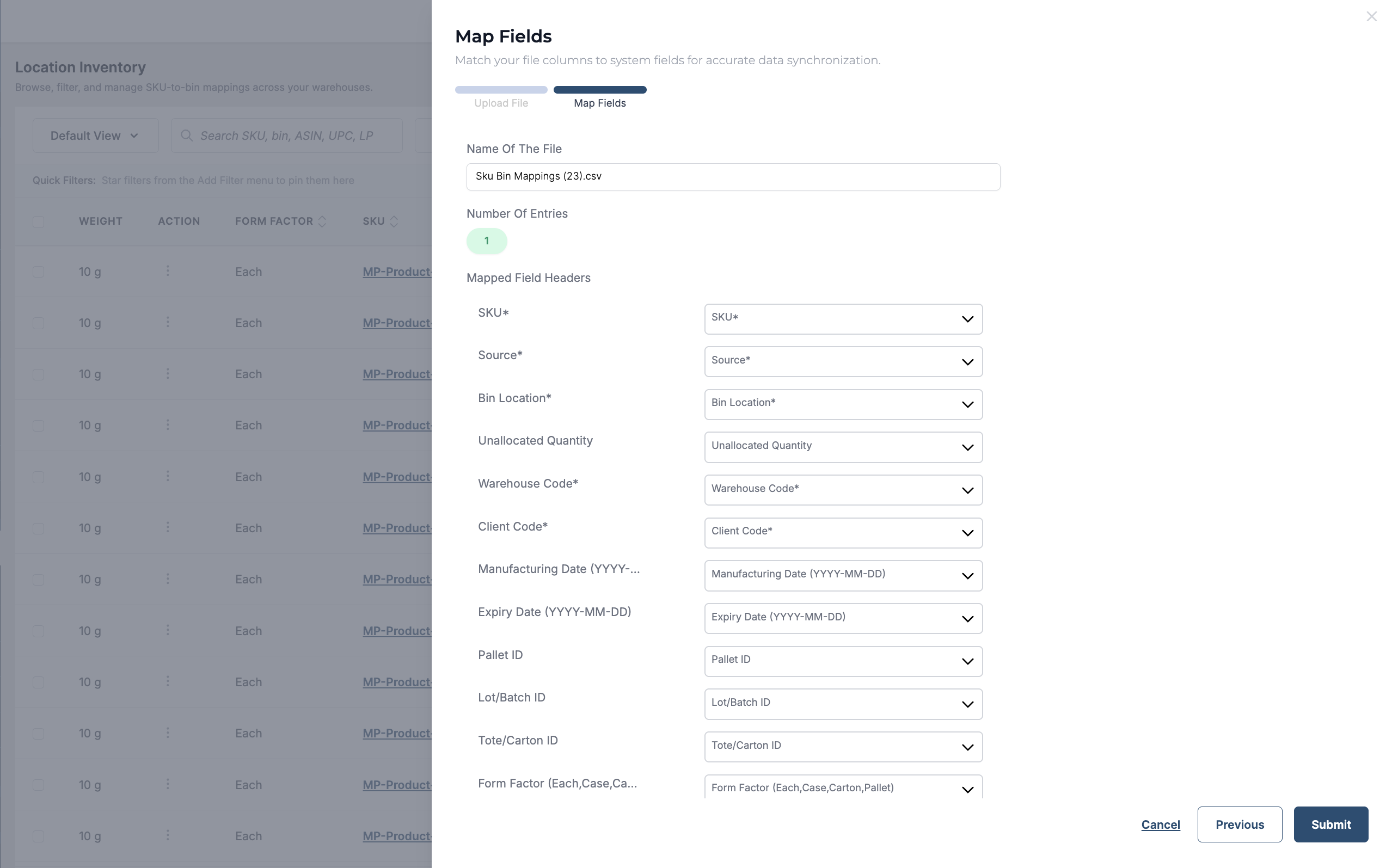
System automatically maps the field post file upload
-
Click on Submit.
Verify the status of the upload using the Manage Actions button to view all the past uploads.