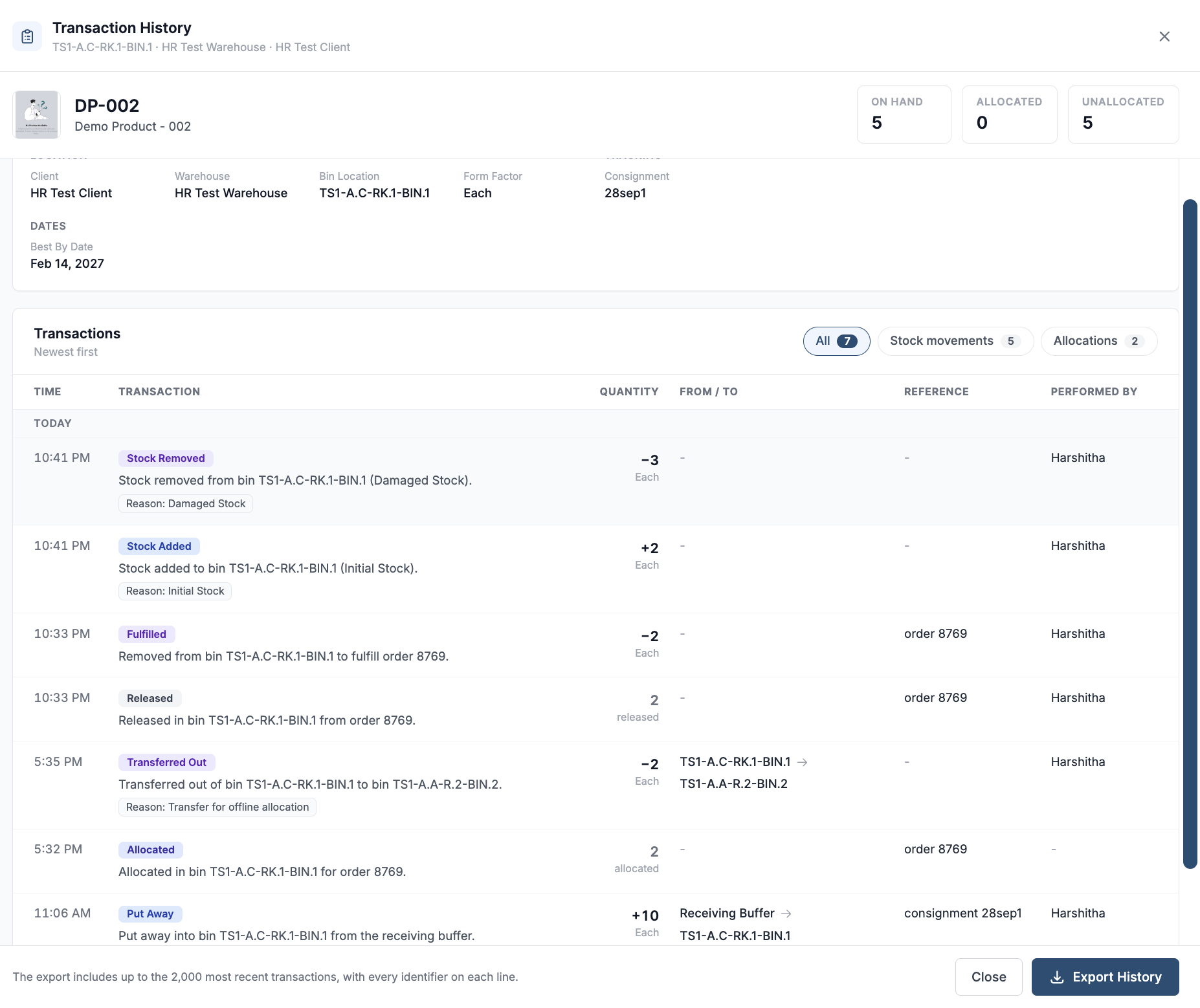
Transaction History shows how an inventory record’s stock has moved and changed over time. It is available for both serialized and non-serialized inventory, so you can review receipts, putaway, transfers, allocations, releases, fulfillment, and adjustments from the inventory row.
How to view transaction history?
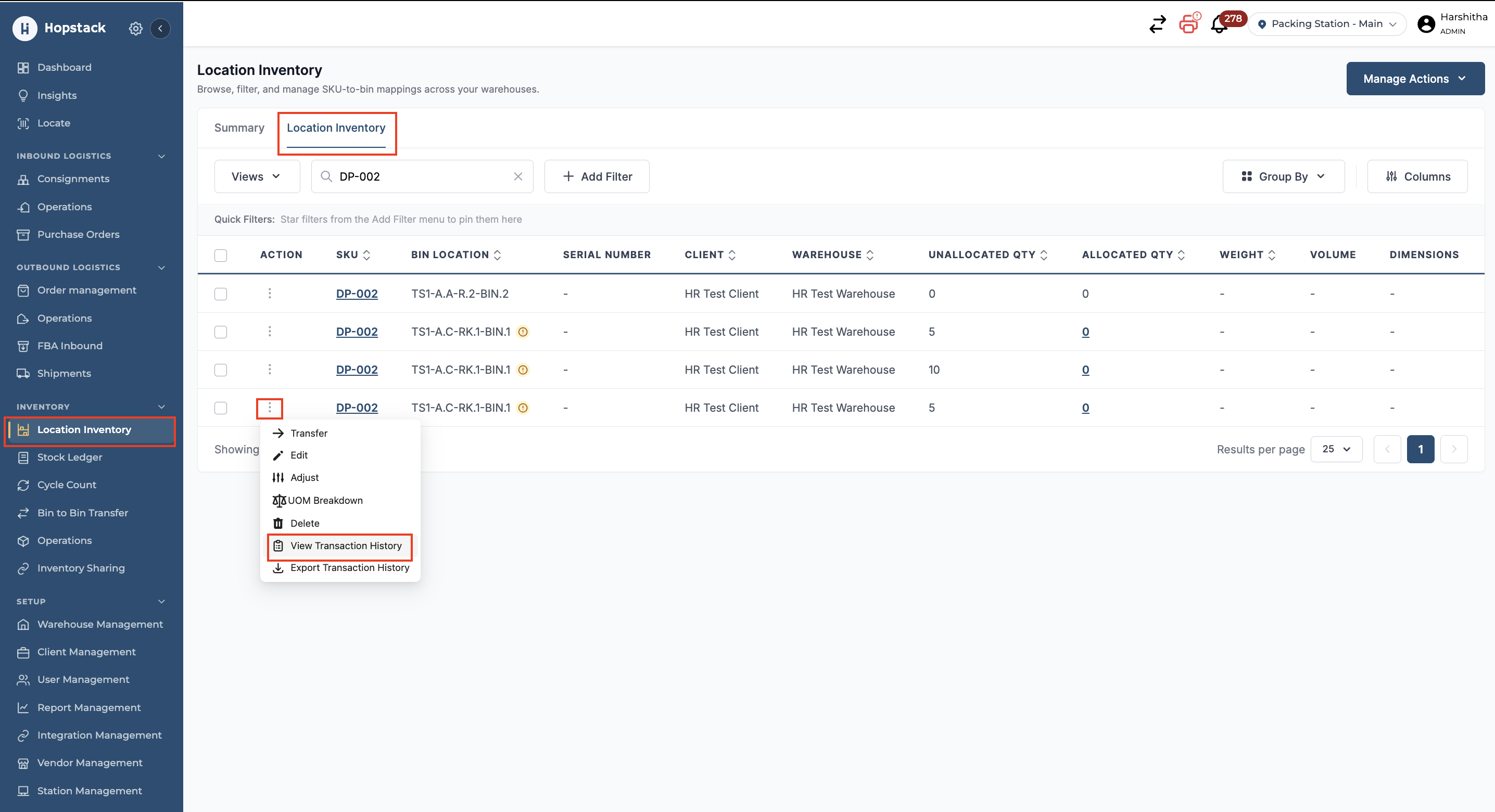
In the Location Inventory tab, find the inventory record you want to review and click on Action → View Transaction History.
Review transactions
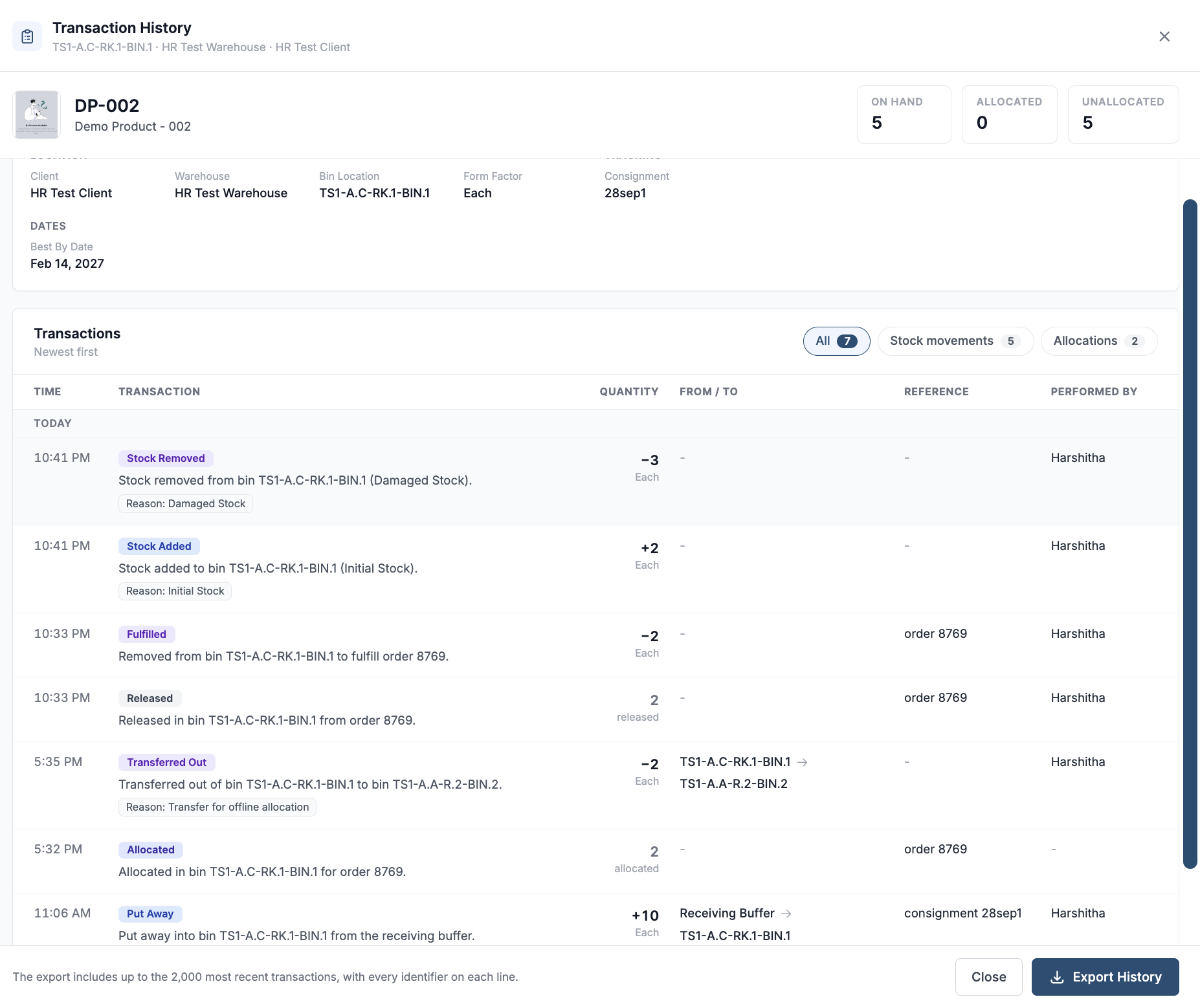
The top of the panel identifies the product and shows its current On Hand, Allocated, and Unallocated quantities. The details section shows the record’s client, warehouse, bin location, along with tracking details and dates when available. In the example shown, the record is for SKU DP-002 in bin TS1-A.C-RK.1-BIN.1, and the best-by date is Feb 14, 2027.
The Transactions section lists events with the newest first.
You can filter by specific transaction type by clicking on Stock movements or Allocations to focus the list. The number beside each filter shows how many transactions it contains. Use the controls at the bottom to change the results per page or move between pages.
|
Column |
What it shows |
|---|---|
|
Time |
When the transaction occurred. |
|
Transaction |
The event type and a description of what happened. An adjustment or transfer reason may also appear here. |
|
Quantity |
The quantity added or removed, or the quantity allocated or released. A + or − indicates a change to stock quantity. |
|
From / To |
The source and destination locations for a movement, when applicable. |
|
Reference |
The related order, consignment, or other reference, when available. |
|
Performed By |
The user who performed the action, when available. |
For example, the screenshot shows 10 Each put away from the Receiving Buffer into the bin, 2 allocated to an order, 2 Each transferred out to another bin, 2 released from the order, and 2 Each removed from the bin when the order was fulfilled. A dash means that a value is not available or does not apply to that event.
Export the history
Select Export History to download the transaction details as a CSV file. The export includes up to the 2,000 most recent transactions, with the available identifiers on each line.