
The packing workflow allows users to pause an in-progress packing session and continue it later without losing their work. If required, users can also clear the existing progress and restart packing from the beginning.
Pause Packing
To temporarily stop packing, click Pause Packing at any point in the workflow. All packing progress completed up to that point—including the boxes created and the items packed—is saved.
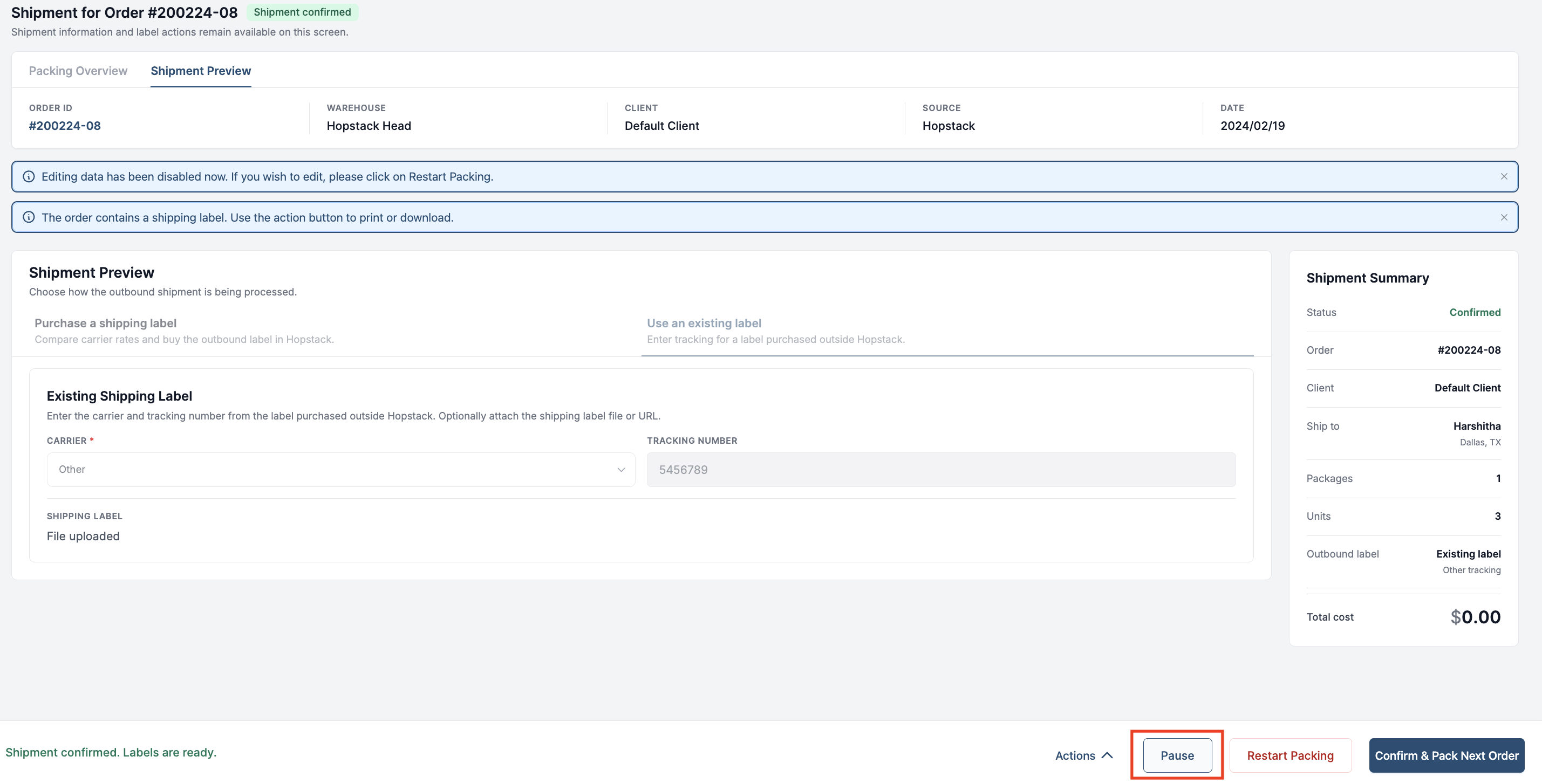
Resume Packing
An order with a paused packing session can be resumed in either of the following ways:
-
Locate the order in the Packing queue and select the Resume Packing action.
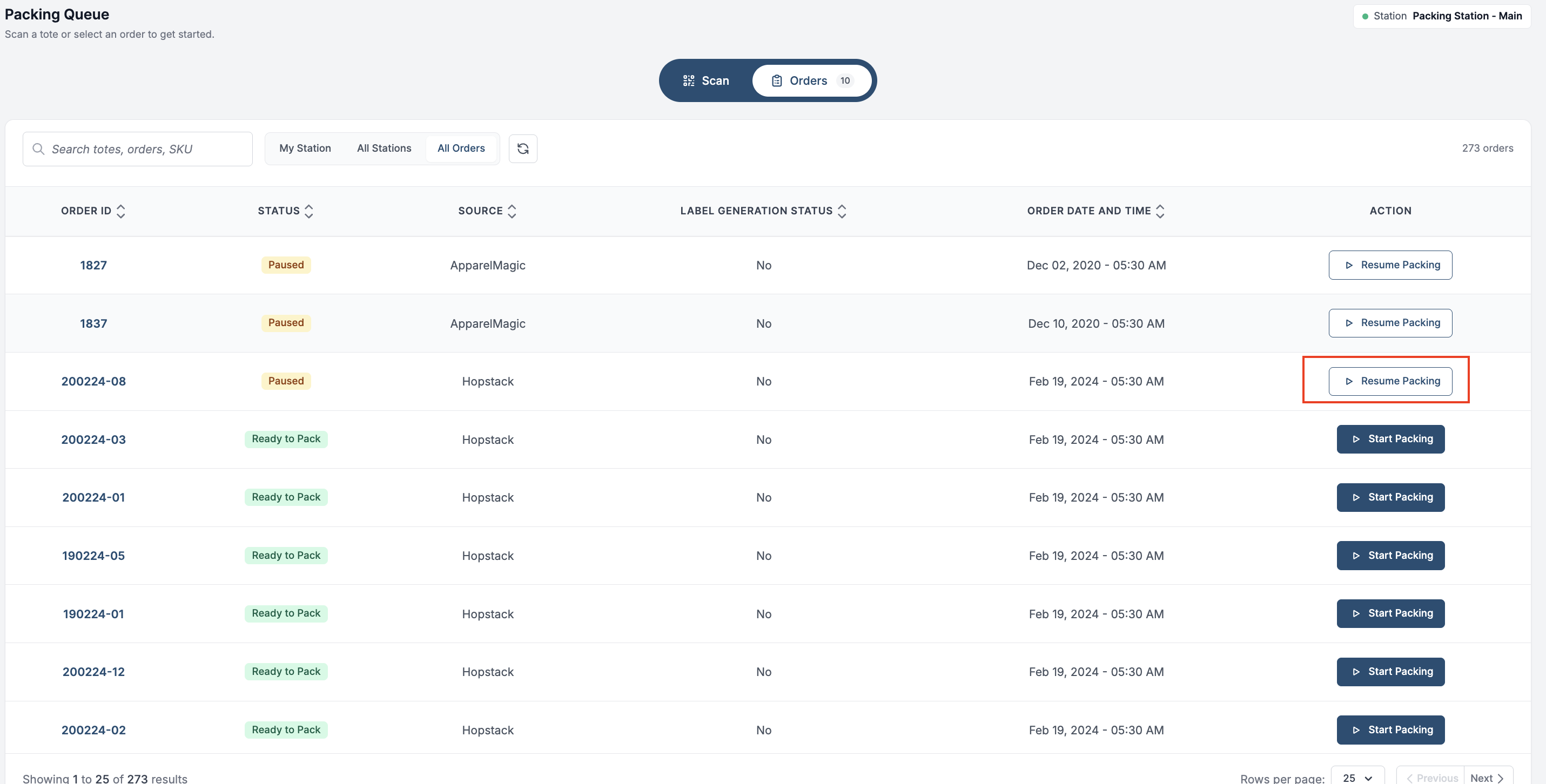
-
Scan the order’s Order ID or Tote ID.
The saved packing session opens with the previous progress intact, allowing the user to continue from where packing was paused.
Restart Packing
To discard the current packing progress and begin again, click Restart Packing at any point in the packing workflow.
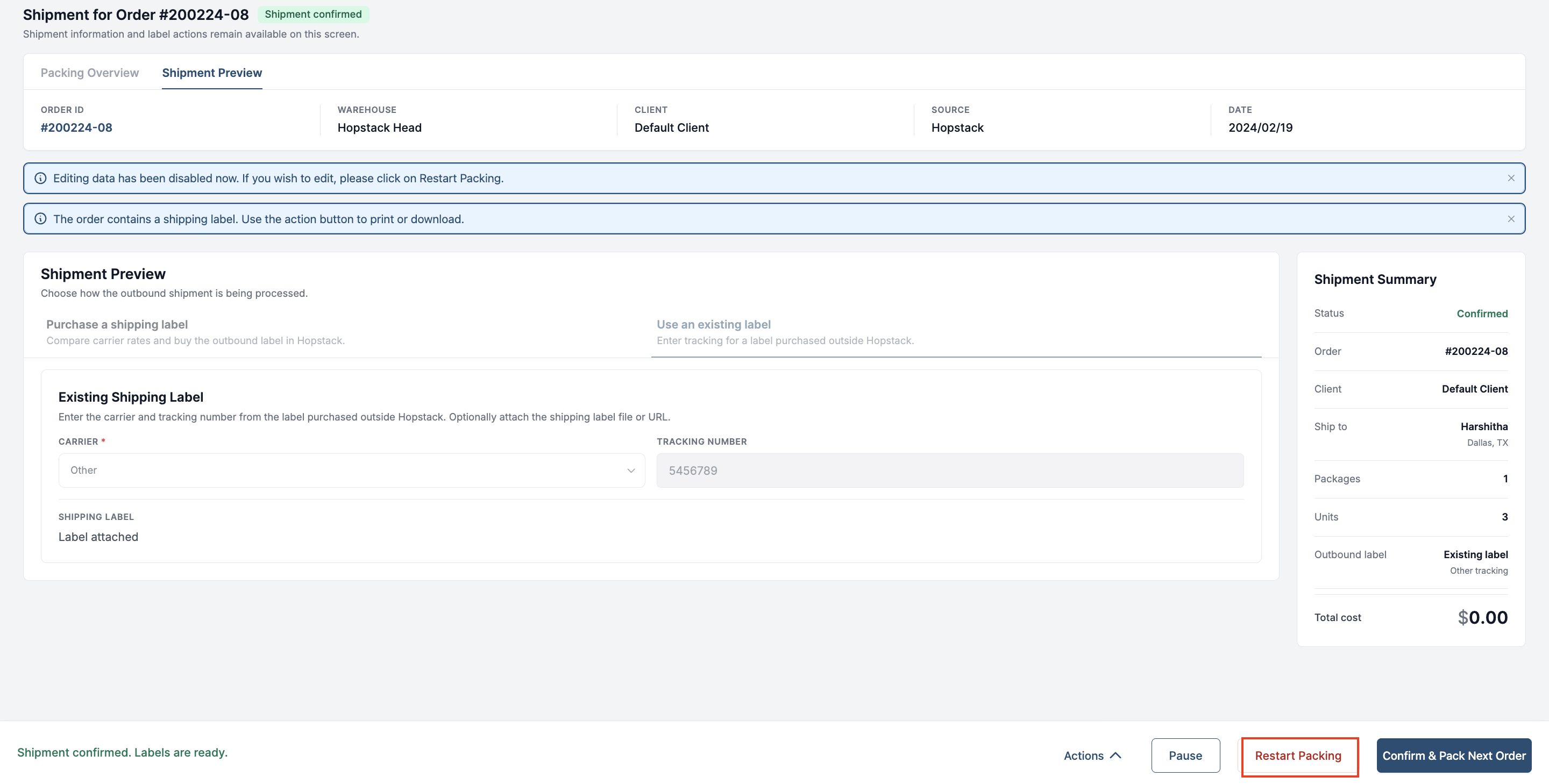
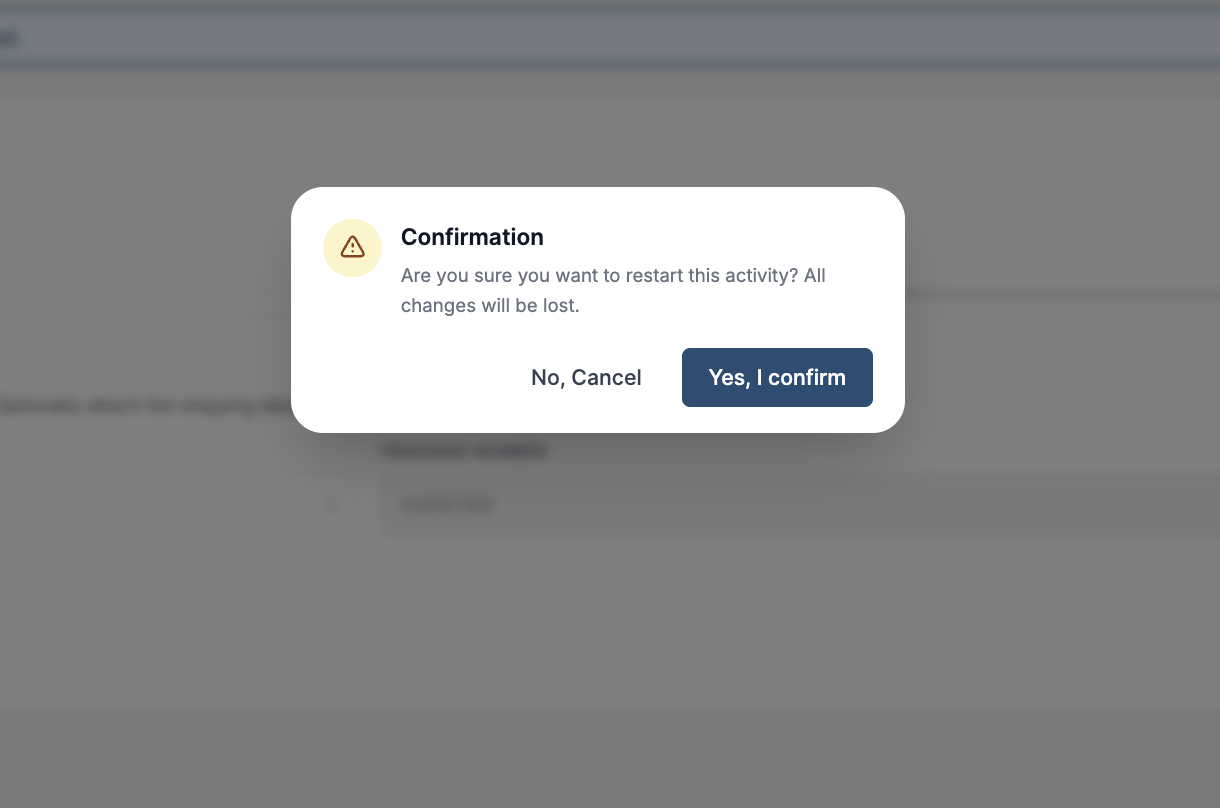
Restarting clears all boxes and their contents from the current packing session. The user is then returned to the Packing Overview screen, where packing can be started again from the beginning.
If a shipping label was already bought, restarting voids it with the carrier. A prepaid return label bought with it is voided too. See Prepaid Return Labels at Packing.
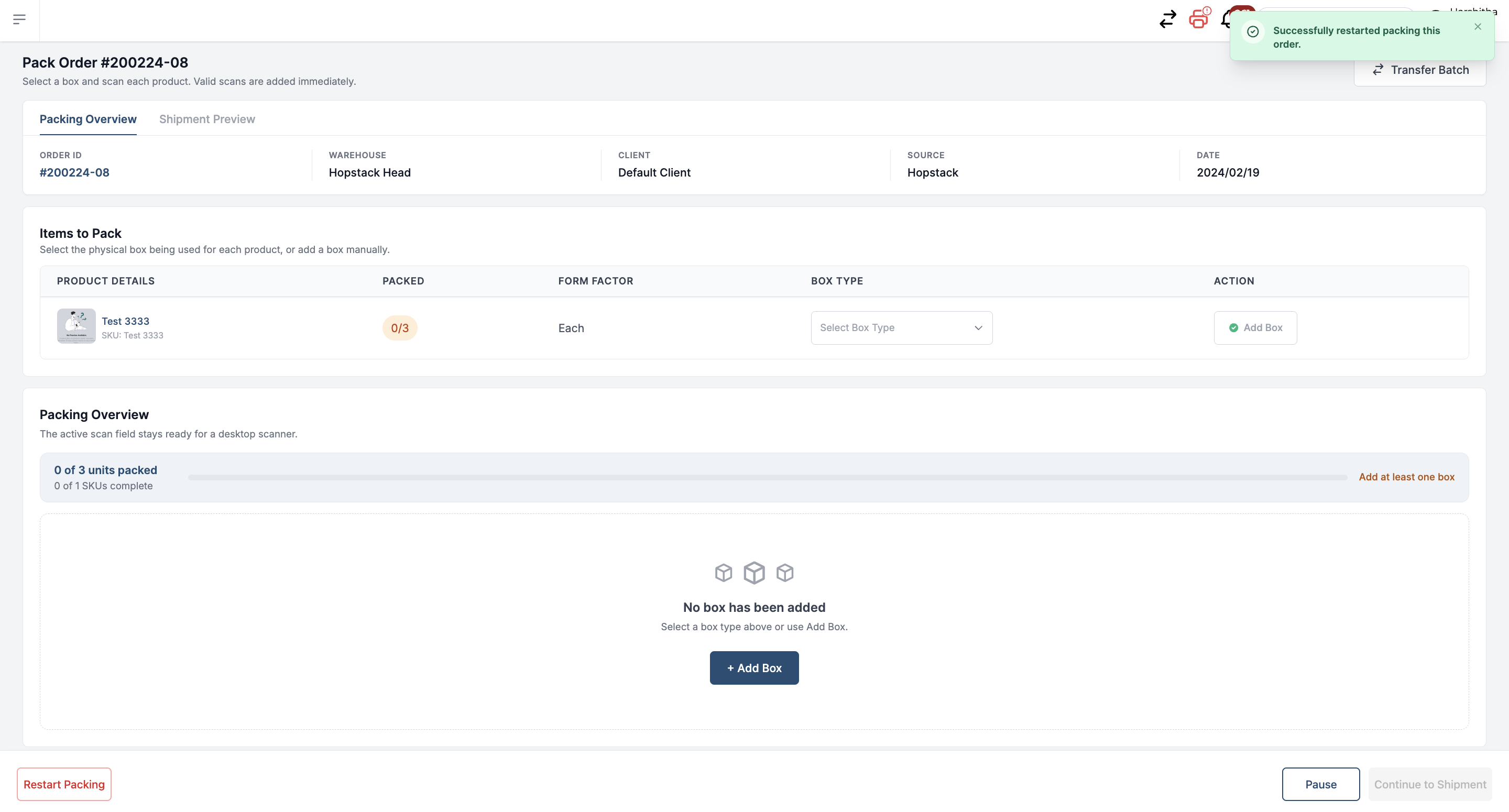
Note: Restarting packing clears the existing packing progress. Use this option only when the order needs to be repacked completely.