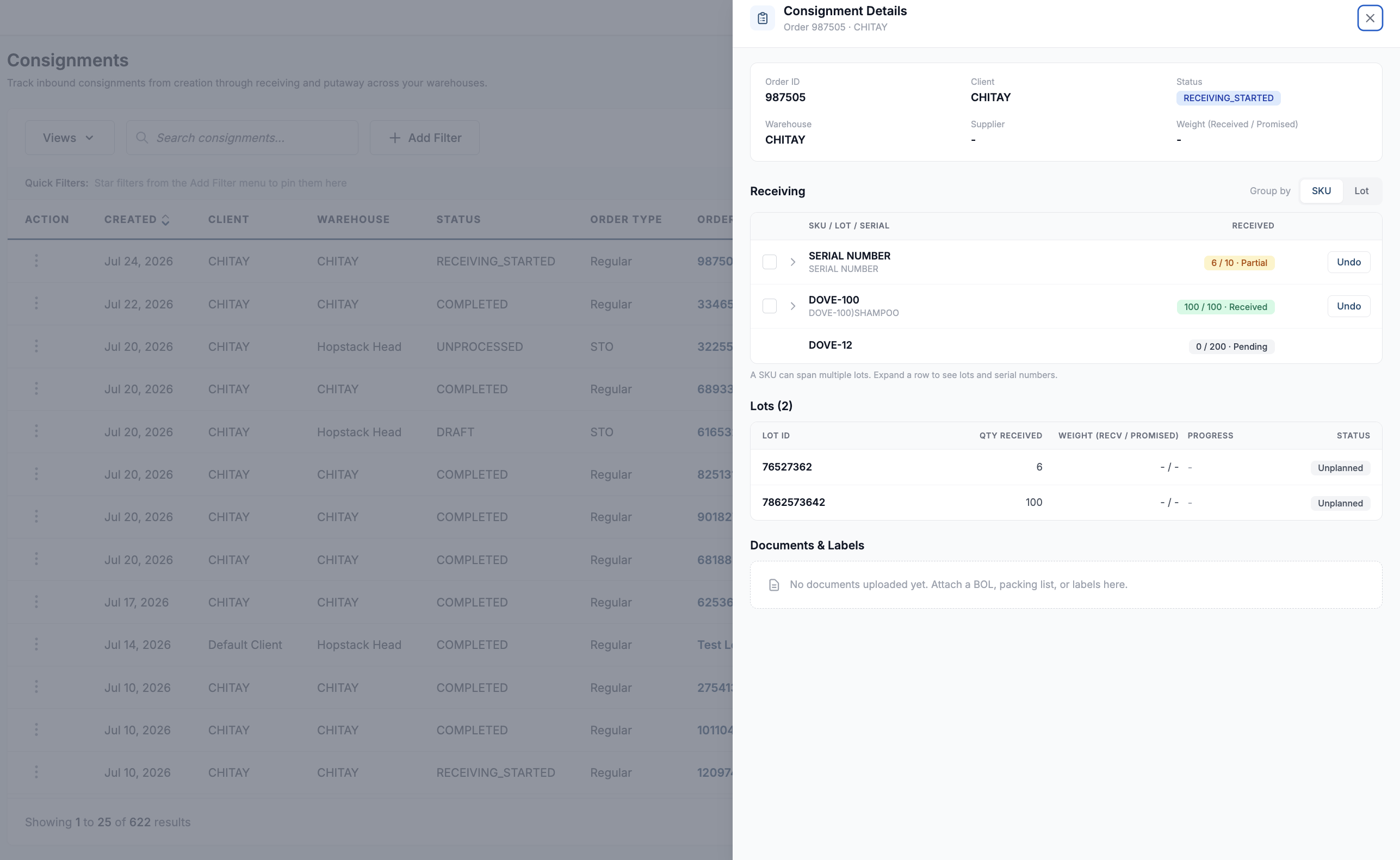
We have enhanced the Undo Receive functionality, allowing you to undo the receipt of items within a consignment at a granular level. You can now undo the receipt of specific SKUs, serial numbers, or lot IDs, making it easier to correct receiving errors and receive the items again with the correct information.
Step 1: Review the Consignment Details
Open the consignment you want to modify and review the received quantities for each SKU, including any serial-controlled items, lot IDs, or SKUs.
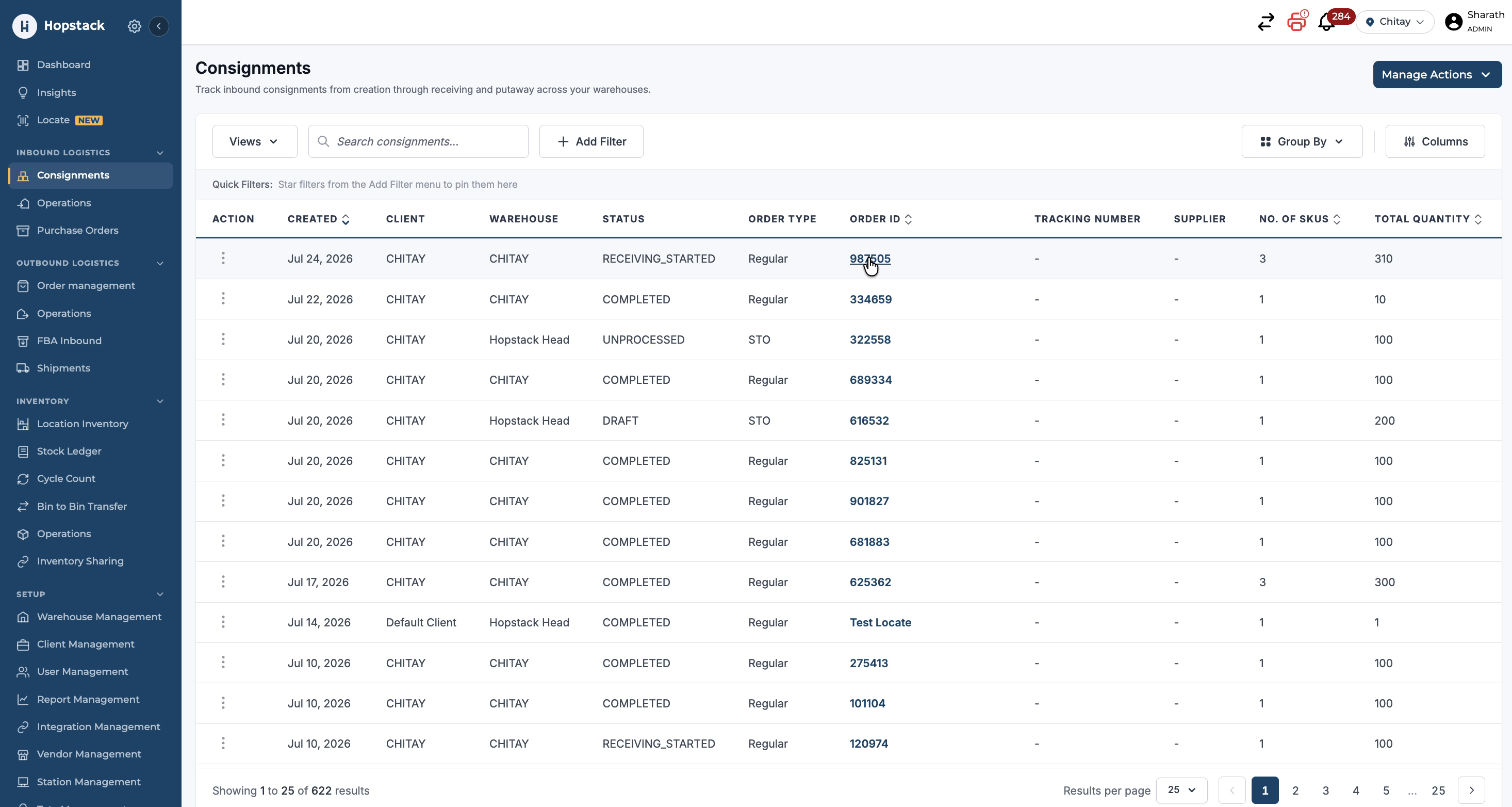
Step 2: Open the Undo Receiving Action
From the consignment view, open the kebab (three-dot) action menu.
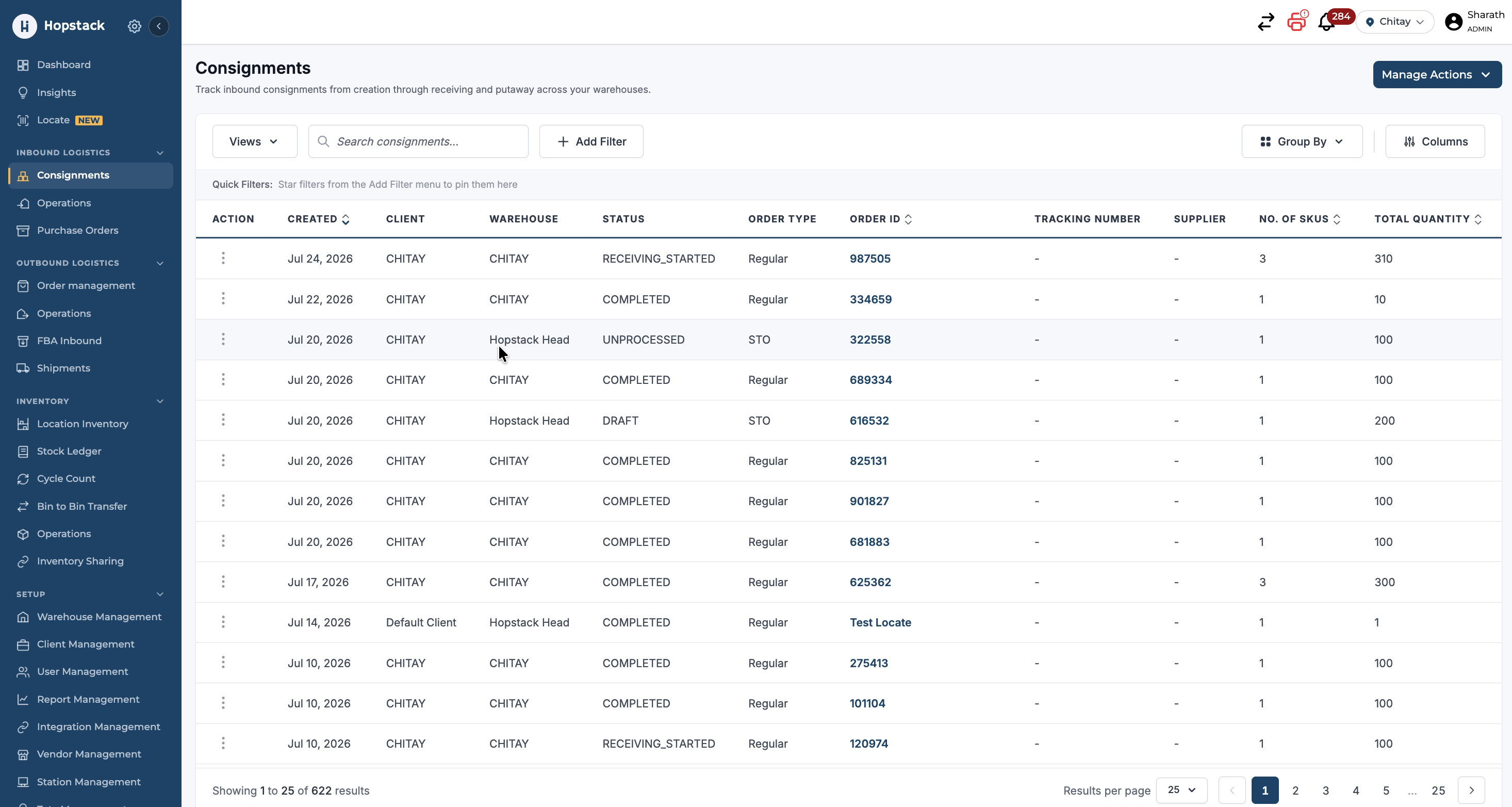
Select Undo Receiving from the available actions.
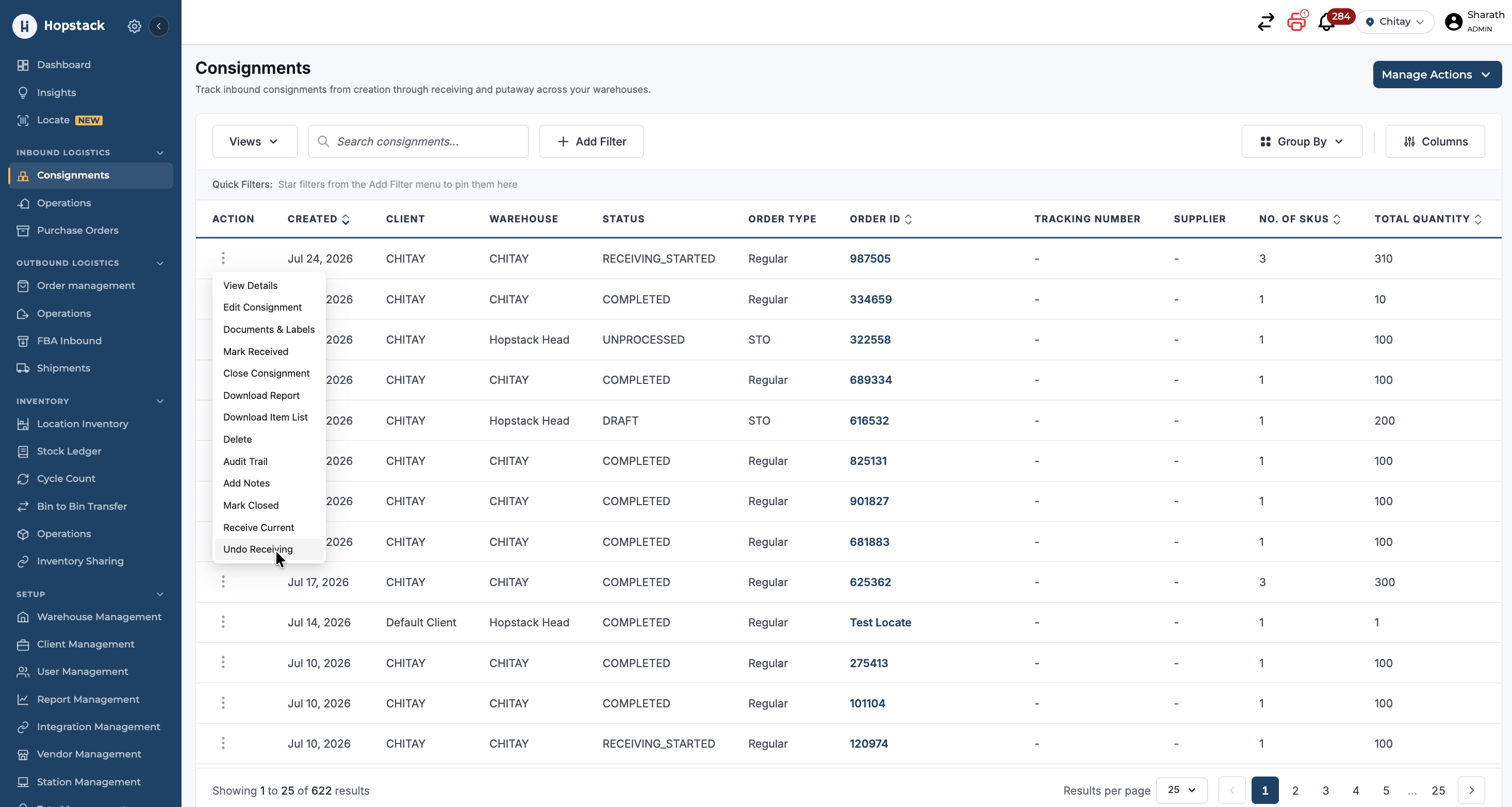
Step 3: View SKUs Available for Undo Receiving
After selecting Undo Receiving, review the list of SKUs that are eligible for undo receiving.
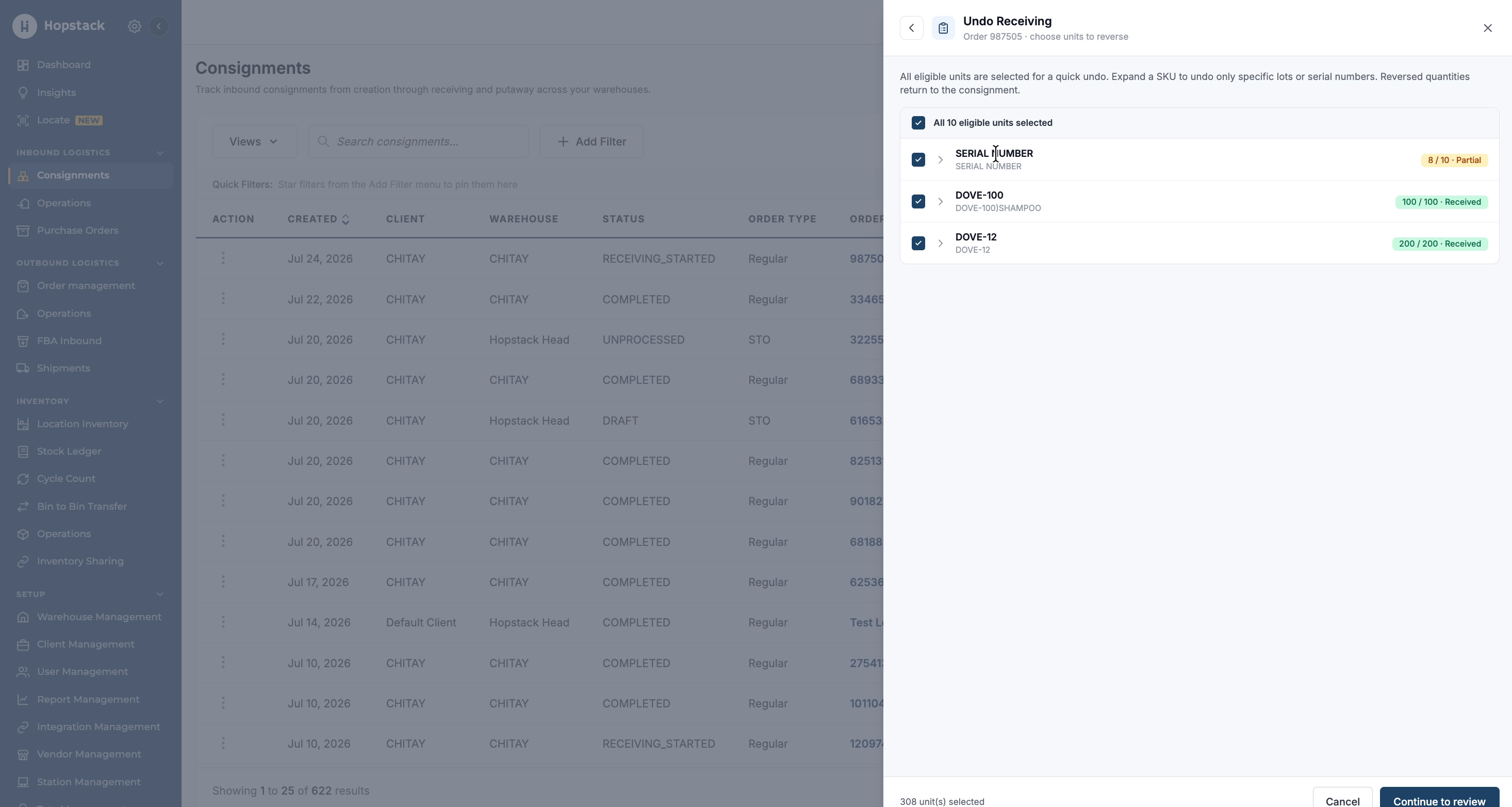
You can expand and view individual SKUs and their associated serials or lots.
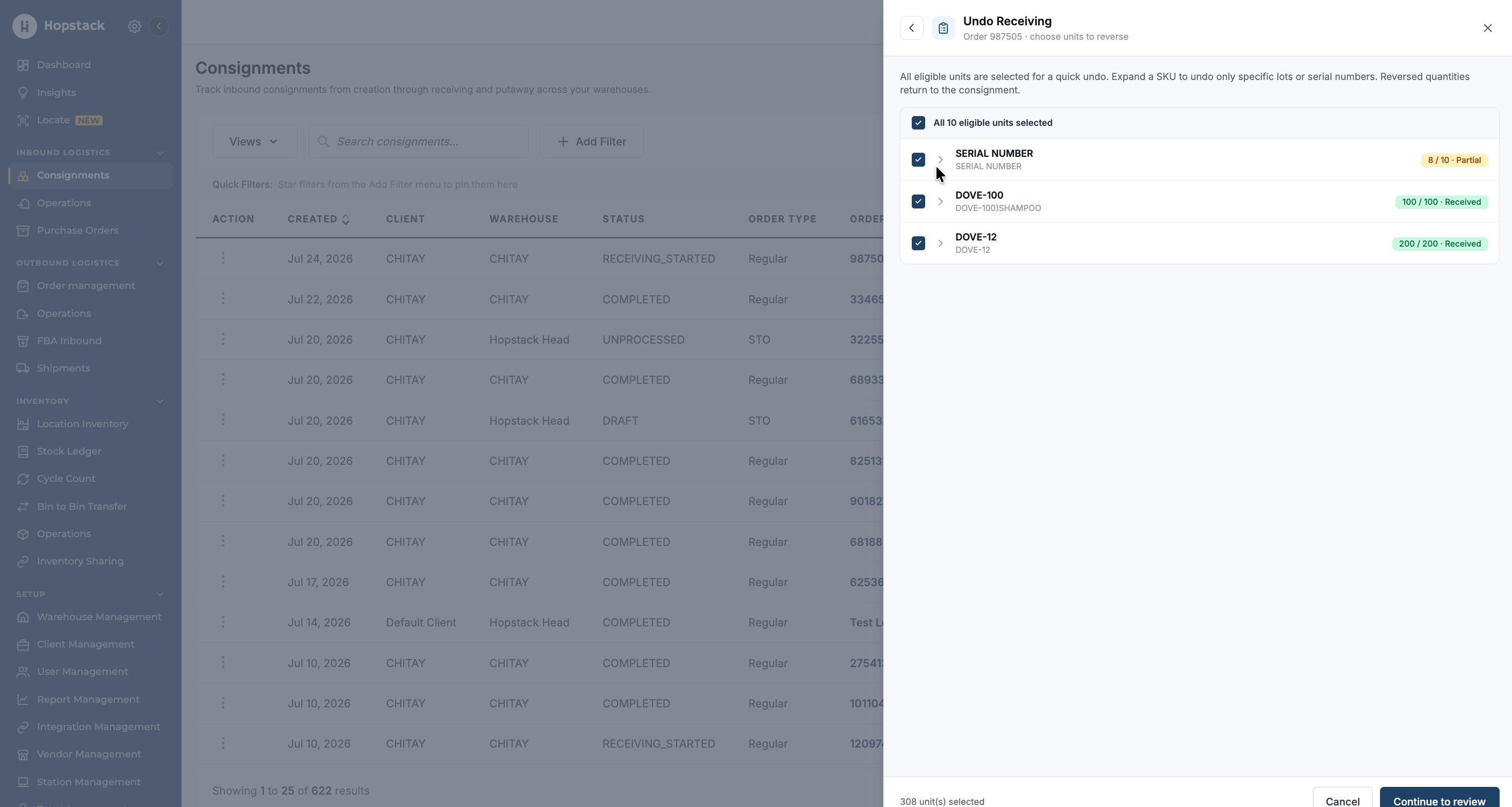
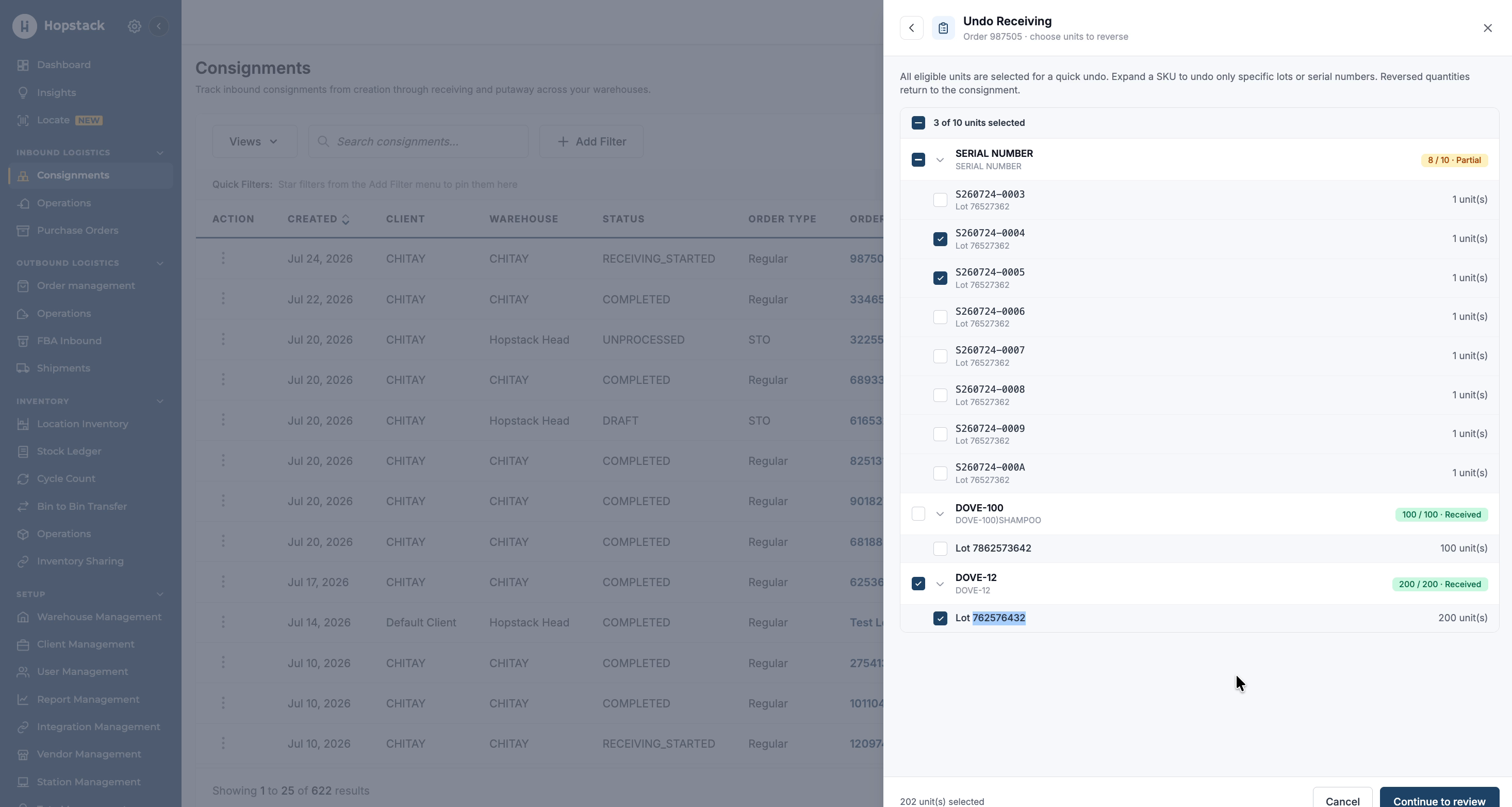
Step 4: Select Serial Numbers to Undo Receive
For serial-controlled products, click the product to expand its serial list. Use the checkboxes to either select all serial numbers or only specific serials that you want to undo receive.
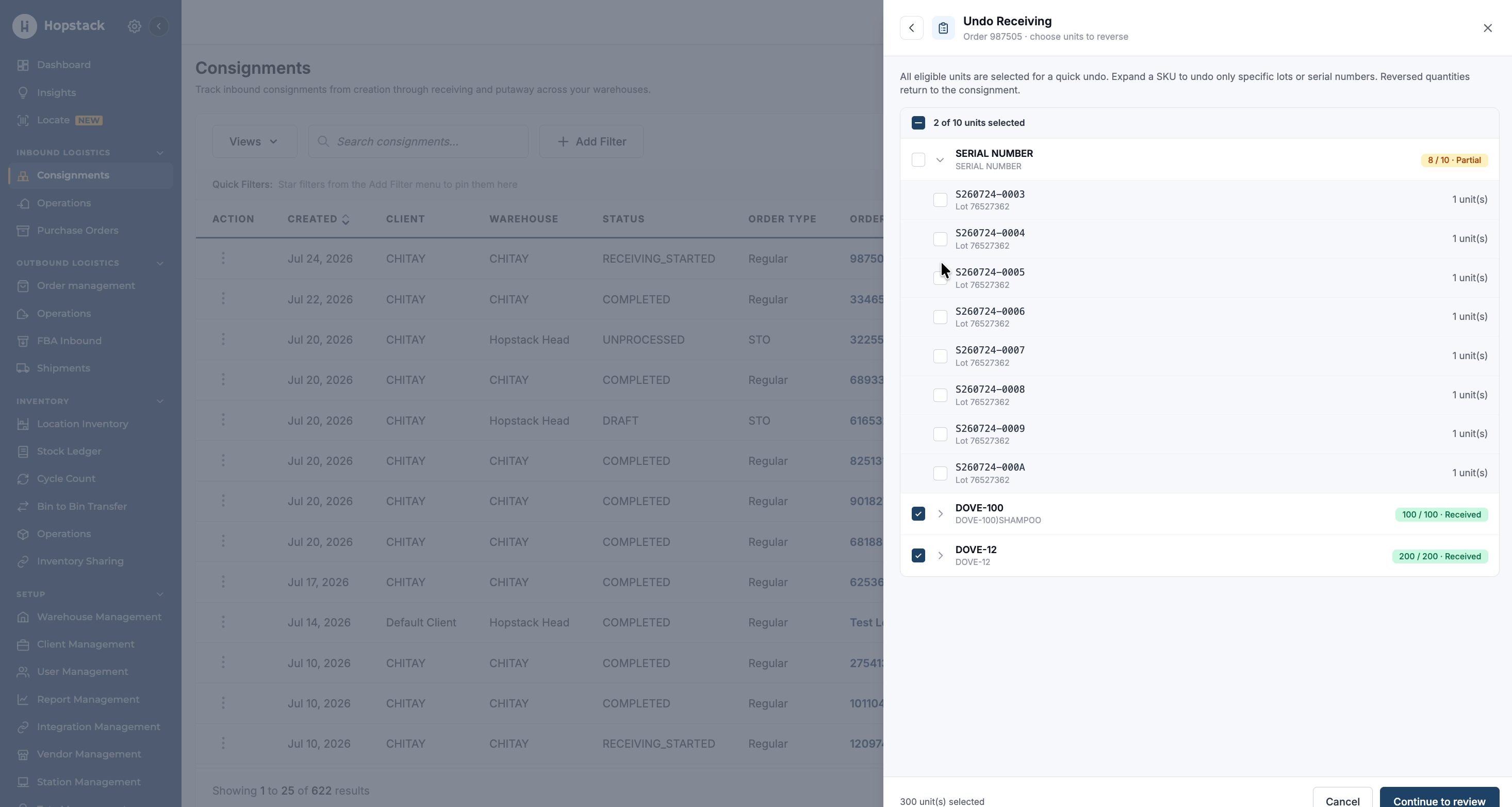
Step 5: Select Lots or Exclude Items as Needed
Select another product to review its lot IDs.
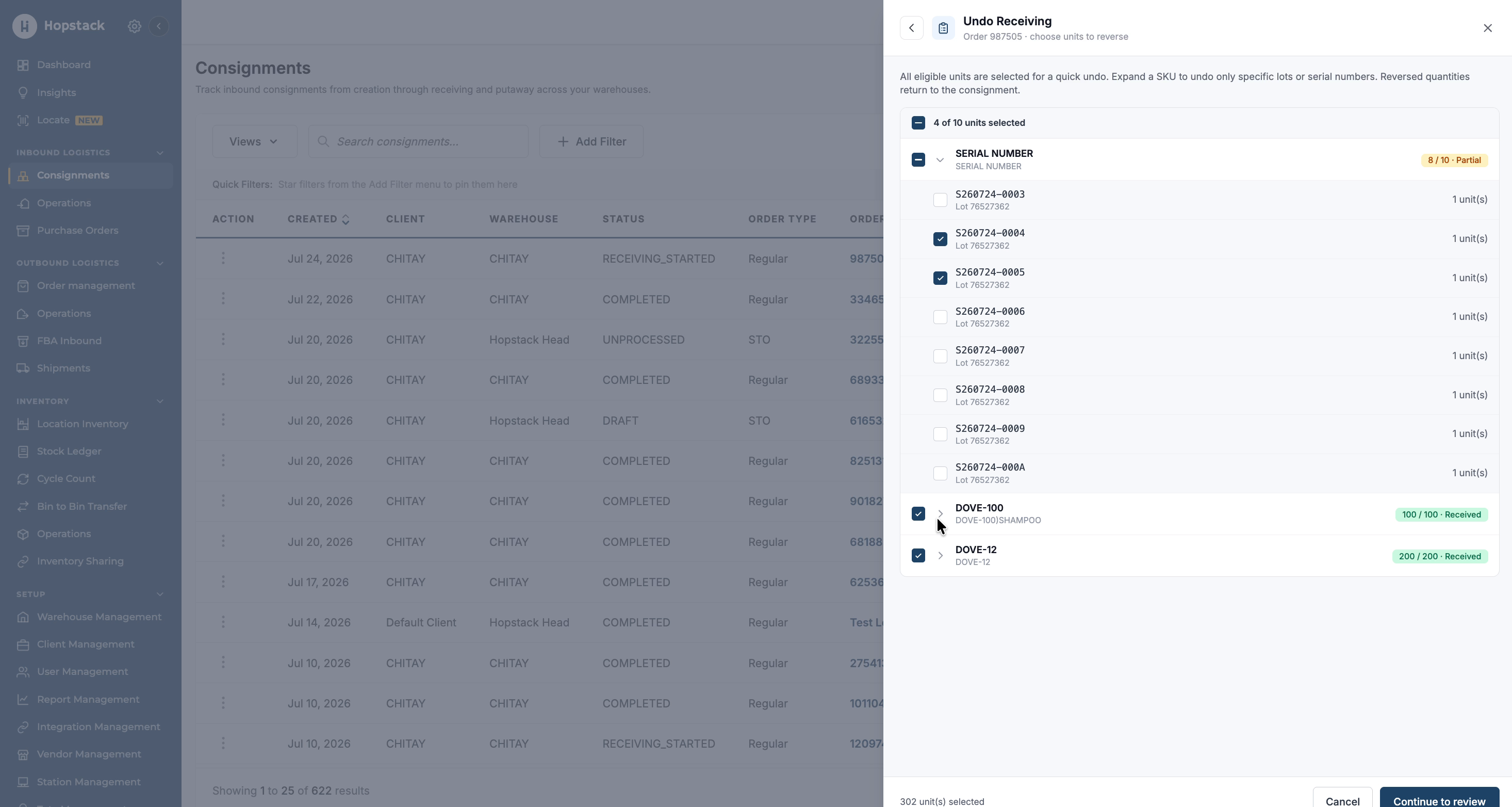
Choose one or more lot IDs that you want to undo receive. If there are items you do not want to undo receive, leave those serials or lots unselected and only select the lots or items for which you want to perform undo receiving.
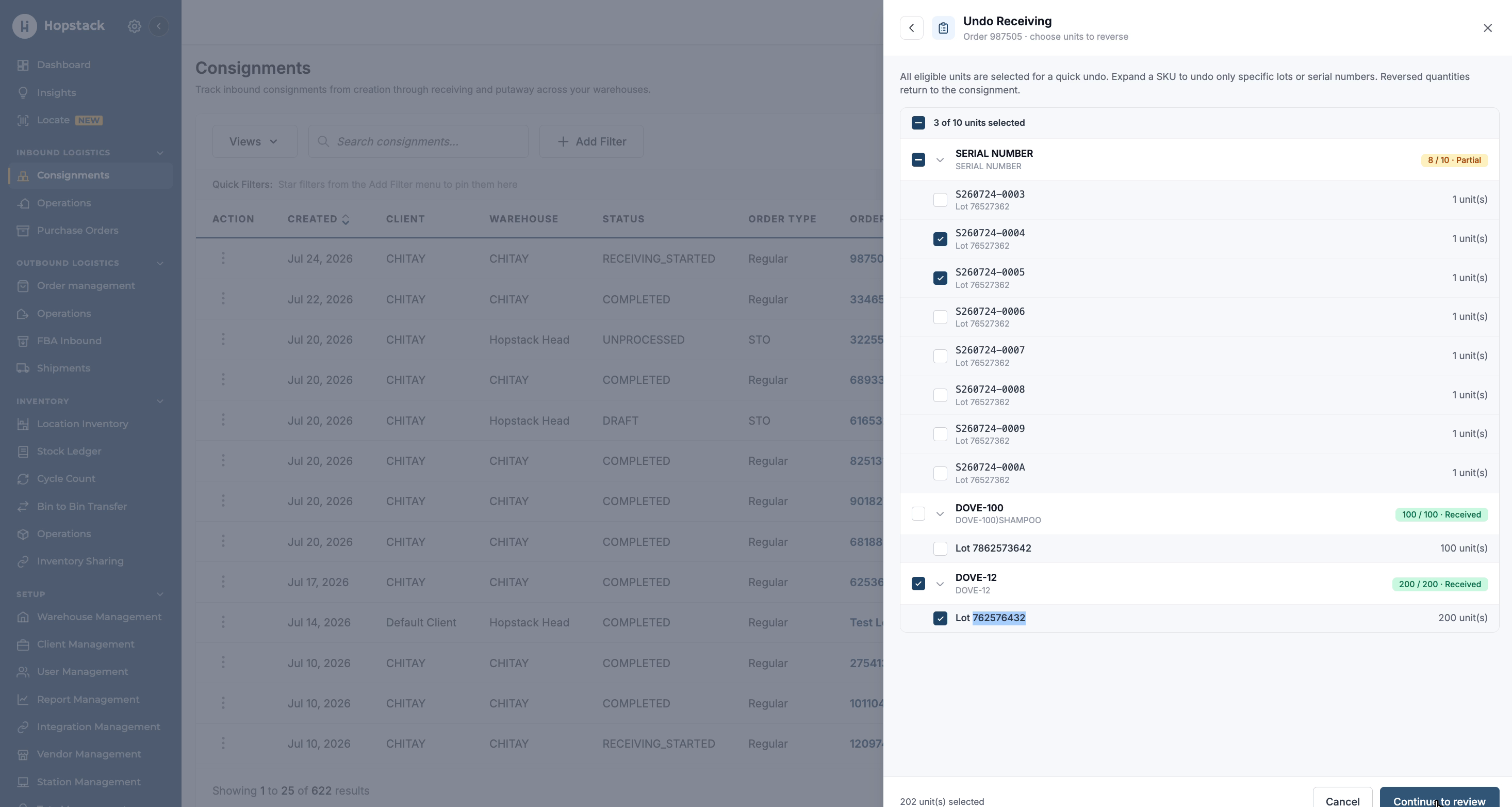
Step 6: Continue to Review
Once you have selected all required products, serial numbers, and lots for undo receiving, proceed to the next step by clicking Continue to Review.
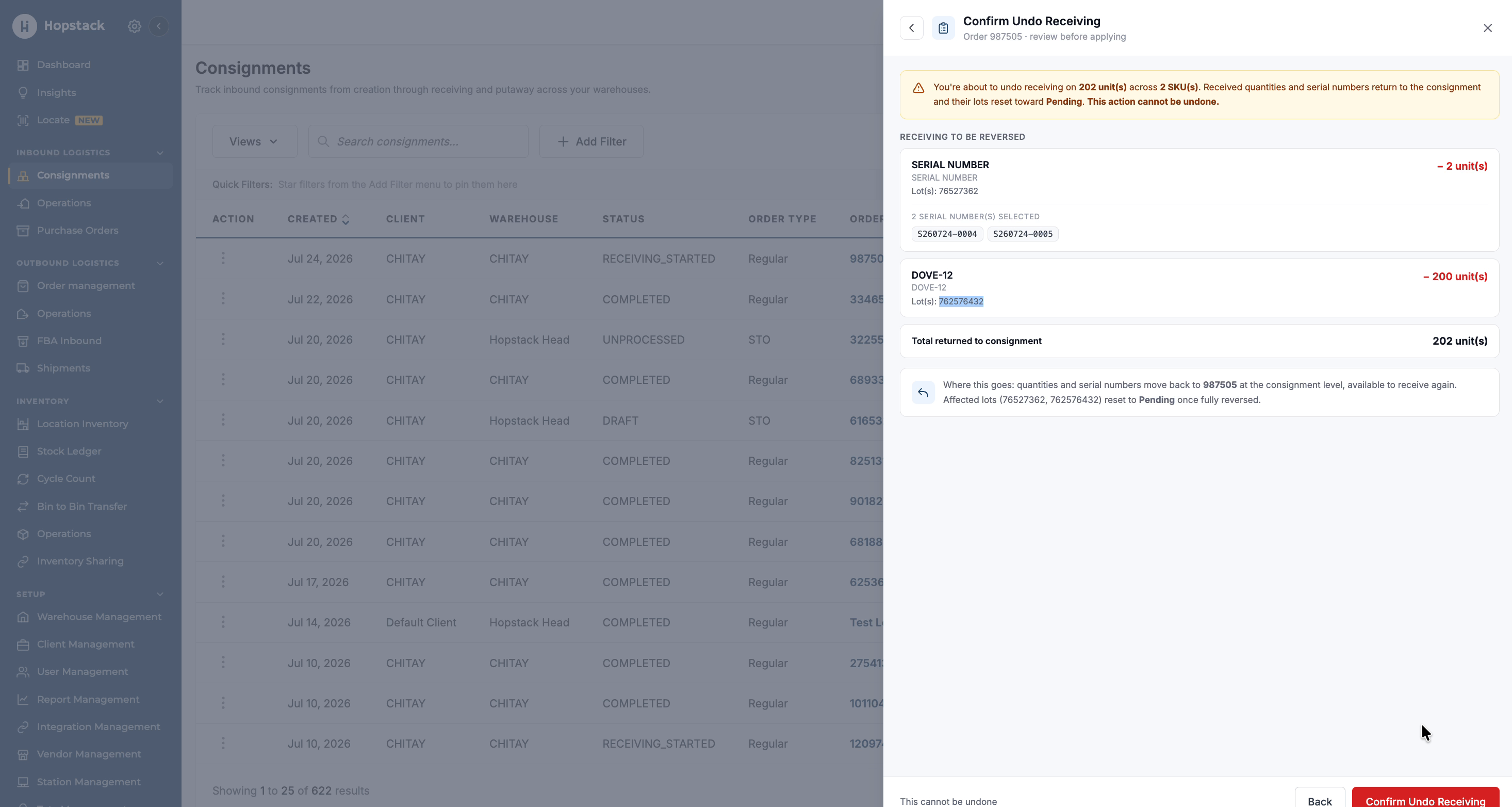
Step 7: Confirm and Apply Undo Receiving
On the review screen, verify the summary notification indicating how many items and SKUs will be affected. Confirm that the listed serial numbers and lot quantities match what you intend to undo. When your review is complete, click Confirm Undo Receiving to apply the changes.
Step 8: Verify the Updated Consignment
After confirmation, check for the success notification indicating that undo receiving has been applied and that you can return to the consignment.
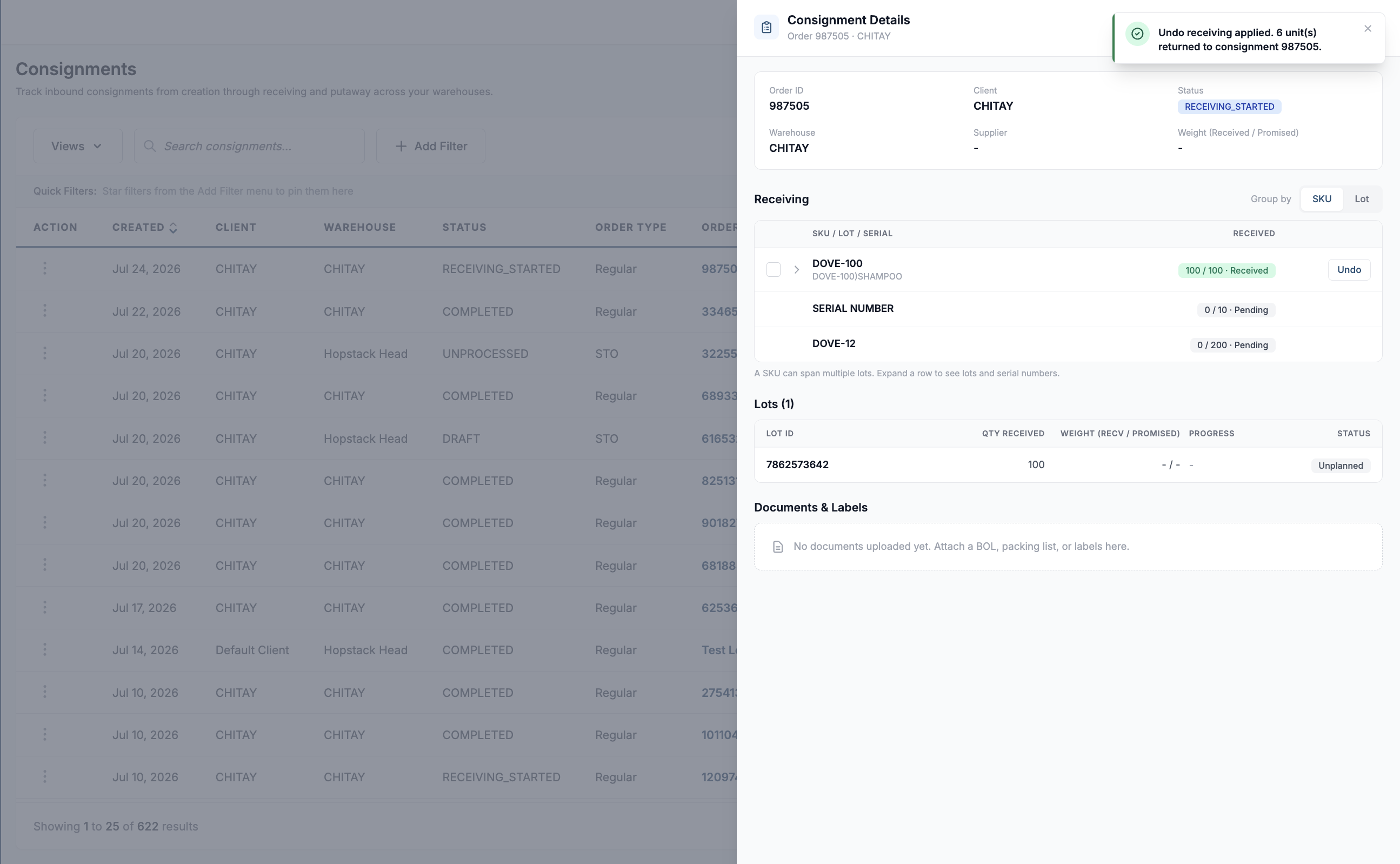
Navigate back to the consignment or order details page and verify that the selected items have been undone and are now available to be received again as needed.