When the same SKU has stock with different lot IDs, expiry dates, or manufacturing dates awaiting putaway, Hopstack prompts you to select the combination that matches the physical goods. This ensures the correct inventory details are recorded at the destination location.
This feature is available on both desktop putaway and mobile standalone putaway.
Step 1 | Scan the Product
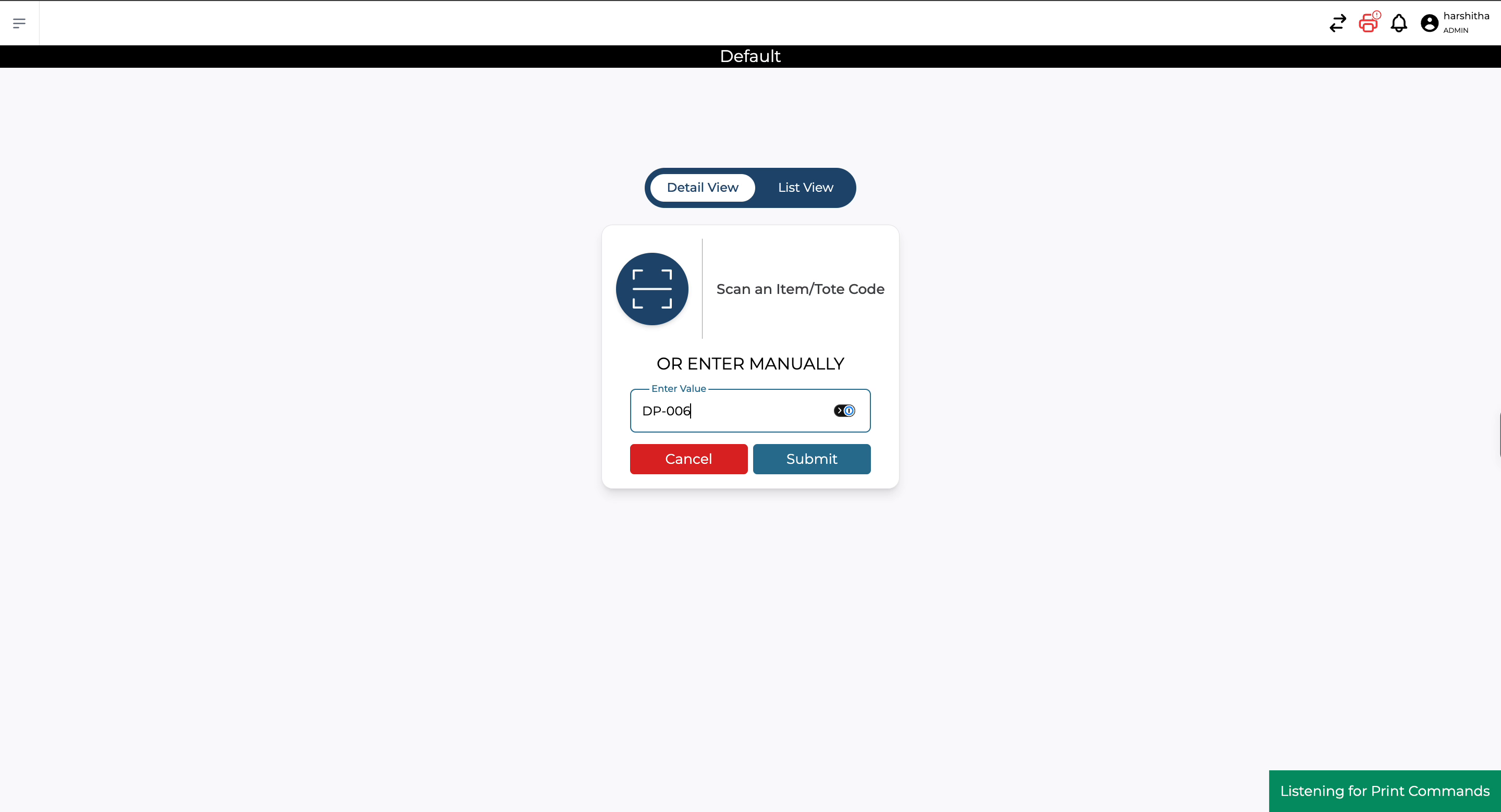
In the putaway workflow, scan the product’s SKU or UPC barcode.
If multiple lot or date combinations are available for that product, Hopstack displays the options for selection after the scan. If only one combination is available, continue with the standard putaway process without an additional selection.
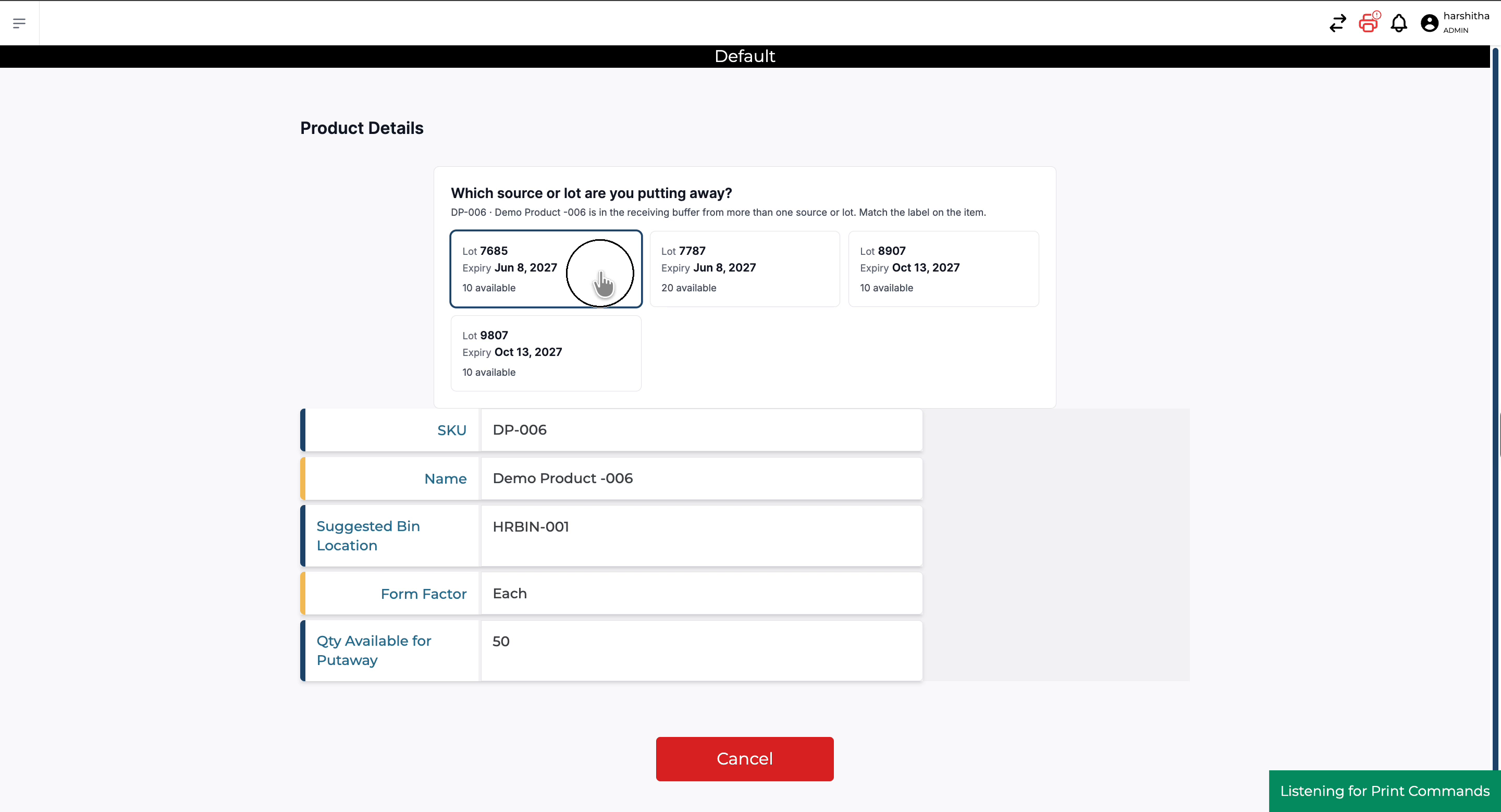
Step 2 | Review the Available Combinations and select the lot.
Each option represents an available combination of lot ID, expiry date, and manufacturing date, along with the quantity available for putaway. Check the label on the physical goods and select the matching lot and date combination.
Options are displayed in order of earliest expiry first.
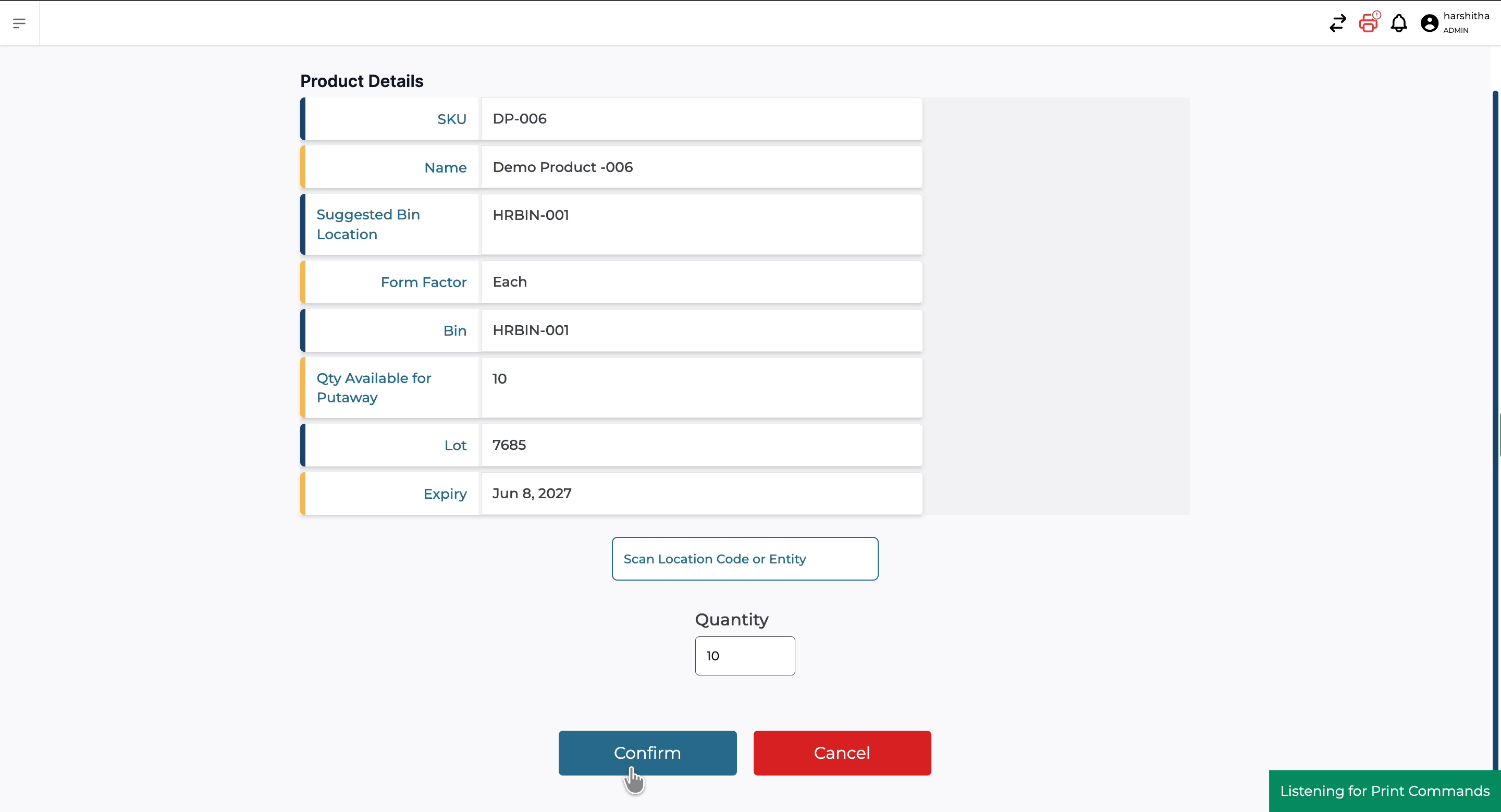
Step 4 | Scan the Location and Confirm the Quantity
Scan the destination location and enter the quantity being put away. Confirm the transaction to complete putaway.
The quantity cannot exceed the available quantity for the selected combination. For example, if the selected lot has 50 units available, entering more than 50 displays a validation error, even if other lots of the same SKU have additional stock.
To Verify the Inventory Details
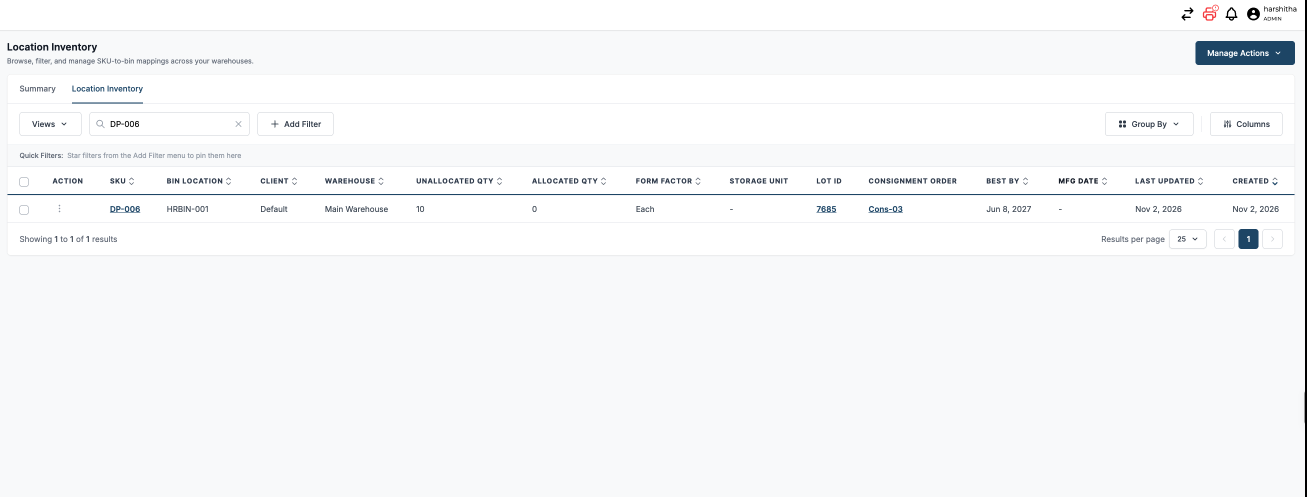
After putaway is completed, the destination inventory carries the selected lot ID, expiry date, and manufacturing date.
To verify the details, open Location Inventory, search for the product, and check the quantity and inventory identifiers recorded against the destination location.