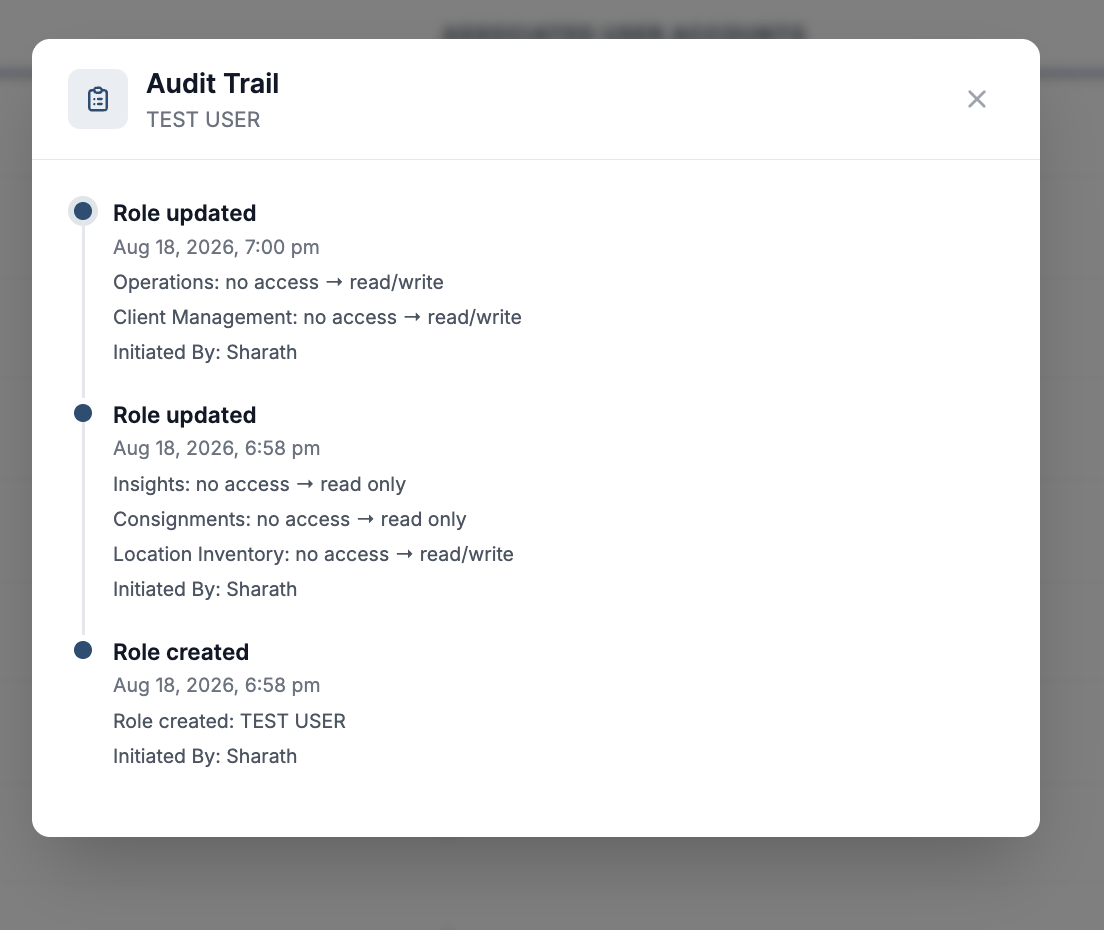
Administrators can now review a complete audit trail of changes made to user accounts and roles. This provides a self-service record for investigating access and permission changes without requiring assistance from Hopstack Support.
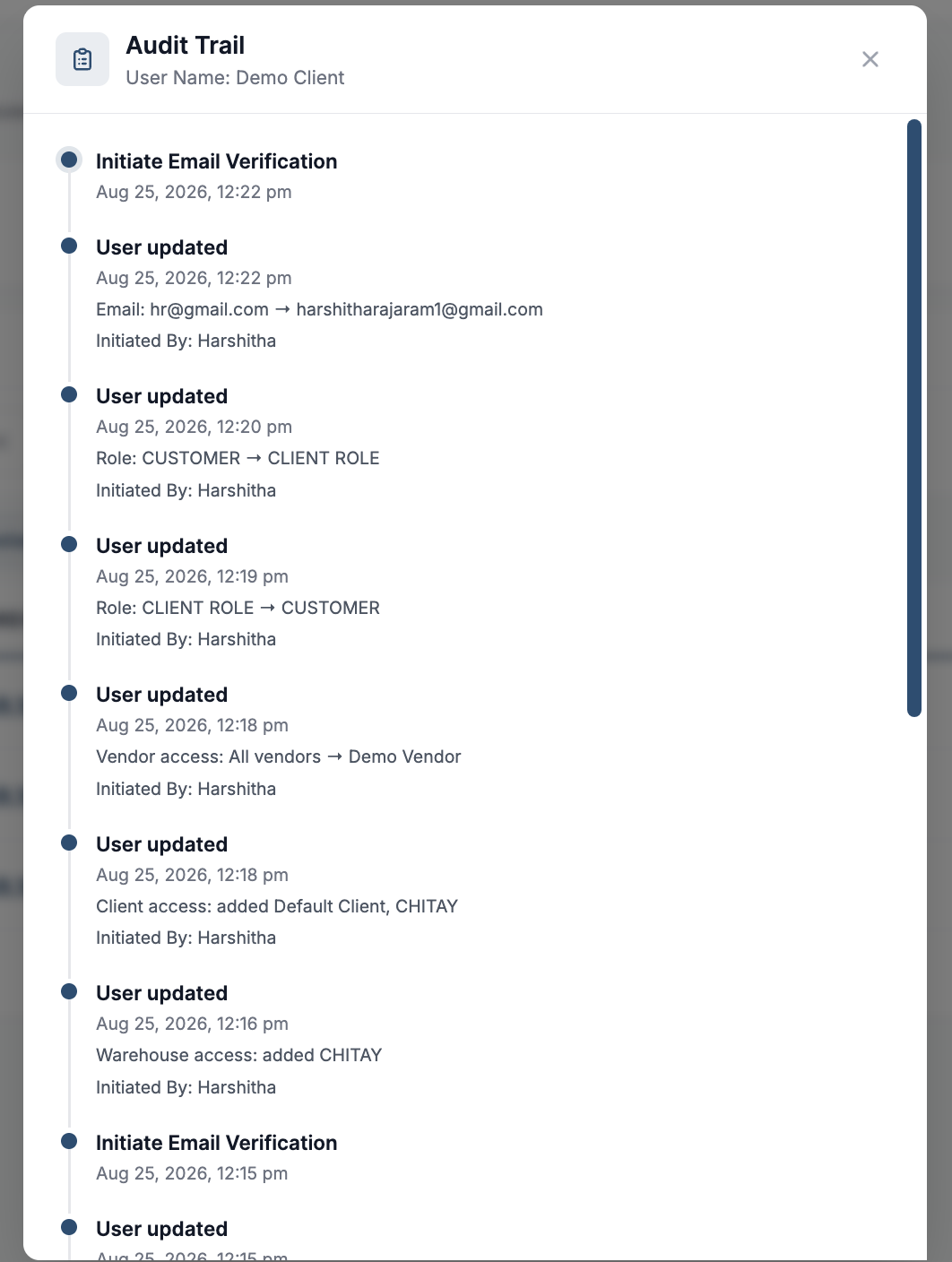
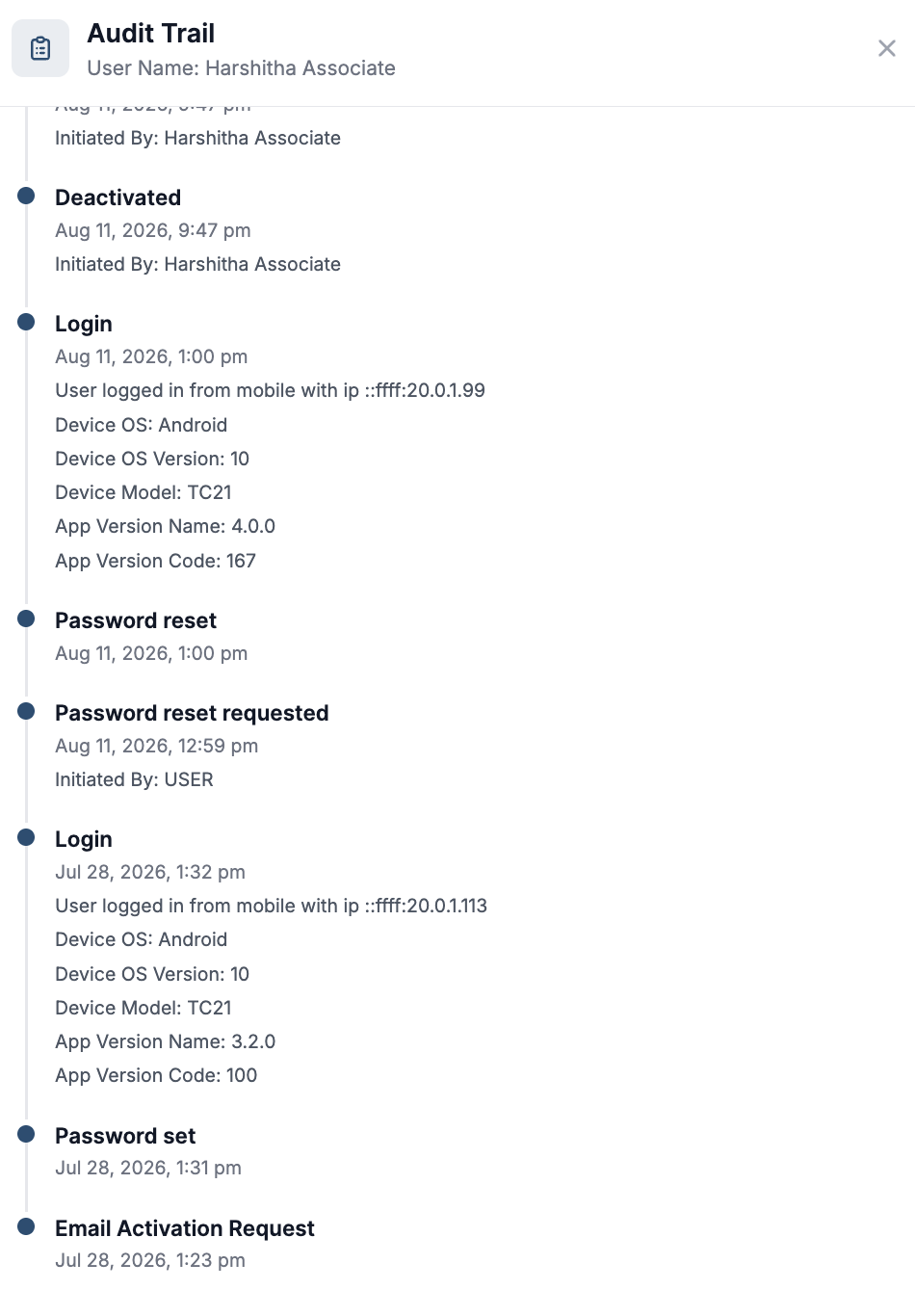
The user audit trail records:
-
User creation and deletion
-
Changes to roles, warehouse access, and client access
-
Changes to the user’s email address
-
Previous and updated values
-
Date and time of each change
-
Administrator who made the change
Administrators can also access a role’s audit trail to review changes made to its module access and permissions.
Accessing a User’s Audit Trail
-
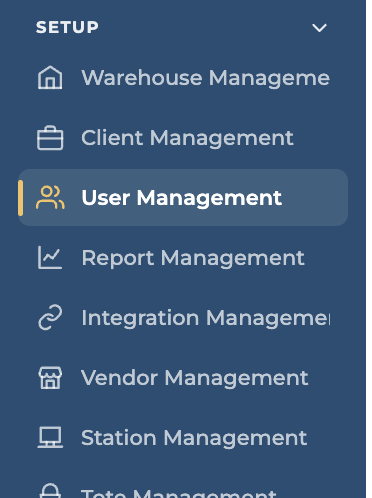
Navigate to Setup > User Management.
-
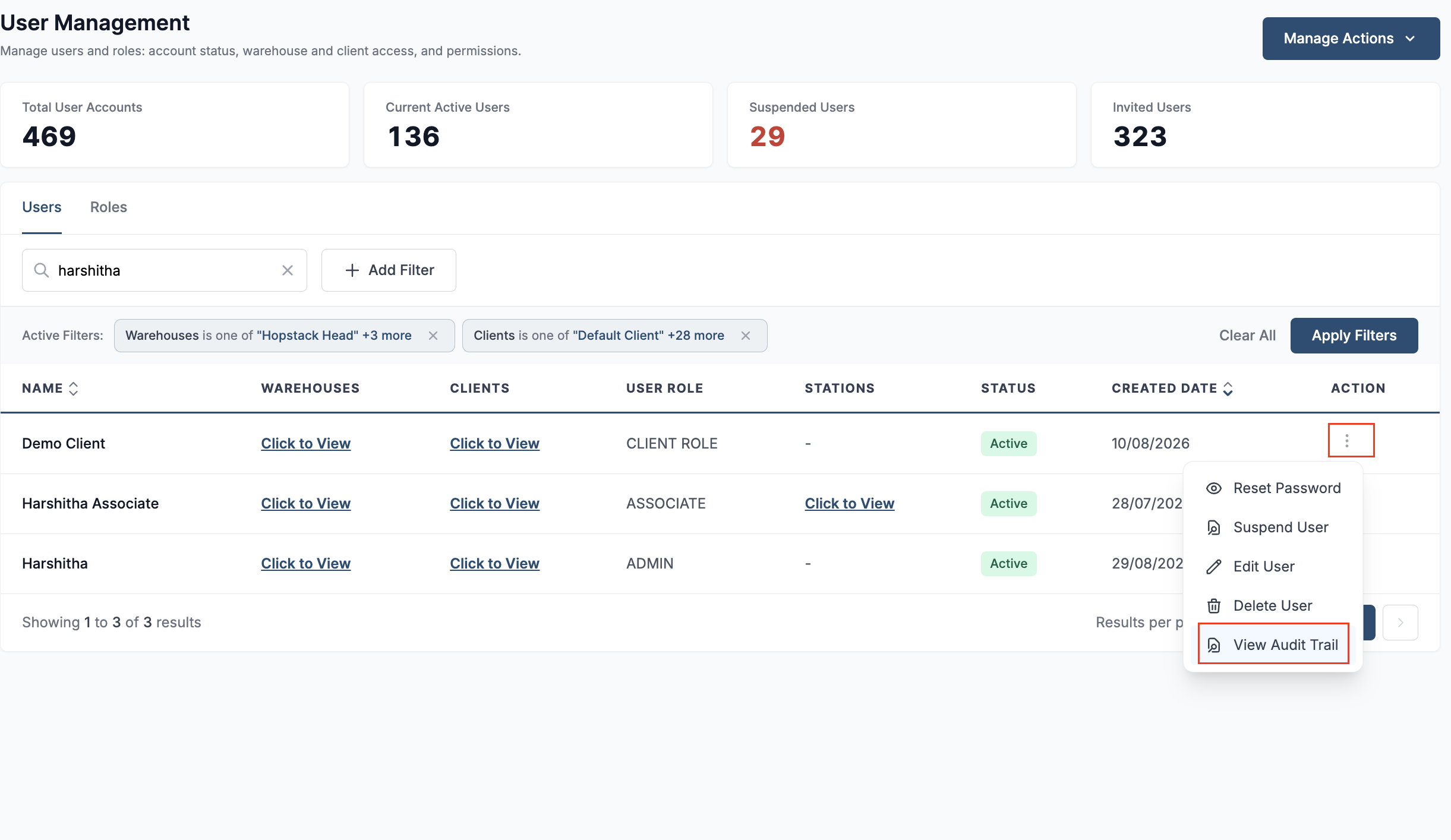
Locate the required user and click the Actions button.
-
Select Audit Trail to review the user’s account and access history, including what changed, the previous and updated values, when the change occurred, and who made it.
Accessing a Role’s Audit Trail
-
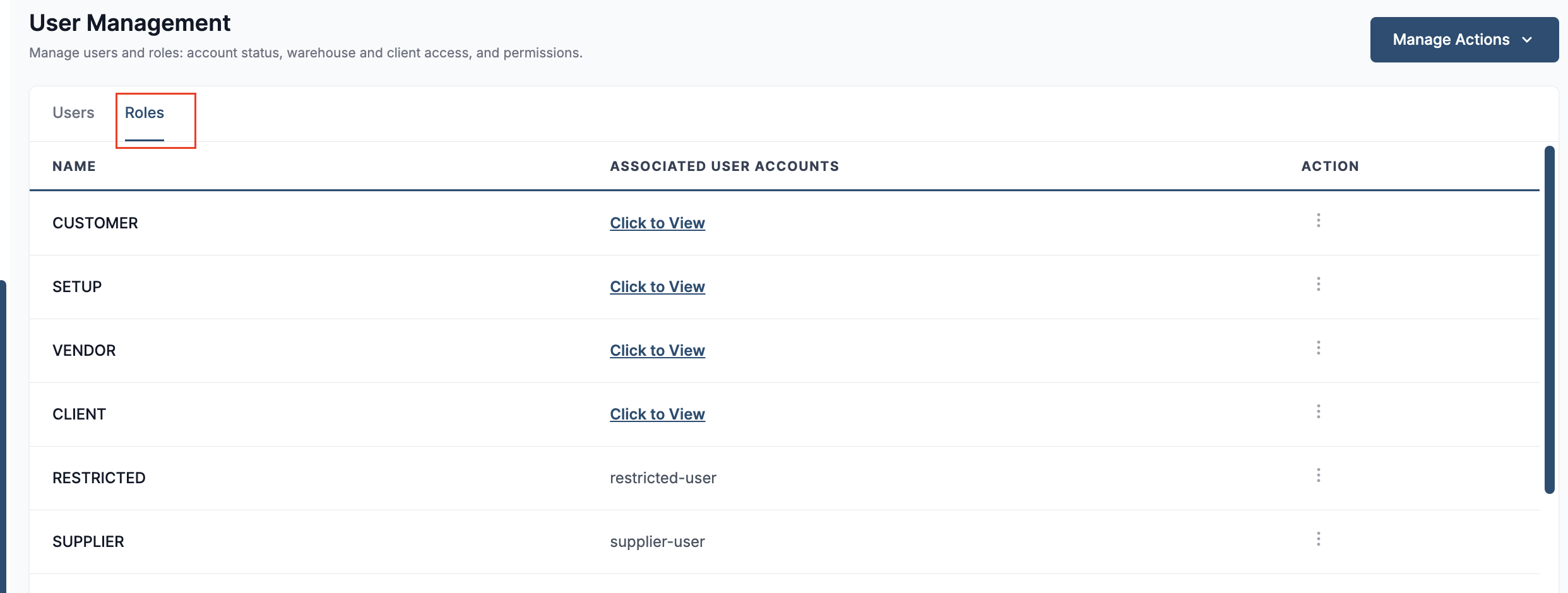
Navigate to the roles section in User Management.
-
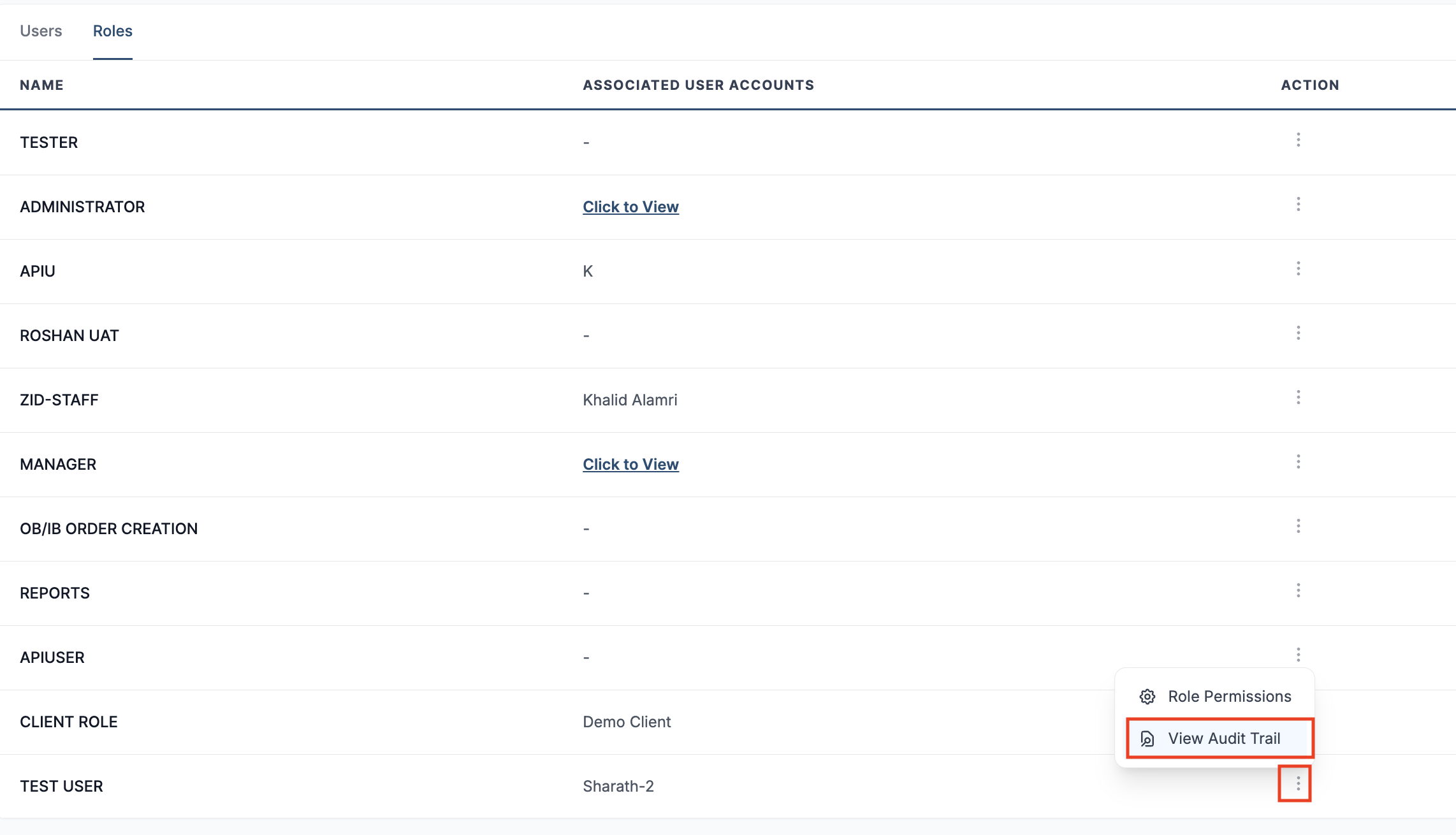
Locate the required role and click the Actions button.
-
Select Audit Trail to review changes made to the role’s module access and permissions, including when each change occurred and who made it.