
The Receiving Buffer tab provides a live centralised view of all inventory that has been received into the warehouse but has not yet been put away into a storage location. It helps warehouse teams monitor pending putaway work, prioritise ageing inventory, and identify bottlenecks before they impact operations.
This guide covers the key features of the Receiving Buffer and how to use them effectively.
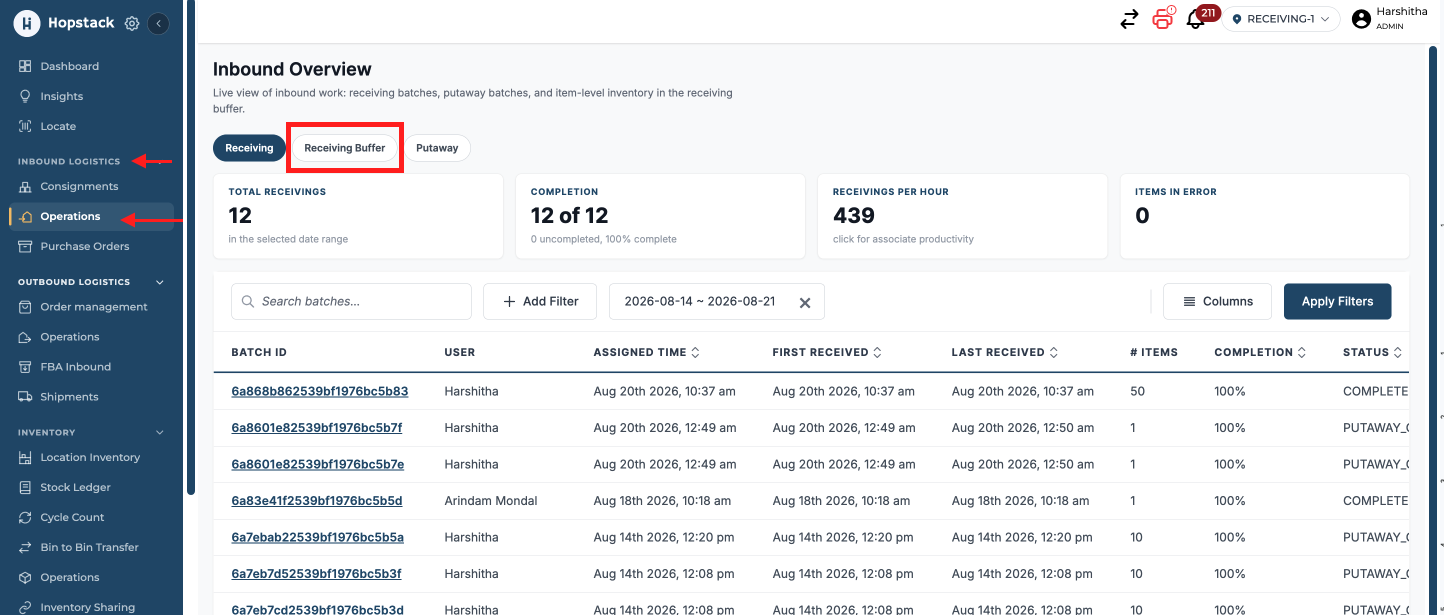
How to access the screen:
Inbound Logistics → Operations → Receiving Buffer
Summary Tiles
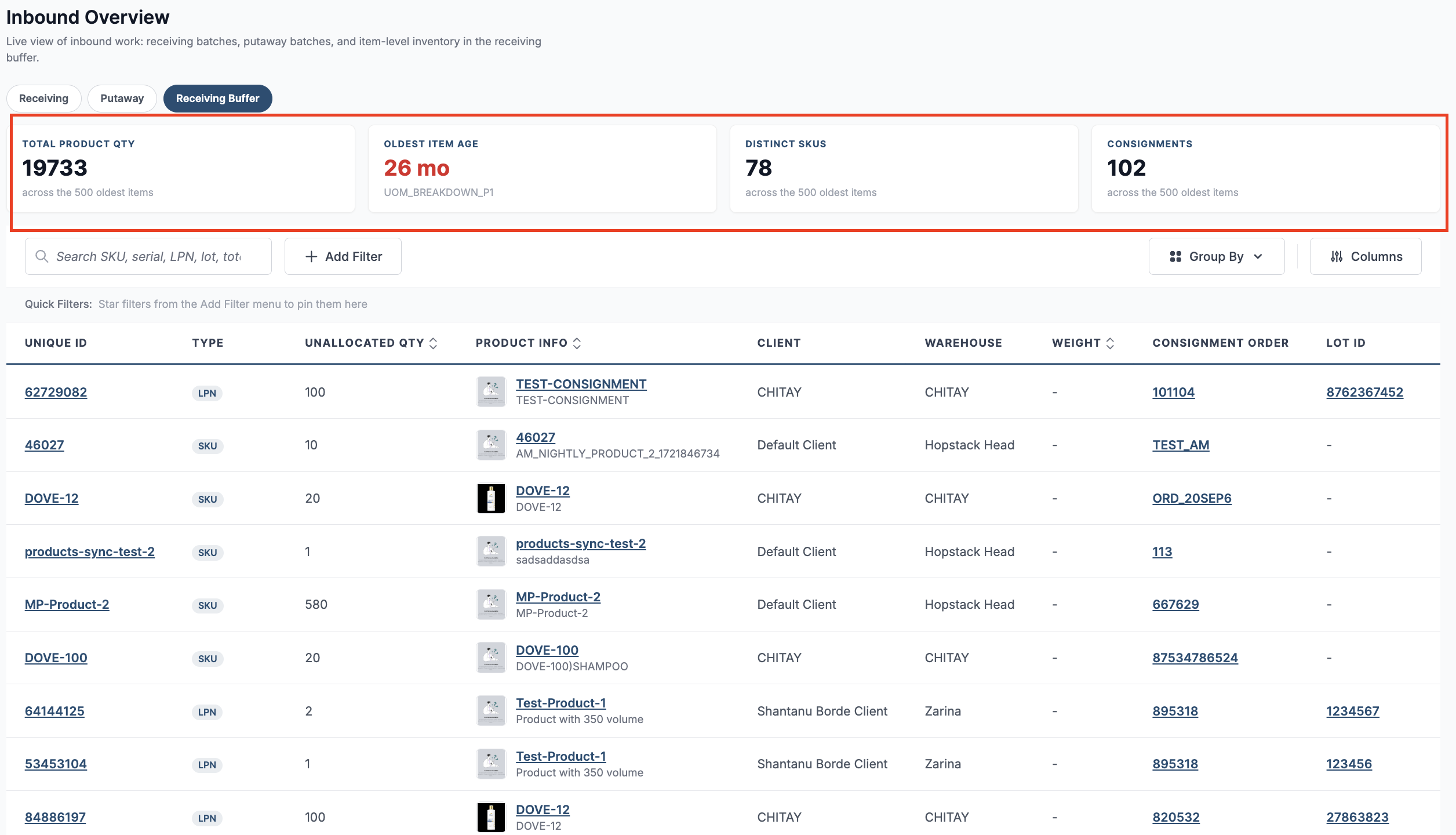
The tiles at the top of the page provide an instant overview of the inventory currently waiting in the receiving buffer.
|
Tile |
Description |
|---|---|
|
Total Product Qty |
Displays the total quantity of products currently waiting for putaway across all receiving buffer records. |
|
Oldest Item Age |
Shows the age of the oldest item that has not yet been put away. This helps identify inventory that has been waiting the longest and may require immediate attention. |
|
Distinct SKUs |
Displays the number of unique SKUs currently present across all receiving buffer records. |
|
Consignments |
Shows the total number of inbound consignments that contain inventory still awaiting putaway. |
View Oldest Item Details
Clicking the Oldest Item Age summary tile opens a side panel displaying detailed information about the inventory item that has been waiting in the receiving buffer the longest. This allows warehouse teams to quickly investigate aging inventory and take action to prioritise its putaway.
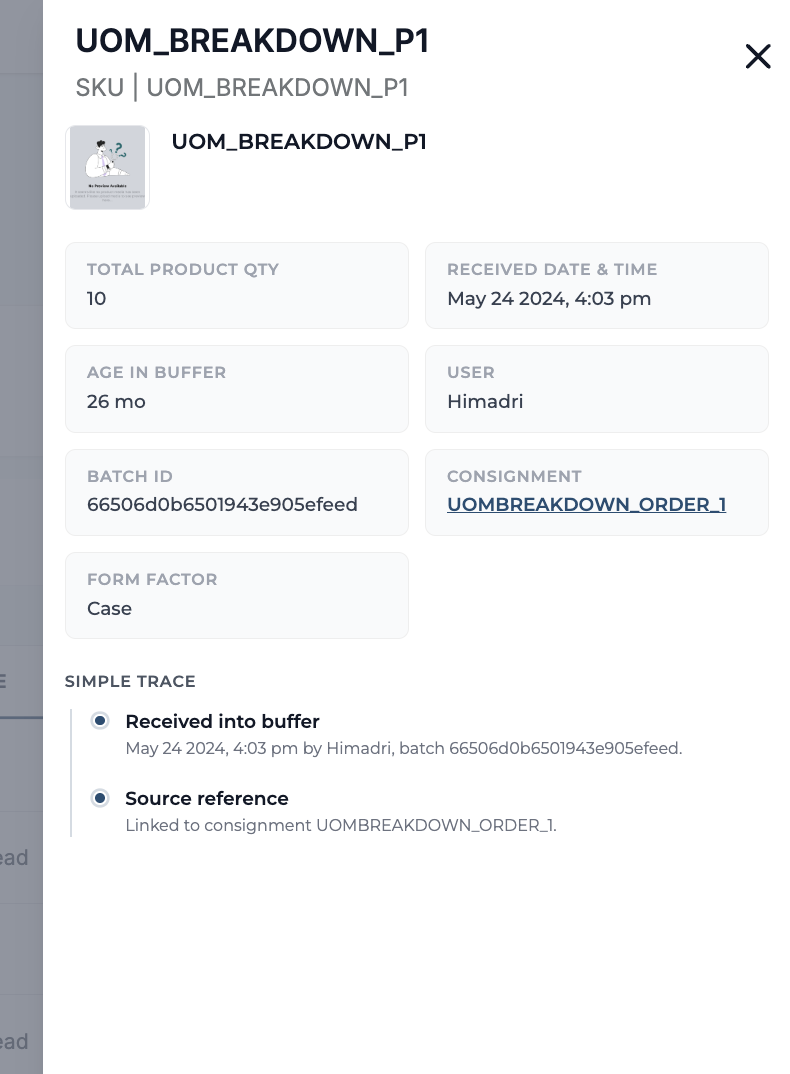
The side panel includes:
|
Field |
Description |
|---|---|
|
Product |
Displays the product name, SKU, and product image (if available). |
|
Total Product Qty |
The quantity of the product currently waiting in the receiving buffer. |
|
Received Date & Time |
The date and time when the inventory was received into the warehouse. |
|
Age in Buffer |
The total time the inventory has remained in the receiving buffer without being put away. |
|
User |
The user who completed the receiving operation. |
|
Batch ID |
The receiving batch in which the inventory was processed. |
|
Consignment |
The inbound consignment associated with the inventory. Clicking the consignment number opens the corresponding consignment details. |
|
Form Factor |
The inventory unit of measure or handling unit, such as Each or Case. |
Simple Trace
The Simple Trace section provides a quick audit trail of the inventory's journey into the receiving buffer.
-
Received into Buffer – Shows when the inventory was received, who performed the operation, and the associated batch ID.
-
Source Reference – Displays the inbound consignment from which the inventory originated, providing quick traceability back to the receiving record.
Receiving Buffer Table
The Receiving Buffer table provides a detailed view of all inventory that has been received but is awaiting putaway. Use the Search filter to quickly locate items by SKU, Serial Number, LPN, Lot ID, Tote, Pallet ID or Tracking ID and apply Filters to narrow results based on specific inventory attributes. You can also Group records for easier analysis and customize the table using the Columns option. Together, these tools help warehouse teams efficiently monitor, organize, and prioritize pending putaway inventory.
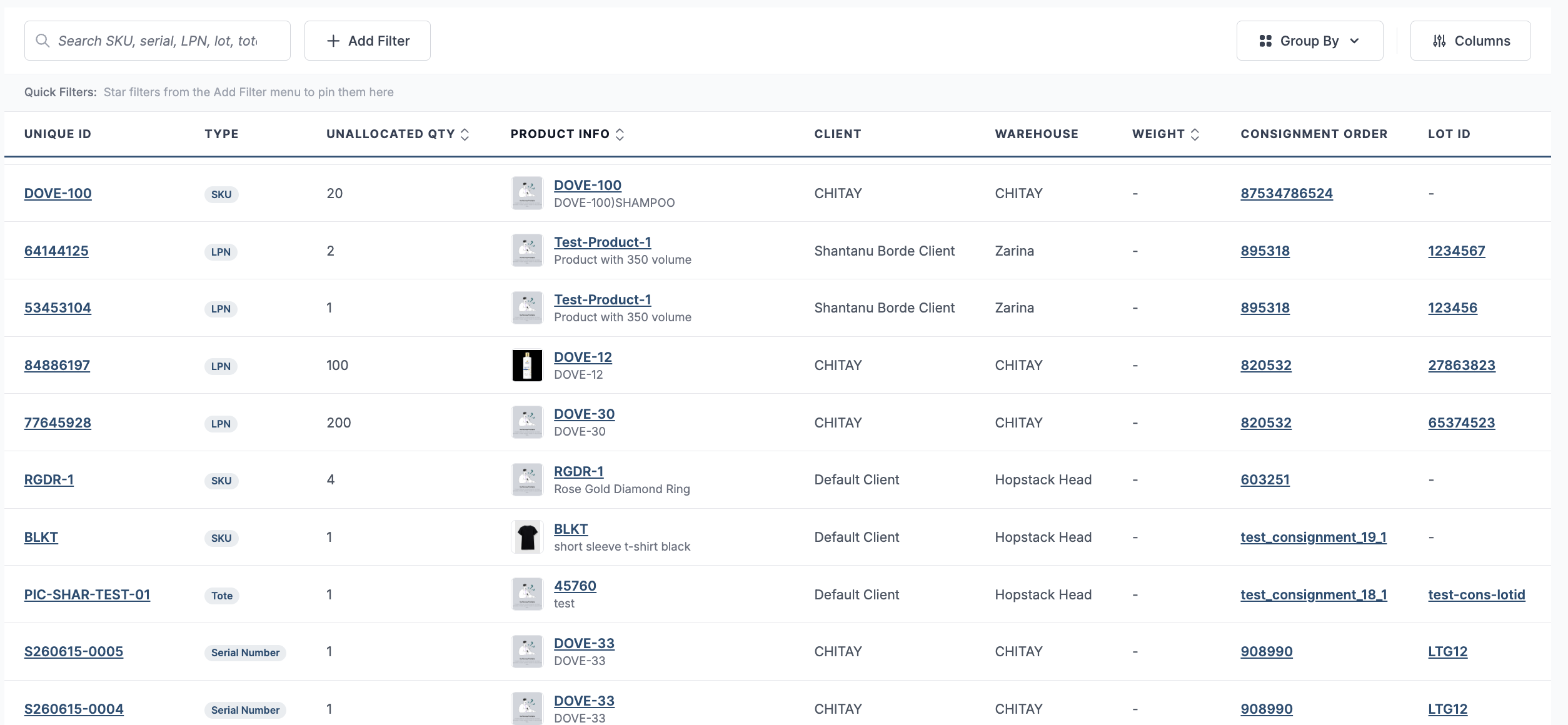
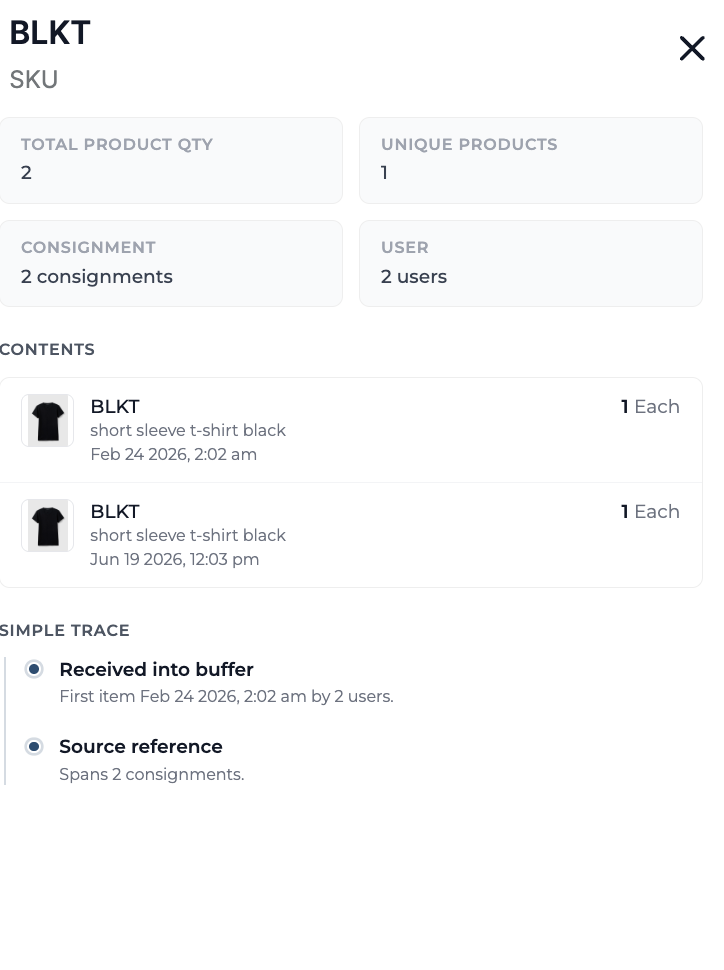
Click a product in the “Product Info” column to open a side panel with a summary of all inventory for that SKU in the receiving buffer. The panel displays key inventory metrics, individual received entries, and a simple trace to help you quickly review the product's receiving history before putaway.
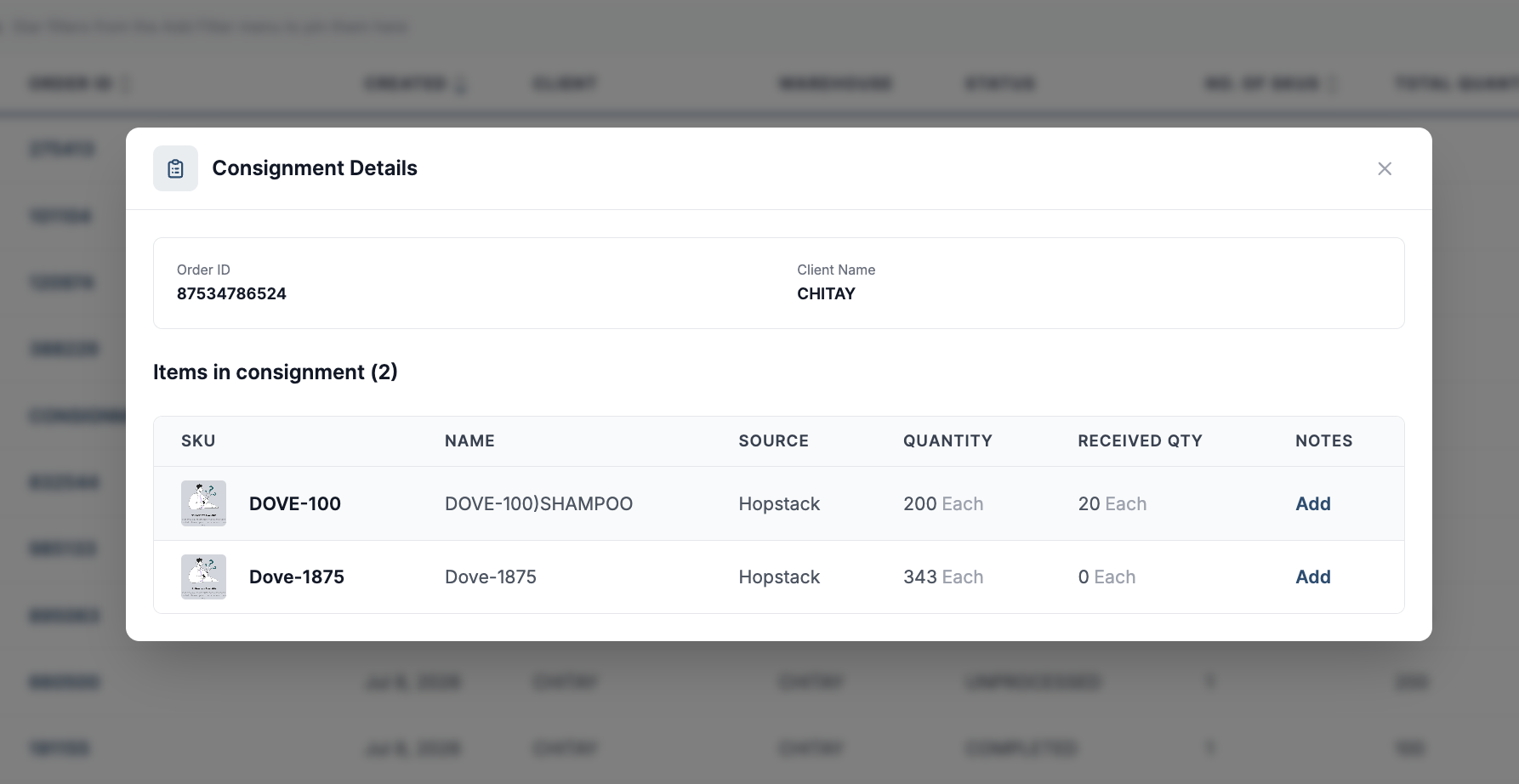
Click a Consignment Order ID from the “Consignment Order” Column to open the Consignment Details panel. It displays the consignment summary along with the ordered and received quantities for each item, providing a quick overview of receiving progress.
Similarly, clicking values in the Lot ID, Storage Unit LPN, or Tote columns opens their respective details panel, allowing you to view additional information and trace the associated inventory.
The Receiving Buffer simplifies putaway planning by bringing all pending inventory into a single view. With real-time visibility into received inventory, users can efficiently prioritize putaway tasks, reduce delays, and keep inbound operations running smoothly.