
This document explains how to export the new Location Inventory by SKU report, select which fields to include, and generate the final output with all relevant inventory details.
Step 1: Open the Location Inventory Module
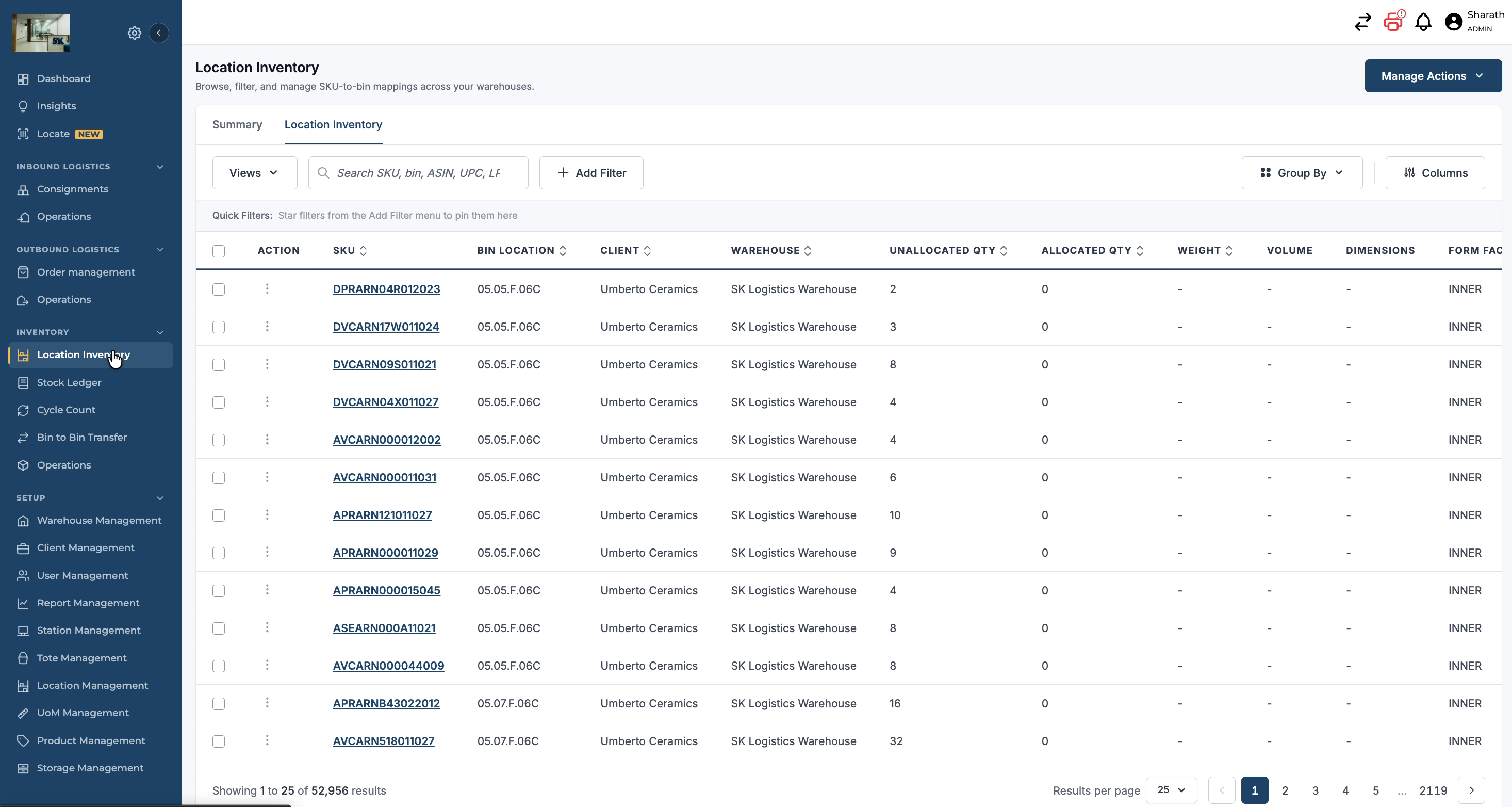
Navigate to the Inventory menu and click on Location Inventory.
Step 2: Access Manage Action Options
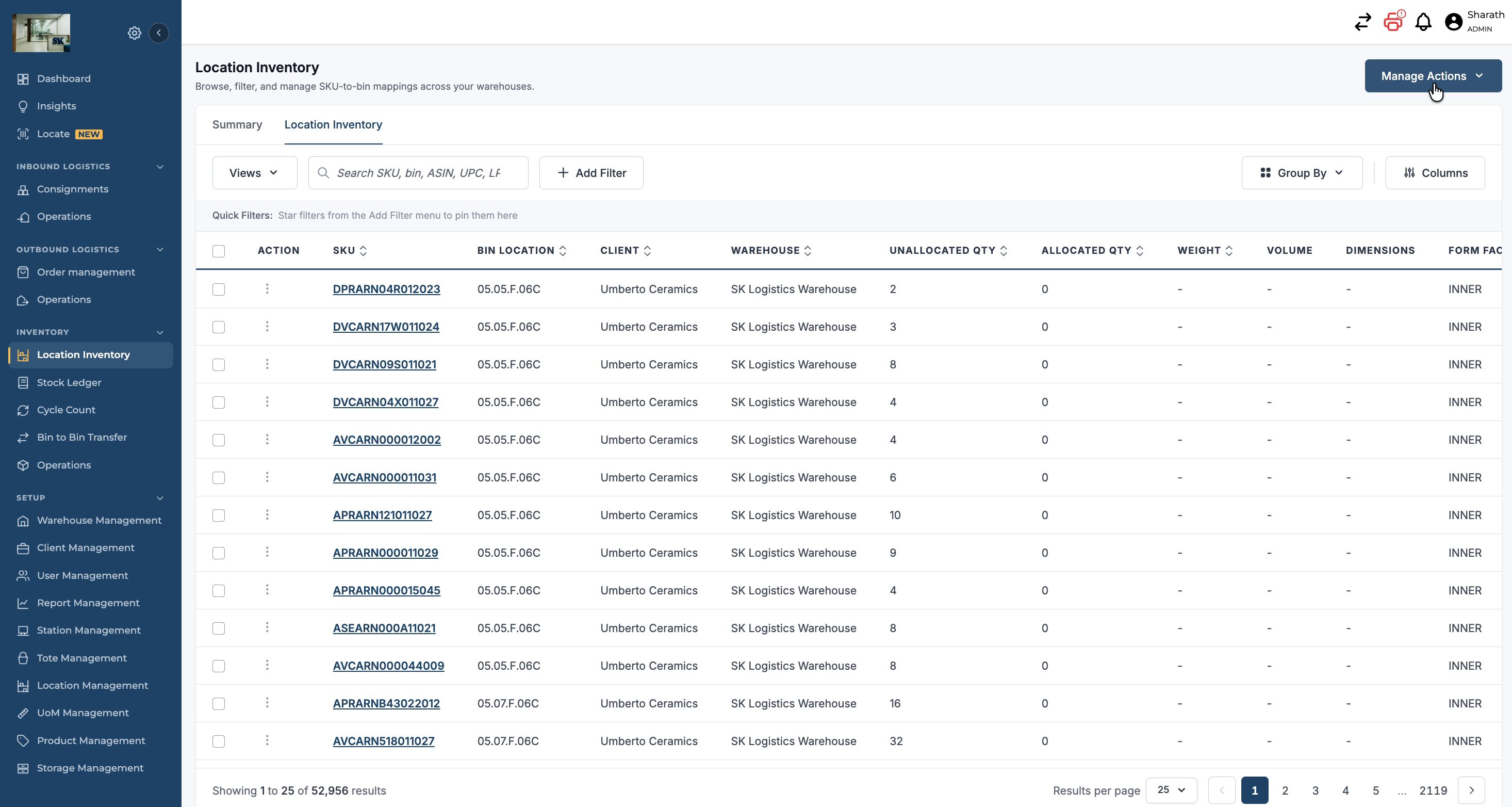
At the top-right corner of the Location Inventory screen, click on Manage Action to open the available actions for this module.
Step 3: Choose the Export Report Function
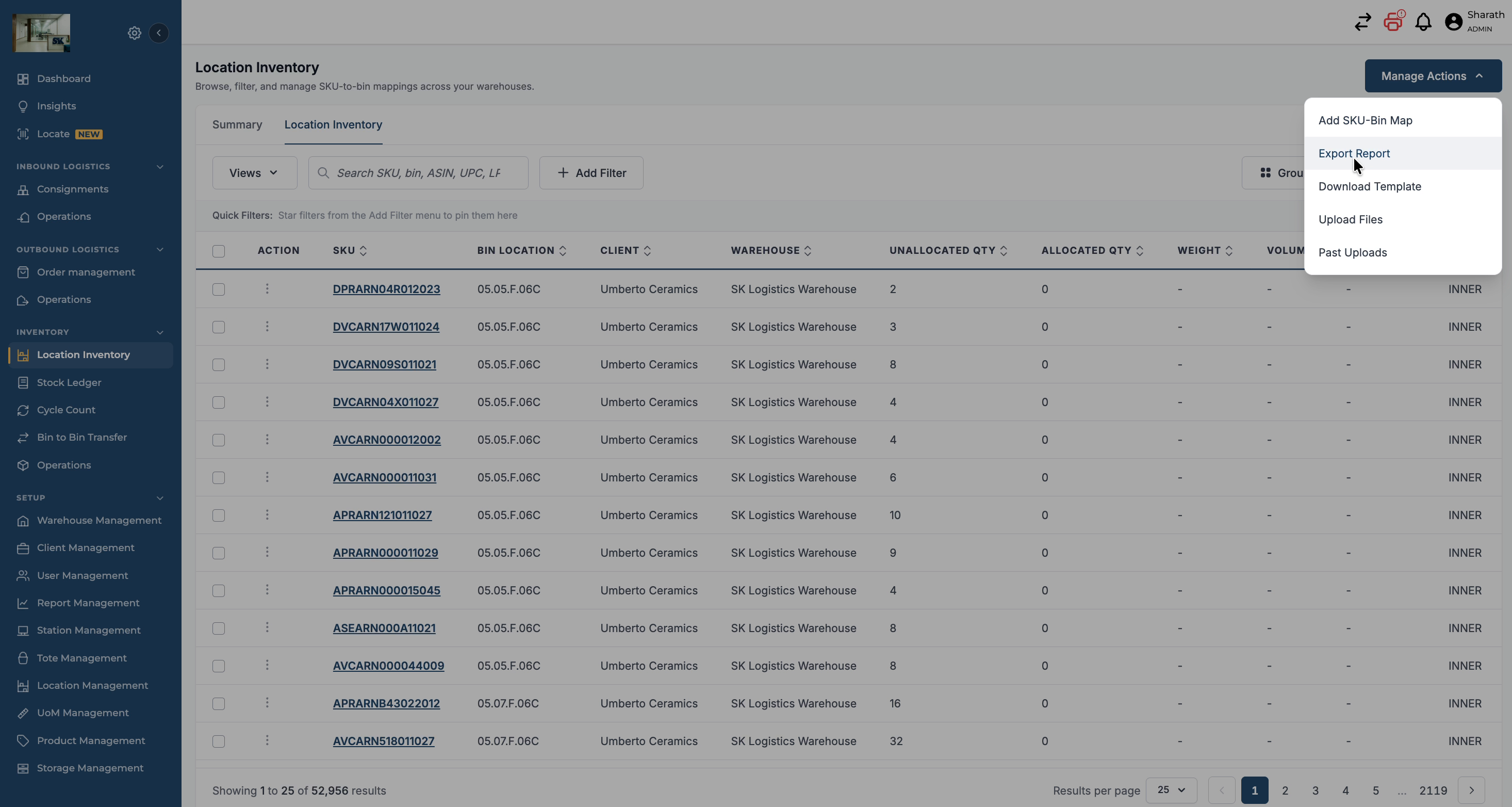
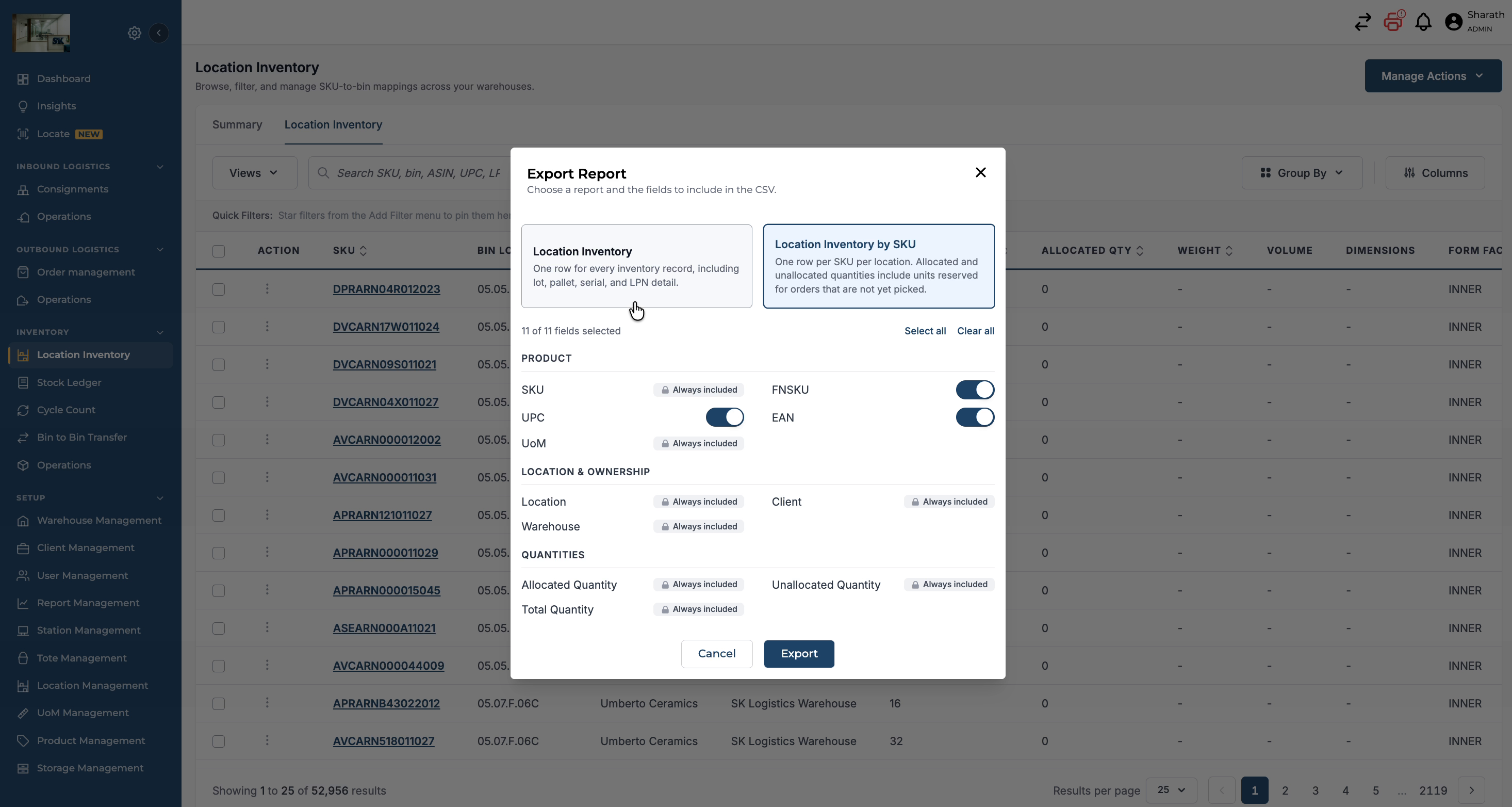
Within the Manage Action options, select Export Report. This will open a window with two tabs:
-
Location Inventory – provides a location inventory report. You can check out SKU Bin Mappings Report
-
Location Inventory by SKU – the newly added report that lists inventory by SKU with detailed attributes.
Select the Location Inventory by SKU tab to proceed.
Step 4: Review and Configure Report Fields
In the Location Inventory by SKU tab, review the default fields selected (typically eleven), which include:
-
SKU
-
FNSKU
-
UPC
-
EAN
-
UM
-
Location
-
Client
-
Warehouse
-
Allocated Quantity
-
Unallocated Quantity
-
Total Quantity
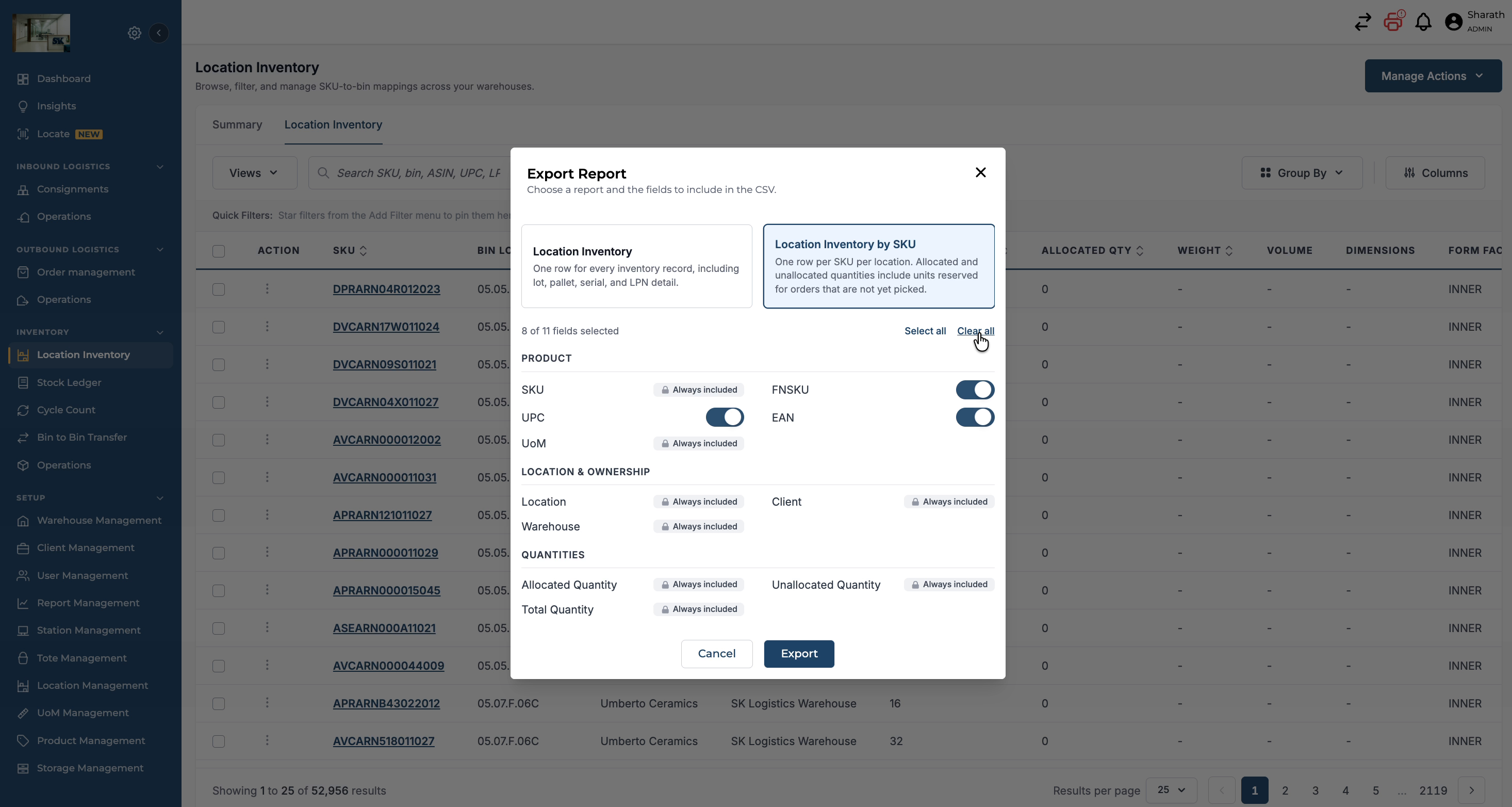
If you want to remove certain fields (for example, UPC, FNSKU, EAN), click Clear All to deselect all fields.
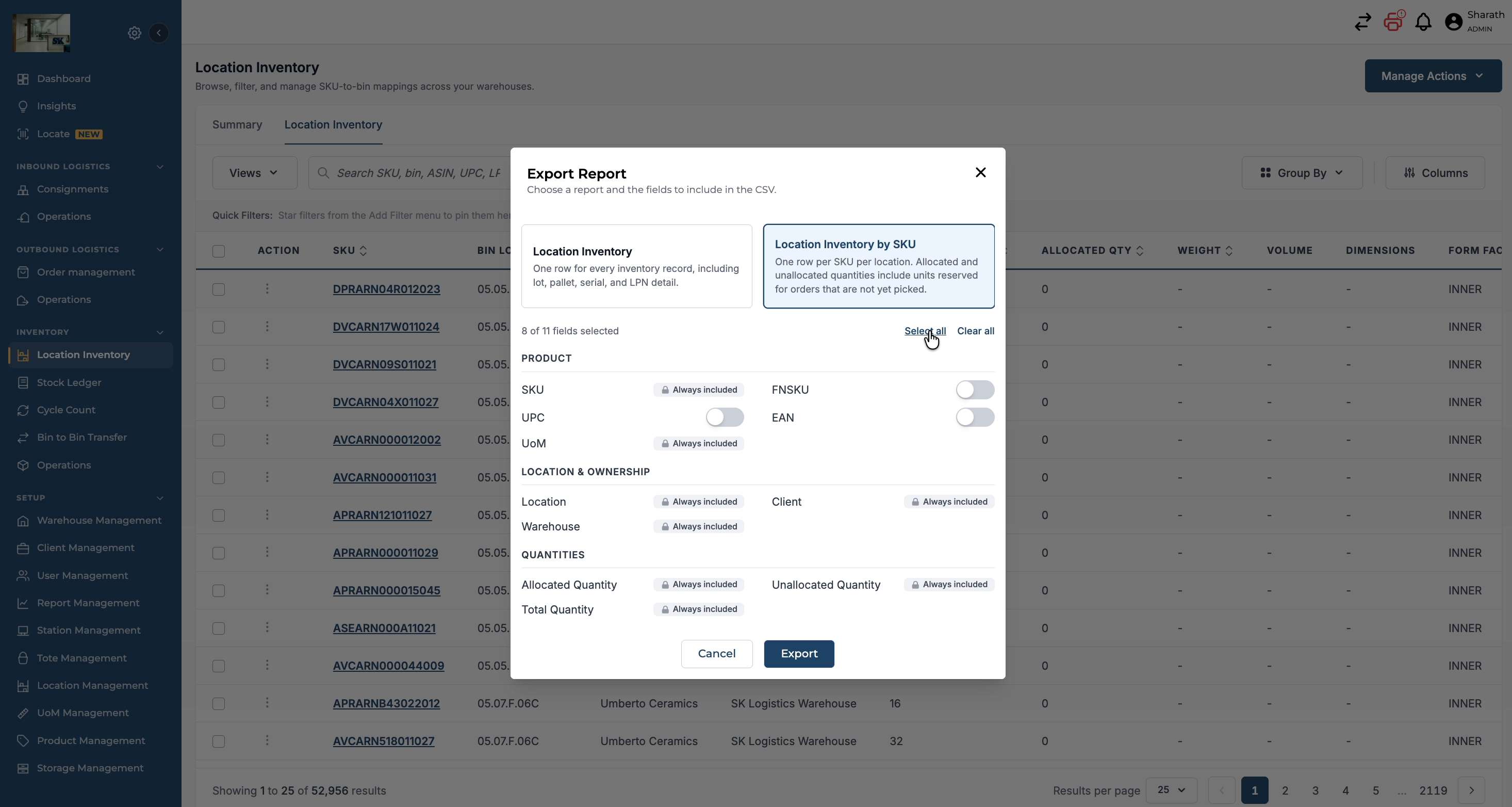
To quickly include all available fields in the report, click Select All so that FNSKU, UPC, and EAN fields are included.
Step 5: Export the Location Inventory by SKU Report
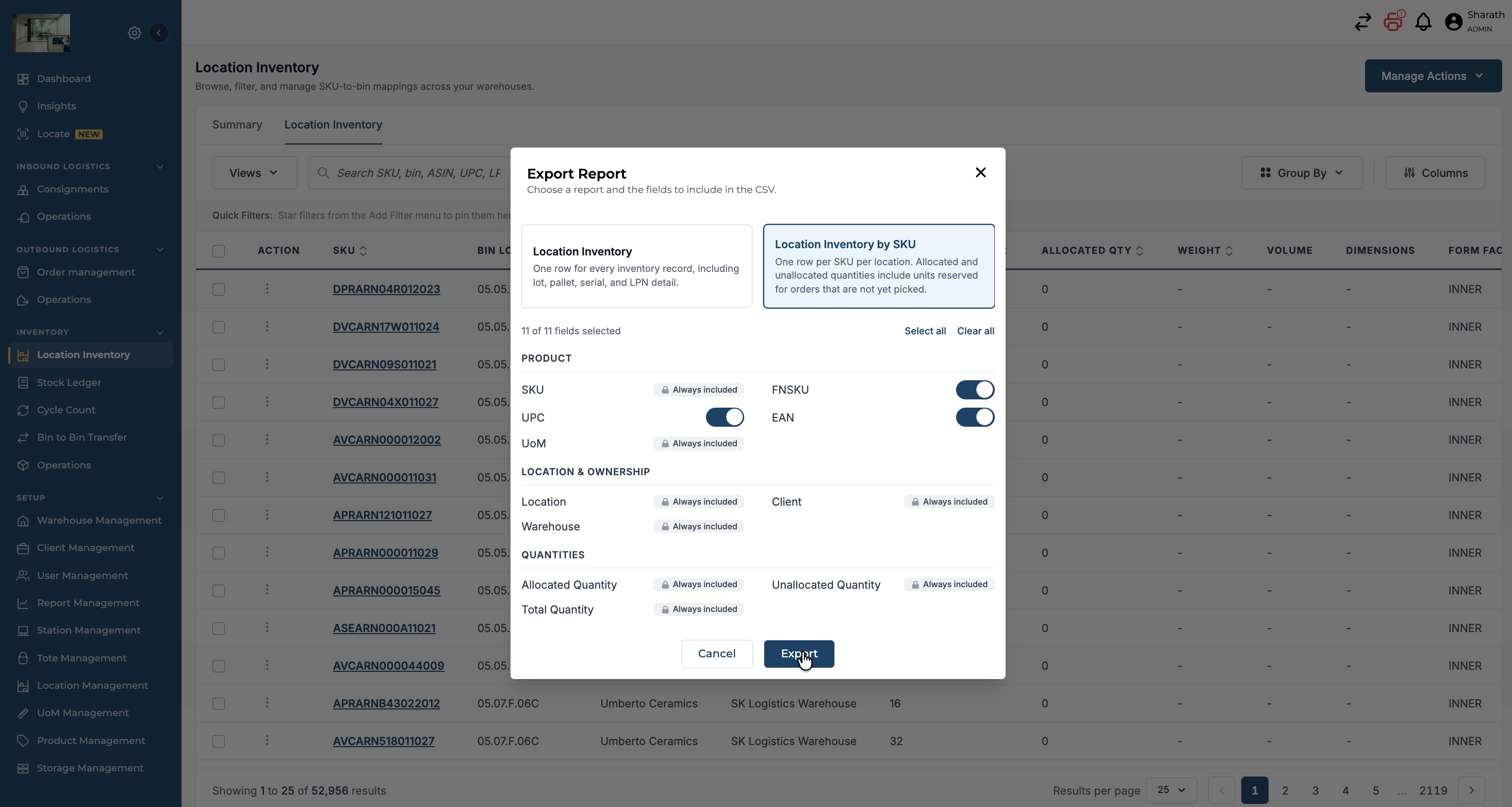
After finalising the fields you want in the report, click Export Report to generate the file.
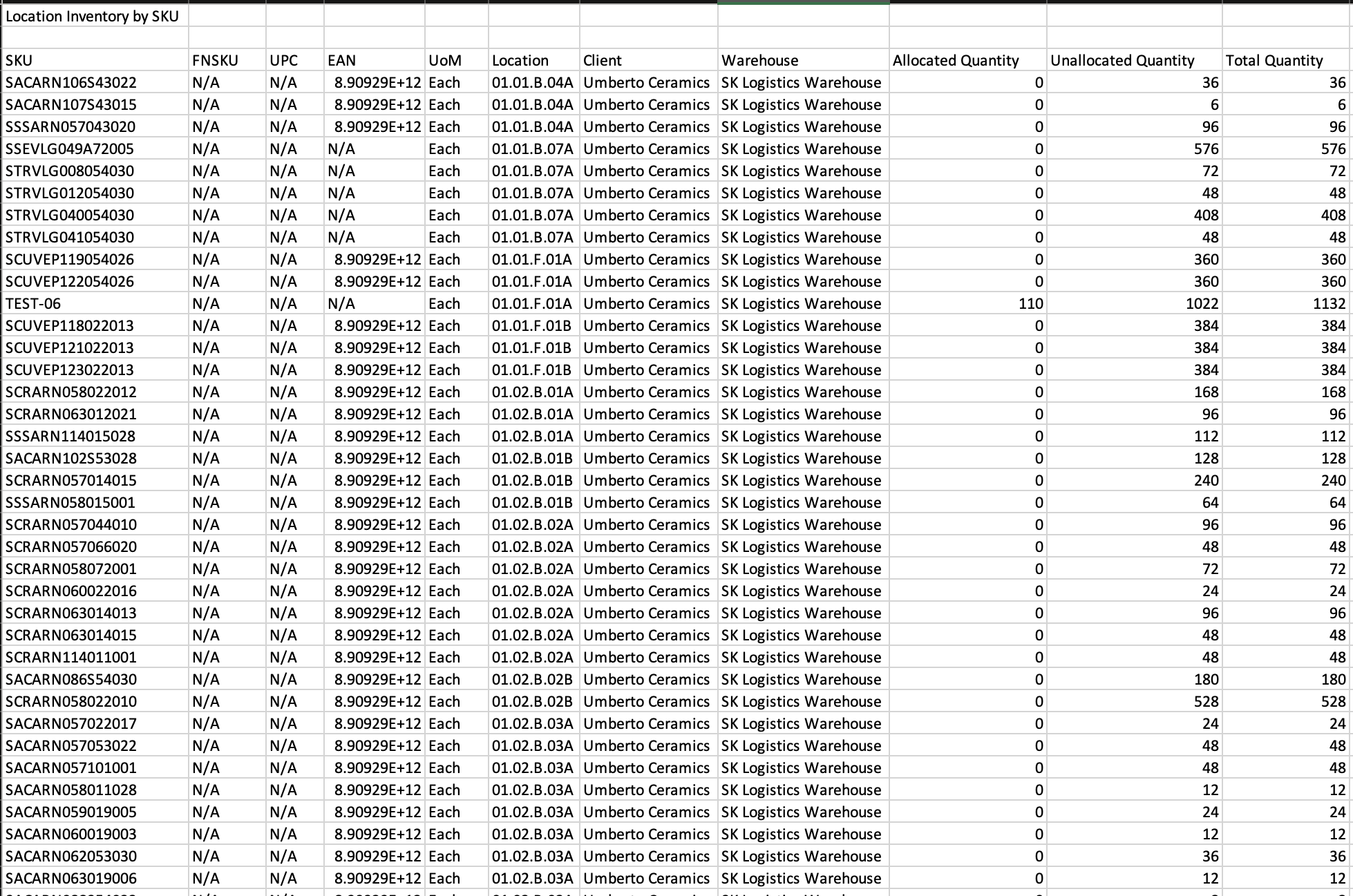
The exported report will contain the selected columns, such as SKU, FNSKU, UPC, EAN, UM, Location, Client, Warehouse, Allocated Quantity, Unallocated Quantity, and Total Quantity.
SKU (Stock Keeping Unit): A unique identifier for each product in the order, used for inventory management and product tracking. Examples include SKU12345 or PROD67890.
Client: The name of the client or customer who has stock at the warehouse. This helps in tracking stock based on customers and managing client-specific details. An example client might be John Doe or Acme Corp.
Warehouse: The specific warehouse where the stock is being kept. This field helps identify the location handling the order, such as Warehouse A or Main Fulfillment Center.
FNSKU (Fulfilment Network Stock Keeping Unit): This is the SKU identification code used for Amazon FBA orders.
EAN : This is the SKU identification code used for products.
UPC (Universal Product Code): This code contains a 12-digit unique identifier for the product and is usually present in the packaging of the product as a scannable barcode.
Unallocated Quantity: This field shows the quantity that has no inventory/ stock allocated to any of the line items for an order.
Allocated Quantity: This field shows the quantity of the product allocated to line items of all the batched orders.
Total Quantity: This field shows the sum of unallocated and allocated for the products
Location: Indicates the warehouse location where the stock is kept.