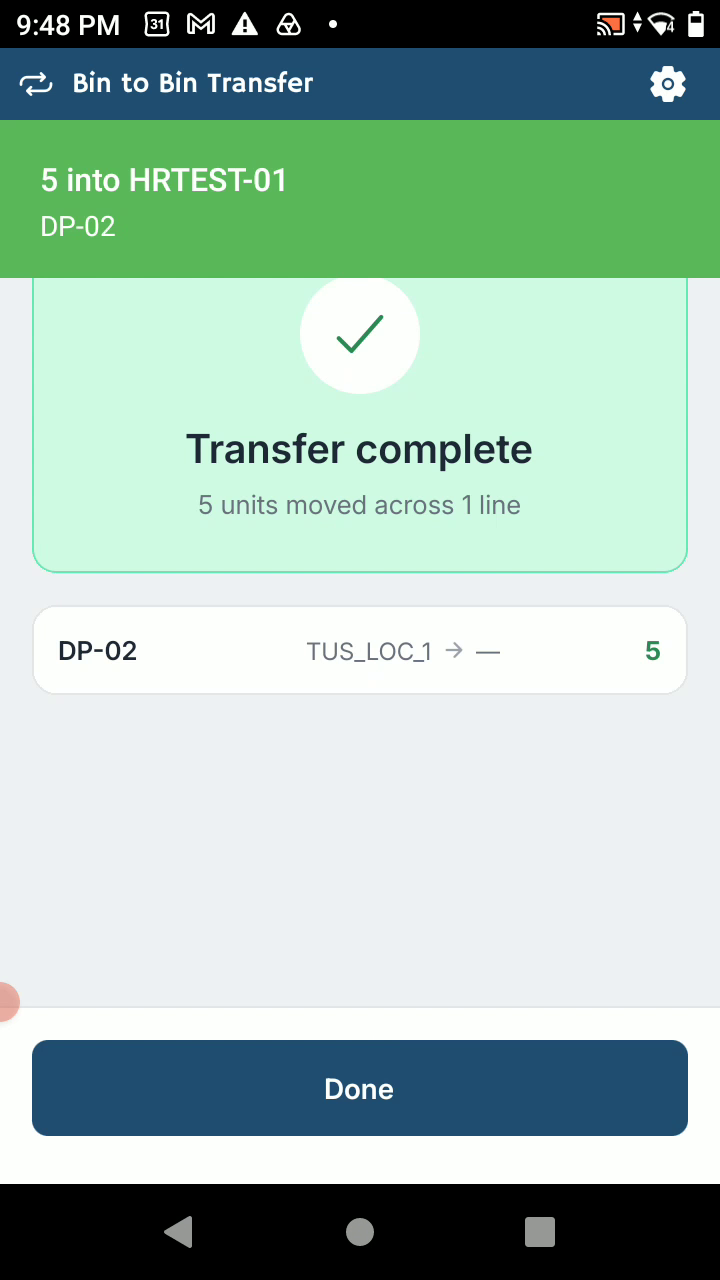
For ad hoc transfers of products with serial, LPN, pallet and inventory-tracking identifiers, the handheld can resolve the source location directly from the item scan using the Move something now feature. Operators can gather tracked inventory from multiple source locations into one transfer trip without scanning each source bin first.
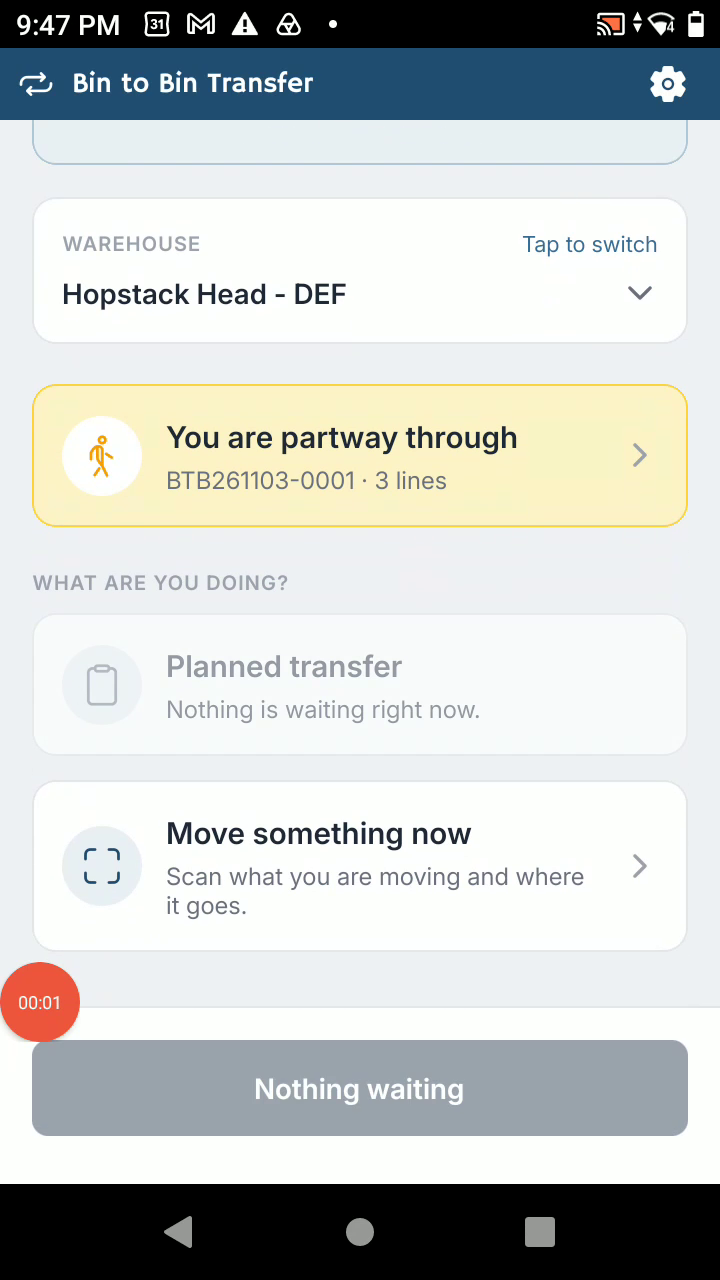
Step 1: Start an Ad hoc Bin to Bin Transfer
From the Bin to Bin Transfer home screen, tap Move something now to begin a new transfer.
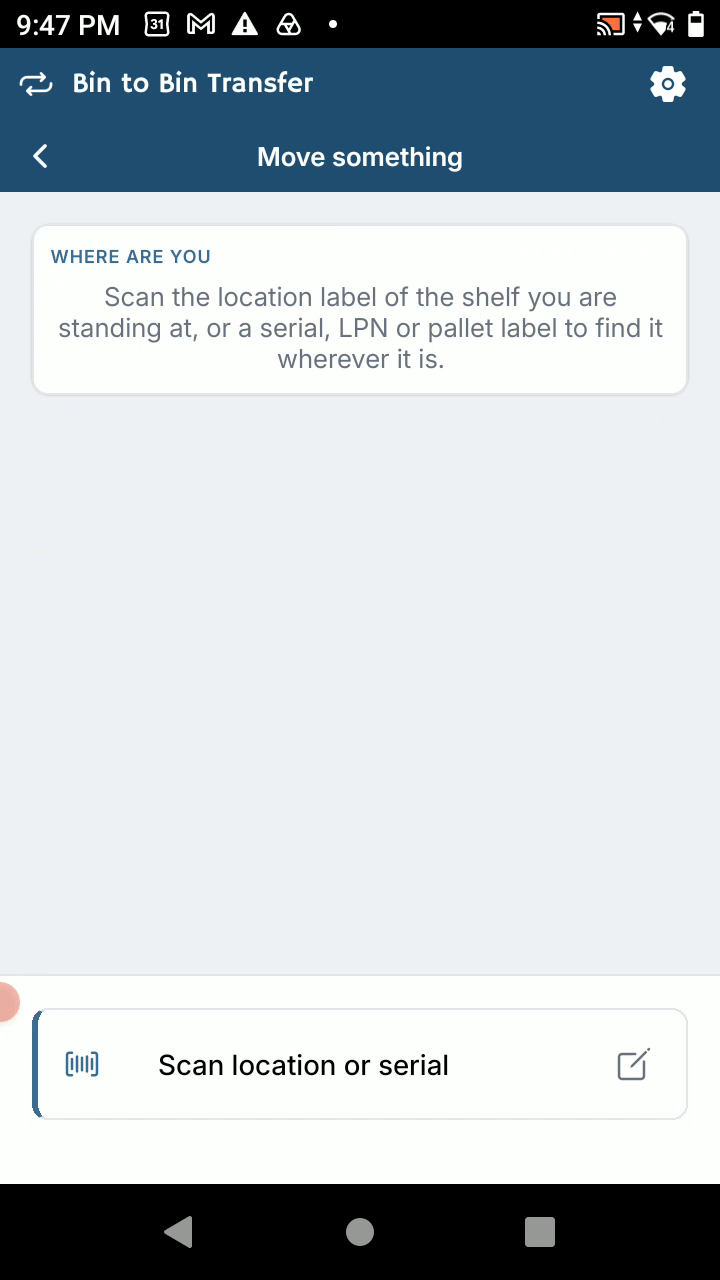
Step 2: Scan Loaction code or Inventory Identifier or LPN
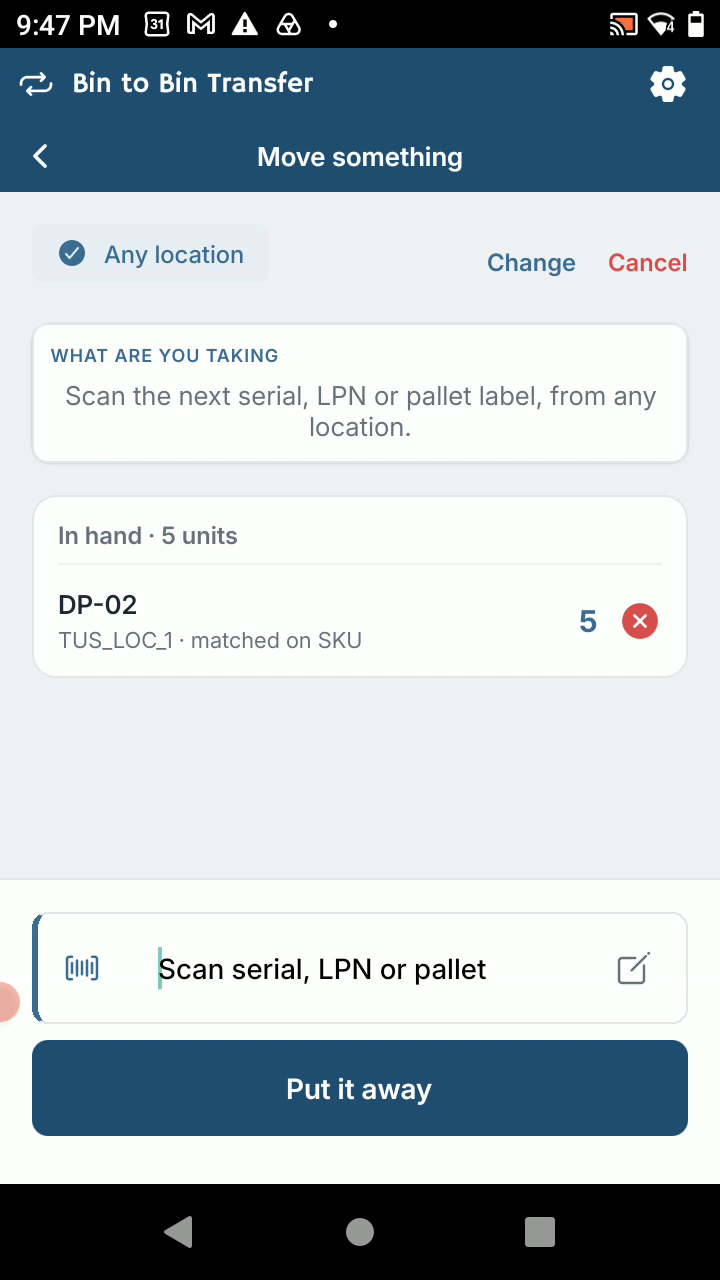
If an Inventory identifier or LPN is scanned, the system automatically identifies the source location.
Step 3: Scan More items and Proceed to Put Away
User may scan more items to add to the transfer.
After all the items are taken into hand, review the item summary to ensure accuracy, then tap Put it away to continue.
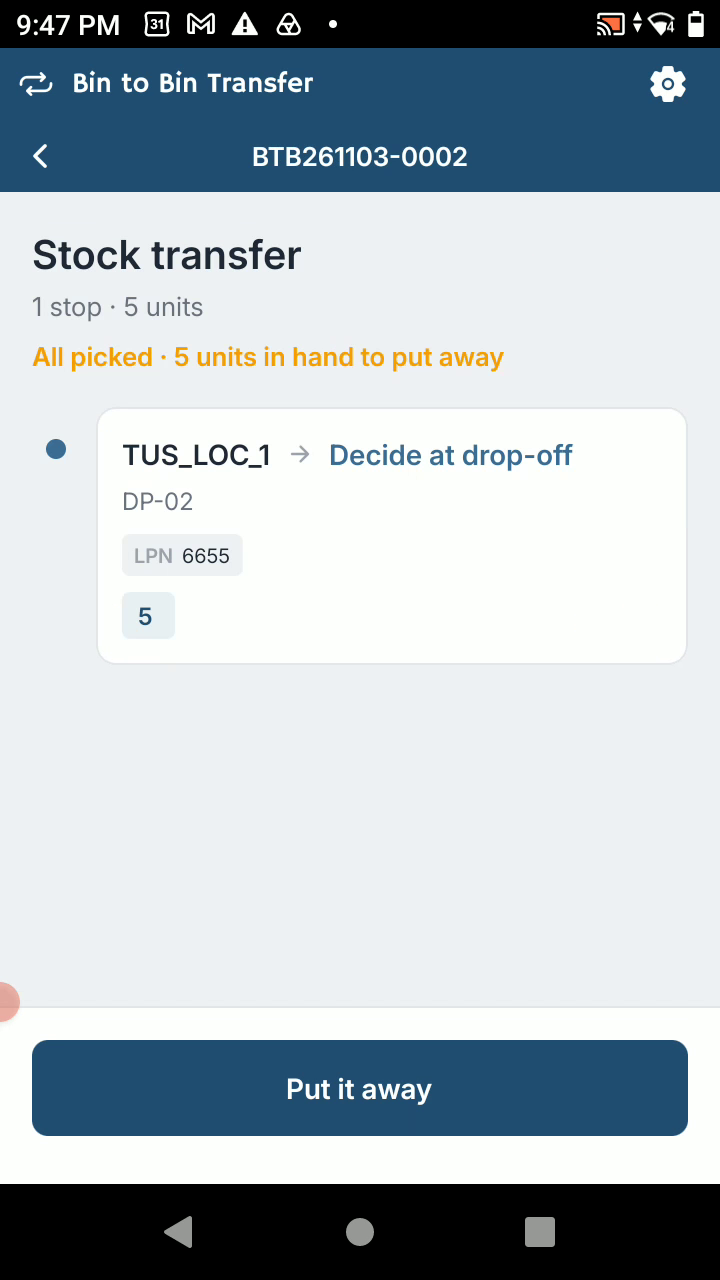
Step 4: Enter the Destination Bin and confirm Quantity
Tap the destination location input field and enter or scan the destination bin. Adjust or Verify the quantity to be moved.
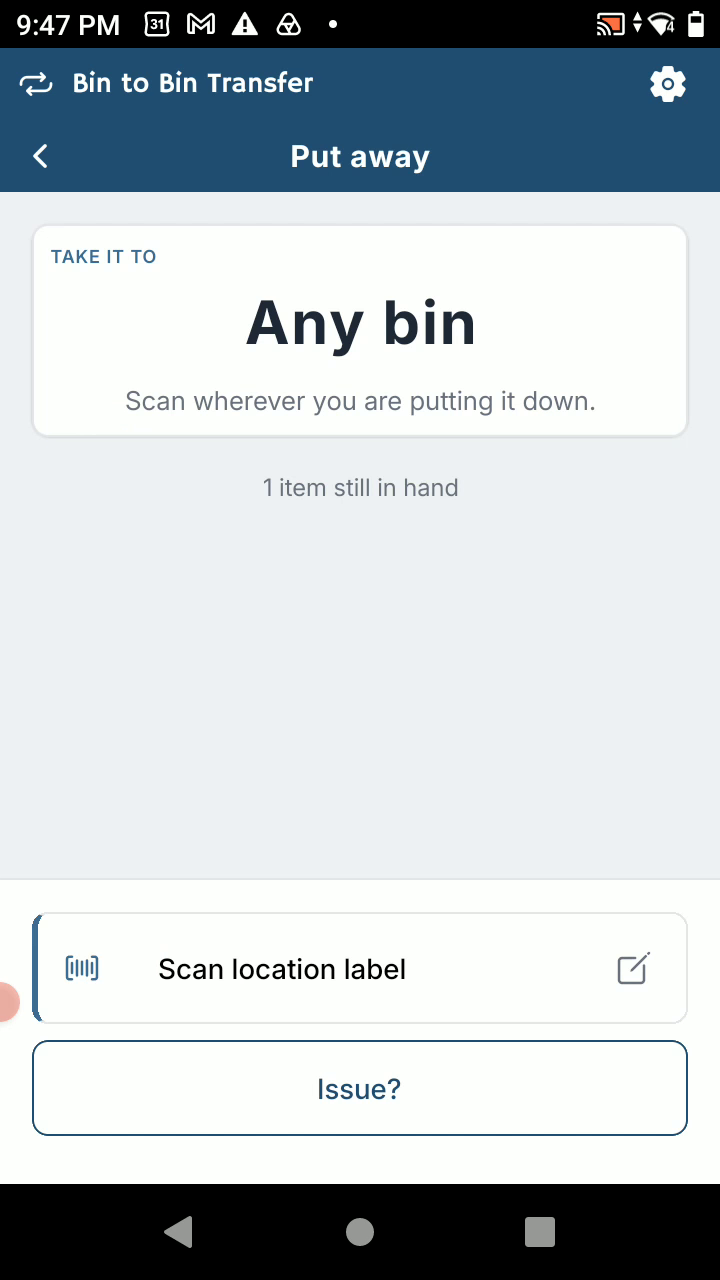
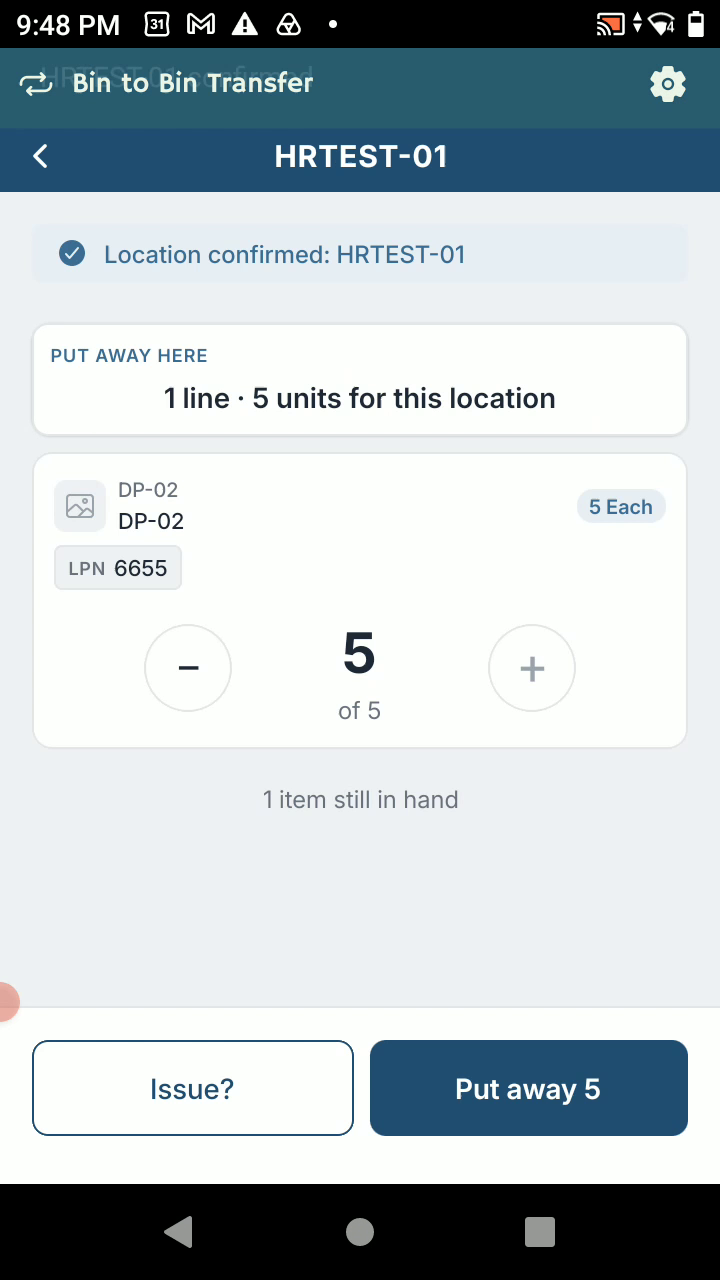
Step 5: Complete the Transfer
Tap Done to complete the transfer.