
This document explains how consumables (boxes, packing materials and components) linked to a SKU automatically flow through packing workflows. It covers how pre-associated consumables appear during pack plan and on the packing screen, and how packers can select required, recommended, and optional consumables from simple dropdowns.
Configured required items are preselected in Outbound Planning and flow into supported packing experiences. Quantities are derived from the products being fulfilled. Where no outbound plan exists, packing can derive the same linked consumable requirements from package contents. Optional items can still be added manually, while the existing packing workflow remains unchanged for products without configured consumables.
Linked Box
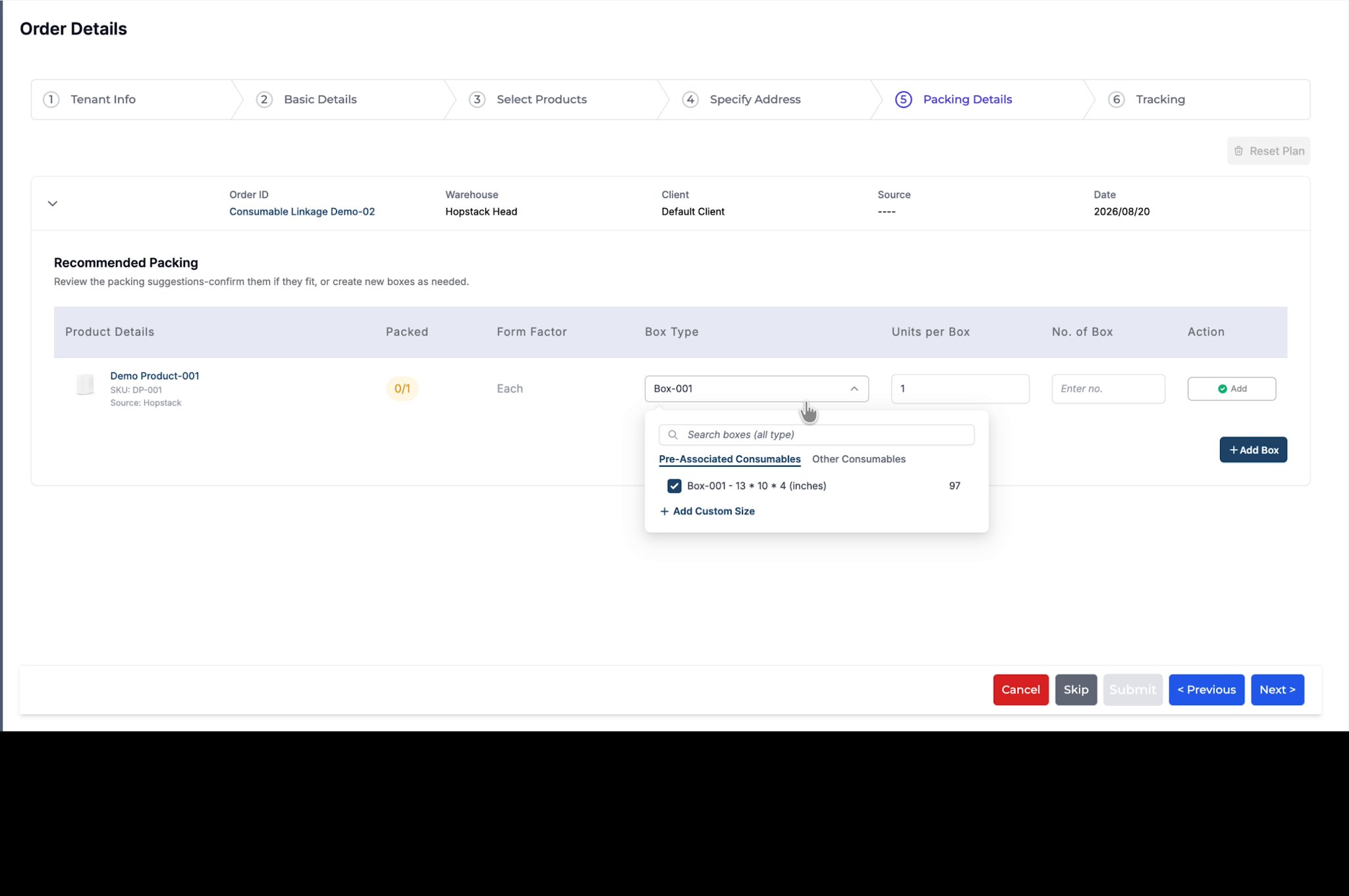
When you reach the packing configuration section for the order, open the box selection field and click the Box Type dropdown to view available box types.
On clicking the dropdown, you will see the list of box types that have been pre-associated with the selected SKU.
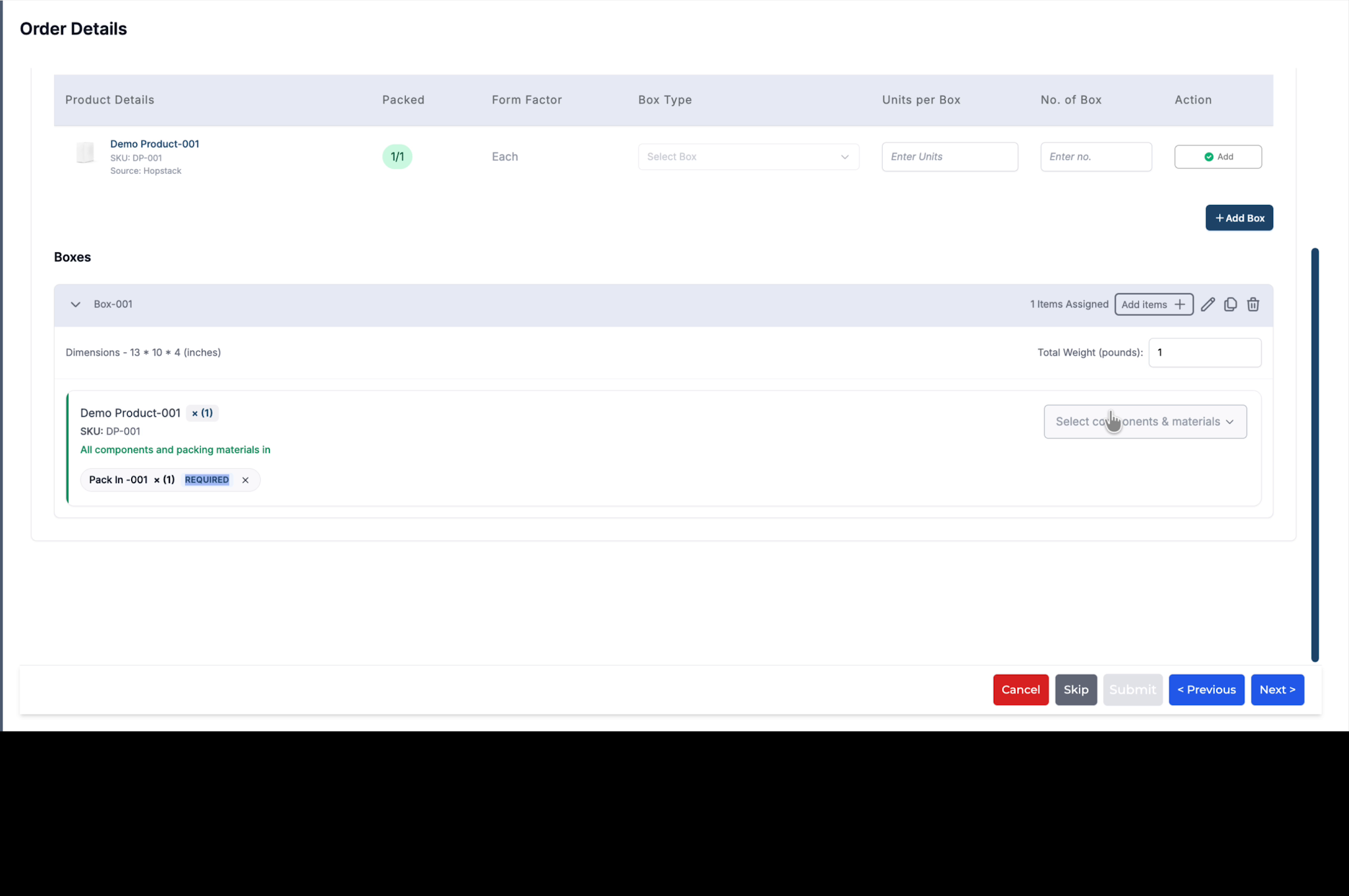
Required Consumables automatically added
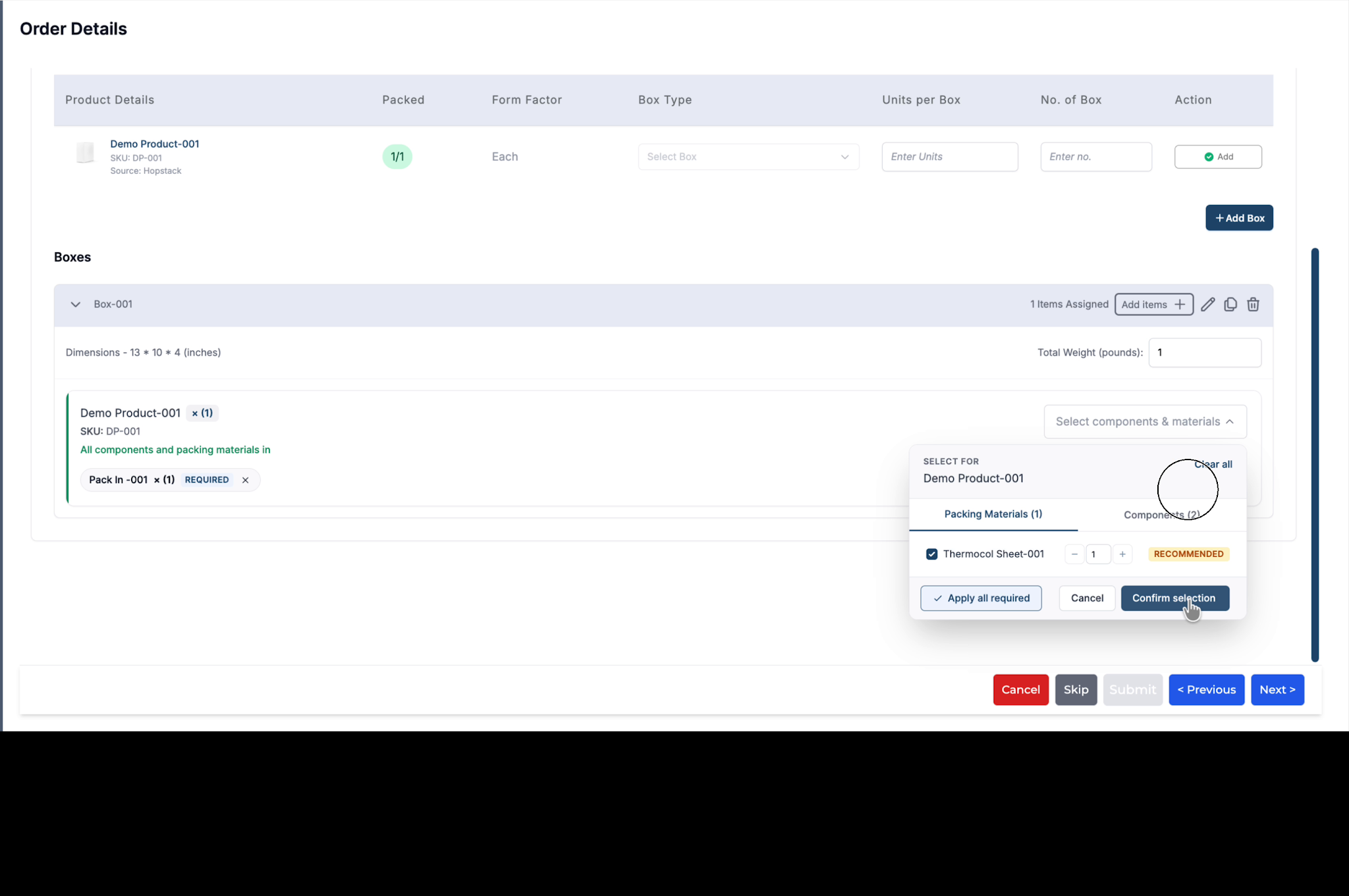
Once the box is added, any consumable (such as a pack-in component) that is marked as Required for this SKU will automatically populate in the packing configuration, mandating the packer to include it.
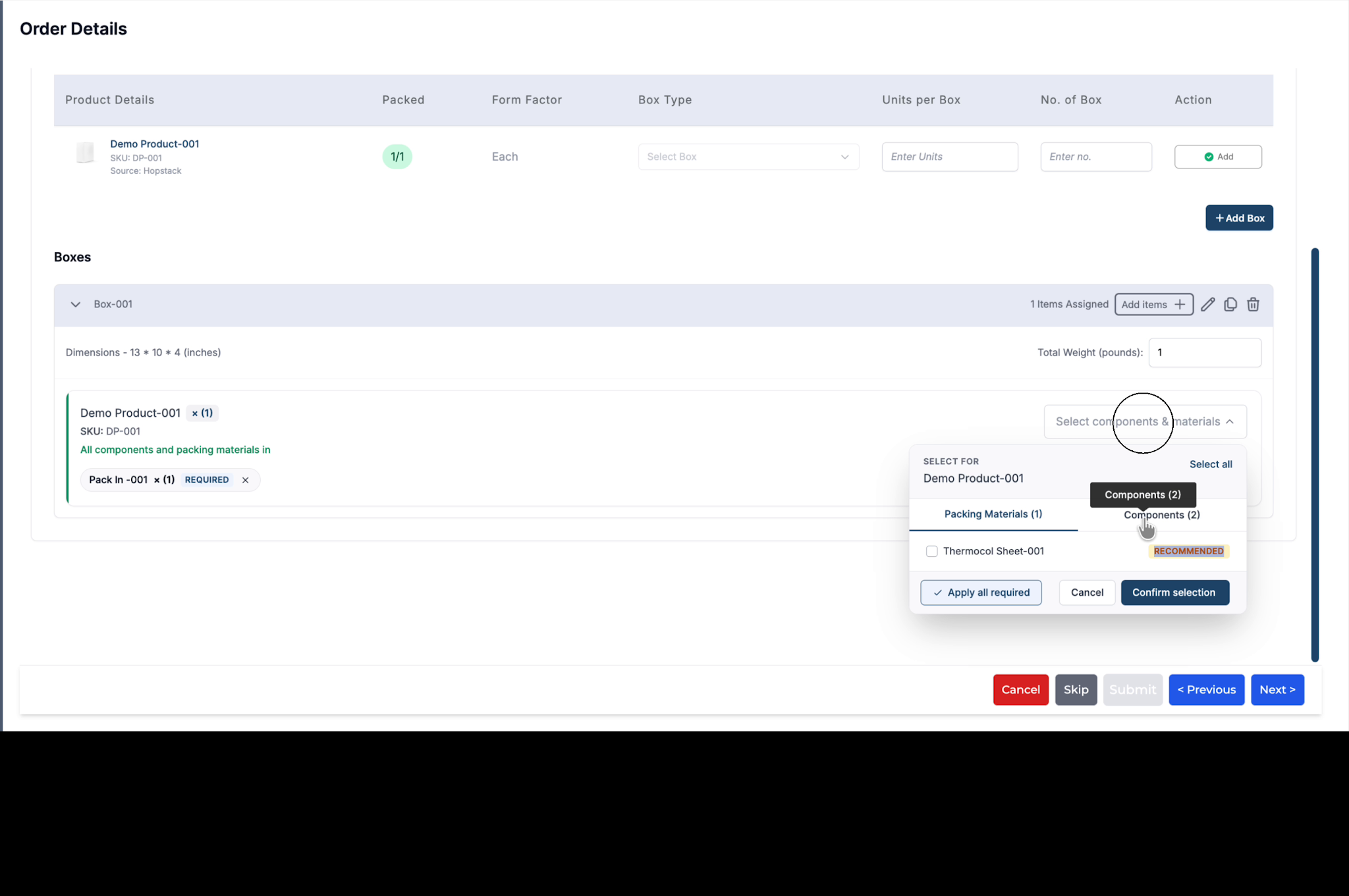
View other Linked Packing Materials and Components for the SKU and add them if needed
In addition to required consumables, the user can also select other packing materials that are linked to the SKU. In the example below, a thermacol sheet packing material linked as Recommended for this SKU is shown.
Each consumable will display a tag indicating whether it is Required, Recommended, or Optional.
For example, a particular component may be marked as Optional, which the user can add if needed.
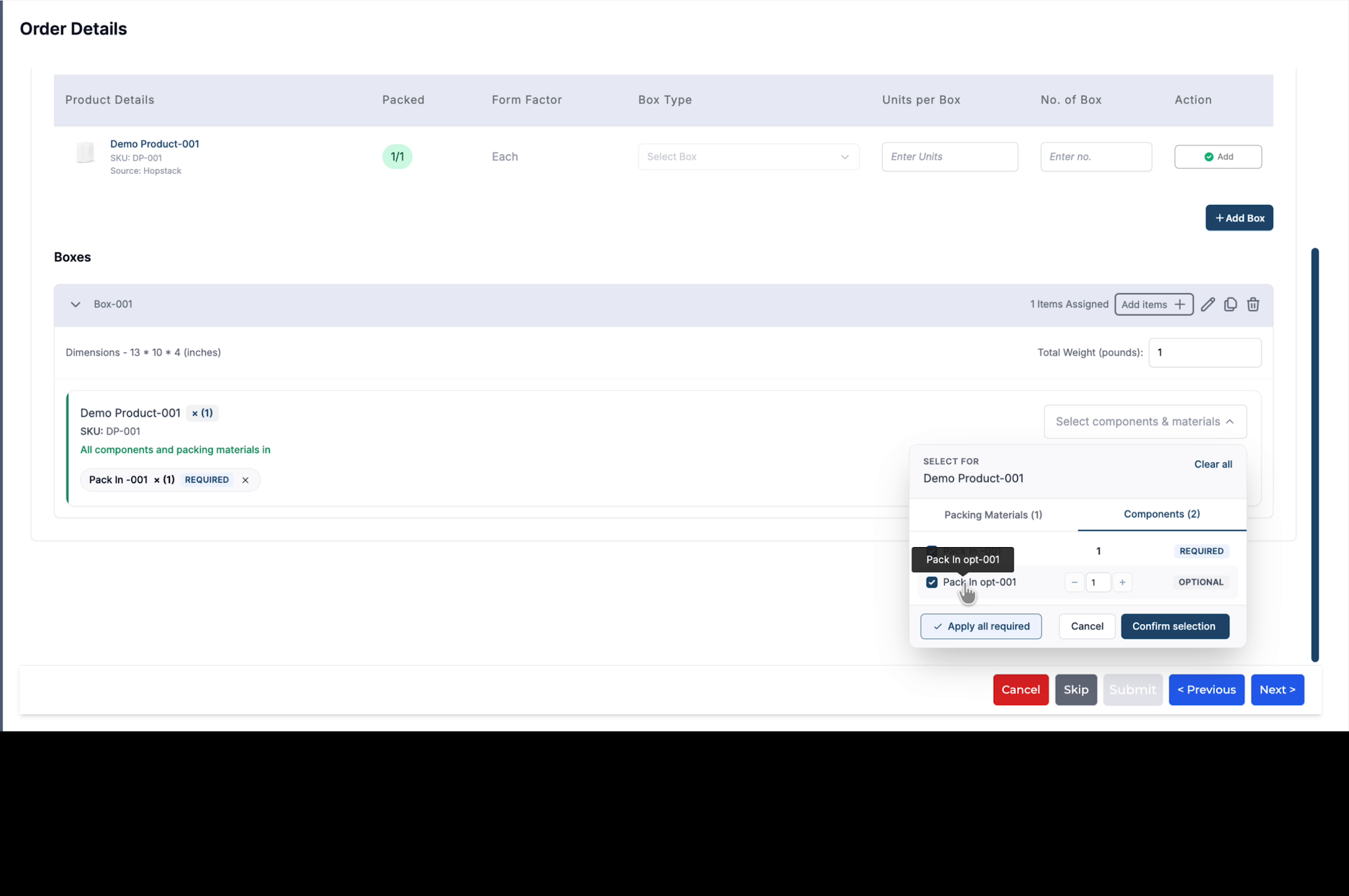
To include these consumables, select them from the dropdown and confirm your choices.
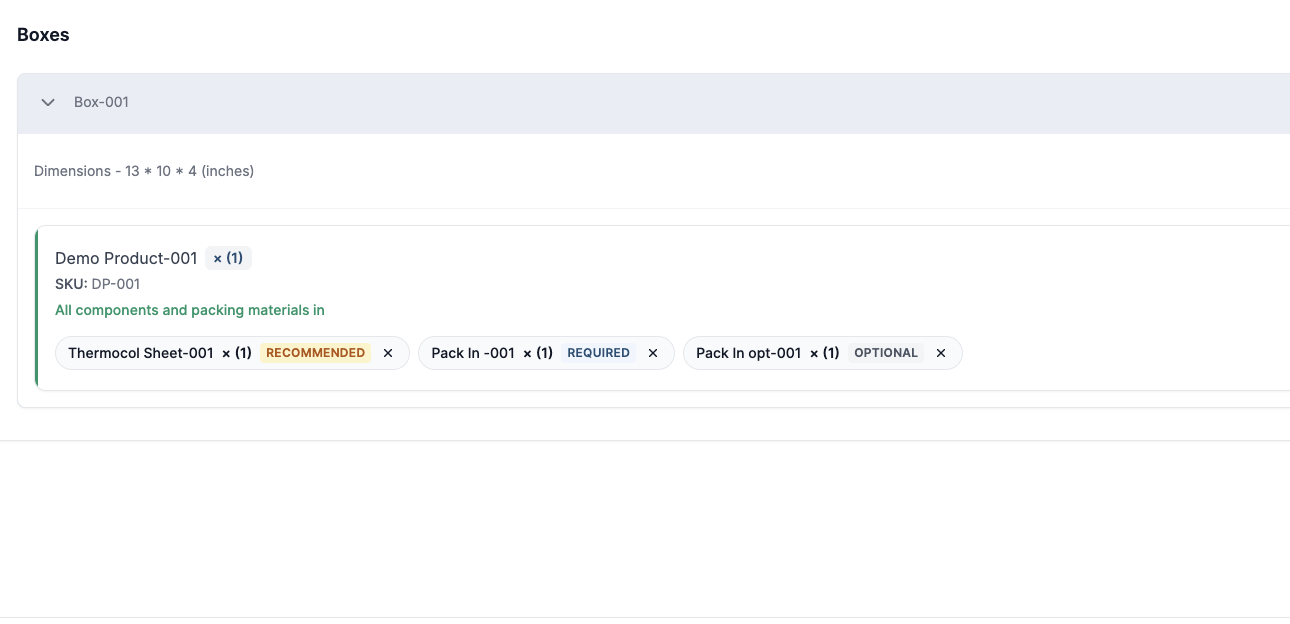
All selected consumables will then be listed in the packing configuration for the order. This ensures packers do not miss required items and can quickly choose the appropriate materials associated with the product, without manually searching or configuring them.