Use this guide to work through the bundling station.
Please Note: This should be done before moving to Putaway.
-
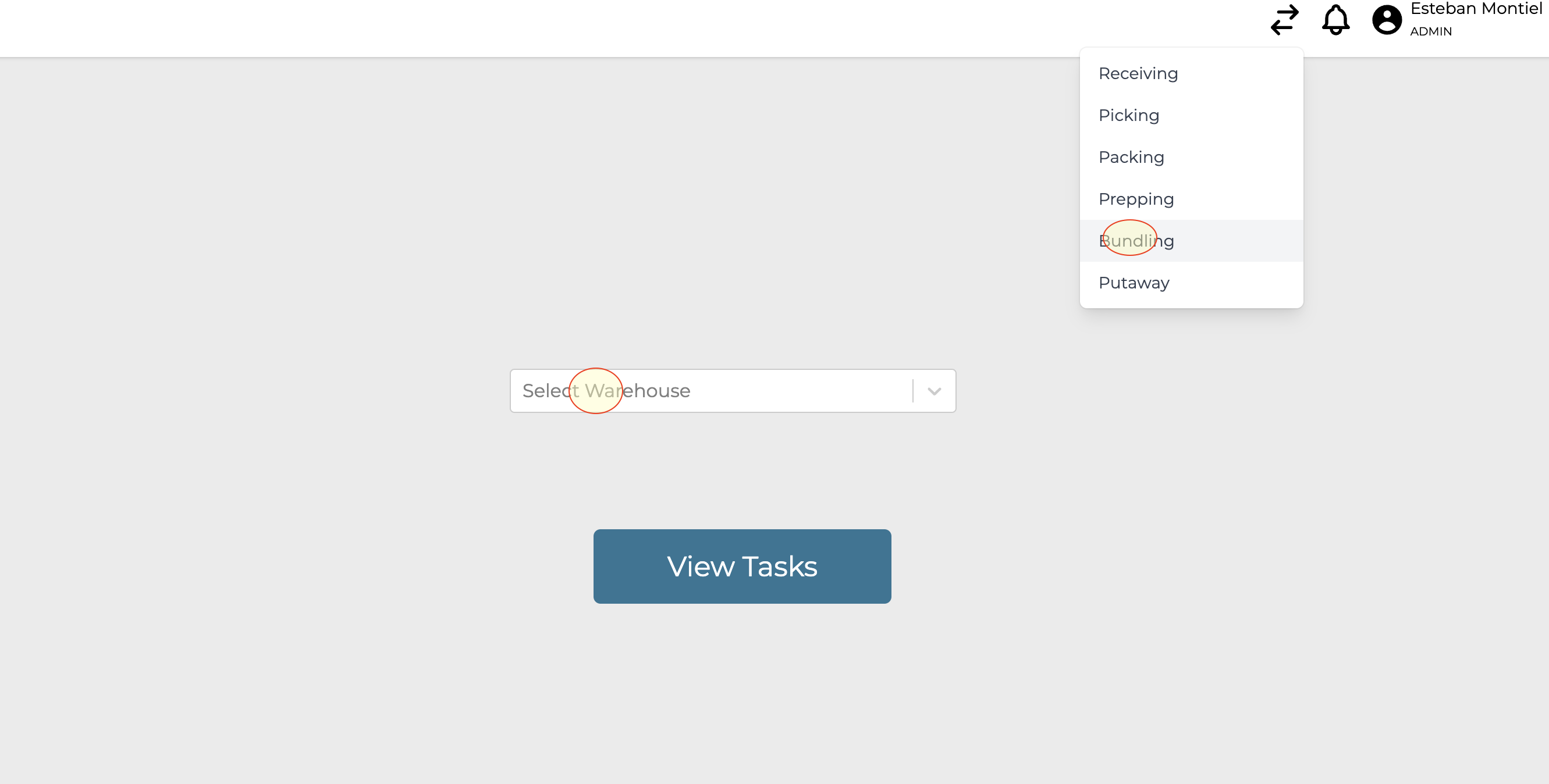
Navigate to the role selector choose “Bundling” and select your warehouse
-
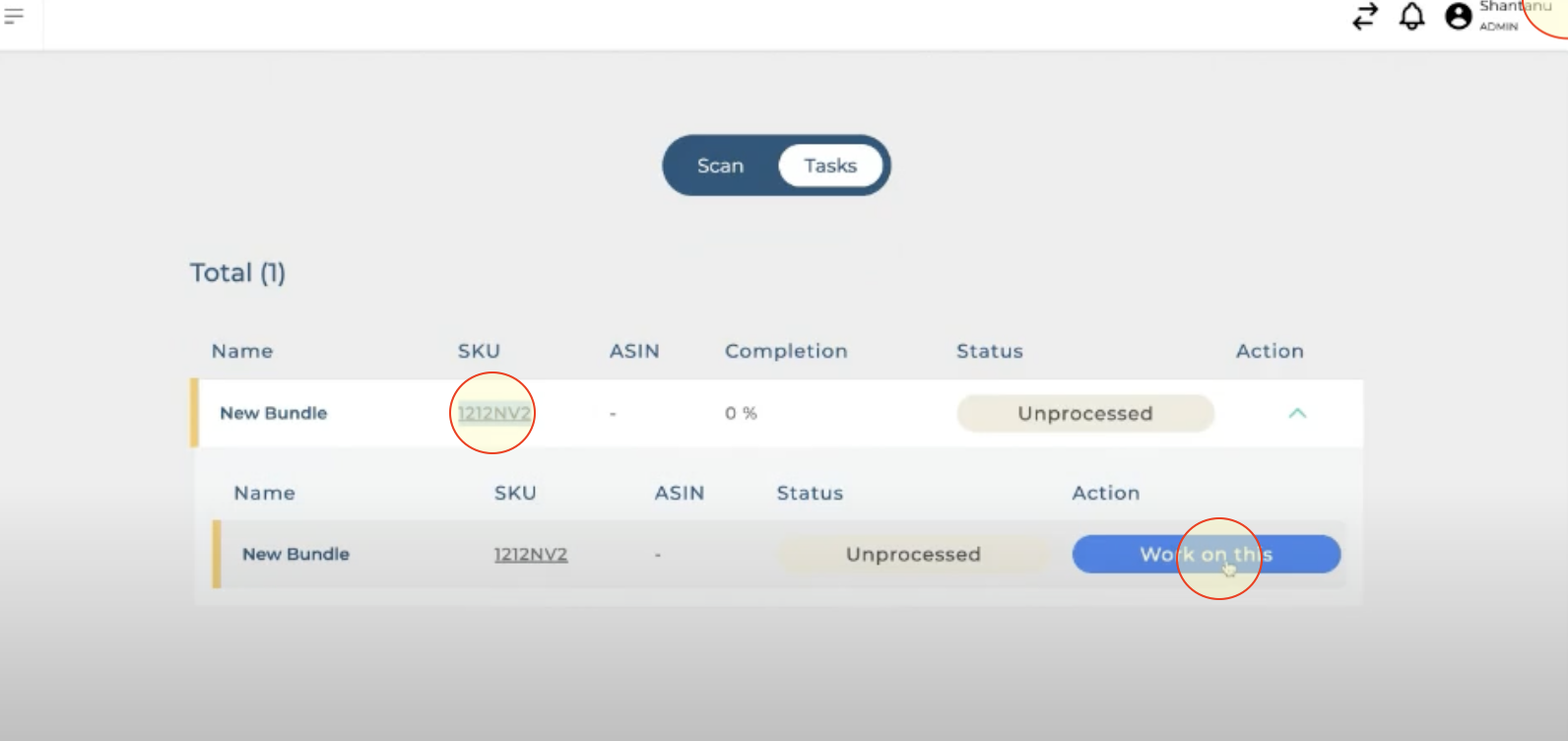
Find the bundle to be worked on and click on “Work on This”
-
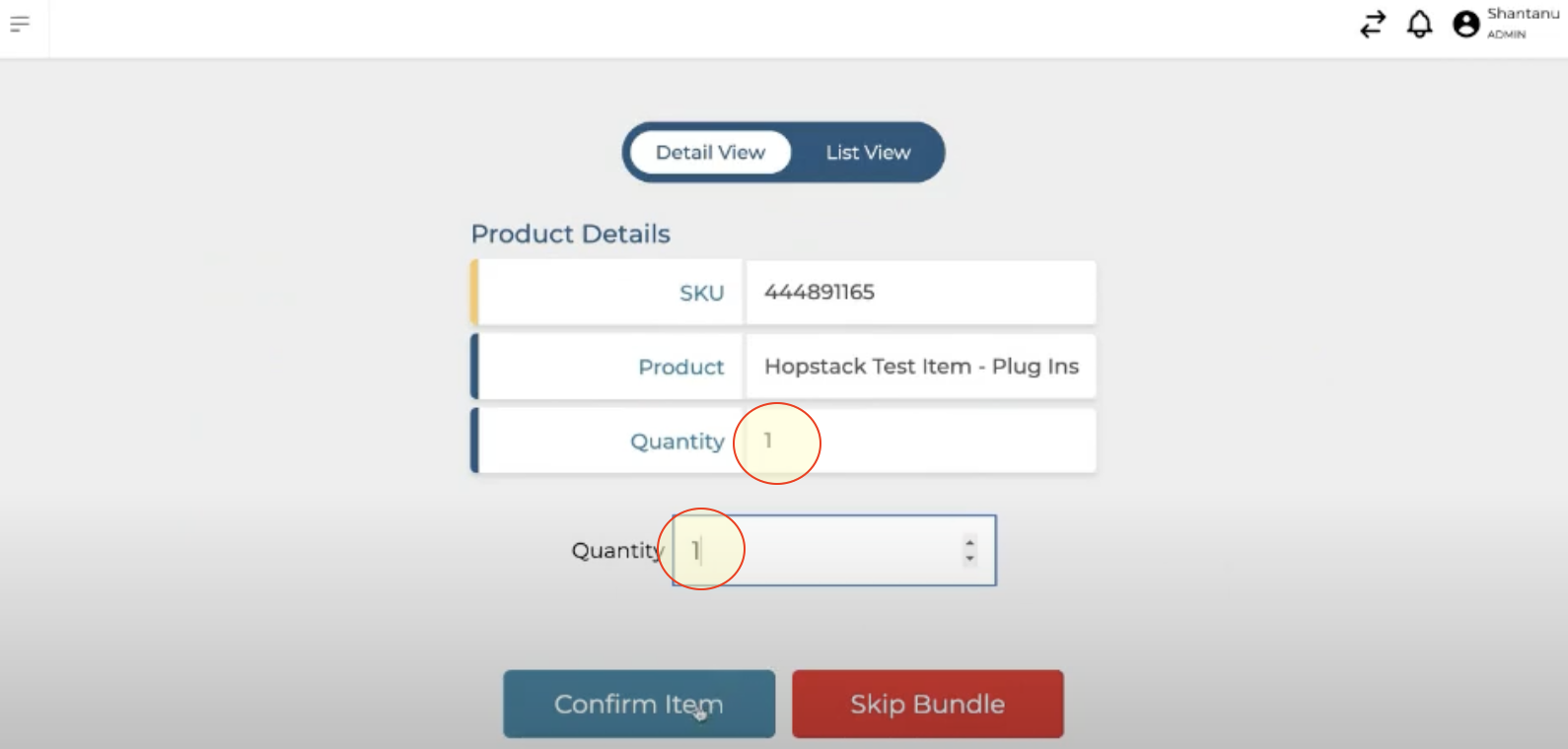
Select and confirm the amount of raw material to be included in the bundle
-
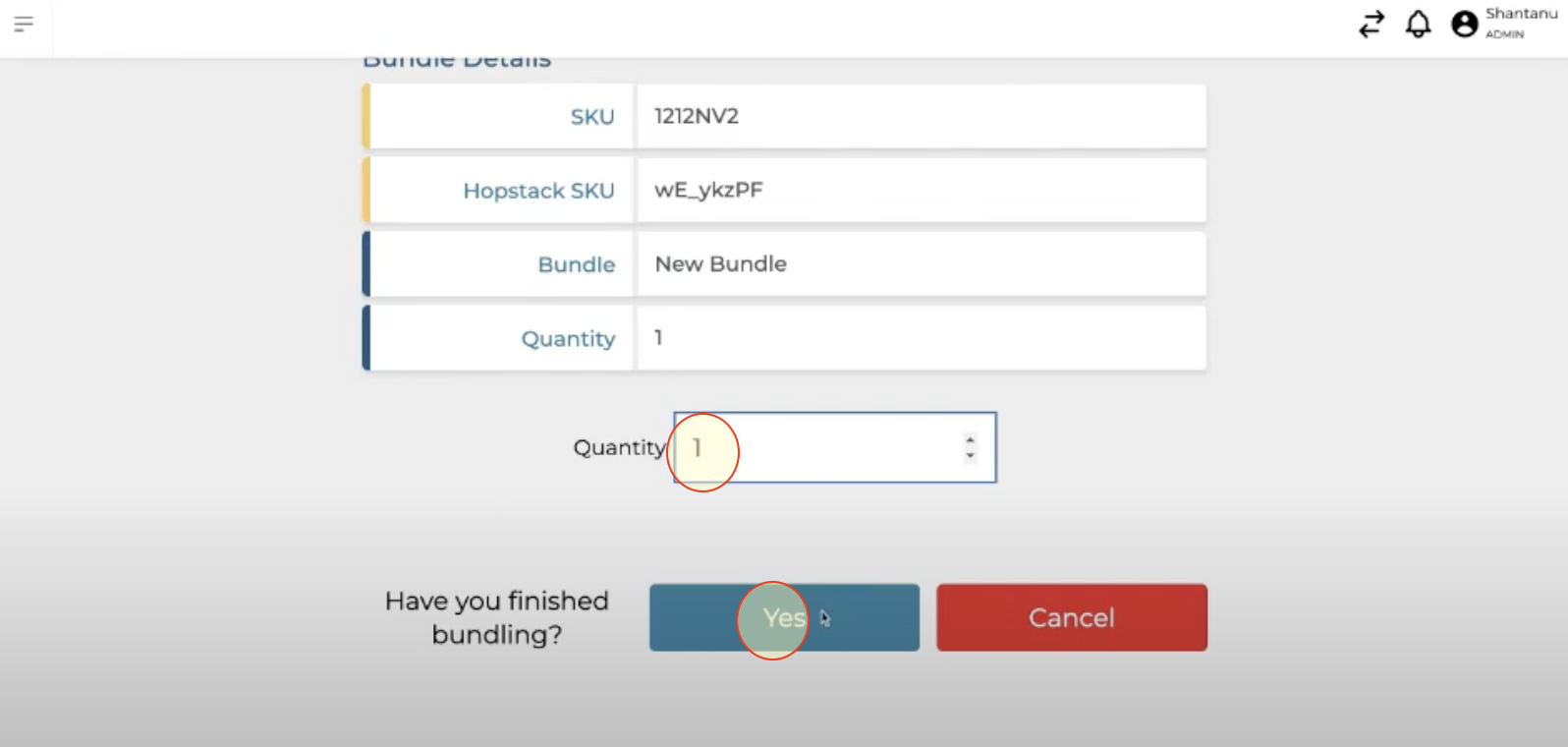
Confirm total number of bundles to be assembled