
The improved storage management feature enables users to modify location codes and names while creating new locations and through edit actions. This allows for better alignment with organization-specific naming conventions and ensures consistency between digital records and location codes in the physical labels.
Another key feature is the system's prevention of duplicate location codes. When users attempt to create or edit a location with a code that already exists, the system will provide an error notification. This functionality helps maintain data integrity and ensures that each location is uniquely identifiable.
To edit the location code or name, follow the steps below.
-
Go to the storage management module under the setup section and click on the down arrow for the warehouse you would like to edit.

-
The storage sections in the warehouses appear and now click on the action button for the section you would like to edit.
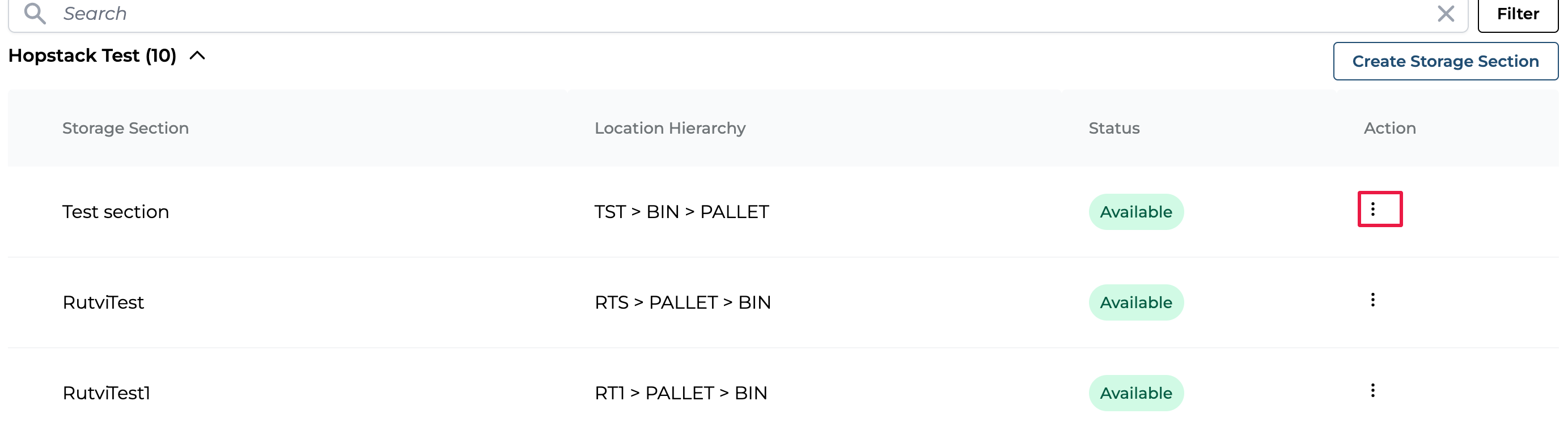
-
Click on Edit Storage Section.
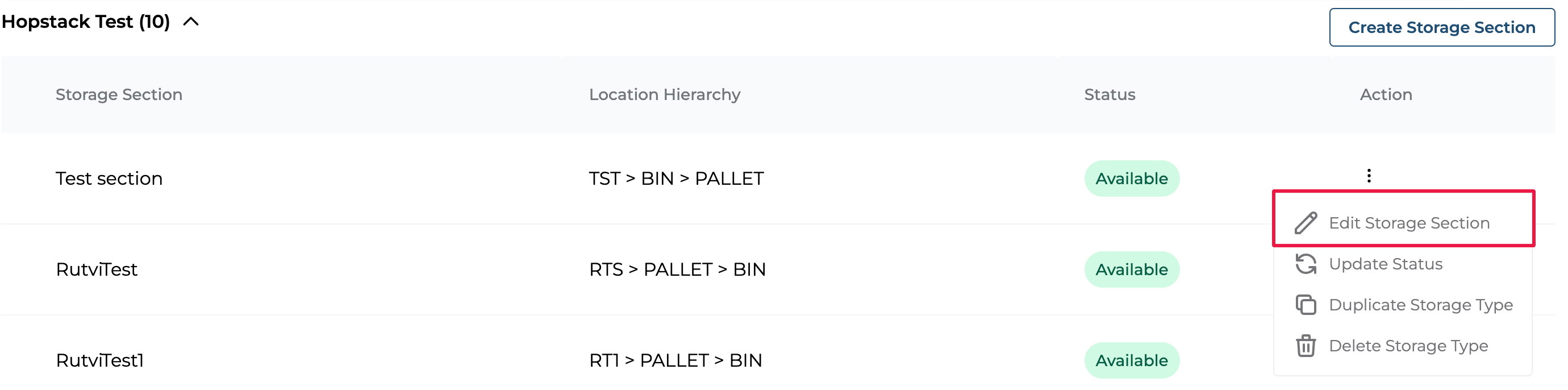
4. The Edit Storage Section window opens.
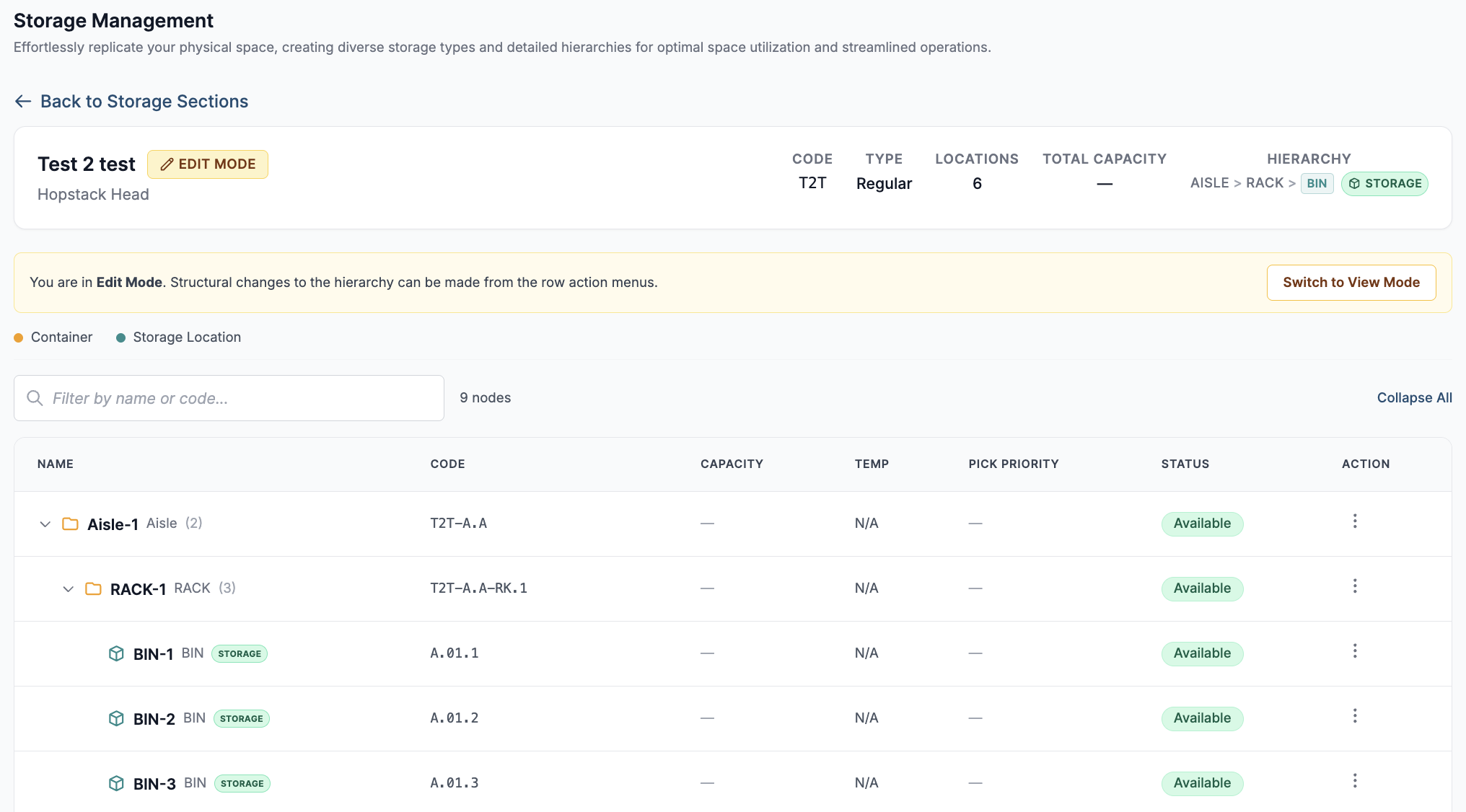
5. Click on the Action button for the hierarchy you would like to edit and click on the appropriate edit option. (Note: the edit option for a sub-hierarchy is present in the previous level of hierarchy).
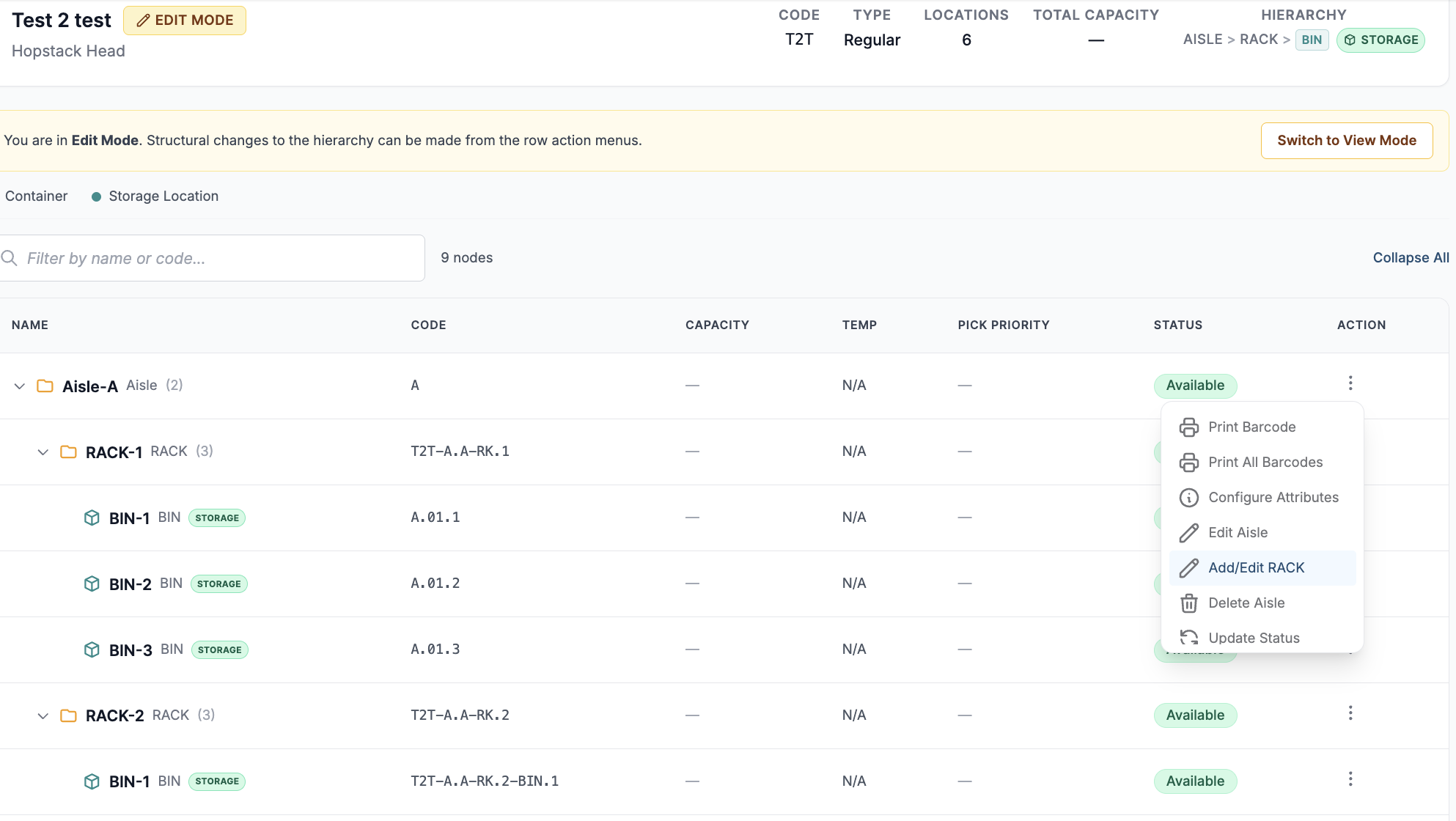
6. The edit hierarchy pop-up opens with locations in the hierarchy, and you can simply edit the codes and names and click on Save.
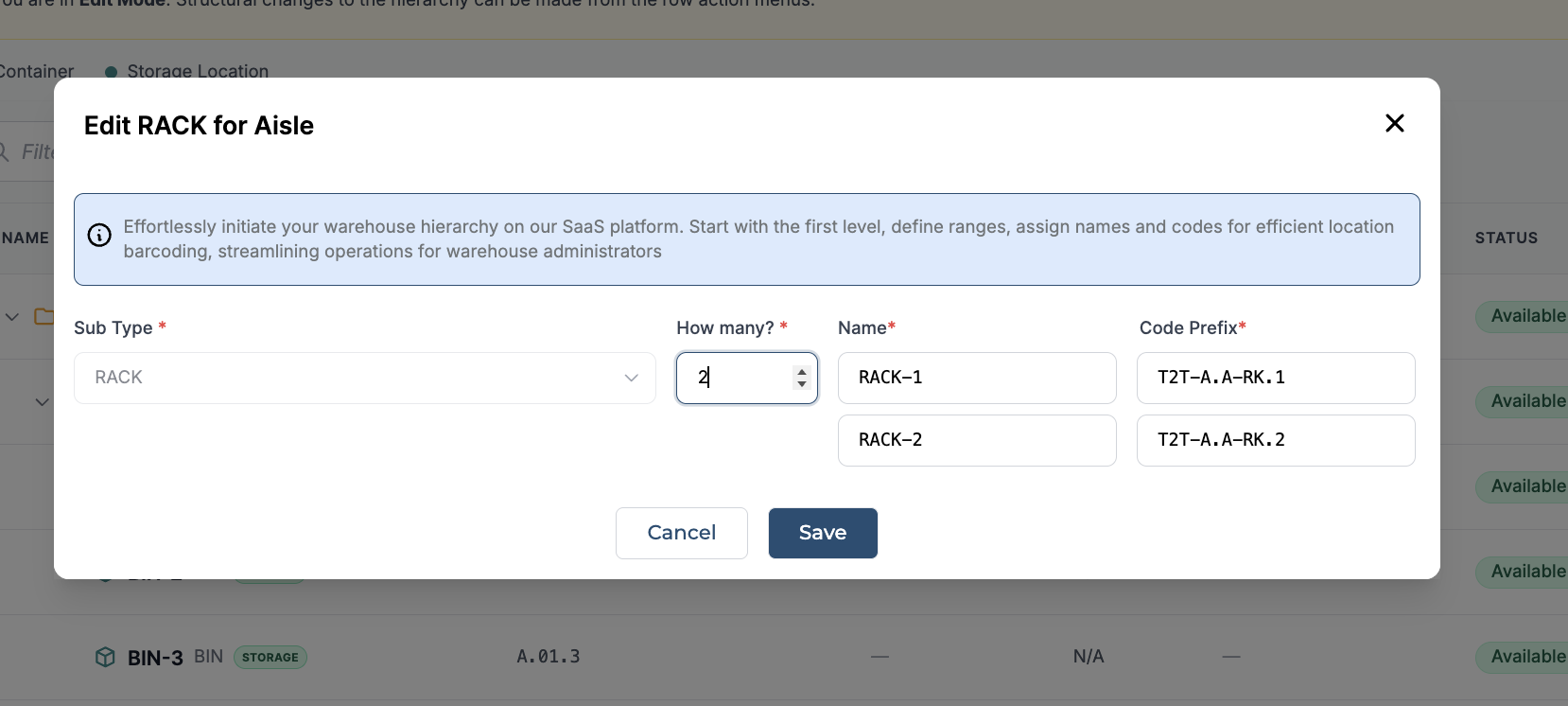
The video below demonstrates how to modify/edit location code and name.
A location cannot be edited while it contains inventory. To modify a location currently in use, users must first transfer the inventory to another location. This safeguard ensures that all data remains accurate and consistent during the editing process, preventing potential disruptions in inventory management