
We have revamped the storage management system with a new design. Create efficient Storage hierarchies for Inventory Management, using the steps below:
-
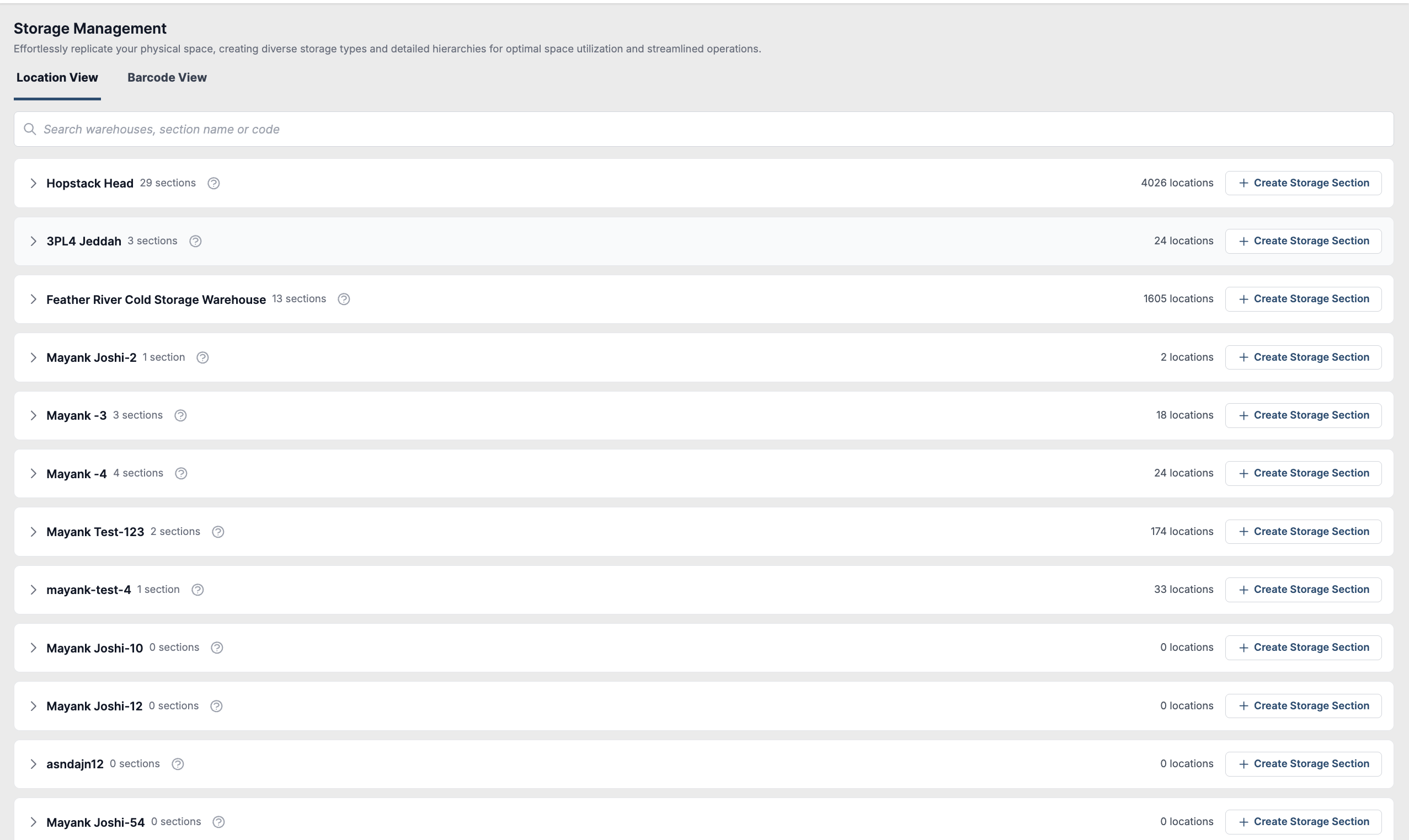
Navigate to Hopstack's Set-Up menu and choose 'Storage Management' for streamlined storage organisation and control
-
View Multiple Warehouses: An Admin can seamlessly oversee various warehouses within their facility, offering the flexibility to establish multiple storage sections per warehouse. Additionally, admins can duplicate existing storage sections within a warehouse for added convenience and efficiency
-
Customise Storage Hierarchies per Section: An admin can construct intricate hierarchies using diverse storage entities, enabling users to establish hierarchical structures such as Zone > Racks > Pallets and beyond. Follow the steps below:
a. Create Storage Section:
-
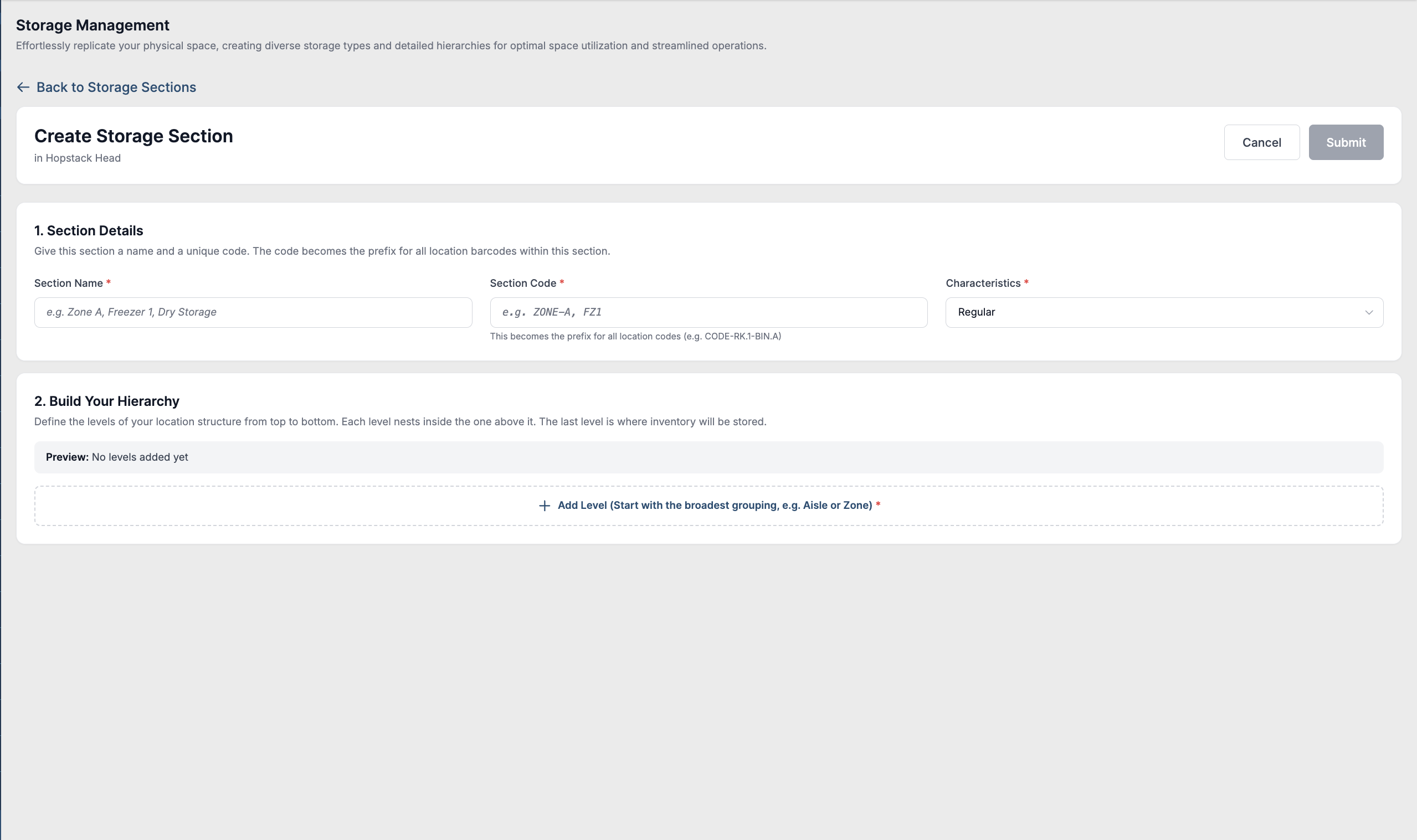
Under the selected warehouse, click “Create Storage Section”, and view the new “Storage Section Details” page to add the hierarchies.
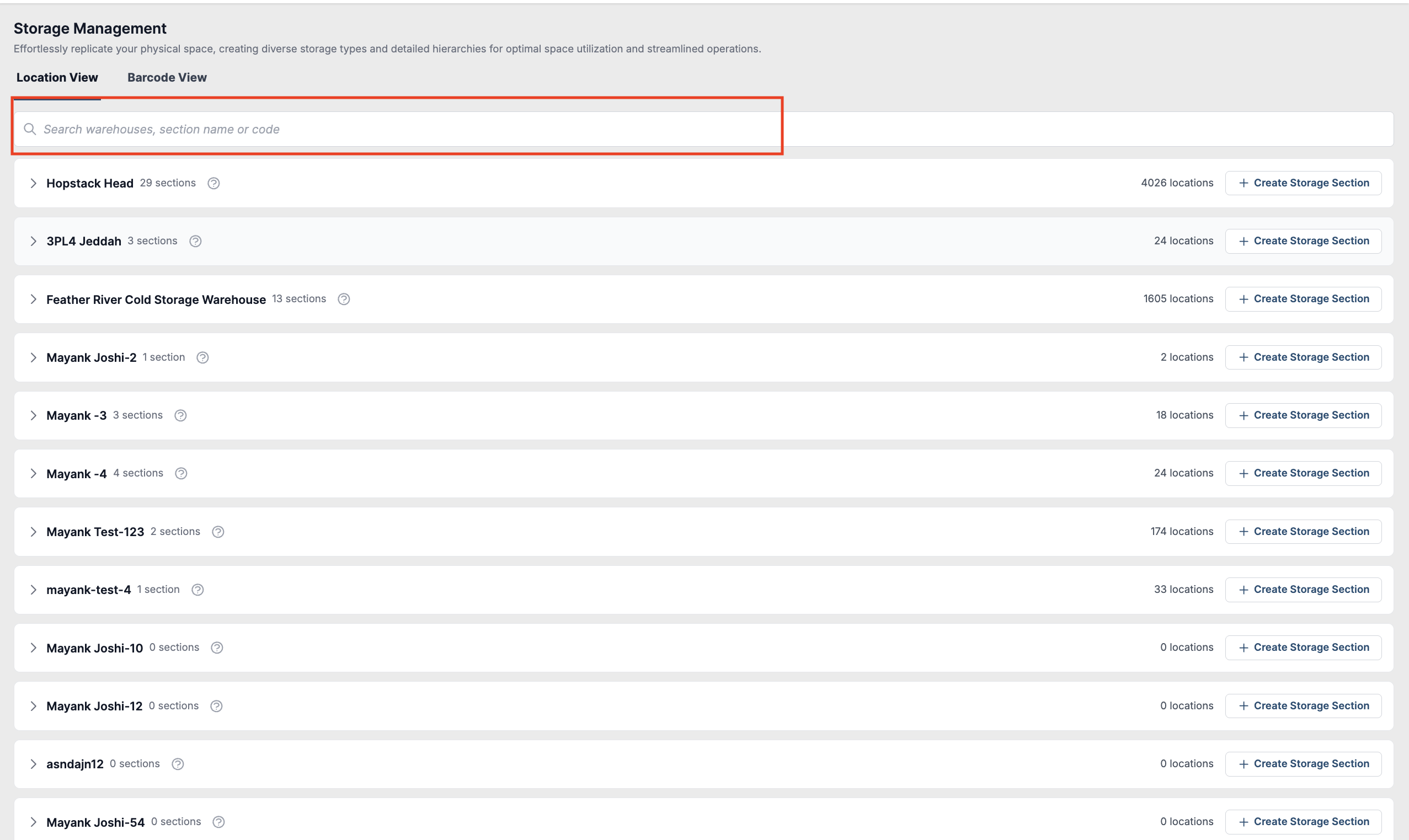
User search icon to search a warehouse, storage section or the location code
-
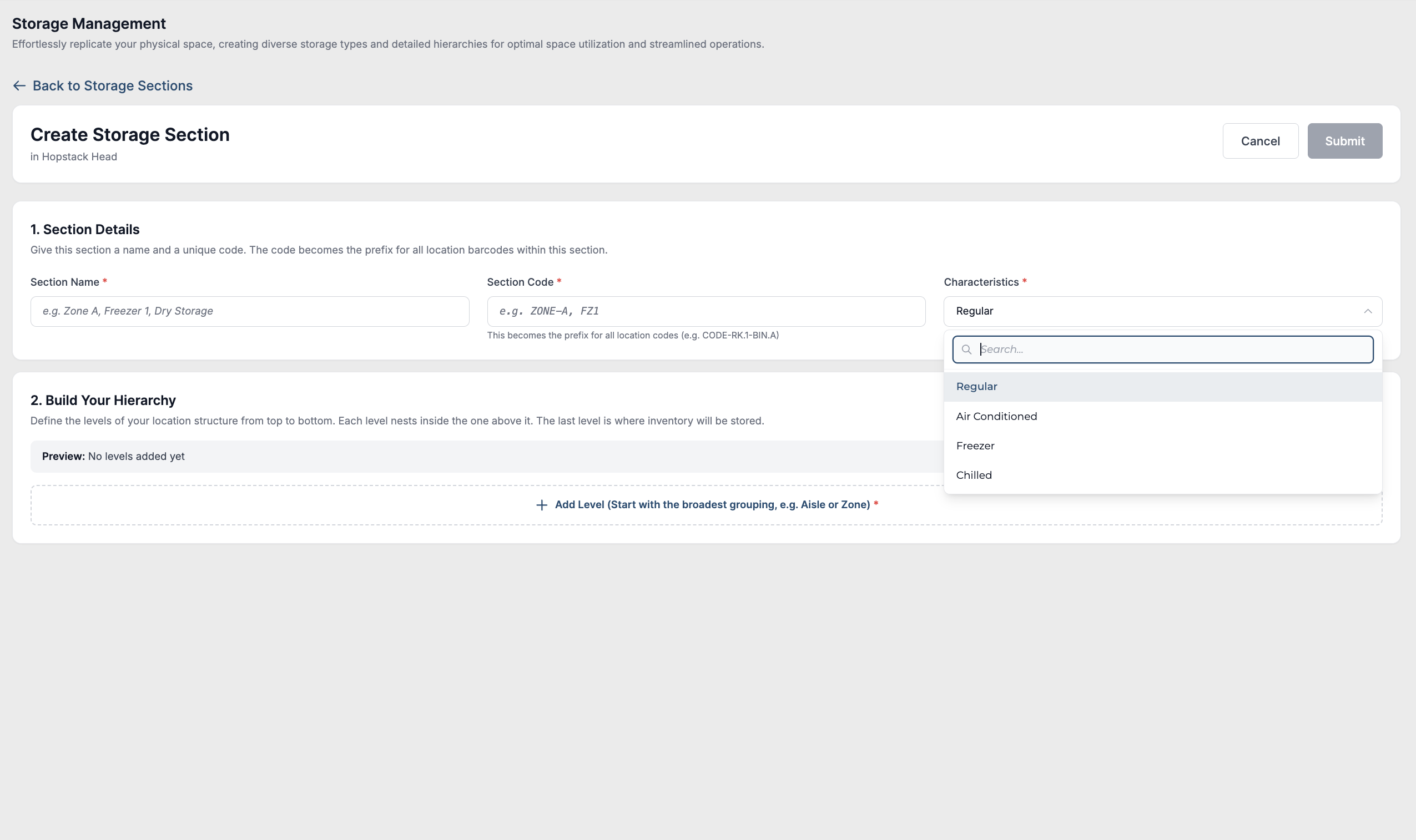
Hopstack offers customisable storage sections with distinct characteristics (regular, air-conditioned, chilled, freezer), each assigned a code for efficient organisation and retrieval within a single warehouse facility
-
Click Build Your Hierarchy> Add Level to establish a unique organisational structure for the selected storage section, enhancing efficiency and accessibility.
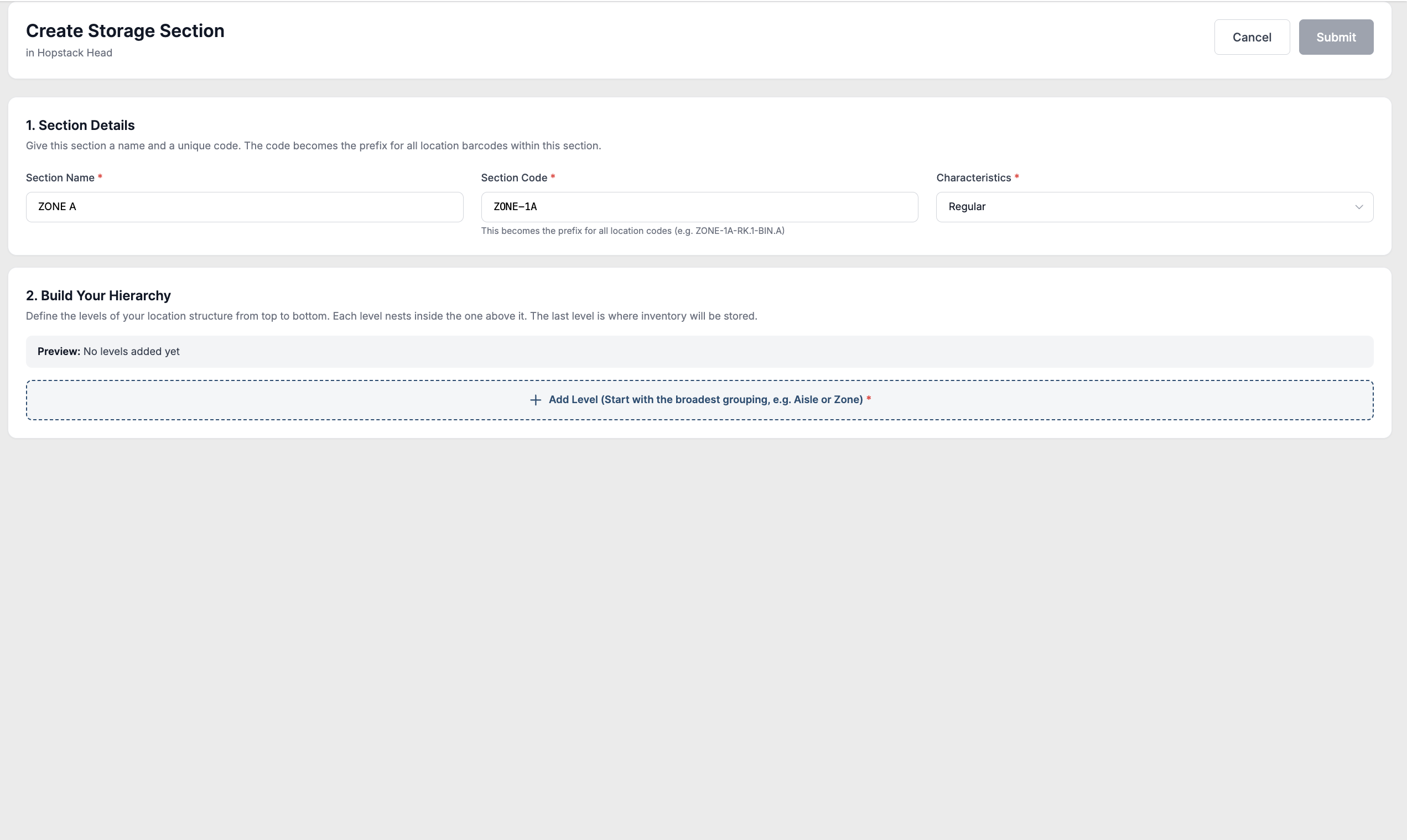
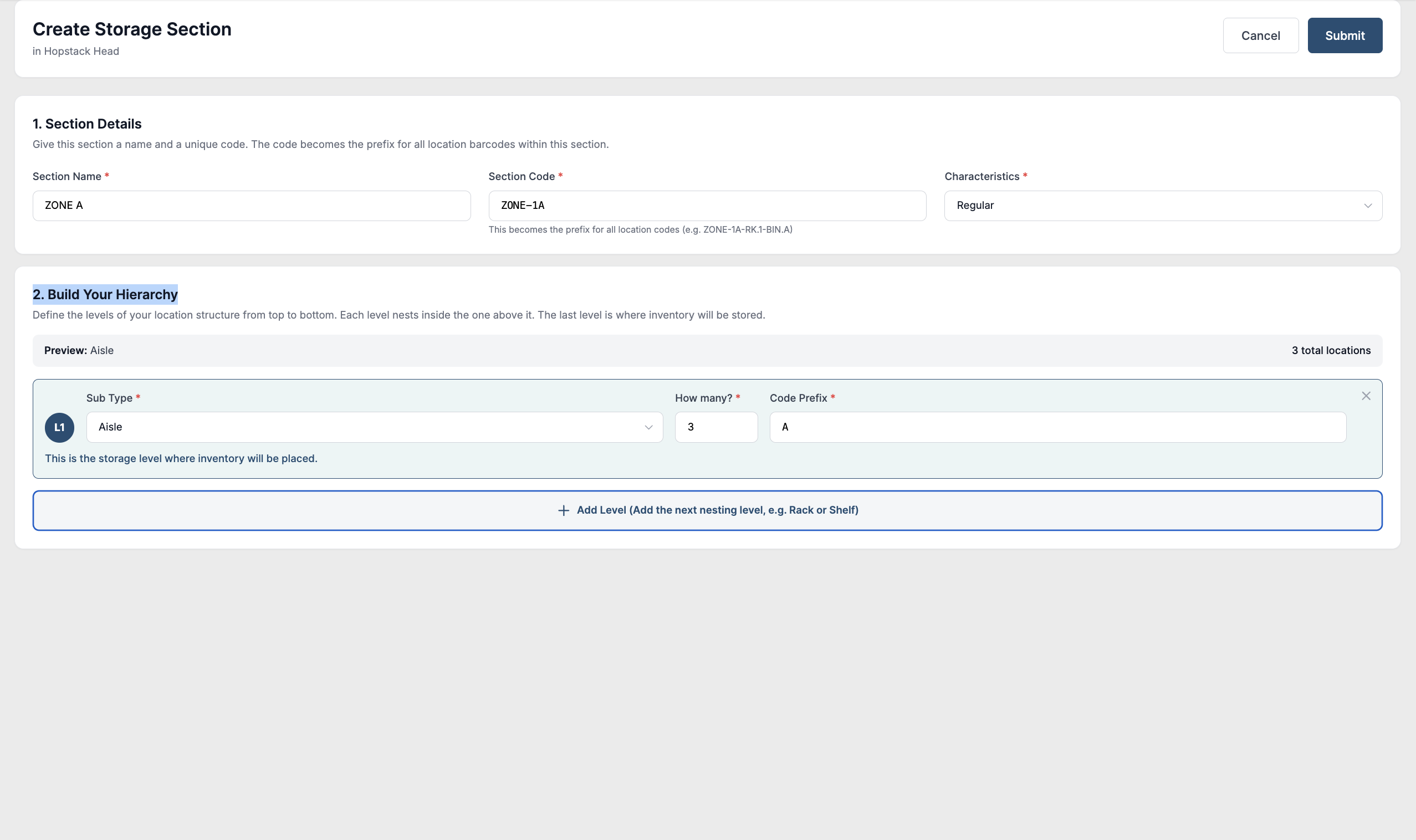
-
Choose a storage type from the list.
-
Racks
-
Zone
-
Aisle
-
Floor
-
Section
-
Shelf
-
-
Specify the range for the sub-type to generate distinct sections; for instance, selecting "Zones" with a range of 4 will create four unique zones
The sub-type can be chosen from the below list.-
Bin
-
Pallet
-
Tray
-
Tray Position
-
Pallet Position
-
Cases
-
The storage type and sub type can only be selected from the list provided. If a custom type is required, please reach out to your implementation engineer or point of contact at Hopstack.
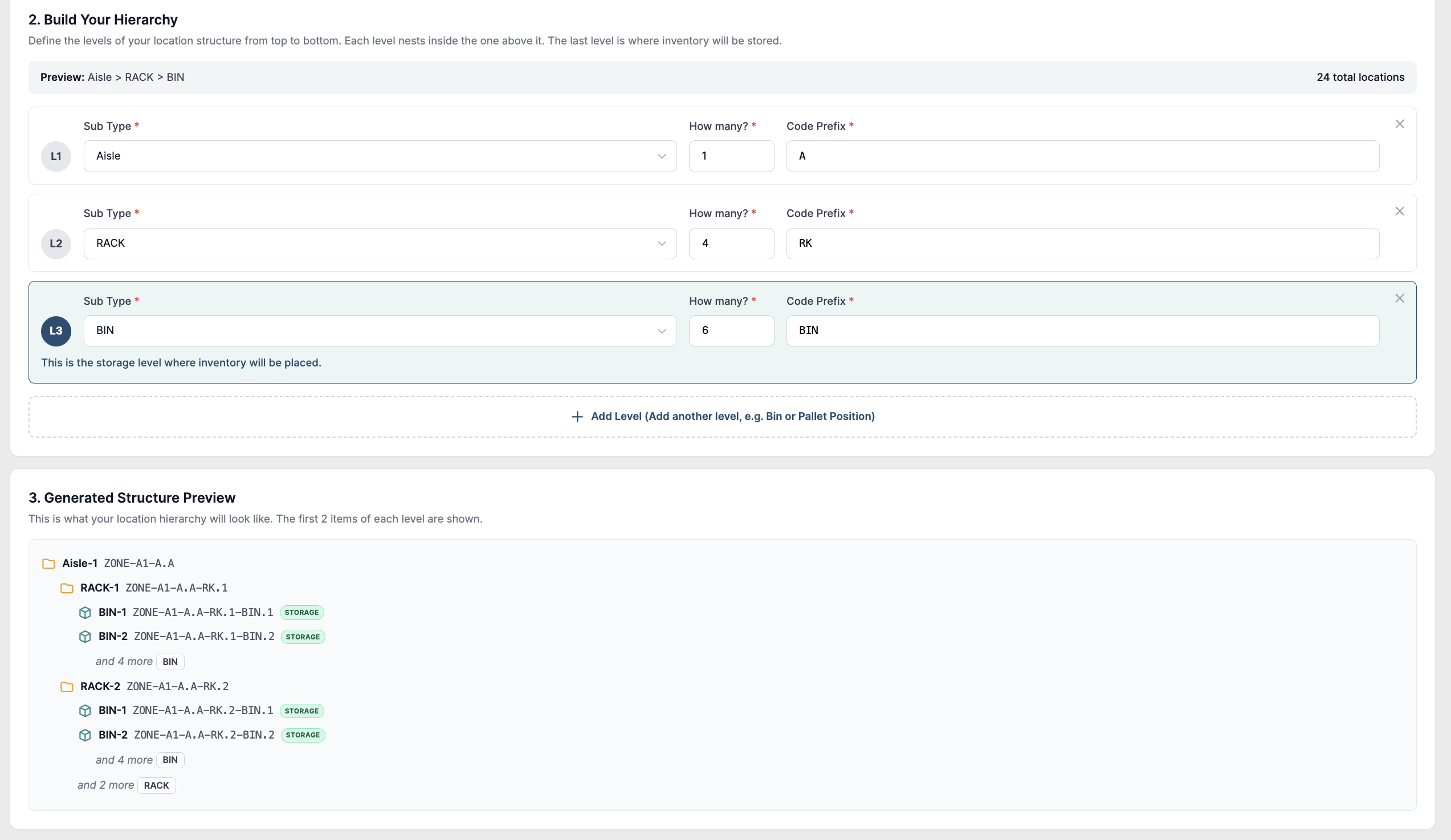
The user can preview the generated structure to proceed
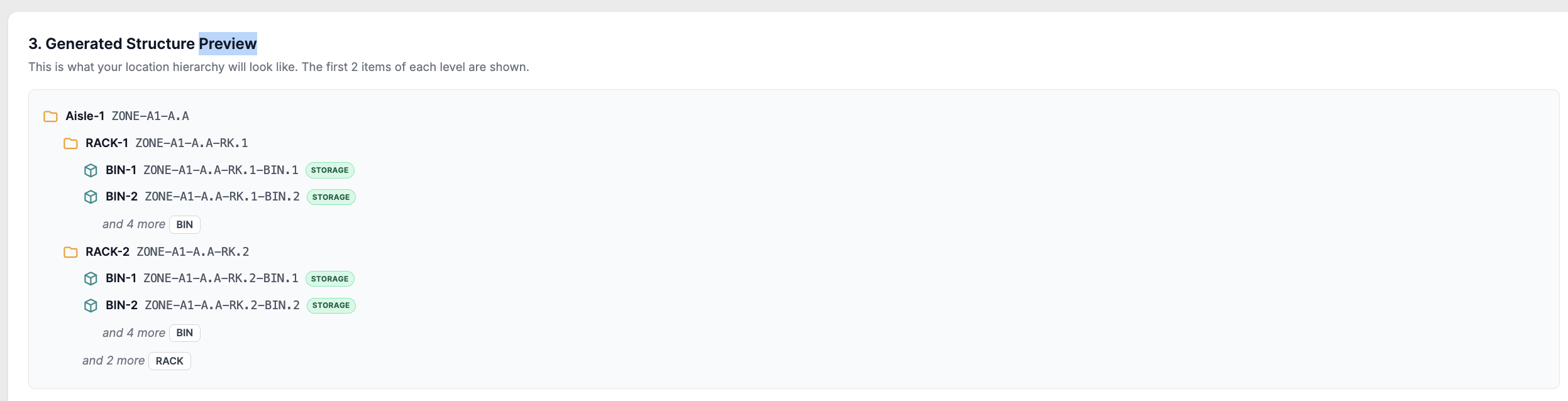
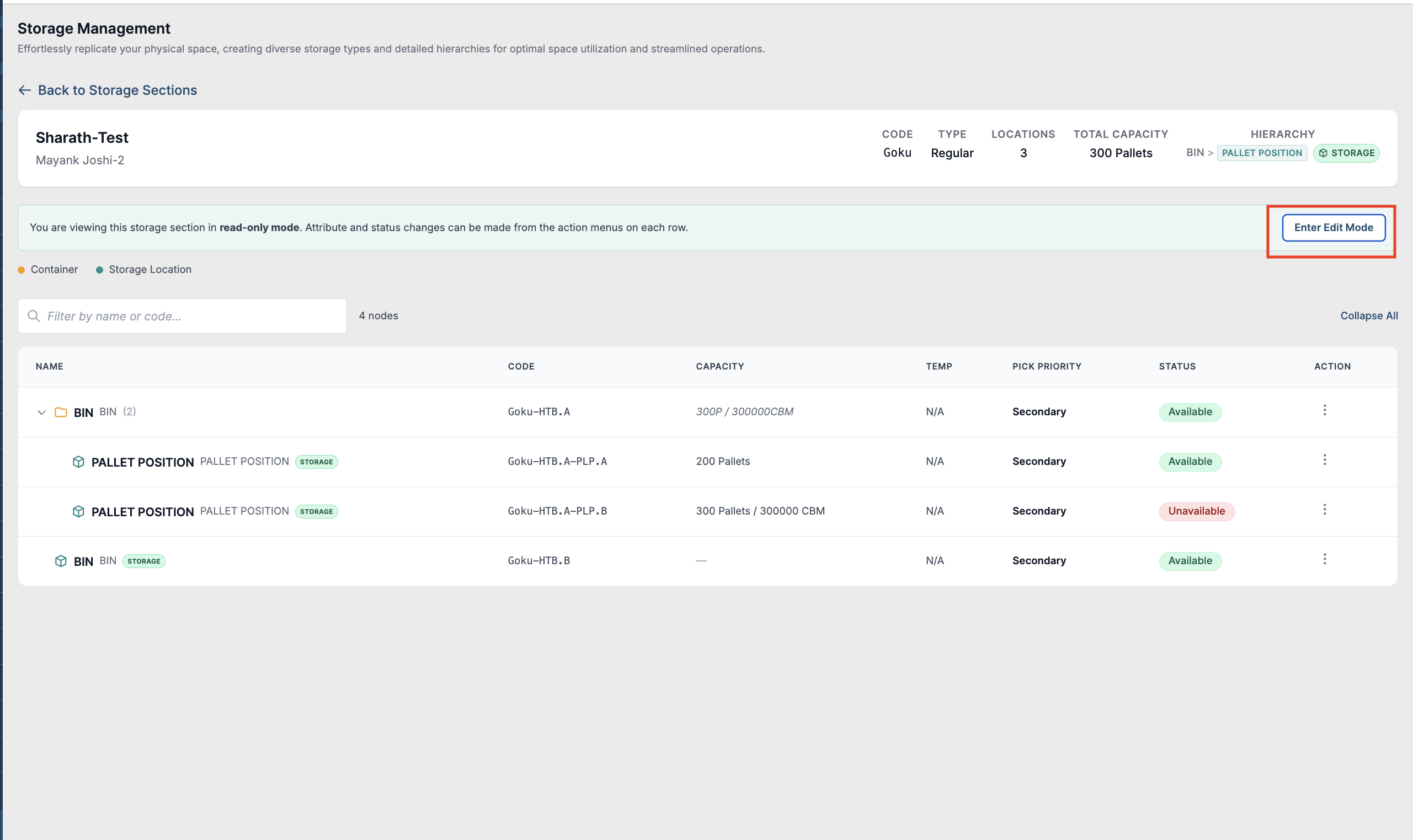
The user can switch to edit mode to edit the hierarchy, add a sub-hierarchy, update status, etc.
-
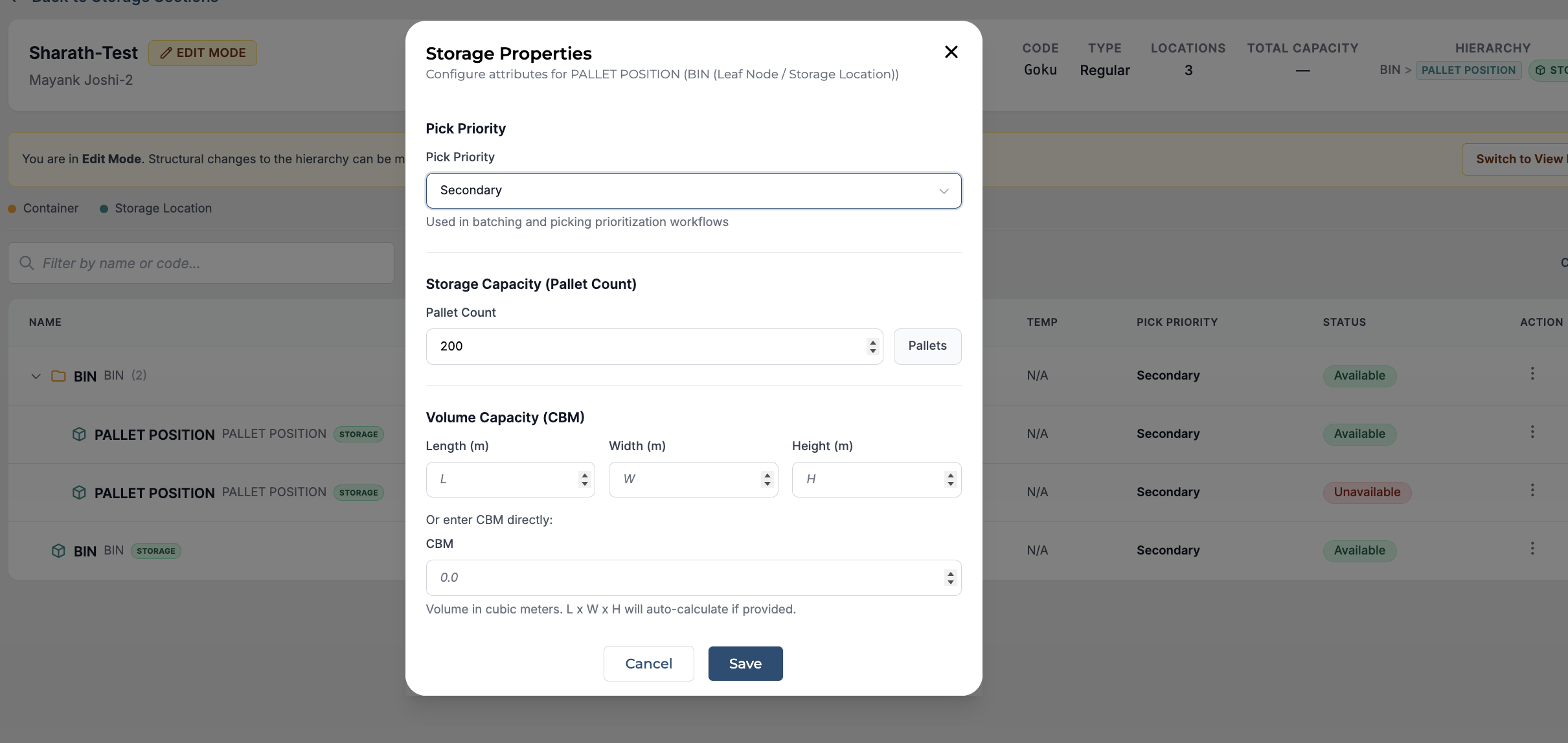
Enhance flexibility by specifying capacity either by volume or storage units (e.g., pallets), empowering users to tailor storage measurements according to their needs. Each zone can have a different way of allocating the capacity
-
Enable seamless duplication of capacity across all sub-hierarchies with a single click, offering convenient flexibility in managing storage allocations
-
We have the flexibility to update the Volume Capacity (CBM) along with length, width and height
-
Upon clicking "Save," the hierarchy will be established as illustrated below

-
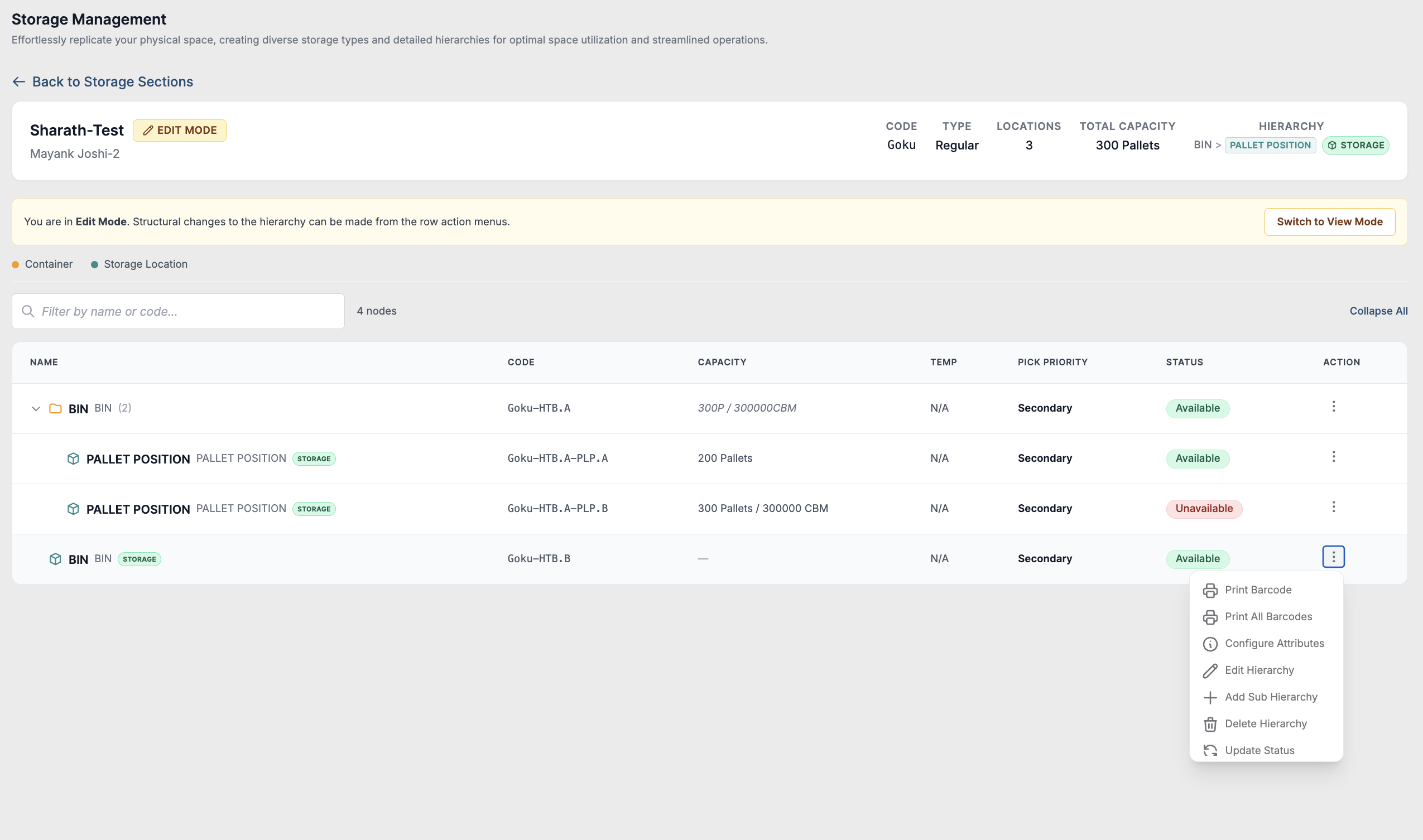
Admins can effortlessly create nested hierarchies within a storage section, facilitating the organisation of sub-hierarchies for enhanced storage management. Click “Add Sub-hierarchy”
-
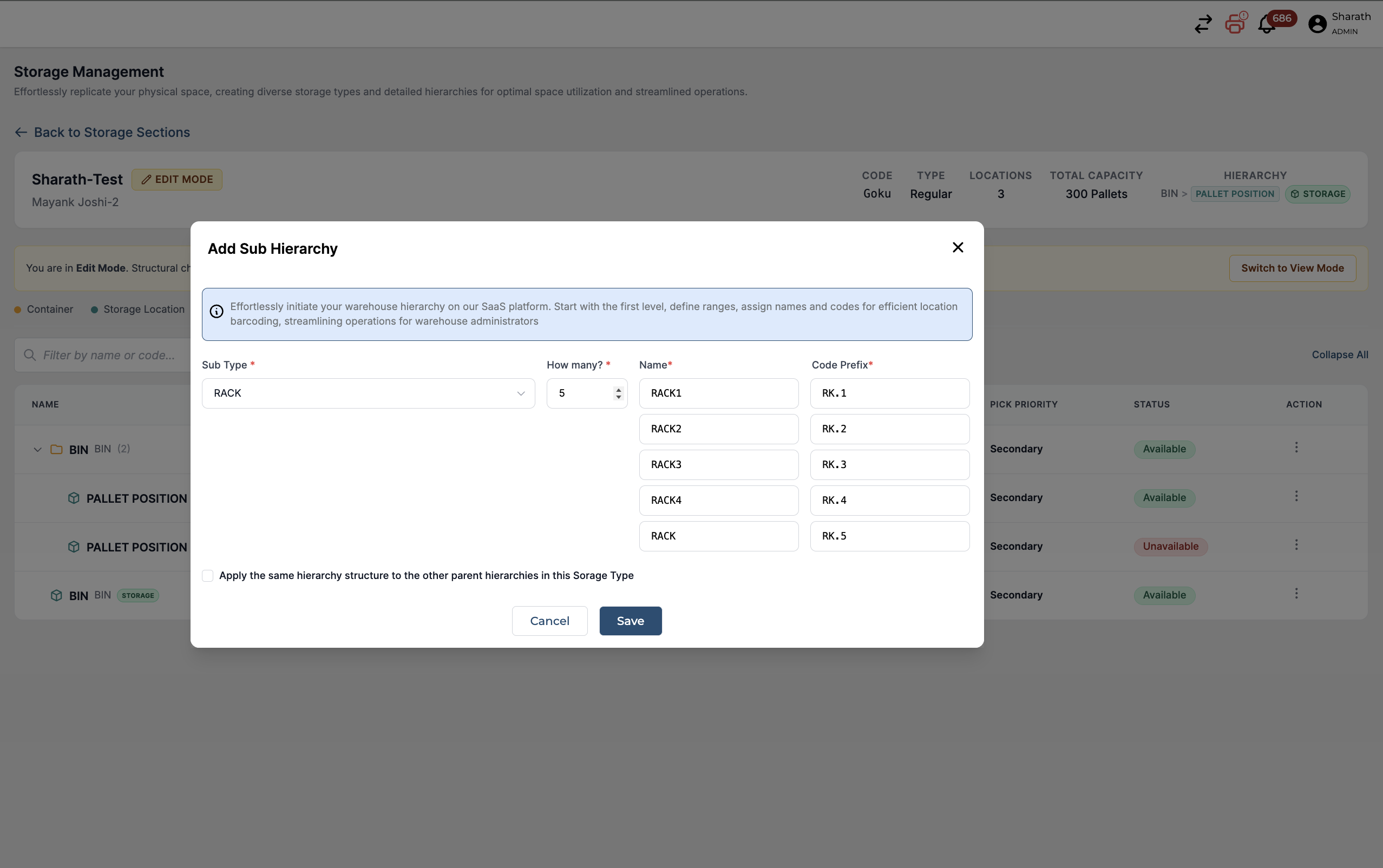
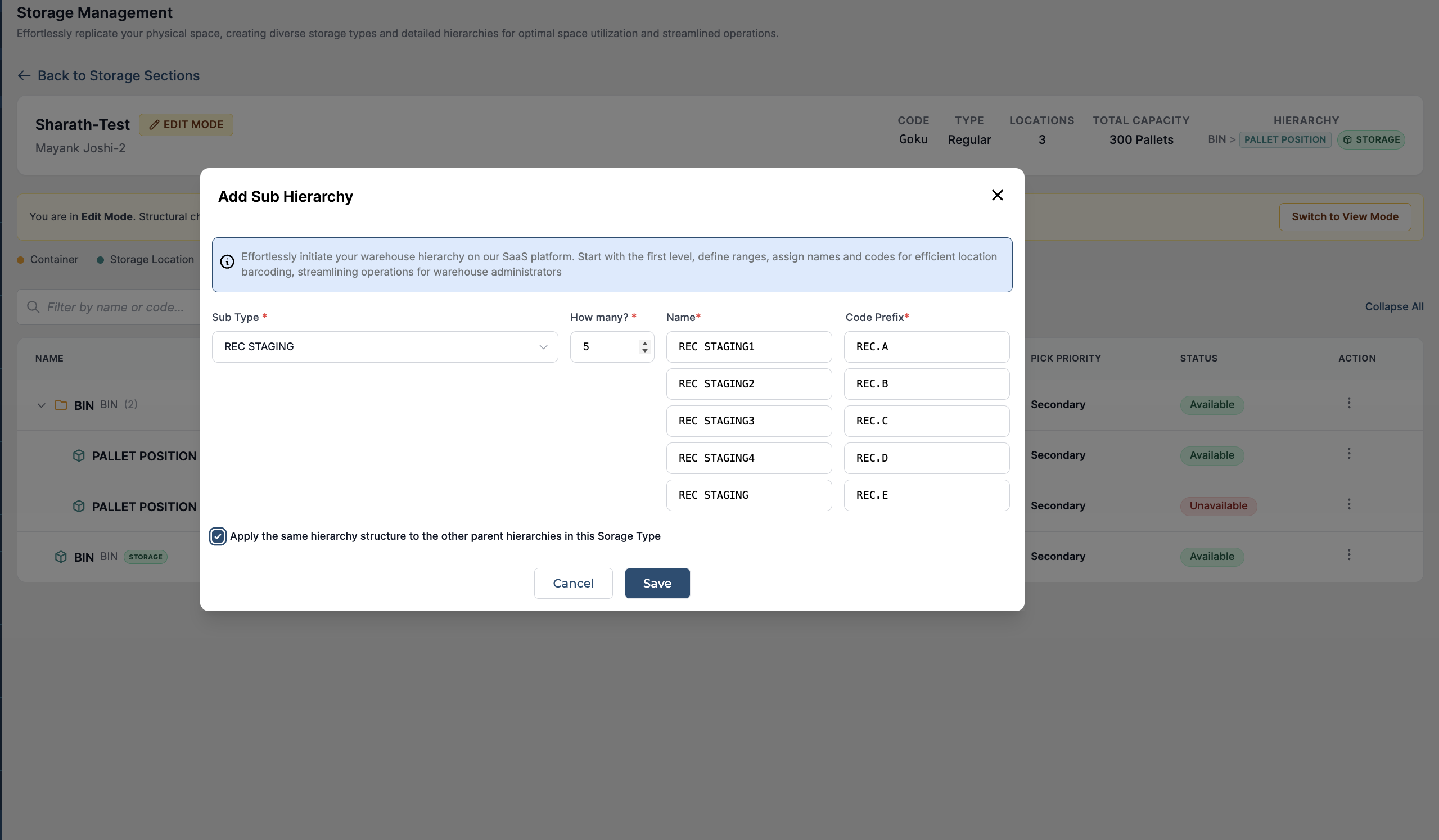
Upon clicking "Add Hierarchy," admins can establish nesting levels by selecting the storage type, sub-type, and specifying the range. For instance, creating racks within a zone with the desired range, as depicted below
-
Admins will be able to Apply the same hierarchy structure to the other parent hierarchies in this Storage Type, by clicking that checkbox. All the hierarchies and sub-hierarchies will have the same representation, making it simpler and easier for you to replicate your physical warehouse
-
On clicking “save” the hierarchies and their sub-hierarchies will be saved
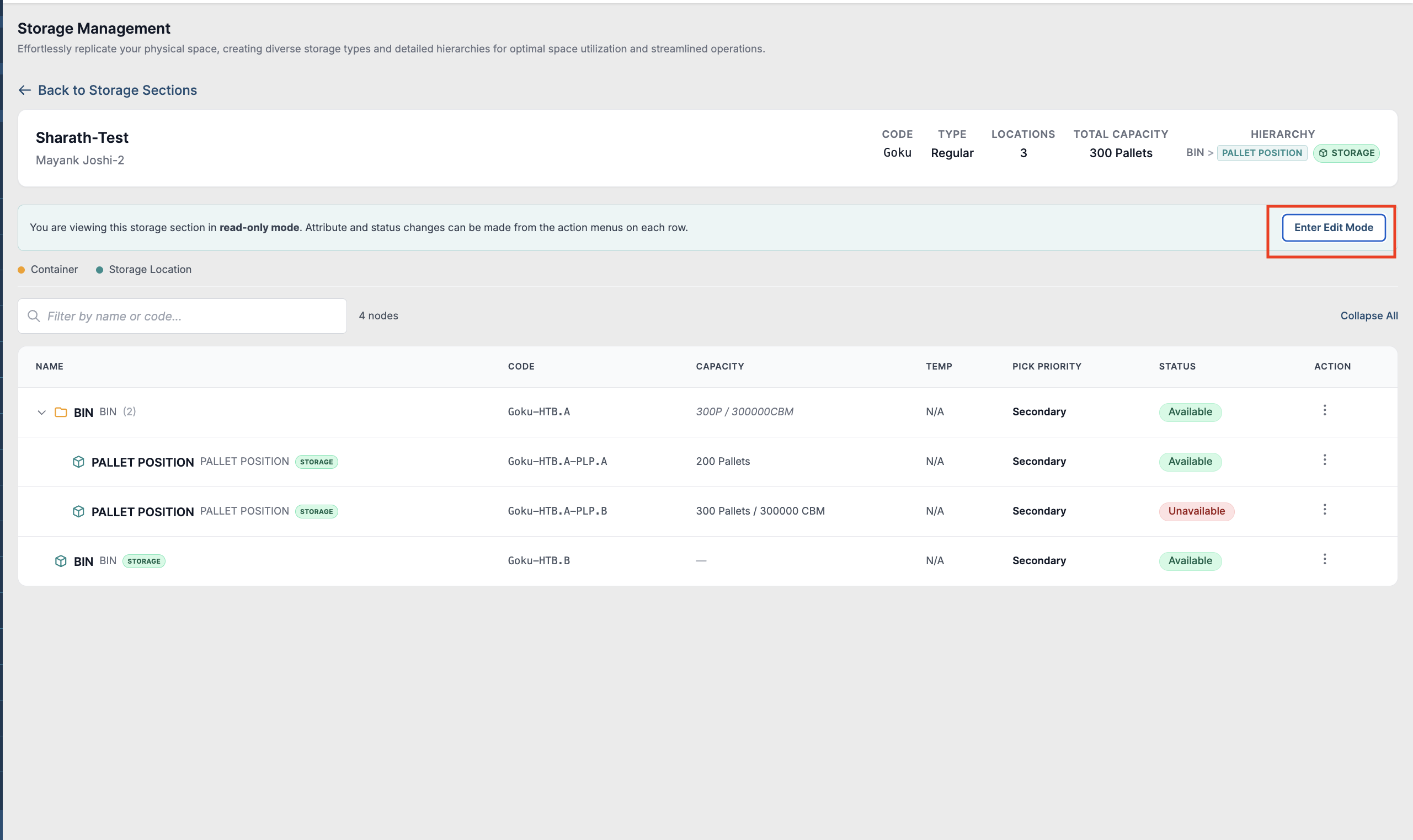
Admins retain the ability to delete hierarchies as needed, allowing for adjustments in range based on the physical layout of the warehouse, thereby optimising storage utilisation
Notice: Each hierarchy within a storage section is unique. If administrators select "Zone > Racks" for a storage section, only racks will be allowed within all zones.
However, administrators can set different ranges for racks within different zones.