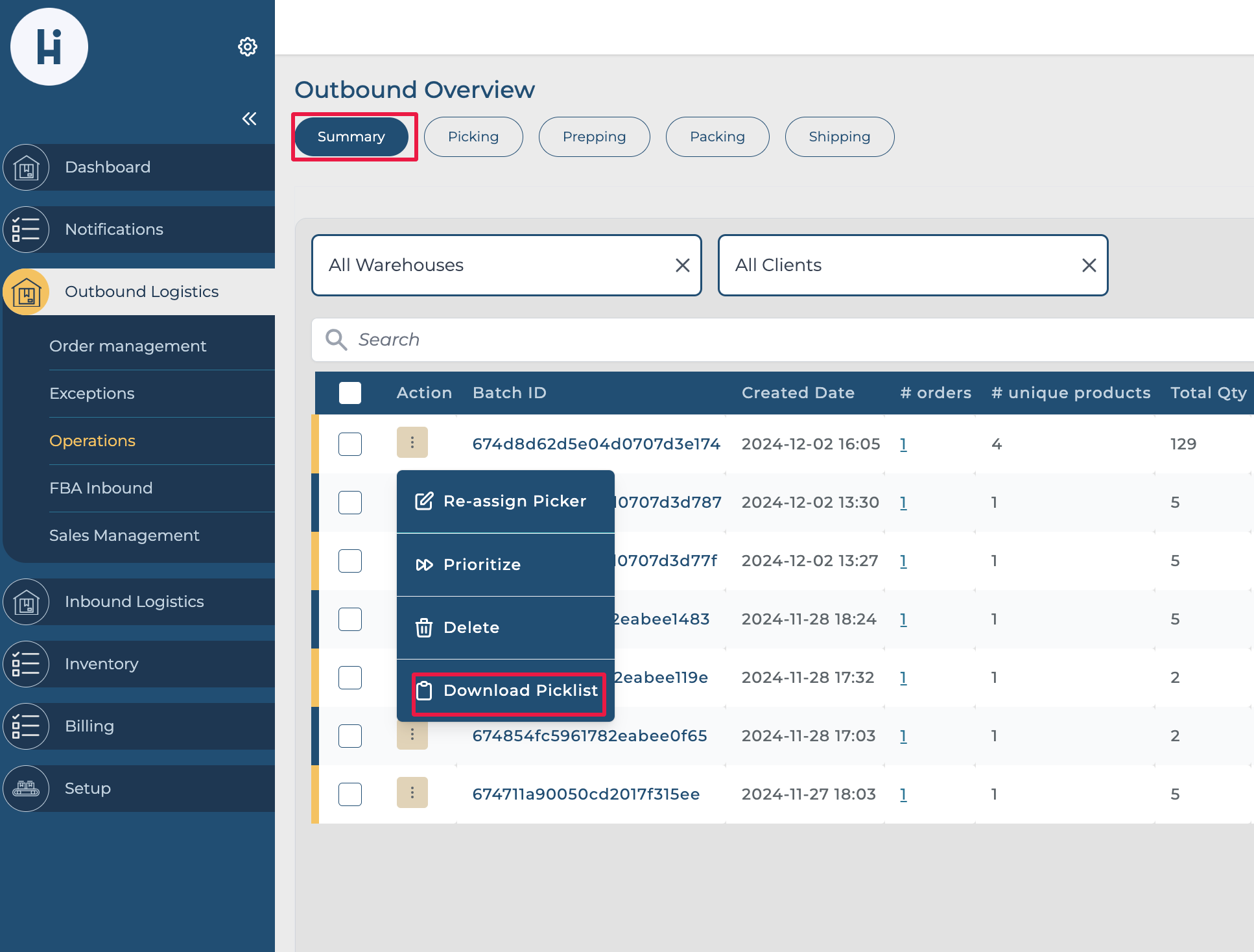
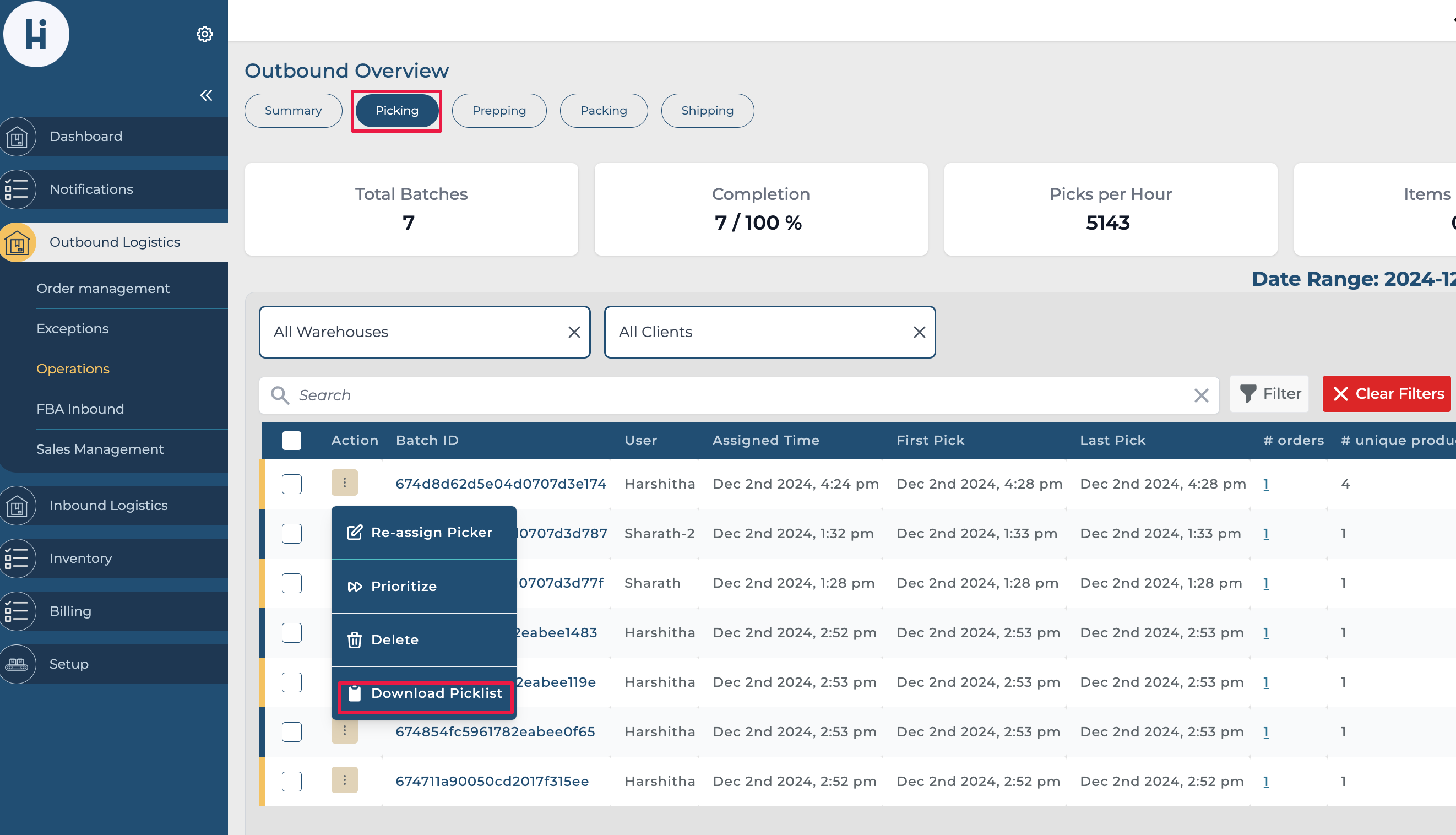
We are excited to announce the addition of the Download PDF Pick List feature in the Outbound Operations screen. This enhancement provides users with a quick and convenient way to generate and download pick lists directly from the system.
Where to Find the Feature
The Download Pick List option is now available under the Actions menu in both:
-
The Summary tab
-
The Picking tab
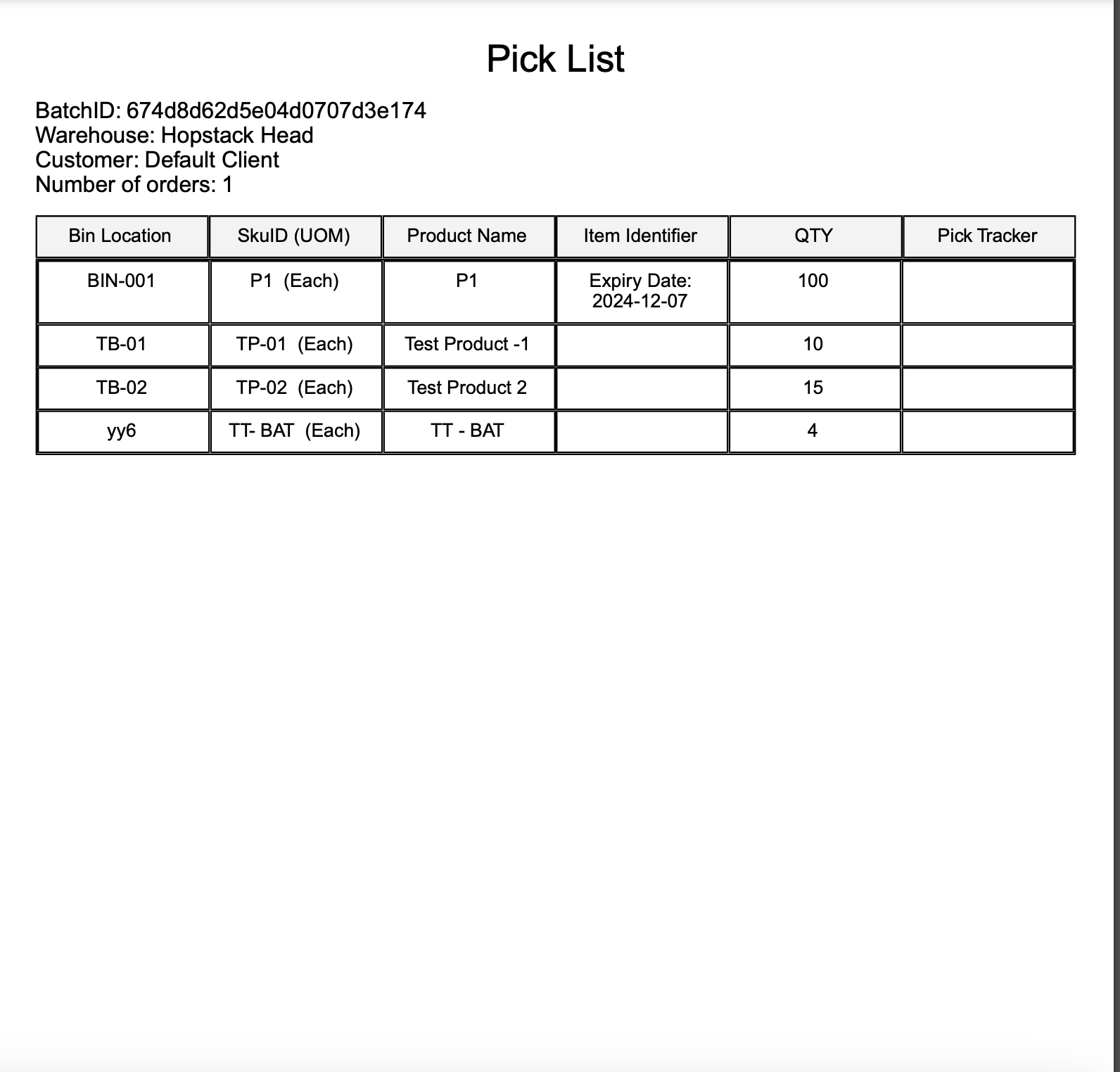
The pick list includes the following details.
-
Batch ID
-
List of SKUs
-
Item Identifier
-
Pick locations
-
Quantities to pick
Below is a sample pick list.