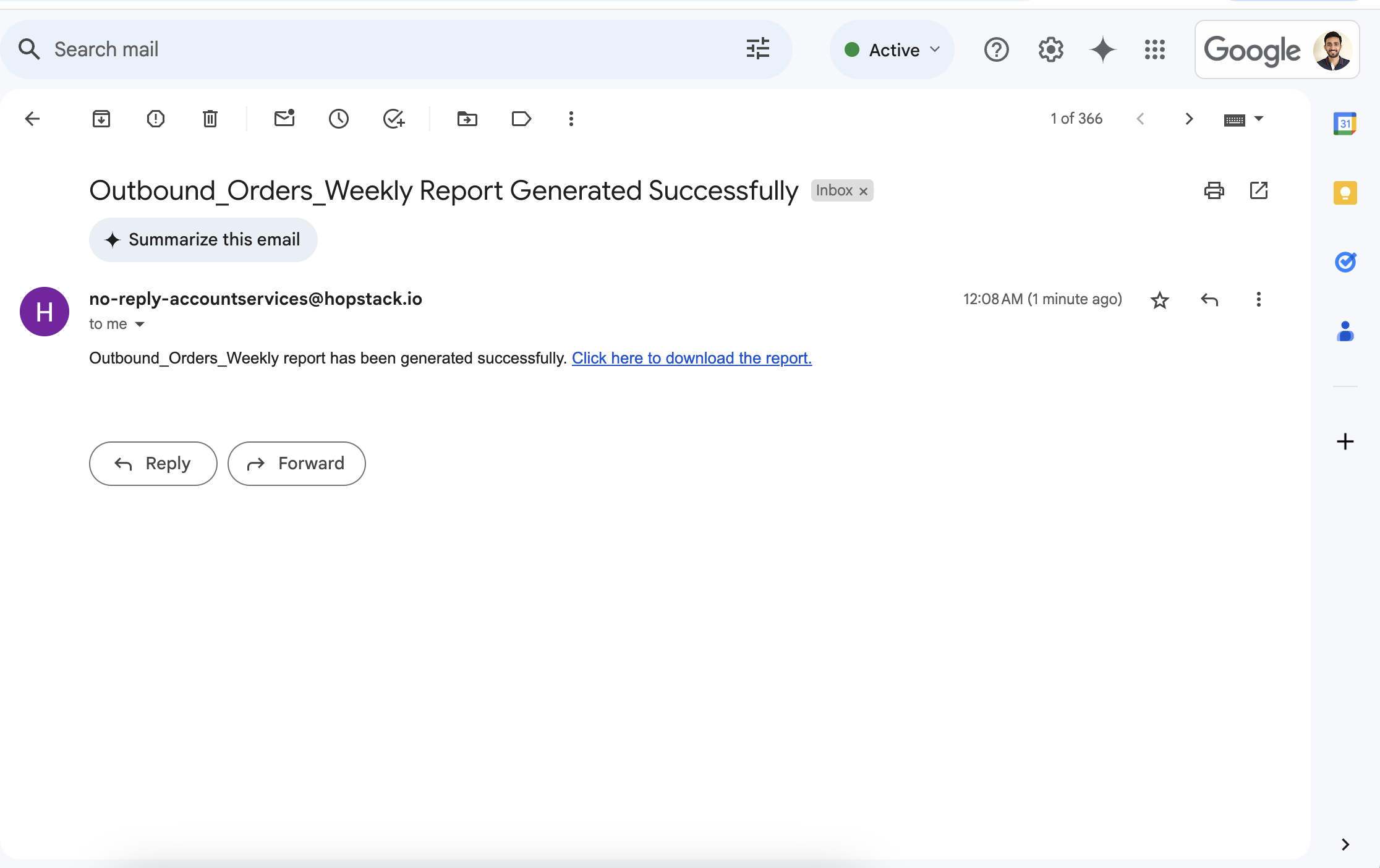
The improved System User Notifications feature provides a more intuitive and accessible notifications sidebar, delivering role-specific updates instantly. Admins can fully customize notification settings, ensuring that critical alerts reach the right users without delay.
For broader reach, admins can also activate email notifications, while system users have the flexibility to personalise their email preferences to suit their workflow.
User workflow:
-
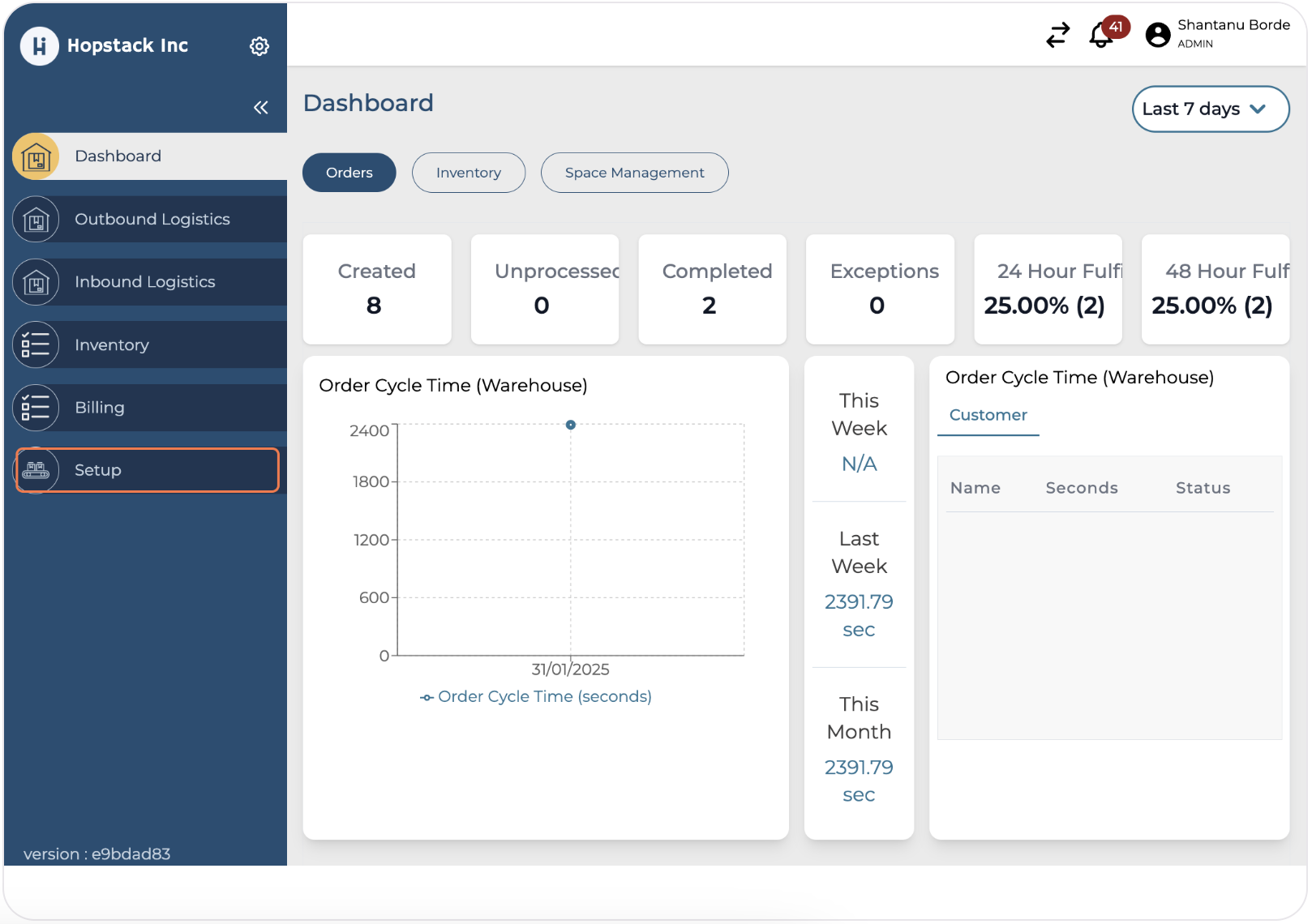
To set new Notification rules for system users, admin should click on "Setup"
-
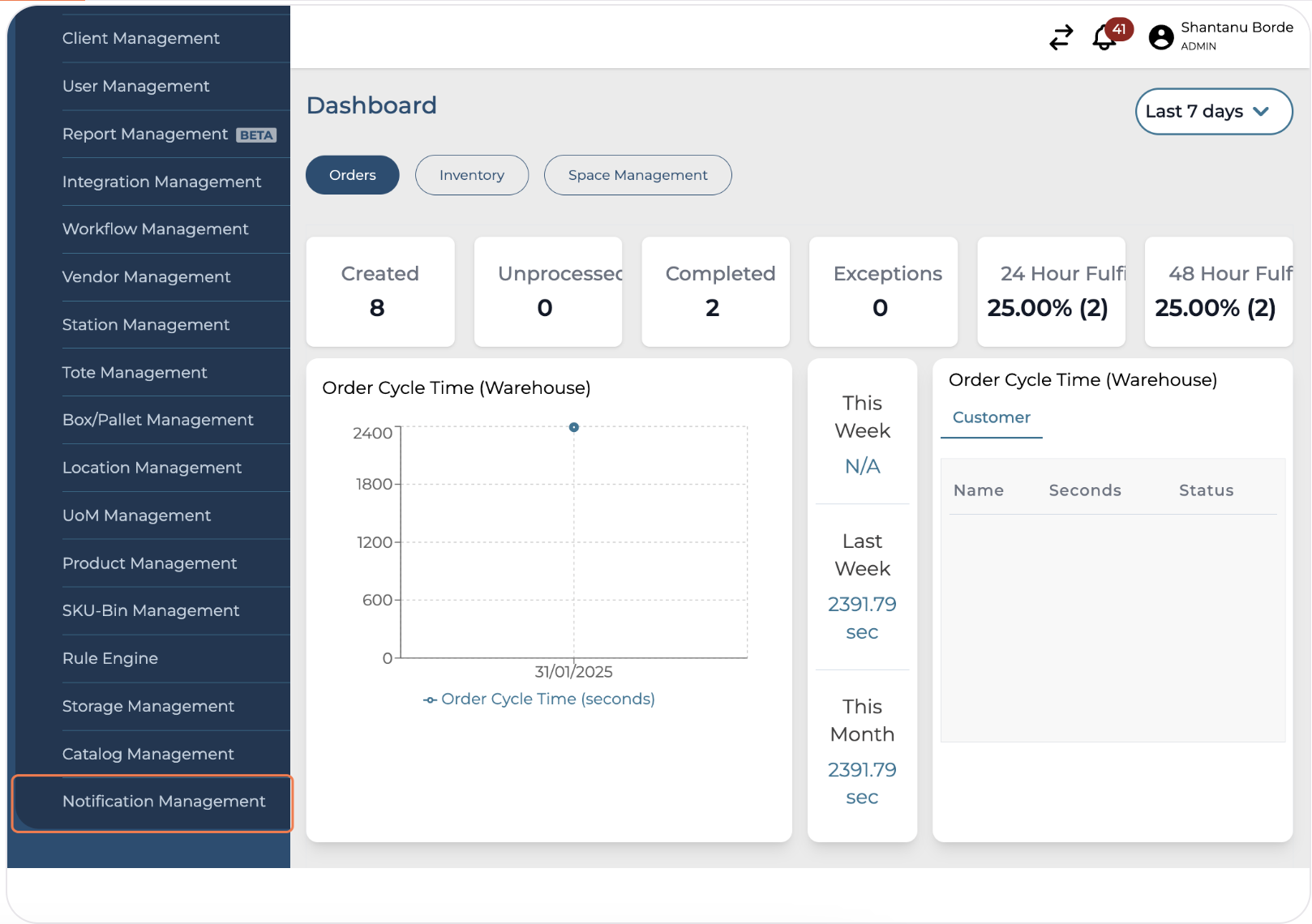
Click on "Notification Management"
-
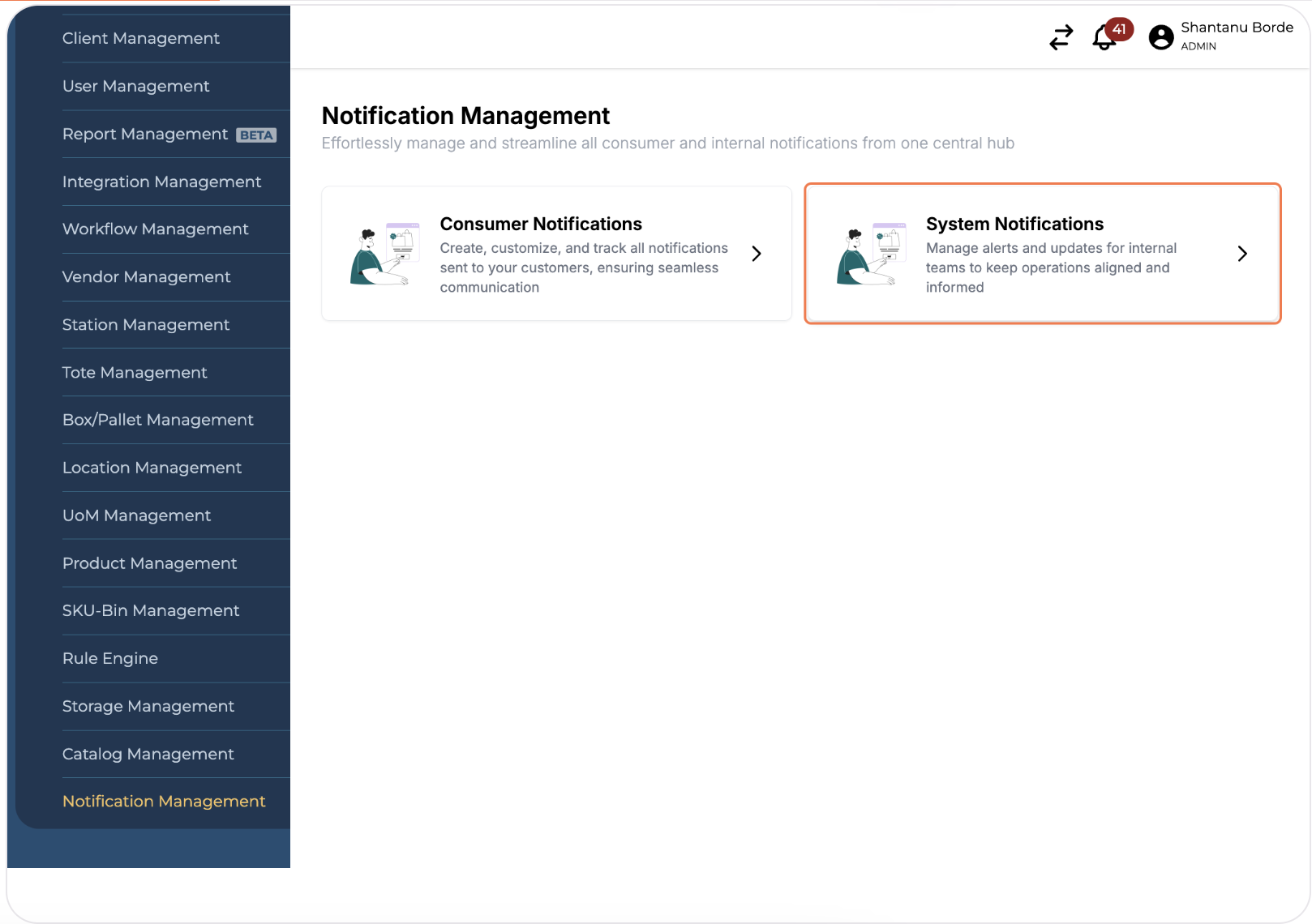
Click on "System Notifications"
-
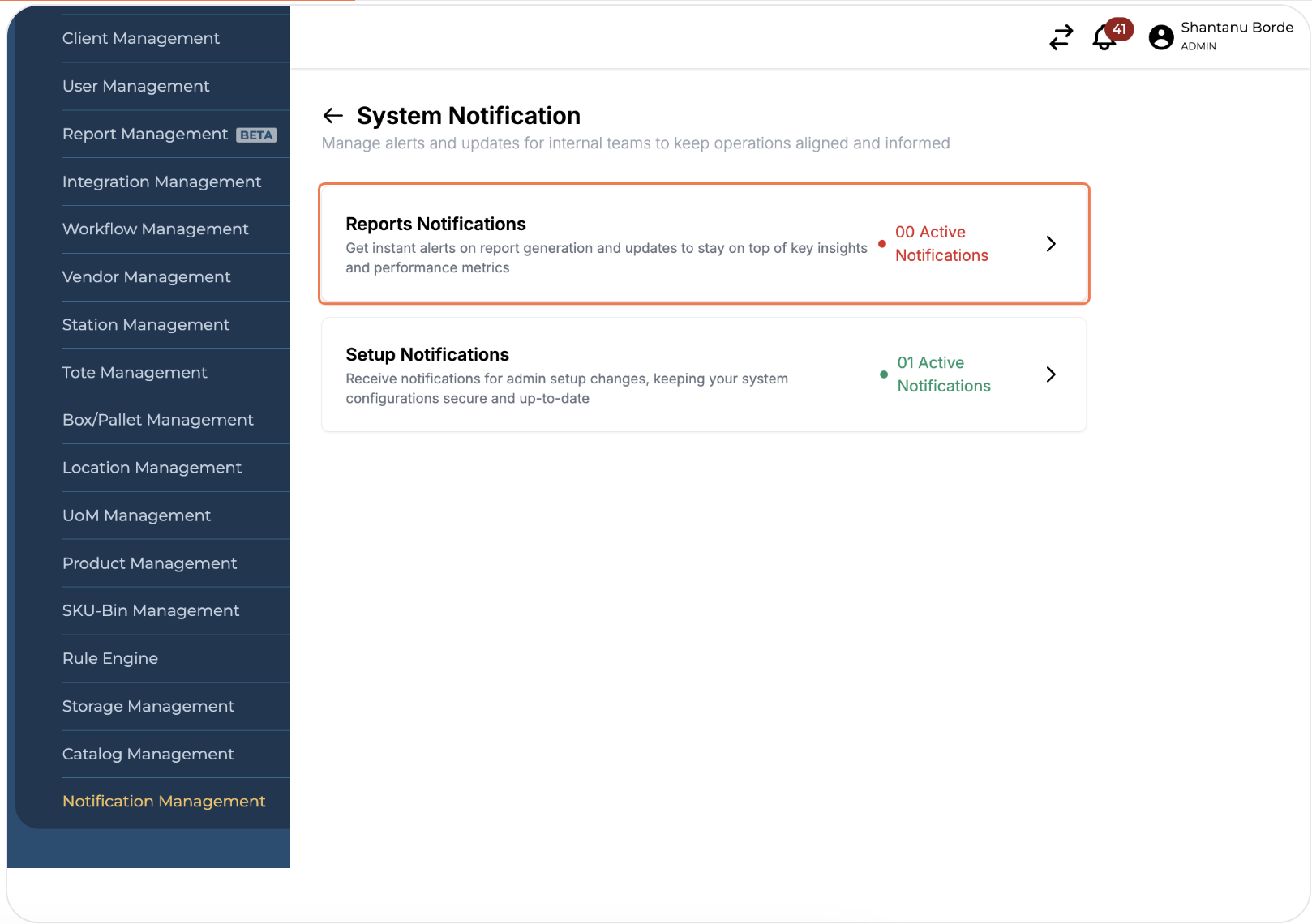
Click on relevant Notification type
-
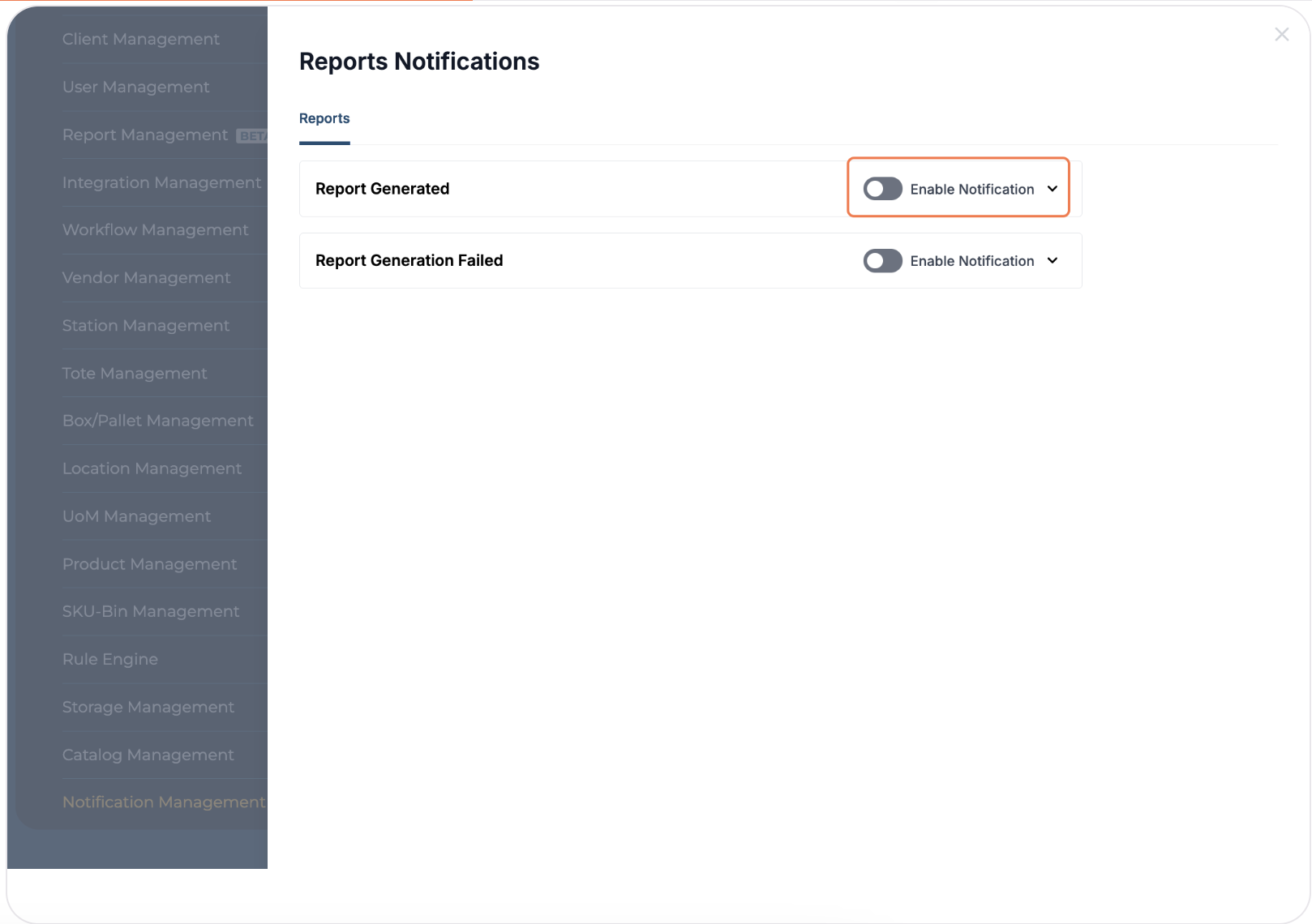
Click on toggle button next to the relevant Notification
-
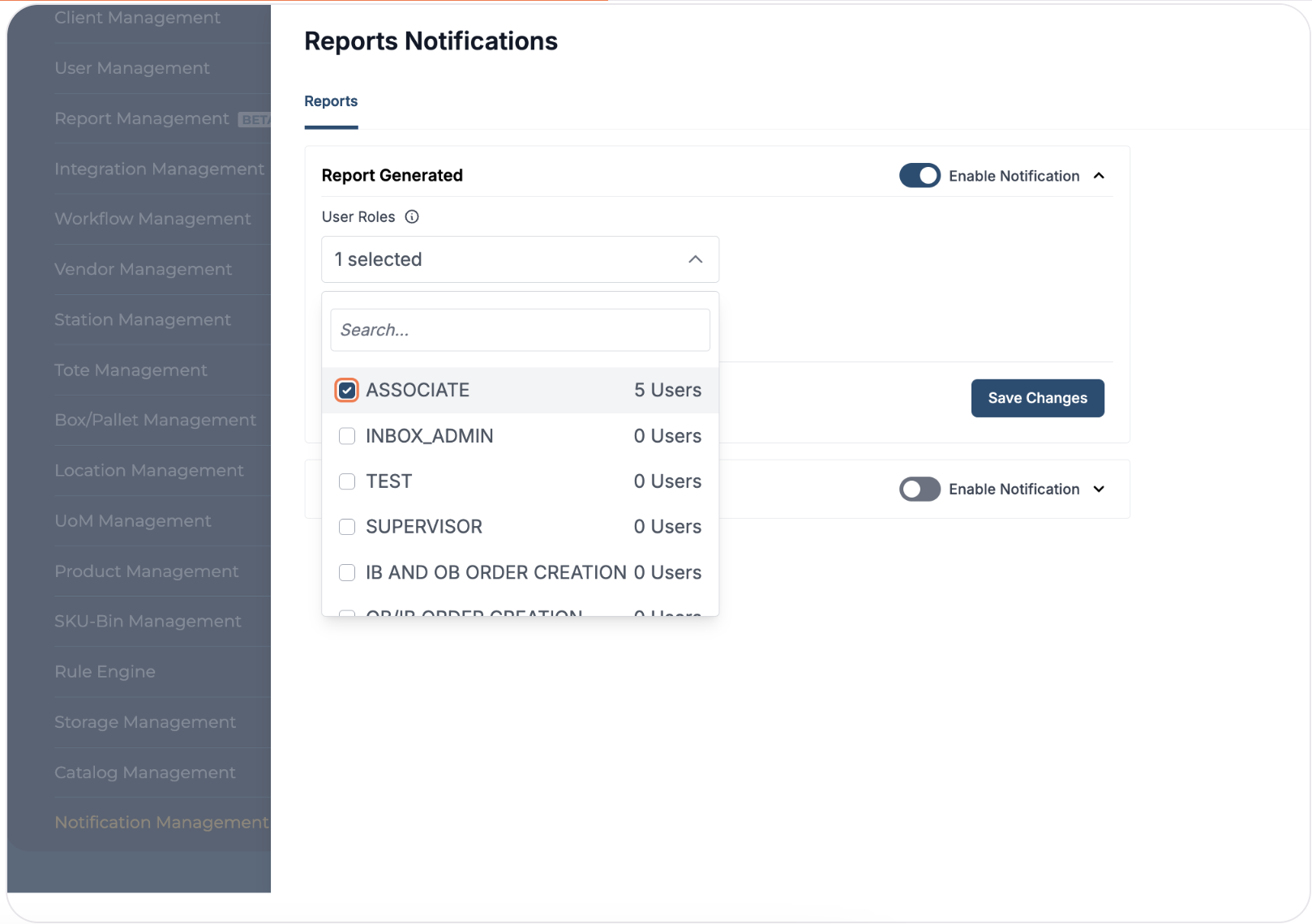
Select the relevant recipient user roles from the multi-select dropdown
-
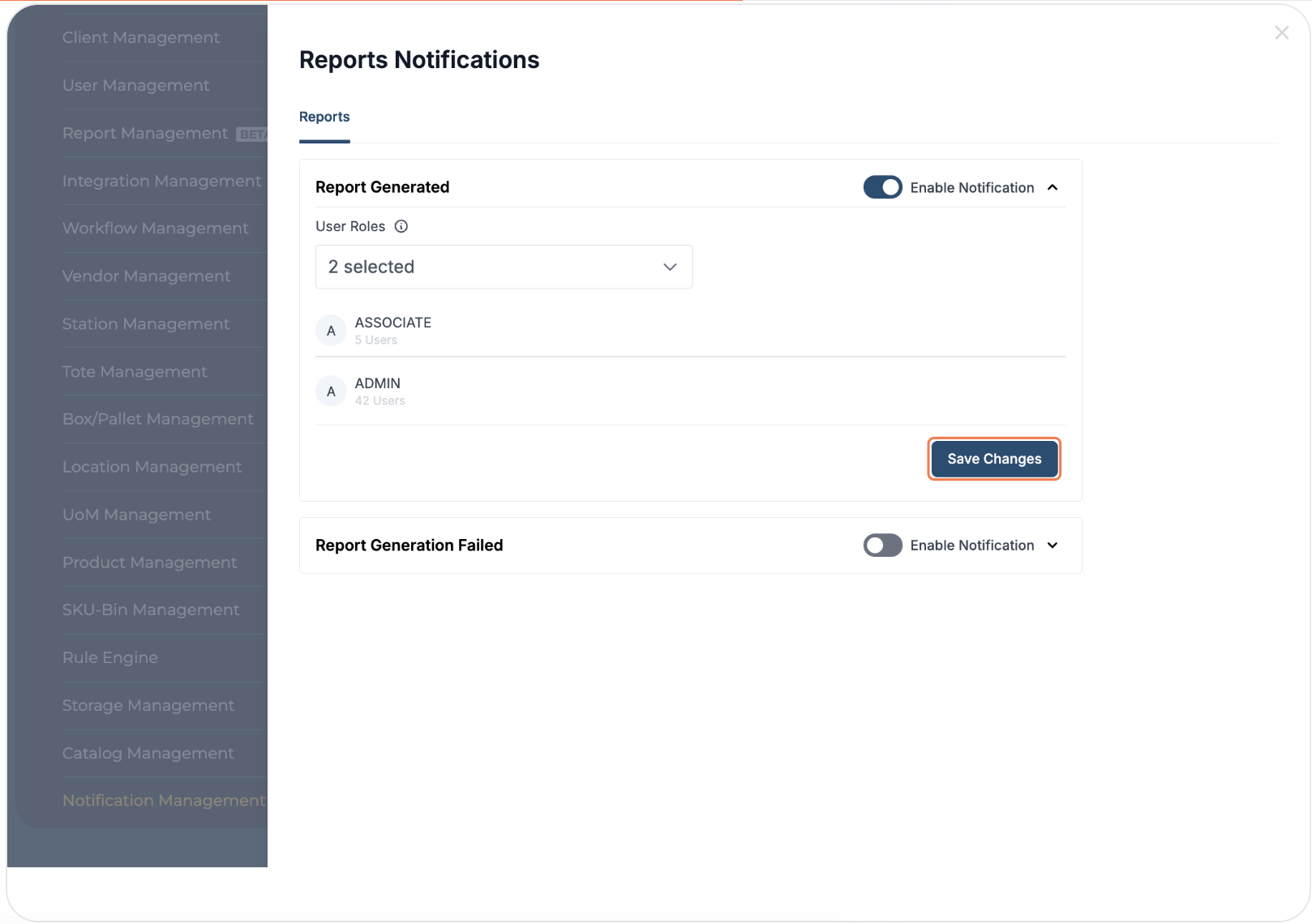
Click on "Save Changes"
-
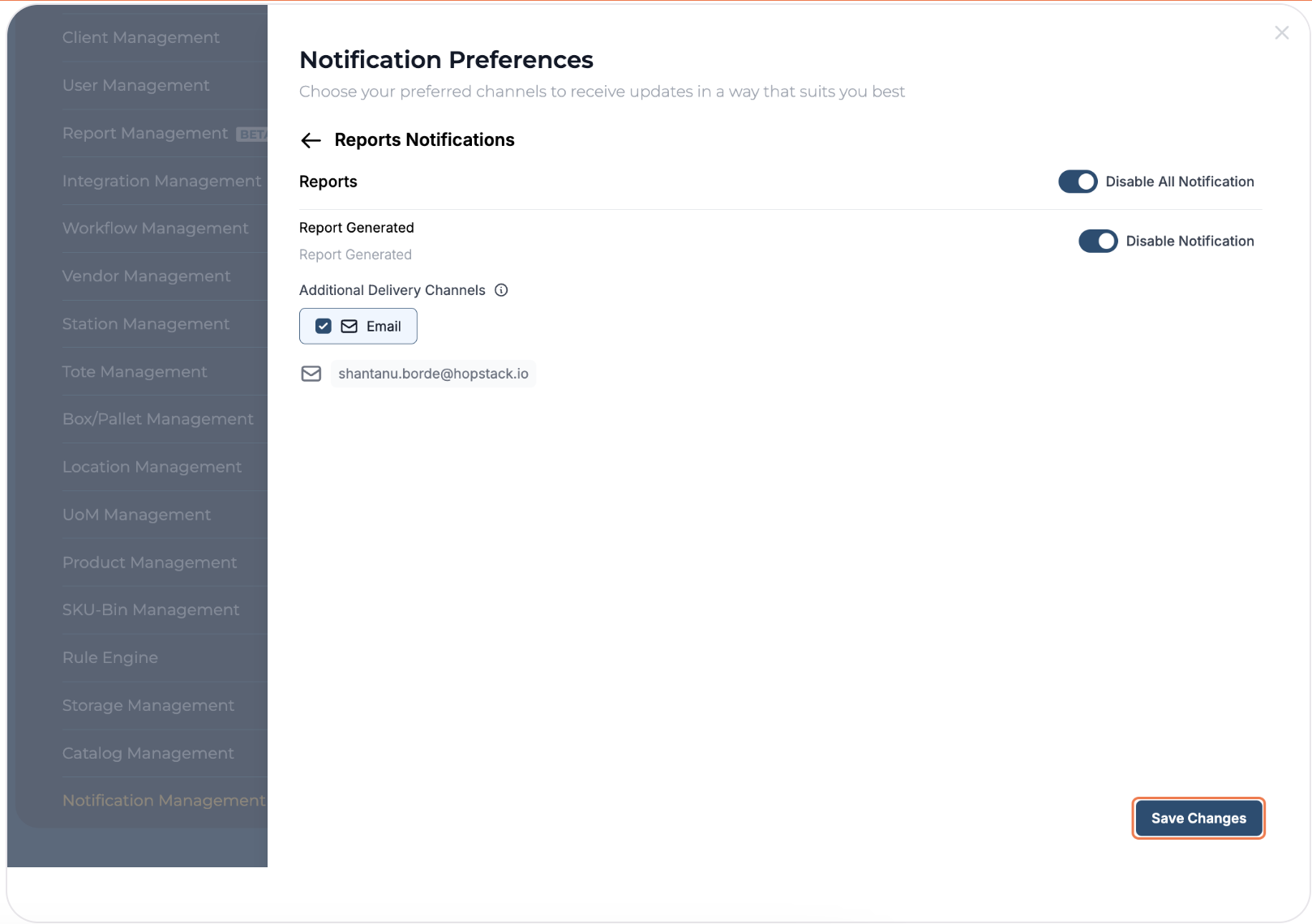
To set personal notification preferences, users should click on their profile icon
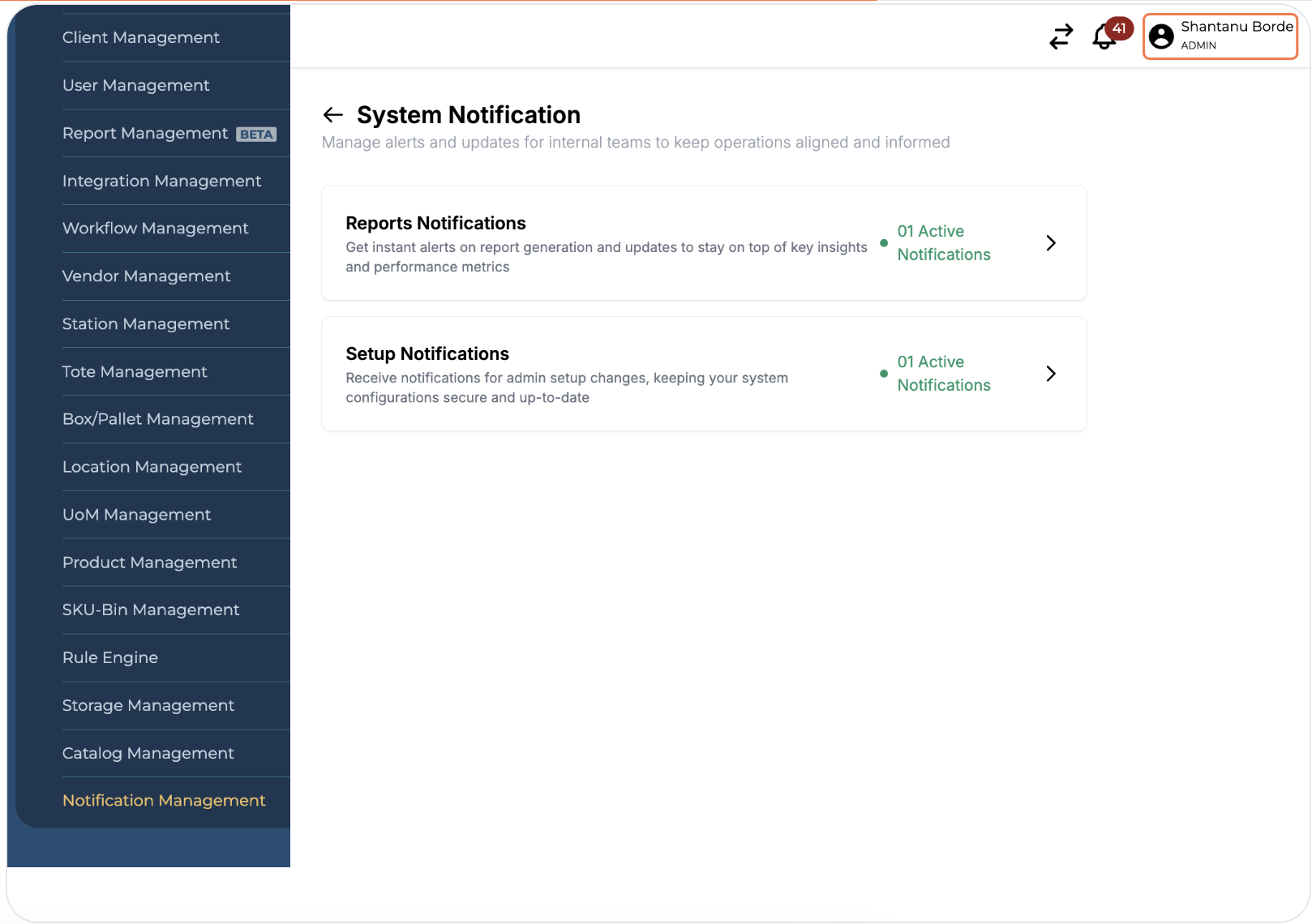
-
Click on "Notification Preferences"
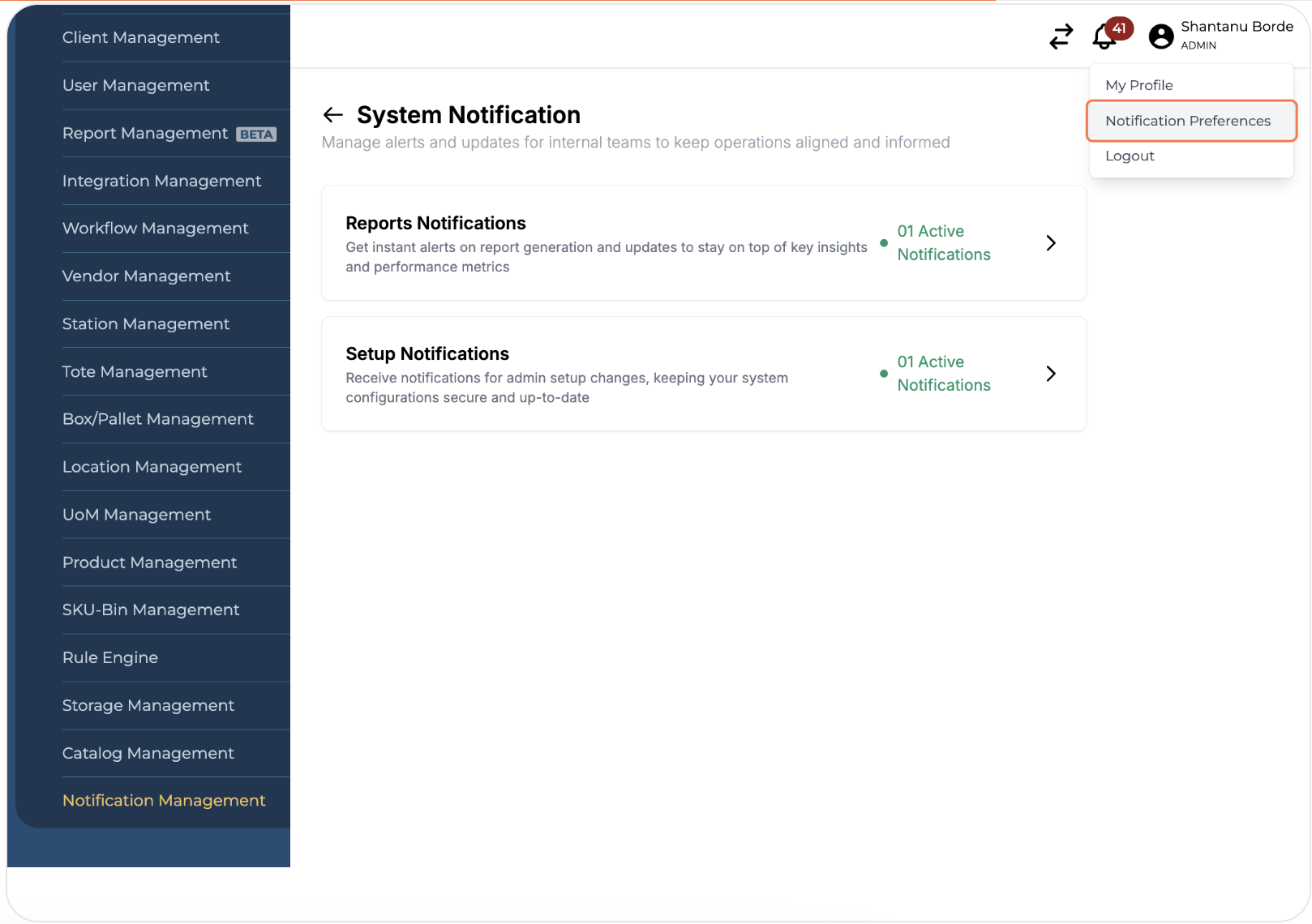
-
Click on the relevant Notification type
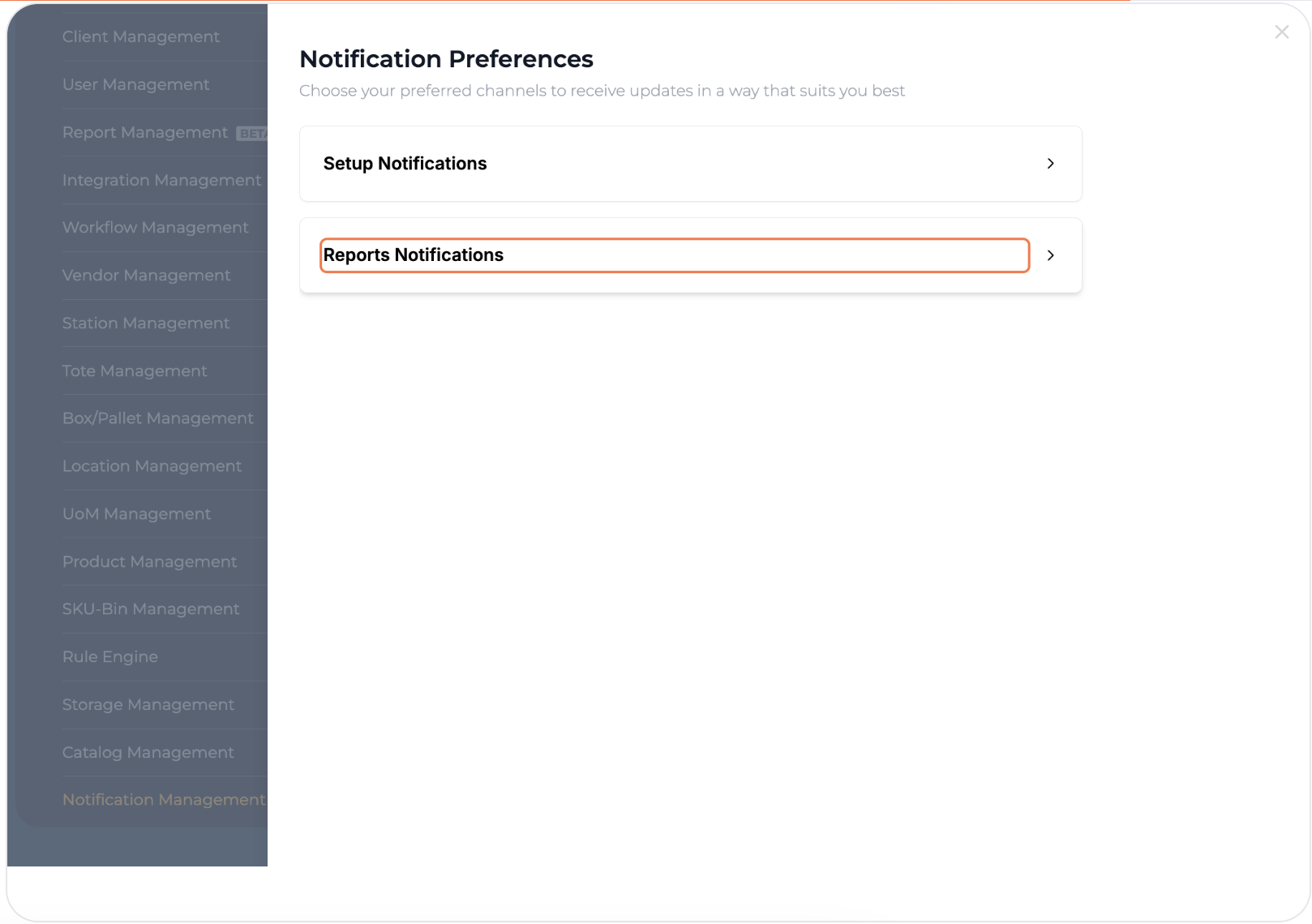
-
Click on the toggle button next to the relevant Notification
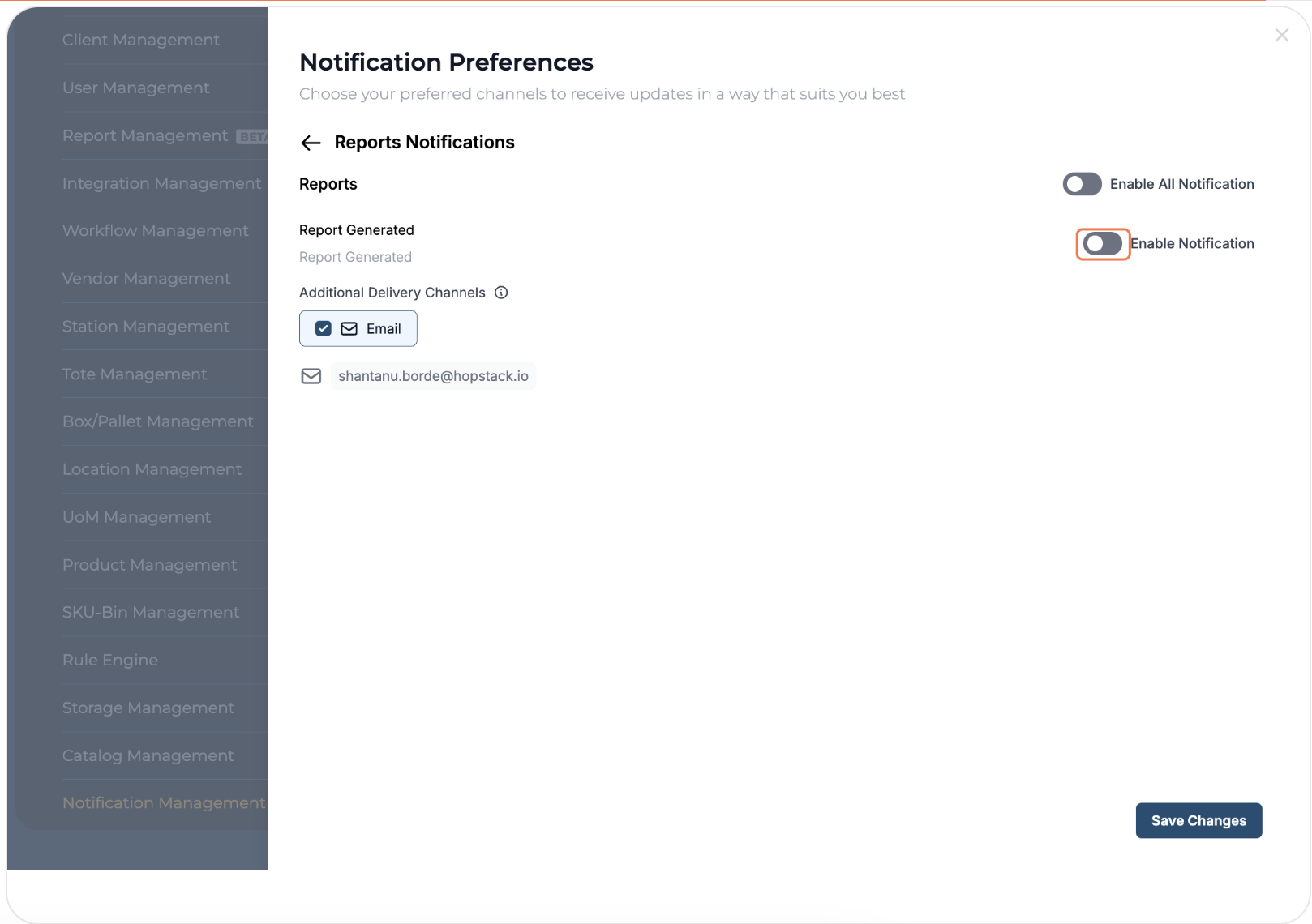
-
Click on "Save Changes" to confirm
Below is an example of an Order Creation notification e-mail sent to the system-user.