
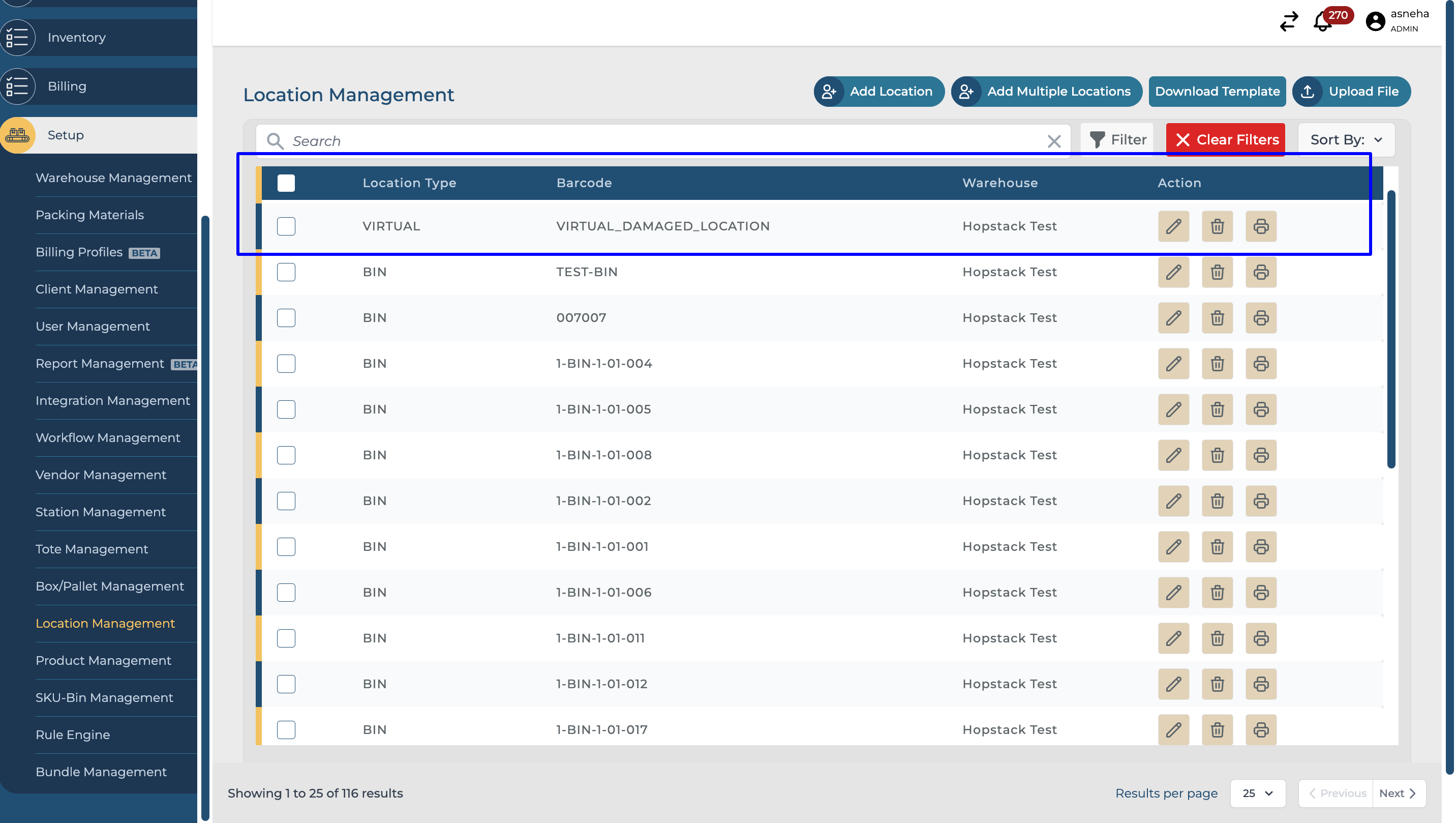
This document explains the new feature where a system-generated damaged location, called VIRTUAL_DAMAGED_LOCATION, is automatically created whenever a new warehouse is set up. This enhancement is designed to ensure that damaged quantities are effectively managed and tracked within the system, right from the moment the warehouse is made.
-
Automatic Creation of VIRTUAL_DAMAGED_LOCATION:
-
Whenever a new warehouse is created in the system, a corresponding VIRTUAL_DAMAGED_LOCATION is automatically generated.
-
This location is specifically designated for handling and tracking damaged items within the warehouse.
-
The automatic creation of this location ensures that the warehouse is equipped from the start to manage damaged stock separately from regular inventory.
-
-
Purpose of VIRTUAL_DAMAGED_LOCATION:
-
The VIRTUAL_DAMAGED_LOCATION is designed to isolate damaged goods from sellable inventory, ensuring that damaged quantities are not mistakenly included in available stock.
-
This separation is crucial for accurate inventory management, as it prevents damaged items from being used to fulfill orders or being included in storage totals.
-
-
Handling Damaged Quantities:
-
When products are received and identified as damaged, they are automatically assigned to the VIRTUAL_DAMAGED_LOCATION within the warehouse.
-
These damaged quantities are tracked separately in the stock ledger, under the "Damaged Qty" section, rather than being included in the total storage quantity.
-
-
Non-Removable VIRTUAL_DAMAGED_LOCATION:
-
Important Note: The VIRTUAL_DAMAGED_LOCATION created for each warehouse cannot be deleted or modified through the locations management feature.
-
This restriction ensures the integrity of damaged stock tracking and prevents accidental removal of this critical location.
-
-
Flexibility in Managing Damaged Stock:
-
While the VIRTUAL_DAMAGED_LOCATION is system-created and non-removable, you have the flexibility to transfer damaged items to other locations if necessary.
-
This can be done either through the SKU bin mapping view or directly from the stock ledger by selecting the appropriate actions.
-